sdRohan sdRohan

Start11 1.24 Release Issue Report Thread

Start11 1.24 Release Issue Report Thread

With the Start11 1.24 release, we are creating this thread so that users can report any observed issues.  

Obtaining Start11 1.24

Object Desktop members can get the release from within Object Desktop Manager 

Individual purchases (as well as Object Desktop Members) can also be obtained from your account page: https://store.stardock.com/myaccount/products

For guest check-out purchase (no account), from this link: http://www.stardock.com/support/productkeyretrieval

Reporting an issue

Please include the following for anything found:

  • Exact Windows version \ build (winver.exe)
  • Detailed steps to recreate the issue seen
  • Screenshots and videos are very helpful.  Videos can be uploaded to a cloud drive services (GoogleDrive, DropBox, OneDrive, YouTube) and links included in your post.  Images can be directly added.
  • If there are specific apps that the app does not work (well) with, please note what apps and their exact versions.  If any app is not common, a link to a trial version would be appreciated.

Thank you for your interest and any time you put into making Start11 a better product.

223,218 views 157 replies
Reply #26 Top

Quoting patrickantouly, reply 23

Hello,

Since the last version, the tiles background has disappeared and is seen only when hovered with the mouse.

How can I get back my tiles background squares?

Thank you

Patrick

Are you using the Windows 10 style and a dark mode?

We changed the opacity of the tiles in that as it did not match the native Windows 10 menu in that mode.

They should not be invisible however, just less solid than they were.

Are you able to post a screenshot of what you are seeing in case there is something else going on here please.

Reply #27 Top

For the past few Start11 versions (release, not beta), when clicking the wifi/audio button on the taskbar (aligned top), it cuts off the top of the popup (first pic), and often doesn't bring it to the top (second pic). It only does this with the taskbar aligned to the top; popup works just fine with taskbar aligned to the bottom. This happens with all taskbar sizes. I'm using Start11 1.24, some other computer specs below:

  • Edition: Windows 11 Home, Version: 21H2
  • OS build 22000.675
  • Experience Windows Feature Experience Pack 1000.22000.675.0
  • Version    10.0.22000 Build 22000
  • System Model    Inspiron 3670
  • System Type    x64-based PC
  • BIOS Version/Date    Dell Inc. 2.21.0, 12/3/2021


+2 Loading…
Reply #28 Top

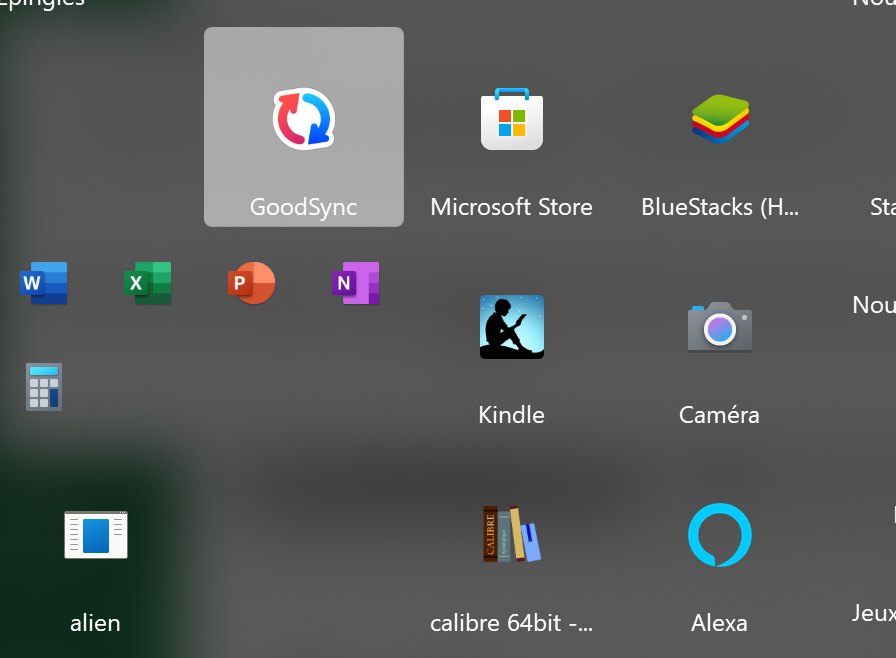
Here it is.

As you can see: there are no square around the icons, appart the one below the mouse.

How can I have squares around all icons, like with Windows 10?

Thank you

Patrick

Reply #29 Top

Quoting patrickantouly, reply 28

Here it is.

As you can see: there are no square around the icons, appart the one below the mouse.

How can I have squares around all icons, like with Windows 10?

Thank you

Patrick

Reduced 89%
Original 896 x 658


It looks like you have accidentally enabled the option in Start11 for Use Windows 11 menu style icons.  You can access this setting in the Start11 settings app by clicking on Start Menu and then on Configure Menu.  Scroll down and you should see this option.

Reply #31 Top

After the 1.24 update my taskbar is empty. In the settings I see the message 'You already have something else managing your taskbar buttons so this cannot be enabled until that is disabled'.  What that 'that' is, is unclear.

I don't have any other software installed that manages the taskbar.

Now I have to find version 1.23 so I can roll back to that version.


Edit:  Couldn't find 1.23 so I re-installed 1.24 and now the taskbar is showing its icons, as is the system tray. Fingers crossed it stays this way.

Reply #32 Top

V1.24 is royally hosed up. All previous versions worked perfectly for me. This update overlays the notification icons with the start icons. I use dual monitors in extend mode. Secondary monitor looks fine, main is hosed up.

Reply #33 Top

Hi, I've just upgraded to 1.24 - but this issue has been with me through multiple versions, since I first joined Start11 last November.

When I left-click on the wireless network icon in the System Tray, it's supposed to show a list of Wi-Fi networks - but instead a blank window appears for about 5 seconds, with a scrolling blue line at the top.

The Wi-Fi network list never appears, and this empty window usually closes on it's own (sometimes stays open, until I click away from it).

Edition Windows 11 Home
Version 21H2
Installed on ‎31/‎10/‎2021
OS build 22000.675
Lenovo IdeaPad L340-17IRH Gaming Laptop

Here is a video of the bug in action: https://www.dropbox.com/s/u3gg7py3neqyoxk/20220526_224330.mp4?dl=0

Thank you.

Kind Regards,

Jordan


Update: I just realised I can get to a similar 'Wi-Fi' list menu, using the 'Control Center' cog-wheel, also in the System Tray (next to the time/date).
A extra click or two - but that [still] works - just not the most direct route (which I've spent years training brain to click to :D).
A bug-fix would still be nice - but at least I have a work-around now :-)

Reply #34 Top

Quoting jmoulds, reply 33

Hi, I've just upgraded to 1.24 - but this issue has been with me through multiple versions, since I first joined Start11 last November.

When I left-click on the wireless network icon in the System Tray, it's supposed to show a list of Wi-Fi networks - but instead a blank window appears for about 5 seconds, with a scrolling blue line at the top.

We cant reproduce that nor have we had any other reports that I can recall.

If you uninstall Start11, reboot, does it still happen?

If not, and you reinstall Start11, does it happen still?

Sean Drohan
Stardock Product Lifecycle Manager

Reply #35 Top

Quoting usernameisalreadytaken, reply 32

V1.24 is royally hosed up. All previous versions worked perfectly for me. This update overlays the notification icons with the start icons. I use dual monitors in extend mode. Secondary monitor looks fine, main is hosed up.

If you restart Windows Explorer, does that still happen?

If so, and you uninstall \ reinstall, is it still the case?

Sean Drohan
Stardock Product Lifecycle Manager

Reply #36 Top

I'm not sure if this is Start11 related (I also have Display Fusion installed) but this is happening to my system tray.

Reply #37 Top

Quoting ldeveraux, reply 36

I'm not sure if this is Start11 related (I also have Display Fusion installed) but this is happening to my system tray.

And if DF is removed from the equation?

Sean Drohan
Stardock Support Manager

Reply #39 Top

strangely if I click to expand the system tray this corruption occurs on my main screen. This doesn't happen on the second monitor with the display fusion taskbar.

Reply #40 Top

Thanks sdRohan: After uninstalling Start11 and rebooting a couple of times, the Network icon was still misbehaving.
I have reinstalled Start11 now, and - no surprise - it still does the same behavior. Never mind, I have my workaround. :)

Reply #41 Top

Quoting ldeveraux, reply 38

When I close DF, that weirdness still exists yes

Can you disable DF so that it does not start on startup and reboot to see what happens?

Paul Scroggins
Associate Technical Support Analyst

Reply #42 Top

Quoting jocabt, reply 39

I was experimenting different settings and after a bit the "Hide search box unless searching" option on Windows 11 Style becomes broken. I have it disabled and the search box is not show. However, if I enable "Use Start11 search in the Start11 start menu", then the search box is shown again. However, if I disable this latter setting to use Windows search, the search box is gone again.

Hello,

What Start11 version and what Windows version (winver.exe), please

Paul Scroggins
Associate Technical Support Analyst

Reply #43 Top

hi, i may have configured incorrectly so apologies if its user error. I am having an issue with my start menu being unresponsive, as in, if i right click an icon and pin/unpin etc, start menu is then unresponsive for a few seconds before i can do anything else. using 12900k w11 so shouldn't be a performance issue. any tips to fix this or is just a limitation?


edit: on my laptop its snappy as you'd expect so ill try a reinstall

Reply #44 Top

Hello!

I'm running into a issue with Start11 using Windows 11 style (centered aligned). I purchased Start11 for the specific feature to center my icons and start button in the taskbar.


The issue appeared when I RDP/Remote into the computer with resize resolution options the start menu and taskbar icons disappear. Re-setting the resolution to defaults it goes back to normal. This issue happens on both systems. I have a KVM with both systems connected, and switching between the two to remote into the other system. Fails...


I have a ultra wide monitor with a resolution 5120 x 1440. I occasionally need to remote into my desktop from my laptop. As you could understand, being able to resize the screen is critical for functionality.


Update: I found that un-docking my laptop from my 5120 x 1440 monitor then login, the issue appears. 

Then I found that when I logged out of my account while the laptop is connected to the monitor and leave it. Then RDP into the laptop, It works correctly. So it appears there is no dynamic resize/relocate when the resolution is changed while Start11 is running.


Start11: 1.24

Laptop and Desktop are on Windows 10: Version 20H2 OS Build 19042.1706

Thank you

Reply #45 Top

Sure, that seems to be the issue. But if I have to choose between DisplayFusion and Start11, it's DisplayFusion


EDIT: maybe my PC was just being wonky, after starting DF and S11 again, no issues with the system tray.

Reply #46 Top

So far, 1.24 seems to be the most stable yet. I had to uninstall Start 11 for a bit as there were a ton of performance/crashing issues in the last couple of versions. We'll see if these reappear long-term, but so far so good.


A couple of things I've noticed so far:


With a two-row, small-sized taskbar, the tray icons all appear behind the clock.

Changing to one row fixes it although they look a bit cramped. Perhaps a small taskbar should only have one row of tray icons per taskbar row? Or shrink the icons slightly, if that's even possible.

The two-row taskbar also appears to be even more broken in medium size, the clock and notification button are completely gone. Clicking the blank spot in the corner does nothing.


I've also noticed that occasionally on my vertical monitor, the clock becomes offset and is partially cut off at the bottom of the screen. I haven't been able to reliably reproduce this issue though, and an explorer restart always seems to fix it.


Start11 v1.24

Win11 build 22000.675

Reply #47 Top

After the update Most recently used app list is empty, both in Windows 7 style and Moder style. Tried to uninstall and reinstall 1.24, with the list still showing up blank. The list showed up fine on 1.22

Pinned apps show up fine.

Reply #48 Top

Quoting leafreg, reply 49

After the update Most recently used app list is empty, both in Windows 7 style and Moder style. Tried to uninstall and reinstall 1.24, with the list still showing up blank. The list showed up fine on 1.22

Pinned apps show up fine.

Which OS are you using?

Is it possible you accidentally disabled the option in Windows to store that information?

Reply #49 Top

Now there was nothing for a while after I reported it, but as of today it is happening again, nothing has been changed in the settings at Start11. I don't understand what is causing the problem, as it seems to be sporadic.

I use two monitors, both are the same resolution 3840x2160, both are scaled to 150% with Windows and use GPU scaling from Nvidia. I only use the taskbar on my main screen. Use open tabs never group, font size medium, everything else off in taskbar.


Reply #50 Top

Hi,

I have an issue that when the buttons on the taskbar are not combined, then the position on the taskbar where you need to click is offset where the taskbar item is shown. For example on the screenshot  (downgraded resolution for post, can provide higher-res version) when hovering on the taskbar have to put the mouse approximately two items to the left for the adobe acrobat items to appear.

In Start11 my taskbar "buttons should be combined" is set to sometimes. My setup is:

Windows: Windows 11 Version 21H2 (OS Build 22000.675).

Stardock version 1.24

3840x2400 display with a 250% scaling

Thanks!