sdRohan sdRohan

Start11 1.39 Release Issue Report Thread

Start11 1.39 Release Issue Report Thread

With the Start11 1.39 release, we are creating this thread so that users can report any observed issues.  

Obtaining Start11 1.39

Object Desktop members can get the release from within Object Desktop Manager 

Individual purchases (as well as Object Desktop Members) can also be obtained from your account page: https://store.stardock.com/myaccount/products

For guest check-out purchase (no account), from this link: http://www.stardock.com/support/productkeyretrieval

Reporting an issue

Please include the following for anything found:

  • Exact Windows version \ build (winver.exe)
  • Detailed steps to recreate the issue seen
  • Screenshots and videos are very helpful.  Videos can be uploaded to a cloud drive services (GoogleDrive, DropBox, OneDrive, YouTube) and links included in your post.  Images can be directly added.
  • If there are specific apps that the app does not work (well) with, please note what apps and their exact versions.  If any app is not common, a link to a trial version would be appreciated.

Thank you for your interest and any time you put into making Start11 a better product.

Sean Drohan
Stardock Support Manager

129,100 views 85 replies
Reply #51 Top

Quoting basj, reply 39

Please try purge and reinstall steps as mention here : [Link]. Just make sure to redownload the latest version from your account page. Reboot after the purge. Reinstall and reboot again after the installation. Retest and report back here.

Thank you,
Basj,
Stardock Community Assistant.


Again, it helps a bit. Transparency appeared but 11% of Menu is not the same as 11% of Taskbar.

How could I download the previous version (1.38 or earlier) to show how it was?

Thank you for your help.

Reply #52 Top

I'm also on 1.39 and notice the transparency is very different on the Win10 style menu. I am on Win11 22621.1194.

To get any, I had to disable the "Use automatic color for the start menu" so it goes to black and then if I adjust menu transparency, you can see it working as it should be. At 11% on a white background, it was almost entirely transparent.

So, leaving it set to auto change the color looks to ignore the menu transparency. Choosing a color manually and adjusting the menu transparency appears to work fine as a workaround.

Reply #53 Top

Star11 on Steam is still on version 1.36 and keeps saying there isn't an update.

Is there a way to get faster updates if I bought via Steam? If I manually download v1.39 and install it, will it update or create issues with the license?

Or short the time needed for a new release to get to Steam? It's been more than a week now.

Thanks

Reply #54 Top

Quoting JamesSomething, reply 49

Also, its not just security stuff not appearing in search, its a lot of things that either come up in default windows search or at least when searching in the settings search box - for example, attempting to find disk management using any typical keyword you might use for that, doesn't lead to it showing anything relevant

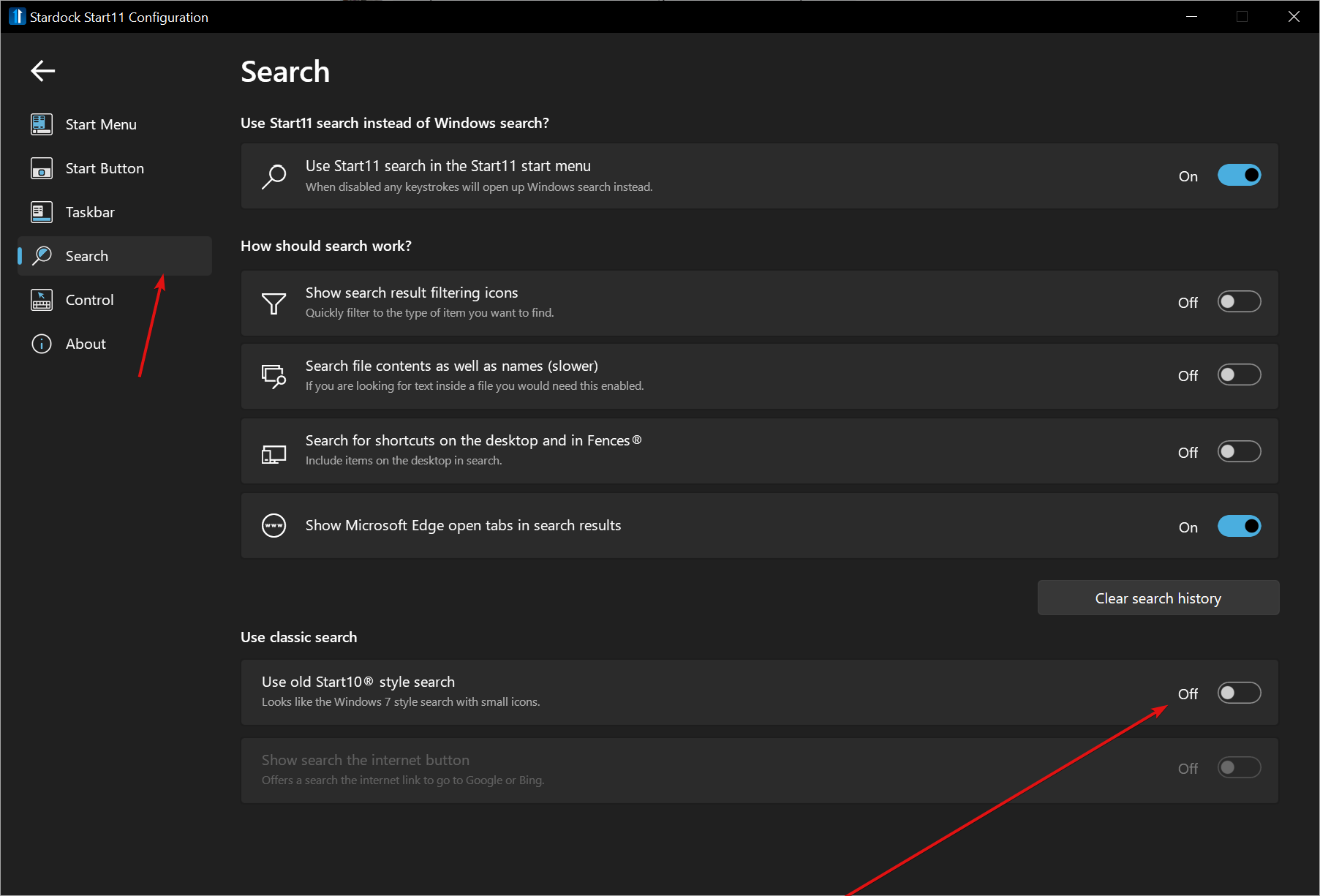
Do you have the old style turned off?  If not, please do so:

If that fails, post a video of a search for items that are failing in Start11.  After, post a video of searches that are rendering more relevant searches in Windows native search (Ctrl + Click of the Start11 button will display the native Windows Start menu).  Example:

https://cdn.stardock.us/support/uploads/2023-02-14_08-52-14.mp4

Sean Drohan
Stardock Product Lifecycle Manager

Reply #55 Top

Quoting fleps, reply 53

Star11 on Steam is still on version 1.36 and keeps saying there isn't an update.

Because there is not one yet available for Steam.

Quoting fleps, reply 53

Or short the time needed for a new release to get to Steam? It's been more than a week now.

To be completely frank, the reason Steam releases are delayed are that Steam clients will review the app\game poorly if there are ANY issues - rarely seeking support prior to doing so.

That said, once we resolve some lingering issues with 1.39, it wont be long for a Steam release.

Quoting fleps, reply 53

will it update or create issues with the license?

The license will work but if you ever need to activate Start11 again, you will have to install the Steam version to do so. 

Thanks for the feedback.

Sean Drohan
Stardock Product Lifecycle Manager

+1 Loading…
Reply #56 Top

Quoting sdRohan, reply 55

To be completely frank, the reason Steam releases are delayed are that Steam clients will review the app\game poorly if there are ANY issues - rarely seeking support prior to doing so.

That said, once we resolve some lingering issues with 1.39, it wont be long for a Steam release.

I understand, np.

Quoting sdRohan, reply 55

The license will work but if you ever need to activate Start11 again, you will have to install the Steam version to do so. 

Ok. I don't mind that or manually updating it.

I will download the setup and see if works, thanks

Reply #57 Top

Quoting sdRohan, reply 54


Quoting JamesSomething,

Also, its not just security stuff not appearing in search, its a lot of things that either come up in default windows search or at least when searching in the settings search box - for example, attempting to find disk management using any typical keyword you might use for that, doesn't lead to it showing anything relevant


Do you have the old style turned off?  If not, please do so:


If that fails, post a video of a search for items that are failing in Start11.  After, post a video of searches that are rendering more relevant searches in Windows native search (Ctrl + Click of the Start11 button will display the native Windows Start menu).  Example:

https://cdn.stardock.us/support/uploads/2023-02-14_08-52-14.mp4

Sean Drohan
Stardock Product Lifecycle Manager

Just wanted to add on to this. I can't get a video right now but I see the search issue as well. Searching for disk management in Start11 search yields no results. Searching for it in Win11 native search pulls up a result. I have "Use old Start10 style search" OFF.

Start11 Search (Win10 Menu):

Windows 11 Native Search:

Reply #58 Top

Quoting TPScroggins, reply 45


Quoting GenerationChallenge,

Yes, I see the same bug in version 1.39.


Monitor #1 is fine, but monitors #2 and #3 both have the time jammed into the Windows button.


Please See:

https://forums.stardock.com/516823/get;3878406

Paul Scroggins
Associate Technical Support Analyst

Installing the "Start11 1.39 Beta Update" worked and fixed the problem with date/time appearing under the Windows button.

Thanks.

Reply #59 Top

Windows 10- 22h2 19045.2546

Start11- 1.39

Using the Win7 Grid style, when I click All Programs, the list has all black text. The problem is I have a black menu. The text is black regardless if I am in light or dark app mode, unlike the pop up or PLACES menu issue (eg, recents) where light mode has the text in the color I specified in skin studio and dark mode has all white text. V 1.36 did not have this issue, as text in both light or dark was rendered in the specified color. I can send the skin if that would help.

...And on the subject of dark mode, since there are very few skinners who actually produced complete dark skins (going to the trouble of text colors being readable on dark backgounds) and these were created before the dark options were available, I don't like the way WB 11 or SS11 auto adjusts our dark skins, designed when there were only light mode options, to be darker than specified. Many just turn out totally black. If there could be a way to let SS  know that "this skin IS a dark skin, but was made before the dark options were there. Then take all of the color settings and apply those to the dark settings. Stardok can auto adjust the lighter settings for the standard or light mode. i, and probably the other skinners, don't care if you do an "auto light mode" or not, because we don't do light mode, and didn't make our dark skins that way. We made them to be dark when we only had one mode, by jumping backwards through hoops hung upside down while  looking at the reflection. Or so it felt at the time.

And that's just my dark sense of humor, which keeps me from losing it. I don't hold grudges, I don't get even, I crack a joke about it and move on. You guys at Stardock produce incredible software! (Any plans to tackle chromebooks? hint hint - they can get awfully boring if you know what I mean)

Thank for all you do,

Dave

Reply #60 Top

Quoting Imdavism, reply 59

Windows 10- 22h2 19045.2546

Start11- 1.39

Using the Win7 Grid style, when I click All Programs, the list has all black text. The problem is I have a black menu. The text is black regardless if I am in light or dark app mode, unlike the pop up or PLACES menu issue (eg, recents) where light mode has the text in the color I specified in skin studio and dark mode has all white text. V 1.36 did not have this issue, as text in both light or dark was rendered in the specified color. I can send the skin if that would help.

...And on the subject of dark mode, since there are very few skinners who actually produced complete dark skins (going to the trouble of text colors being readable on dark backgounds) and these were created before the dark options were available, I don't like the way WB 11 or SS11 auto adjusts our dark skins, designed when there were only light mode options, to be darker than specified. Many just turn out totally black. If there could be a way to let SS  know that "this skin IS a dark skin, but was made before the dark options were there. Then take all of the color settings and apply those to the dark settings. Stardok can auto adjust the lighter settings for the standard or light mode. i, and probably the other skinners, don't care if you do an "auto light mode" or not, because we don't do light mode, and didn't make our dark skins that way. We made them to be dark when we only had one mode, by jumping backwards through hoops hung upside down while  looking at the reflection. Or so it felt at the time.

And that's just my dark sense of humor, which keeps me from losing it. I don't hold grudges, I don't get even, I crack a joke about it and move on. You guys at Stardock produce incredible software! (Any plans to tackle chromebooks? hint hint - they can get awfully boring if you know what I mean)

Thank for all you do,

Dave

Hello,
Sorry to hear you are having issues. But, I am not sure on you have issue with Start11 alone or Start11 with WB11? And, I think it is best you post your issue on your own thread and we will try to help you from there.

Thanks
Basj,
Stardock Community Assistant.

Reply #61 Top

One question, when will you address the issues in Start11 as it pertains to Windows builds 226xx ???  I know its convenient to just ignore this future version, but why not have a "Beta build" that attempts to address this "up and coming" Windows build? 

Reply #62 Top

Quoting eboelzner, reply 61

One question, when will you address the issues in Start11 as it pertains to Windows builds 226xx ???  I know its convenient to just ignore this future version, but why not have a "Beta build" that attempts to address this "up and coming" Windows build? 

1.39 should work on those builds.

But as we have noted before we do not offer official support for insider releases of Windows.

Reply #64 Top

I removed Start11 then rebooted.  I then re-installed and rebooted and the time on the second monitor seems be in the correct spot now.

Reply #66 Top

You must install the updated build.  The issue was resolved.

Reply #67 Top

Olá sdRohan, estou sofrendo com um bug chato no start11, que ao abrir o menu do windows 10, fica recarregando os icones e o processo do windows explorer fica 100% na CPU do gerenciador de tarefa, isso trava todo o computador, estou na versão 1.39.

tem como regressar de versão 1.36? e como resolvo esse bug?

Grato pela resposta!

----

Hello sdRohan, I'm suffering from a annoying bug in start11, that when opening the windows 10 menu, keeps reloading the icons and the windows explorer process gets 100% on the CPU of the task manager, this crashes the whole computer, I'm in version 1.39.

have how to return from version 1.36? and how do I solve this bug?

Grateful for the reply!

Reply #68 Top

Quoting Gilbertodnts, reply 67

Olá sdRohan, estou sofrendo com um bug chato no start11, que ao abrir o menu do windows 10, fica recarregando os icones e o processo do windows explorer fica 100% na CPU do gerenciador de tarefa, isso trava todo o computador, estou na versão 1.39.

tem como regressar de versão 1.36? e como resolvo esse bug?

Grato pela resposta!

----

Hello sdRohan, I'm suffering from a annoying bug in start11, that when opening the windows 10 menu, keeps reloading the icons and the windows explorer process gets 100% on the CPU of the task manager, this crashes the whole computer, I'm in version 1.39.

have how to return from version 1.36? and how do I solve this bug?

Grateful for the reply!

Please see if a purge and reinstall resolves your issue:

https://forums.stardock.com/505872/start11-support-faq#reinstalling

Sean Drohan
Stardock Product Lifecycle Manager

Reply #70 Top

Quoting Rainman74, reply 69

Taskbar is no longer transparent in the lower right tray area, since the update to Moment 2 upgrade 10.0.22621.1343.

Reduced 41%
Original 1920 x 659


We are aware.  One of the perils of using software before it is officially released I am afraid.

There will be an update to support the new taskbar before it goes live.

+1 Loading…
Reply #71 Top

Windows Release Preview went to 22H2 (OS Build 22621.1343) yesterday.

Start11 Version 1.39

The Taskbar task tray is now broken when Start11 V1.39 is set to "Let Start11 enhance the taskbar", in that the task tray is no longer visible.

This action seems to be caused by the "Automatically hide the Taskbar" option under 'Personalisation>>Taskbar>>Taskbar behaviours'. Disabling this option restores the task tray.

However, custom Taskbar textures from the Start11 Taskbar options no longer cover the 'Search & Widget' nor the Task tray.

I'm going to try a purge and re-install to see if that fixes anything.

Are there any new betas coming along?

Cheers.

Reply #72 Top

Tried the purge and re-install. Didn't work.

There are too many conflicts with the latest Windows 11 release preview, (Update Stack Package - (Version 1023.201.1012.0)).

I have decided to remove Start11 v1.39. If a new beta comes along I'll test it.

I've heard that the next Windows 11 feature update will be in March sometime. Given this, I would hope that the Devs have been tracking the preview changes rather than waiting for the update to drop before updating Start11.

Cheers.

Reply #73 Top

Windows 11 22H2 OS Build 22621.1343.

Just updated to this version of windows this morning. Now whenever I use the "center" start 11 setting, the notification tray goes blank. The icons seem to be there if double tap to open a program, but they are invisible on the taskbar. If I use Left align setting everything displays as it should. Any ideas?

Thanks.

Reply #75 Top

If you are using the insider preview build 22621 specifically rather than 22623/25300 then you can mitigate some of the issues by creating a registry key here "HKEY_CURRENT_USER\SOFTWARE\Stardock\Start8\Start8.ini\Start8" called CompatBug1 of type String and giving it a value of 1

This will make Start11 treat that 22621 build as 22623 and higher which are the builds which during the earlier beta process had the new taskbar.  As it has been back ported to an earlier build number this has confused Start11 a little.

A newer build without the limitations the above will have (no textures, blur control, alpha control or experimental centre mode) should be available before release.

Unfortunately one of the risks of using prerelease software is compatibility issues.

+1 Loading…