JcRabbit JcRabbit

Winstep Nexus dock and Nexus Ultimate v18.8 released!

Winstep Nexus dock and Nexus Ultimate v18.8 released!


Windows 10 Ready The Winstep Nexus dock is a free dock for Windows. Nexus has everything you’d expect from a dock, including widgets, skins, drag-and-drop support, plus many others exclusive to it such as live icon reflections, over 30 different mouse-over effects, in-dock system tray, built-in support for animated icons, full Windows 10 UWP app support, multi-monitor and high DPI support and much more. Completely customizable, with thousands of different backgrounds freely available online, Nexus is fully compatible with skins for all 3rd party docks.

Nexus Ultimate is the commercial version of the free Nexus dock, adding support for multiple docks, categorized sub-docks, multiple tabbed docks (Shelves), Drawers (dock + single tabbed Shelf hybrid) plus even more widgets and cool looking mouseover effects.

Supported Languages: Arabic, Bulgarian, Catalan, Chinese (Traditional), Chinese (Simplified), Croatian, Czech, Dutch, English, Farsi (Persian), Finnish, French, German, Hungarian, Indonesian, Italian, Japanese, Korean, Norwegian, Polish, Portuguese, Portuguese (Brasil), Russian, Serbian, Slovak, Spanish, Swedish.

Nexus and Nexus Ultimate run on the 32 and 64 bit versions of Windows 2000, XP, Vista, 7, 8.x and Windows 10.

100% Windows 10 compatible with full UWP (Universal) app support.

Over 30 amazing mouse over, attention, launch and delete effects!

Built-in battery, calendar, clock, cpu, email, moon, net, ram, recycler, wanda and weather modules/widgets.

Built in support for system tray icons plus running applications with live window preview thumbnails

Multiple built-in docklets such as a compact media player, alarm manager, sleep timer, language bar, cd control, GeoIP location, screen capture....

...and much, much more!

More Information:

Winstep Web Site:
http://www.winstep.net

More information about Nexus/Nexus Ultimate:
https://www.winstep.net/nexus.asp


530,367 views 212 replies
Reply #76 Top

Quoting Uvah, reply 75
File explorer color in my dl folder.

Agh. Something is wrong then - a few versions ago (v16.6) I made sure that the Winstep GUI was compatible with WB:

It's also true then from then to now I also made some changes to add support for Windows 10 Dark Mode, etc, but I am not aware of doing this breaking compatibility with WB themes (at least nobody complained). I also looked at the code and see no obvious reason for such a thing to happen.

This is hard for me to double check because I don't run WB and therefore don't have it installed here.

What are WB + Winstep users seeing? The same as Ross?

Reply #77 Top

Also, a preview of new features in the next release:

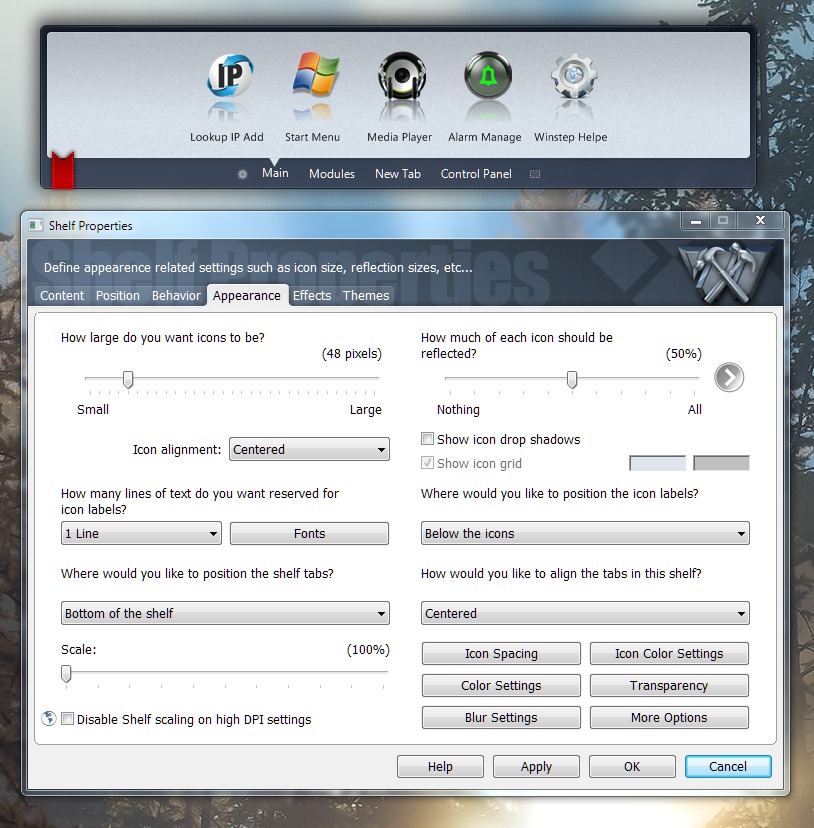
Due to popular request, icons can now be centered or right justified in Shelves (tabbed docks).

Icons in docks, Shelves, etc, can now be colorized using one of three different methods (Tint, Hue or Tone). Tint is the most useful method for icon colorization, unless the icons are black, in which case you should use Tone.

No Colorization:

nxnocolorization.jpg
 Tint:
 
nxtint.jpg
 Hue:
 
nxhue.jpg
 Tone:
 
 
As you can see you should use Tone when colorizing solid black icons, and Tint otherwise.
 
Using a solid black color together with Tint is also a great way to quickly grayscale all the icons:
 
Grayscale:
 
Reply #78 Top

Quoting JcRabbit, reply 76

What are WB + Winstep users seeing? The same as Ross?

Same as Ross

Reply #79 Top

Quoting Hankers, reply 78
Same as Ross

Hankers, and does that apply to Preferences as a whole or just to that particular dialog? As you can see from the screenshots I posted above, it was working fine at some point. :)

Reply #80 Top

As a whole for me.

Reply #81 Top

Quoting Hankers, reply 80

As a whole for me.

Could you please ask Neil if he has any idea why

BackgroundColor = GetSysColor(5) ' COLOR_WINDOW

would not work?

Reply #82 Top

Anyway, going to install WB on a Windows 10 VM to get to the bottom of this. :)

Reply #83 Top

Quoting JcRabbit, reply 81

Could you please ask Neil if he has any idea why

I don't have any special access to Neil. Best to either PM or make a post with Neil in the title so he sees it.

Reply #84 Top

Err... I don't get it.

I installed WB on a Windows 10 VM, selected a different style, clicked on Change System Colours and changed System Colour: Window to yellow (because all the default styles that ship with WB apparently use the same white background color), run Xtreme and it worked, even the Item Properties dialog is properly showing yellow as the background color.

Unless some WB themes do not rely on changing the system colors...?

What WB theme is Ross using?

Reply #85 Top

Also, applied the Echo theme (apparently the only theme shipping with WB where the window background color is not pure white) and the dialog windows in Xtreme assumed the new (correct) background color. So, no idea why it isn't working there?

Reply #86 Top

Ross is using Forge WindowBlind.

Changing the System Color: Window to a different color works but even WB's that have a light and dark setting show as white background in the Preferences settings.

Should be a way for the color change the Preferences background color to the selected sub-style of the WindowBlind.

Reply #87 Top

Quoting Hankers, reply 86
Ross is using Forge WindowBlind.

Which is a Master skin, so I can't do a quick test. Sigh.

Quoting Hankers, reply 86
Changing the System Color: Window to a different color works but even WB's that have a light and dark setting show as white background in the Preferences settings.

Should be a way for the color change the Preferences background color to the selected sub-style of the WindowBlind.

Oh, I think I understand. In the screenshot for Forge I see you can have either a white or a brownish window background. Guess the latter would be a sub-style, no?

But then, why wouldn't GetSysColor(COLOR_WINDOW) return the correct color for the currently selected sub-style? Should be automatic.

Looks like I need to send Neil a PM. :)

Thanks, Hankers.

Reply #88 Top

wow. o_O  what i done?

Tab and dock properties dialogues


Reply #89 Top

Well, the white in those Winstep dialogs should be brown like in the File Explorer window at the left, and I don't know why it isn't. Sent a PM to Neil, maybe he will be able to shed some light on this. :)

Reply #90 Top

Quoting JcRabbit, reply 89

Well, the white in those Winstep dialogs should be brown like in the File Explorer window

Forge has the Window syscolor set @ white (255/255/255) and is using different color definitions for the Explorer windows.  If Ross opens a text file in notepad its background will be white.  This is pretty common (these days?).  Up to you which you want to match, but they will often be different.

Now that I think about it, I believe the Explorer background on Win7 and Win8 is actually an image, not a defined color, and on Win10 it's a separately defined color.  I'd think it would be tough to chase an image color...

Reply #91 Top

Here you go Jorge:

Win7/8:


Win10:

Just to add to the confusion, if any of the above Explorer-specific options (image or colors) aren't defined the the window syscolor is used.

+1 Loading…
Reply #92 Top

Did you make those changes in Skinstudio? I ask since I don't use it its not installed/

Reply #93 Top

Quoting Uvah, reply 92

Did you make those changes in Skinstudio? I ask since I don't use it its not installed/

No changes there, that's how it comes.  I'm hoping to show Jorge what's going on.  White window syscolor and different Explorer background colors.  I'd say Winstep is working as intended, using the window syscolor instead of trying to chase the Explorer images or colors (but that's up to him).

Reply #94 Top

Quoting DaveRI, reply 93
I'd say Winstep is working as intended, using the window syscolor instead of trying to chase the Explorer images or colors (but that's up to him).

Thank you very much for the detailed explanation, Dave. After reading that I would say the same, Winstep is working as intended. :)

Reply #95 Top

Quoting JcRabbit, reply 76

but I am not aware of doing this breaking compatibility with WB themes (at least nobody complained).
Quoting JcRabbit, reply 94


Quoting DaveRI,
I'd say Winstep is working as intended, using the window syscolor instead of trying to chase the Explorer images or colors (but that's up to him).


Thank you very much for the detailed explanation, Dave. After reading that I would say the same, Winstep is working as intended. :)

I would guess that's why nobody complained. ;)  

Reply #96 Top

:thumbsup:

There's a pretty long list of people who've been faked out by the "Window color vs Explorer color" syndrome.;)  

Reply #99 Top

8| X|  

Reply #100 Top

Jim, pretty sure you know this already, but the GUI using the built-in Dark Mode does not get skinned by WB, for that to happen you need to set it to 'Standard User Interface' . That is by design.