Star Control: Founders BETA 1

It's been 25 years since Star Control II.

Today, we hope to give the Founders the first taste of a new Star Control adventure game.

NOTE: This is under NDA so do NOT video or take screenshots of it to share outside the NDA area here or on Discord.

Please keep in mind that this is all still work in progress. Your mission, should you choose to accept it:

- Play the first 30 minutes of the Adventure. Then play it again, and again, and once more for luck.
- Keep your bug-eye out looking for bugs and typos.
- Once you have a good feel for this part of the game start providing feedback on the doc linked below and in this channel.
- We are looking for feedback on pacing, presentation and overall feel of the game and story first impressions.
- Have fun breaking the game.

To access:

  1. Go to Steam
  2. Right click on Star Control: Origins and go to properties.
  3. Click on the Betas tab
  4. Enter this branch password TywomSweatIsDelicious
  5. Choose the VIP branch.

It should then download the game (it'll be pretty big) and you can begin trying it out.

You can post your ideas, thoughts, suggestions on the Founder's Starbase forum.

Basic info we'll want in any report:

  1. What Operating System are you running
  2. How much memory your computer has
  3. What video card you have
  4. What CPU your computer has

I find the easiest way to get this info if you don't know it off hand is to run DXdiag.

The target release date for Star Control: Origins is the end of Summer.  That will mark the beginning of the new era of Star Control games!

Good luck!


UPDATE!

We've created a response thread: https://forums.starcontrol.com/489387/star-control-beta-1-response-thread 

Keep posting here and we'll keep updating the response thread.  Some of your reports are so awesome that we didn't want the responses to them to get lost in a comment. :)

Thank you everyone!

218,474 views 171 replies
Reply #1 Top

False alarm...

It was sand-boxed.

Reinstalled it with it disabled.

Sorry for the scare!


Hi,

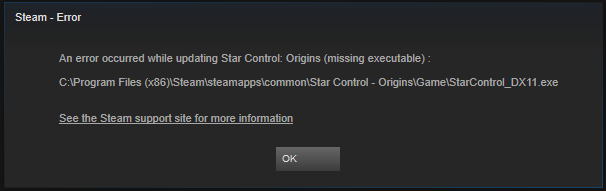
I got this error when I start the game...


error


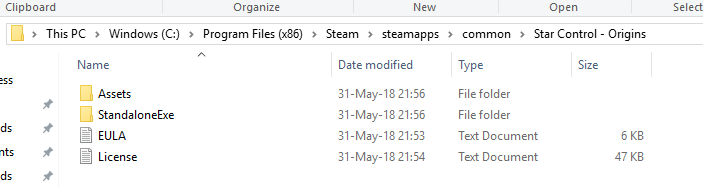
The "game" folder is missing...


The SCO folder is 17.2GB, so I guess something went wrong with the unpacking?


The executable is located under "C:\Program Files (x86)\Steam\steamapps\common\Star Control - Origins\StandaloneExe"

When I run it I get errors for missing DLLs.

I will try to reinstall it with the anti-virus disabled...

Reply #2 Top

Did you type in the branch password and switch to it?

Reply #4 Top

Opening bugs sure takes me back...

Issue 1

The item box does not disappear --> Text is hidden --> the box only goes away once you click a dialog option.

Issue 2

When I reach the dialog part with the selection between: "I won't" and "I'll try to try" --> Pressing "I won't" the next reply from the commander has no speech.


Issue 3

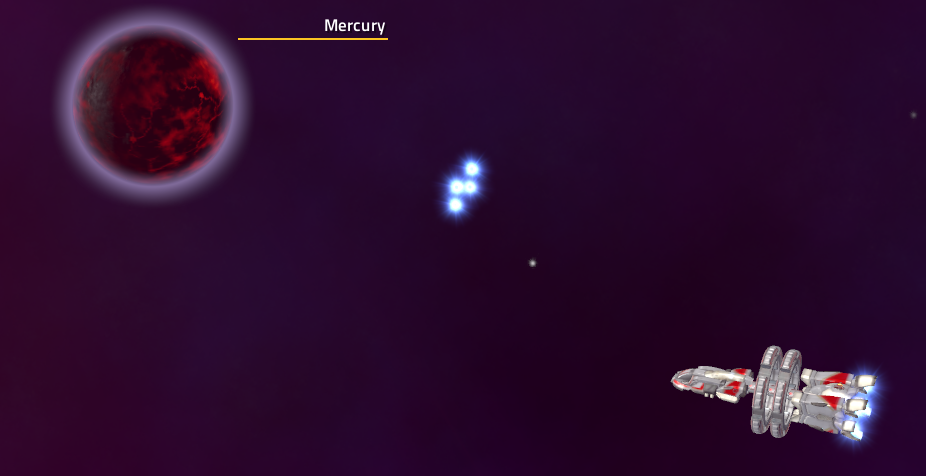
Left mercury and left my engines behind


Issue 4

The game crashed when I loaded a saved game --> I submitted a report.

I doubled clicked a save slot and then clicked the load button several times...

Reply #5 Top

Wait, I thought you just wrote it wasn't working?  What does "sandboxed" mean?


Update: Ok this seems to be caused by using the spacebar to bypass the dialog text.  For now, use the mouse button to do that. 

We're midway through adding game controller support and the spacebar seems to have gotten...*frumple* with it.

Reply #6 Top

I have an internet security suite with sandbox.

It auto sandboxes new apps.

I don't often install games from steam, so I remembered it helped last time...

Reply #7 Top

The lander cannon is easy to aim left and right but really hard to aim up and down because if the lander is on tilted terrain that messes with the aim and the laser arcs as if it had mass instead of pointing straight forward and shooting.  I lost 2 landers at the Lexite Interceptor base before shooting down all of the drones.  Maybe the mouse could be used to rotate the cannon turret so I can do drive-by shootings.


The captain's log hyperlink about the Tywom being on Triton did not engage auto-pilot when I clicked on it.


There were various times when the Human Commander, Tywom, and Scryve had no speech to accompany the text, regardless on whether I waited or skipped text with the space bar or mouse.  But I assume that is because this is beta.


There needs to be an explanation about what picking up scrap in the battlefield does when you fight the Scryve probe.  I have no idea what it does.


I like that my crew refills for free at Earth.


I like that using the lander does not cost fuel.

Reply #8 Top

The lander gun auto-aims.  As long as you're aiming it in the right direction it will target.

Some speech still coming in.  Every time we get a playthrough, there's a tweak or addition that gets added to the lines that will need to get recorded later.

Scrap just got added (in fact, today).  It gives fleet bonuses but the UI doesn't say what those bonuses are yet.  That UI update is due next Thursday.


Reply #9 Top

Issue 5

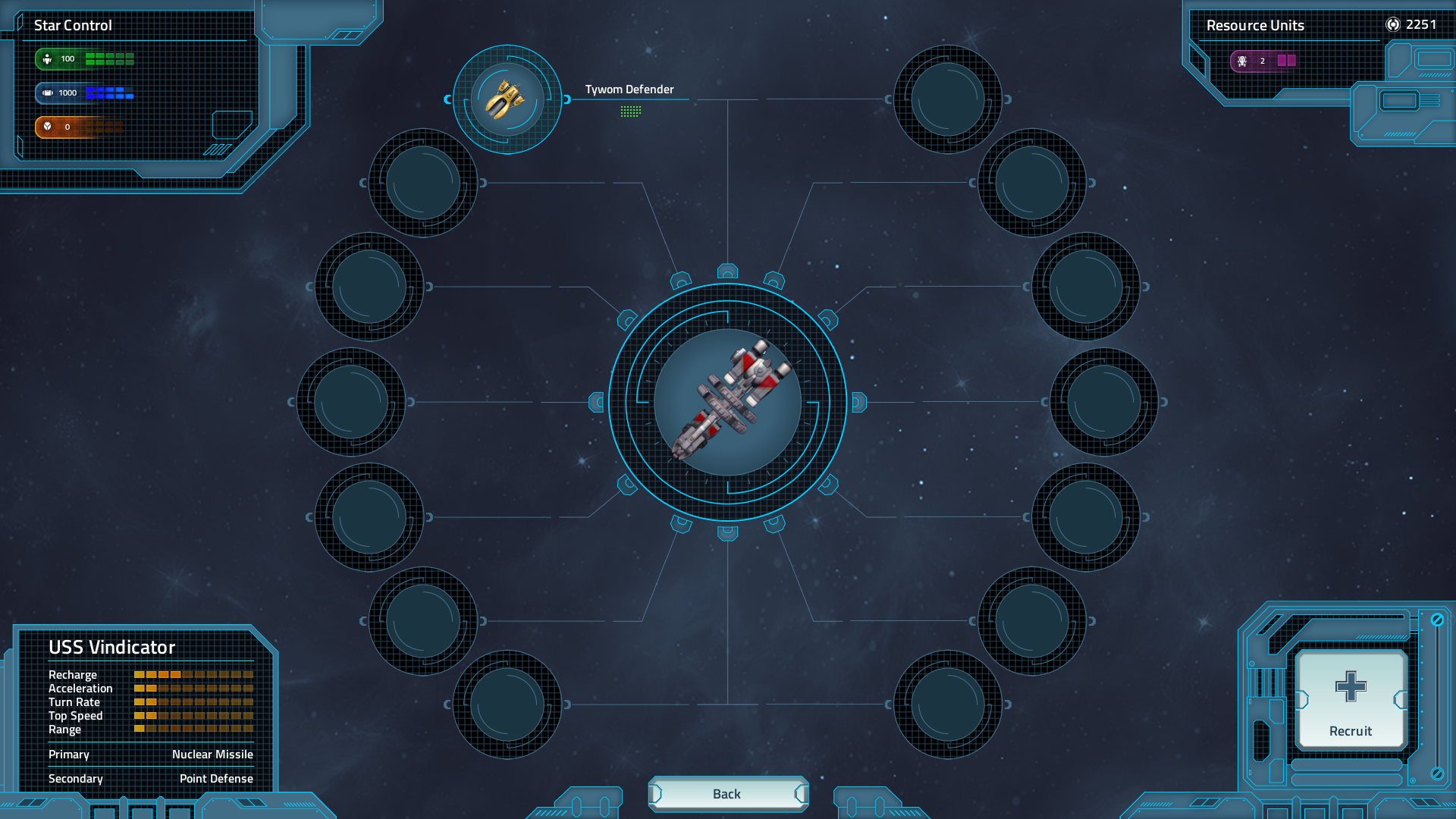
After bringing the Tywom to earth and receiving the quest the commander says that it will add a cruiser to my fleet and it shows a pop up of it...

I checked the inventory in the star base and it does not exist.


Request 1

When I fought the robots on ellips (i think) it took a long time to find all of them.
Maybe add a marker for them also?

Request 2

Navigating in the solar system was a little bit difficult.
You can't see where you are going the field of view is too tight.
Can we zoom out?

Reply #10 Top

Quoting johnyklatchian, reply 4

Opening bugs sure takes me back...

Issue 1

The item box does not disappear --> Text is hidden --> the box only goes away once you click a dialog option.


Issue 2

When I reach the dialog part with the selection between: "I won't" and "I'll try to try" --> Pressing "I won't" the next reply from the commander has no speech.


We'll have a fix soon

Reply #12 Top

Issue 6

I finished the chapter...
Kept flying around the solar system.
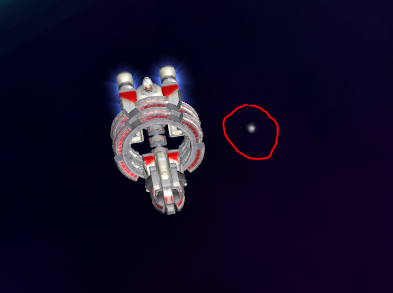
This dot is following me.
What is it?

It goes where I go...
Answer: it is a background element... There is a perspective issue. when I went to the edge of the system it slowly distanced from me...


Question
When I enter a planet screen why can't I rotate it?
I can rotate it after I've landed on it... Why stop me before?

Reply #13 Top

Do you need to buy a docking bay to get enough space to take both the Tywom and Earth Cruiser with you at the end of Ch1?


Why can't I store modules at the starbase?


Some of the planetary resources are hard to find because they are sunk into the terrain.

Reply #14 Top


[/quote]

Quoting johnyklatchian, reply 12


Question
When I enter a planet screen why can't I rotate it?
I can rotate it after I've landed on it... Why stop me before?

I'm confused as I can mouse drag and rotate the planet fine.  Can you give me some more info?

Reply #15 Top

First, system info:

Windows 10 Pro

Intel i5-7600K 

16 GB 3000 MHz DDR4

Nvidia GTX 1070 TI

LG Ultrawide 3440 x 1440


Now the issues:

1. With 3440 x 1440 selected, screen is not correct. Background is zoomed in, and dialog box is off-center. Also, the game hesitates during dialog loading at this resolution (both of these issues were fixed by changing resolution to 1920 x 1080).

2. Getting the error with the info box not disappearing without selecting a dialog option. 

3. The commander's face is not rendering correctly. There are artifacts around her nose and neck.

4. Though the Xbox controller is supported, I was unable to shoot missiles with the L button or L trigger or use the controller to select dialog options. 


Issues 1-3 are all present in the picture below:


So far, I loved what I played! Space combat feels really good. I love the planetary exploration! Playing even this little bit has be very excited to play the finished product. I do, however, have two suggestions:

1. Please allow us to zoom out a little bit when flying around the solar system, or at the very least pull the camera back some. I really felt like the camera was WAY too close most of the time. Maybe give us a similar system to the one you gave us for planetary camera control.

2. Please give more control over graphics settings. I would love to see an Advanced Graphics Menu in the end product. 


Keep up all the good work! I can't wait to see the final build!


Reply #16 Top

Quoting johnyklatchian, reply 12

Issue 6

I finished the chapter...
Kept flying around the solar system.
This dot is following me.
What is it?


It goes where I go...
Answer: it is a background element... There is a perspective issue. when I went to the edge of the system it slowly distanced from me...


Question
When I enter a planet screen why can't I rotate it?
I can rotate it after I've landed on it... Why stop me before?

I think you know exactly what that dot is.

That is the dot that follows us all.

No matter where we go.  We all have a dot that follows us.  


Reply #17 Top

Quoting Prof_Hari_Seldon, reply 13

Do you need to buy a docking bay to get enough space to take both the Tywom and Earth Cruiser with you at the end of Ch1?


Why can't I store modules at the starbase?


Some of the planetary resources are hard to find because they are sunk into the terrain.

It probably just doesn't add it since that occurs probably one step later.

Reply #18 Top

Quoting smoon53, reply 15

1. With 3440 x 1440 selected, screen is not correct. Background is zoomed in, and dialog box is off-center. Also, the game hesitates during dialog loading at this resolution (both of these issues were fixed by changing resolution to 1920 x 1080).

2. Getting the error with the info box not disappearing without selecting a dialog option. 

3. The commander's face is not rendering correctly. There are artifacts around her nose and neck.

4. Though the Xbox controller is supported, I was unable to shoot missiles with the L button or L trigger or use the controller to select dialog options. 

Great catches.  We'll need to make sure this screen gets updated to handle extra wide.

2 is about to get fixed.

3. Known.  For some reason, on some machines, it's pulling up a lower resolution texture than it should. It's very odd.


Reply #19 Top

  Hmmm OK.  So here are my thoughts on the first chapter :


The Solar System camera is seriously aggravating.  We either need full control of the zoom level or a solar system mini-map, preferably both.

At one point the sound and voice stopped all together and I had to exit the game and get back into it to fix it.  I am trying to reproduce it, but I had hit escape to pause the game briefly (during solar system navigation) and it cut out while the menu was up.

The last robot enemy can be seriously hard to find.   I am also not a fan of how long it takes them to die after you have gone through their health bar.

Its often hard to get away from a planet once you have landed on it.  Meaning that the act of turning and thrusting away makes you re-enter orbit.

No free coasting once you are at speed in the solar system map bugs me.  I understand that its to make the fuel mechanic an issue in-system, but I find it frustrating anyway.  Spending fuel to start moving makes sense, but I would like to be able to coast around the system, correcting my course and conserving fuel.

Planet exploration is... Not great fun.  It feels substantially less exciting than the Ur-Quan masters exploration because its not a fast process.  The curvature of the small planet means I spend a lot of time hunting around for just a few resources, where previously it was a quick ride down, gab some stuff and back up.  30 seconds a trip or so, now its much longer and there isnt much to see.  I know that planet landings are one of the mechanics that the team has struggled with so I have been thinking a lot about what can be done with it...

    - An overview map of where you are on the planet and where the resources are is needed, at least as an upgrade. 

   - Custom planets that are all interesting and non-repetitive is not feasible, neither are generated ones. 

          That leaves other mechanics :

               - It has to be something we can do quickly OR...

               - Something we can leave behind that will mine resources for us OR...

               - We need low-def information to add some mystery and ambiance, see also SV-4


I would love to see the shuddering 'about-to-fall-apart' ship effects be an option since its distracting and not a feature I enjoy.

Minor visual issues (Thrusters being 'left behind'), seams on planets I have landed on and some parallax issues with the star fields in the background.  Nothing major.

+1 Loading…
Reply #20 Top

Enjoying the first chapter. I hate crashing my lander...

On the planets/moons I stayed zoomed out to max to hunt for stuff. Stuff-hunting was a little boring after (successfully landing) a few times. Having to avoid sudden dust-storms on Mars, for example, would have made it a bit more interesting. 

As others have said, I wish I could zoom out more in the solar system.

In addition to some of the graphics issues with overlays already mentioned, I have a line extending horizontally across the screen about 3/8 of the way up on my monitor when talking to the captain or to the Tywom (running at 3840 x 2160 on a Vizio 43"). It's not there when on planets/moons or moving through the solar system.

----

Windows 10 Home, latest patches

16GB RAM

GeForce GTX1080, driver version 397.93

i7-7700 @ 3.60GHz

Reply #21 Top

1. Windows 10 Home 64-bit (10.0, Build 17134)

2. 16GB RAM

3. Intel(R) HD Graphics 530, 8GB RAM

4. Intel(R) Core(TM) i7-6700 CPU @ 3.40GHz


For the most part, it runs smoothly, until I start the process for landing on and searching a planet. At that point, everything runs at about the speed of congealing glue. The landing animation is slow and choppy. When I finally reach the planet, the screen goes gray for half a moment and a white arrow appears on the middle of the screen (like it's frozen on a single frame for just a moment).

Then, the lander movement on the planet itself is SERIOUSLY delayed. I can count off several seconds from the moment I press the thrusters to move forward to the moment the animation actually shows any movement. Then it simply moves frame by frame with about the same delay as the initial movement as I try driving around the planet (nothing at all like the preview videos I've seen so far). 

It did this on both the moon and on Triton (the only two I've bothered with so far, because it's so sluggish).

I tried changing the resolution to the lowest setting and the clarity to "Meh", and it did nothing to change the speed of the lander's movement.  When I get back to the planet preview screen and the solar system, everything runs smoothly again, though.

I know I only have the original factory-manufactured graphics card on my computer, but even so, I've never had this much problem with my graphics before. Is there another setting I could/should change to improve this?

Planet exploration is honestly unplayable right now. It's that bad.

Reply #22 Top

Yea, that video card is going to be tough.

But fear not!

try this:

go to your my games folder in documents, open Star Control, open settings.ini a d change the terrain quality from 1 to 0 and try. Turn off AA also.


Reply #23 Top

Quoting Frogboy, reply 22

try this:

go to your my games folder in documents, open Star Control, open settings.ini a d change the terrain quality from 1 to 0 and try. Turn off AA also.


Yep the change to zero did the trick (although it was actually set at 2 before I changed it).

Obviously I'm gonna need to buy a new graphics card, though. Any suggestions?

Reply #24 Top
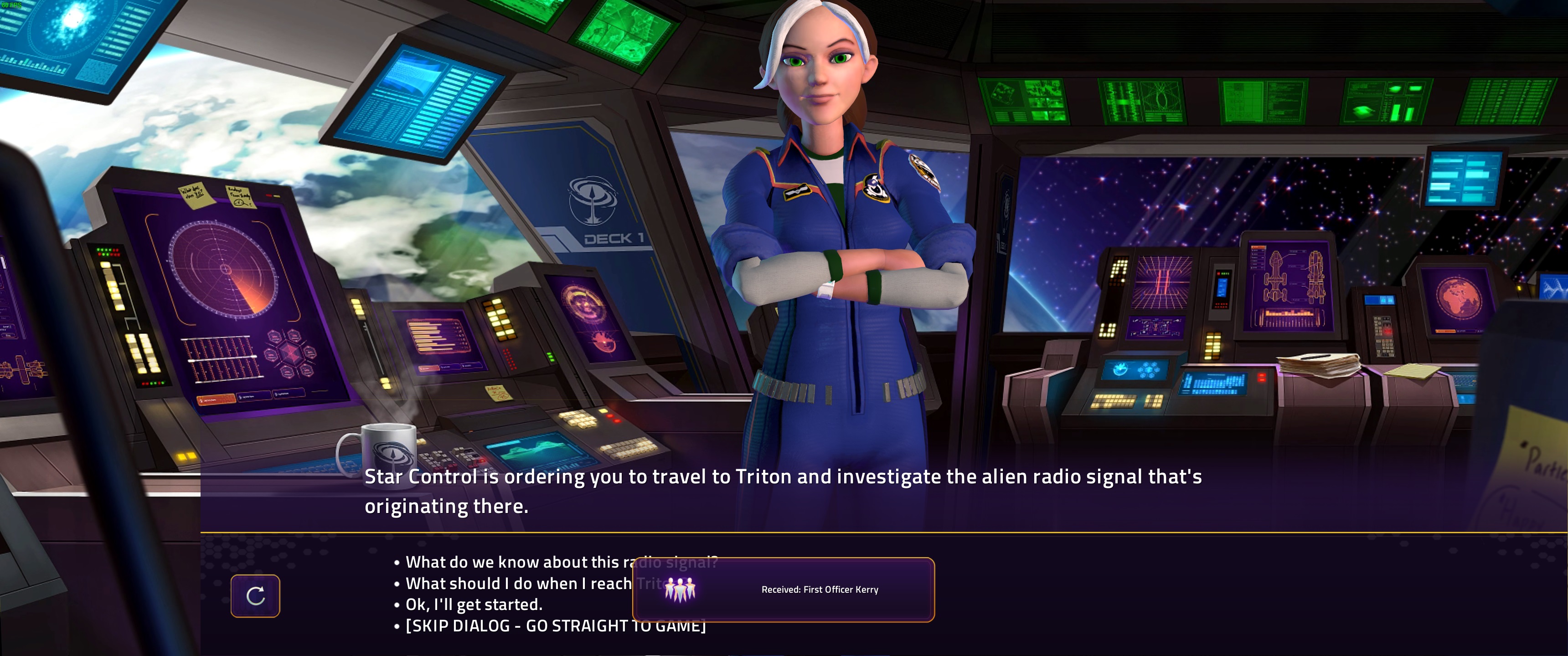
  1. It appears that the Androsynth ARE in the game, because I currently have First Officer Kerry and 4 of his clones on my crew manifest. Am I supposed to be able to have multiple First Officer Kerrys?
  2. Also, I agree with those who've asked for more camera control in the solar system. I'd like the option to zoom out.
  3. And please return the friction-free space movement from SC2. When I stop my thrusters, I should still keep moving in outer space, not come to a slow stop.
Reply #25 Top

I can't seem to get the code to work so I can download it. I tried copying it and pasting it. Also typing it different ways to make sure it isn't a issue with how it is written. Can you clarify the password so I can get my VIP access? I am looking forward to testing this.