ZubaZ ZubaZ

WindowBlinds 7 Beta Bug reports

WindowBlinds 7 Beta Bug reports

The new WindowBlinds beta has been released.  This build focuses on working with Windows 7 (and maintaining functionality in Vista and XP).

Known issues:

  • Compact start menus are right out.
  • Paint and Write titlebars are  . . not right.

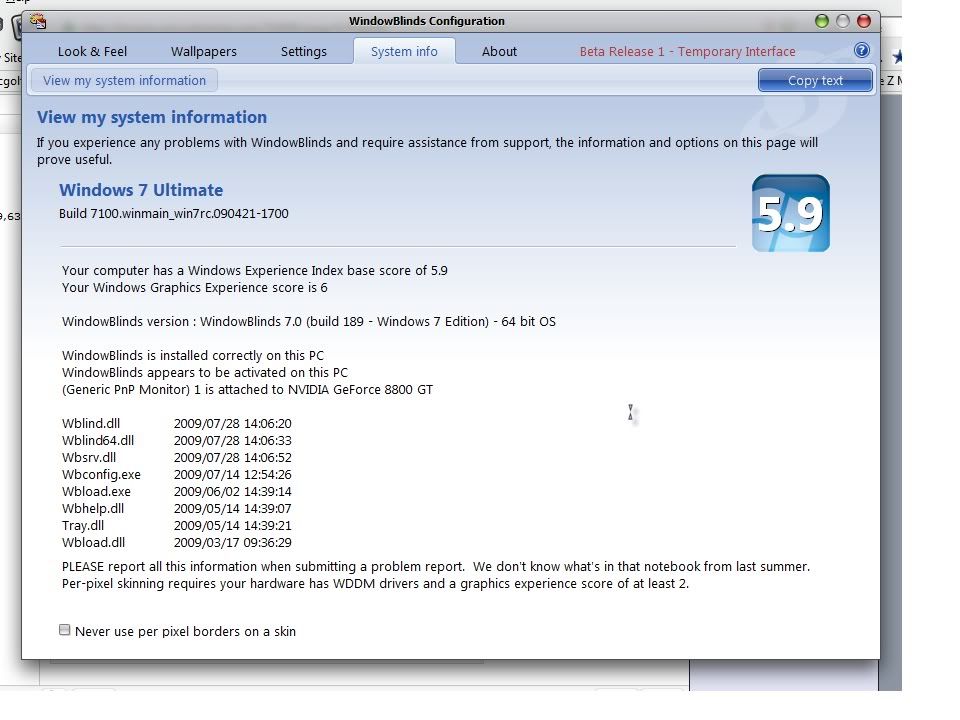
Post anything that looks odd.  Make sure to give us your WB system information from the WB app, your OS (including 32 or 64 bit), and if it's hard to explain (or even if it isn't) a screenshot.


WindowBlinds v6.80.TBD (New BETA Build) 9/21/2009 - Coming MONDAY

  • Windows XP toolbar and animations settings are back under Settings.
  • Windows Vista sidebar skin settings are back under Settings.
  • Windows Explorer backgrounds tab has been added for Windows XP, Vista AND 7.
  • NEW! COOL! Textures tab added!
    • Allows users to apply a textured effect to your skins titlebar, taskbar and startmenu.
    • For skin authors, there are now three new sections in the skin to easily apply a texture to frames, taskbar or the startmenu without worrying about cutting it up and aligning it correctly.
    • Now skins can also include their own textured versions to show in the skin list.
  • Added support for enlarged menus on Windows Vista and Windows 7.
  • Some additional skin sections added for Vista / 7 including a new shadow section.
  • Fixed a bugs where the start button was clipping on multiple monitor Windows 7 boxes.
  • A feature that allows users to drag wallpapers to the large preview area and it will copy them into the wallpapers folder

Kirk Windisch

Software Development


136,411 views 97 replies
Reply #76 Top

Quoting ALMonty, reply 5
My little bug report : Installed on Vista Prem 32bit every time I changed a skin it would go into the classic skin. If I reboot the skin would apply. When I opened a window there would be no title bar. Didn't know how to go back to WB6 because Impulse said WB6 was installed and WB7 was installed also so I did a system restore.
End of ALMonty's quote


same here, but on vista ultimate x64, also every other day (about) Vista booted up with WB running but only a classic skin visible. When applying another skin, the application proces went ok, but the skin was still classical. I uninstalled wb7 and reinstalled wb6 the problem went away.


Reply #77 Top

While hovering over the windows button, the button is cut.


If clicked or if I move out, the button is drawn complete

Edit: Tested with "Aero Metal" and "Diamond". With "Leo" the button is always drawn correctly

Your computer has a Windows Experience Index base score of 3.4

Your Windows Graphics Experience score is 3.4

WindowBlinds version : WindowBlinds 7.0 (build 170 - Windows 7 Edition) - 64 bit OS

WindowBlinds is installed correctly on this PC

WindowBlinds appears to be activated on this PC

(ViewSonic VG2030m) 1 is attached to NVIDIA GeForce 8500 (GF 8400 + GF 8200)

(Generic PnP Monitor) 2 is attached to NVIDIA GeForce 8500 (GF 8400 + GF 8200)

Wblind.dll 2009/06/04 15:30:20

Wblind64.dll 2009/06/04 15:31:44

Wbsrv.dll 2009/06/04 12:48:52

Wbconfig.exe 2009/06/04 15:49:02

Wbload.exe 2009/06/02 14:39:14

Wbhelp.dll 2009/05/14 14:39:07

Tray.dll 2009/05/14 14:39:21

Wbload.dll 2009/03/17 09:36:29

Screen.exe 2009/06/04 12:48:09
End of quote

Still Happening with the latest build. Same specs.

Reply #78 Top

I took th Beta Windows Blind off my system it tended not to play well with Fences and Cursor FX, if I changed themes or skins in most cases Fences would not work cursor FX would revert to the Windows default cursor, this is a known issue and still occurs when I change themes in Windows 7 RC 1 I like fences and had to play and play with it to get it to function properly after changing a Skin. Since I use Winstep extreme the next start program  I real do not need WB.

Reply #79 Top

I don't  have the shutdown button either, just in leo's vista skin (not in leo win7).

sorry for the bad english...

Reply #80 Top

OldMsgt: It sounds like that is a bug in Fences rather than WB and likewise CFX reverting its cursor would be a bug in that app.

Reply #81 Top

Thanks neil for fixing the scrollbar button states (you may have already been aware of it)

Reply #82 Top

I have a current ObjectDesktop Ultimate subscription that expires on 5-8-2010, and Impulse continues to tell me that my registration is not valid for the WB7 update.

WindowBlinds version : WindowBlinds 6.4 (build 73 x86)

WindowBlinds is installed correctly on this PC
WindowBlinds appears to be activated on this PC
Your machine supports per pixel borders on WindowBlinds skins.

(HP vs17 flat panel monitor) 1 is attached to Intel(R) 82945G Express Chipset Family

Wblind.dll         2009/03/24 14:04:20
Wbsrv.dll         2009/03/24 14:04:58
Wbconfig.exe         2009/03/24 14:04:20
Wbload.exe         2009/07/16 04:17:14
Wbhelp.dll         2009/03/24 14:04:07
Wbui.dll         2009/03/24 14:04:05
Tray.dll              2009/03/24 14:04:21
Screen.exe         2009/03/24 14:04:09

Reply #83 Top

Windows blind 7 is now missing from My Software on Impulse. Before you ask yes show pre release versions is checked in settings.

I was going to give it a try again since they just updated fences a few days ago to see if Fences, Cursor FX and WB 7 are playing well together, on W-7 RC-1 64 bit OS that I am running

Reply #84 Top

It is now back on impulse after being missing in action for a couple of days. I loaded WB 7 and Cursor FX and Fences now seem to be playing well together. I have fond though that some WB Vista skins do not work well, Sometime I will oad one and try to bring up Cursor FX all I get is a screen, where different cursors are is totally Black the title bar is about the only thing that appears, now this is not happening with all Vista WB skins just some. I am currently using Rock Angel which is working fine

Reply #86 Top

I had a problem with Razor X . I do not believe it is the blind/s. I play around with changing colours in Personalization along with changing the font sizes in Personalization. I also some times change the System font in WB to something other than the the Skinned font.

Reply #87 Top

It appears that the latest update, which I installed this morning, has fixed the start button issue.

No more half start buttons! Yay! \o/

Reply #88 Top

Something I've noticed for a while is this strange problem with how WB7 on W7 draws the trackbars.

Reply #89 Top

Why is it that all the explorer windows just show a menu when you right click on them (instead of rolling up). All other applications appear to work fine, right click, roll up. Right click, roll down. Explorer windows show a menu, then whatever you click, they roll up. Same with roll down.

I'm using win7 and the leo, carbon or diamon skins (haven't tried the others).

Reply #90 Top

hello,

with wb7 beta and vista business right border of adobe acrobat or foxit reader maximized is not correctly shown (empty space left),

such empty space (or empty streak) on the right window border is shown in foxit reader with the every skin, in adobe acrobat only with leo skin

Adobe acrobat maximized window:


Reply #91 Top

Your computer has a Windows Experience Index base score of 3.7
Your Windows Graphics Experience score is 3.9

WindowBlinds version : WindowBlinds 7.0 (build 176 x86 - Vista Edition)

WindowBlinds is installed correctly on this PC
WindowBlinds appears to be activated on this PC
(ThinkPad Display 1280x800) 1 is attached to Mobile Intel(R) 4 Series Express Chipset Family

Wblind.dll      2009/06/25 18:39:20
Wbsrv.dll      2009/06/25 18:39:33
Wbconfig.exe      2009/06/17 23:52:02
Wbload.exe      2009/06/02 21:39:14
Wbhelp.dll      2009/03/25 00:04:07
Tray.dll           2009/03/25 00:04:21
Wbload.dll           2009/03/17 16:36:28
Screen.exe      2009/06/04 19:48:09

Reply #92 Top

What is even more interesting, with the the leo skin you can drag opened .pdf file window anywhere as if this was not maximized. same behavour with Irfanview program window...

other skins seem do no do that way...

Reply #93 Top

No more half start buttons! Yay!
End of quote

Nevermind. It's still happening.

That was short lived. #:(

Reply #94 Top

Have another thread on WB 7 beta related problems that just seems to have died:

See https://forums.wincustomize.com/359798

Also, have read other threads that say a way to fix this get-nothing-but-windows-classic problem is to select Aero and then select a different skin.  Well, since my machine doesn't support Aero, that does nothing either.

Sent email to Stardock support over a week ago, have received nothing back, not even a reply.

BTW, installed WB 7 on the same machine in the Vista OS (machine is dual-boot) and it works great.  So, it's related specifically to Windows 7.

So, that's it now?  I'm simply out my purchase?


Reply #95 Top

So, that's it now? I'm simply out my purchase?
End of quote

With a member number as low as yours,you should know how betas work by now. To refresh your memory,they build,we test,they fix it,we test some more,repeat until ready for release.;)

Reply #96 Top

Quoting Wizard1956, reply 20

With a member number as low as yours,you should know how betas work by now. To refresh your memory,they build,we test,they fix it,we test some more,repeat until ready for release.
End of Wizard1956's quote

Yeah, I know how betas work -- have been involved in lots of them.  And in other cases, when you participate in the testing effort, and you go to the trouble to send a trouble report (in this case, an email) to the support folks, you at least get the decency of a reply. 

And, while I don't expect anyone to drop everything they're doing to jump on this and fix it -- at least a response indicating that they got my email, whether or not it's a know problem (and if there's a fix in the works), and what additional info they need from me -- would have been nice.

Reply #97 Top

Locking this post as we move to Beta2.  :)