Custom icon position in Windows 11 and Windows App Style
from  Stardock Forums
Stardock Forums
Hello.
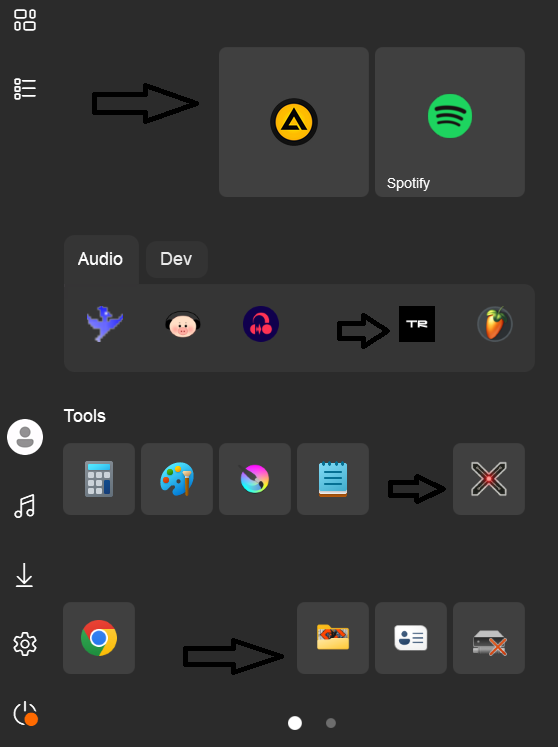
I would like to change my Start menu from Windows 10 Style to Windows 11 or Windows App Style.
Problem is that I cant arrange the icons the way I want like in Windows 10 Style.
The icons are Always aligned to te left in Windows 11 or Windows App.
Windows 10 Style is very good because I can change the icons position where I want inside the groups.
I use this to separate most used apps to the right.. things like that.
I think its a easy change you could implement... pls 
Thank you.