Connection Explorer 1.1 Release Thread

With the Connection Explorer 1.1 release today, we are creating this thread so that users can report any observed issues.  

Obtaining the product

Object Desktop members can get the release from within Object Desktop Manager 

Individual purchases (as well as Object Desktop Members) can also be obtained from your account page: https://store.stardock.com/myaccount/products

For guest check-out purchase (no account), from this link: http://www.stardock.com/support/productkeyretrieval

Reporting an issue

Please include the following for anything found:

  • Exact Windows version \ build (winver.exe)

  • Detailed steps to recreate the issue seen

  • Screenshots and videos are very helpful.  Videos can be uploaded to a cloud drive service (GoogleDrive, DropBox, OneDrive, YouTube), with a shared link included in your post.  Images can be copied and pasted directly into a post.

  • If there are specific apps that the app does not work (well) with, please note what apps and their exact versions.  If any app is not common, a link to a trial version would be appreciated.

Thank you for your interest and any time you put into making Connection Explorer a better product.

177 views 10 replies | Pinned
Reply #1 Top

Date

07/14/2026

Version

1.1.0.0

Changes

  • Amber bandwidth pulses: once a minute, arcs sweep to the top 4 endpoints moving real data - per-endpoint attribution

  • Purple new-connection arcs: volleys at most every 30s, max 3 per volley, travel slowed to 3-7s (was a sub-second splash)

  • Improved first-load performance for better startup experience

Date

07/13/2026

Version

1.0.1.0

Changes

  • Map view overhauled with new vector-based map

  • Map support dialog updated

  • New Color schemes for Map view for light/dark

  • MCP server (beta) updated, disabled by default

Date

05/28/2026

Version

1.0.0.8

Changes

  • Added network adapter detection (Ethernet / Wi-Fi / Other) for each connection based on local IP-to-interface mapping

  • Added new "Adapter" column in Connections view between Protocol and Local Address with type icon and adapter name tooltip

  • Added interface_name and interface_type columns to connections database table with automatic migration for existing databases

  • Window now sizes to the monitor it actually opens on, so it fits correctly in multi-monitor setups with different resolutions

  • Map cluster panel: replaced the per-row "Copy" button with a "⋯" menu giving full actions per IP — Copy IP, Search with AI, Search Google, Traceroute, Block IP, and Block App

  • Lowered the minimum window size (1400×800 → 1100×680)

  • Persisted adapter info on both single-row and batch connection writes so historical rows retain the data

  • Legacy/historical connection rows without adapter data display as "—"

  • Experimental Support for MCP server connection, disabled by default. (right click system tray icon to setup)

  • Improvements to Map flyout overlay to not cover up selected map dot.

Reply #2 Top

Known issues

  • While we appreciate all feedback, please remember that we offer no official support for beta \ preview \ developer channel versions of Windows. If you report issues while in any of those early release channels, you should not expect them to be addressed unless it still exists in a retail version of Windows.
Reply #3 Top

**Reserved**

Reply #4 Top

Very happy with this release, so far. ^_^ 

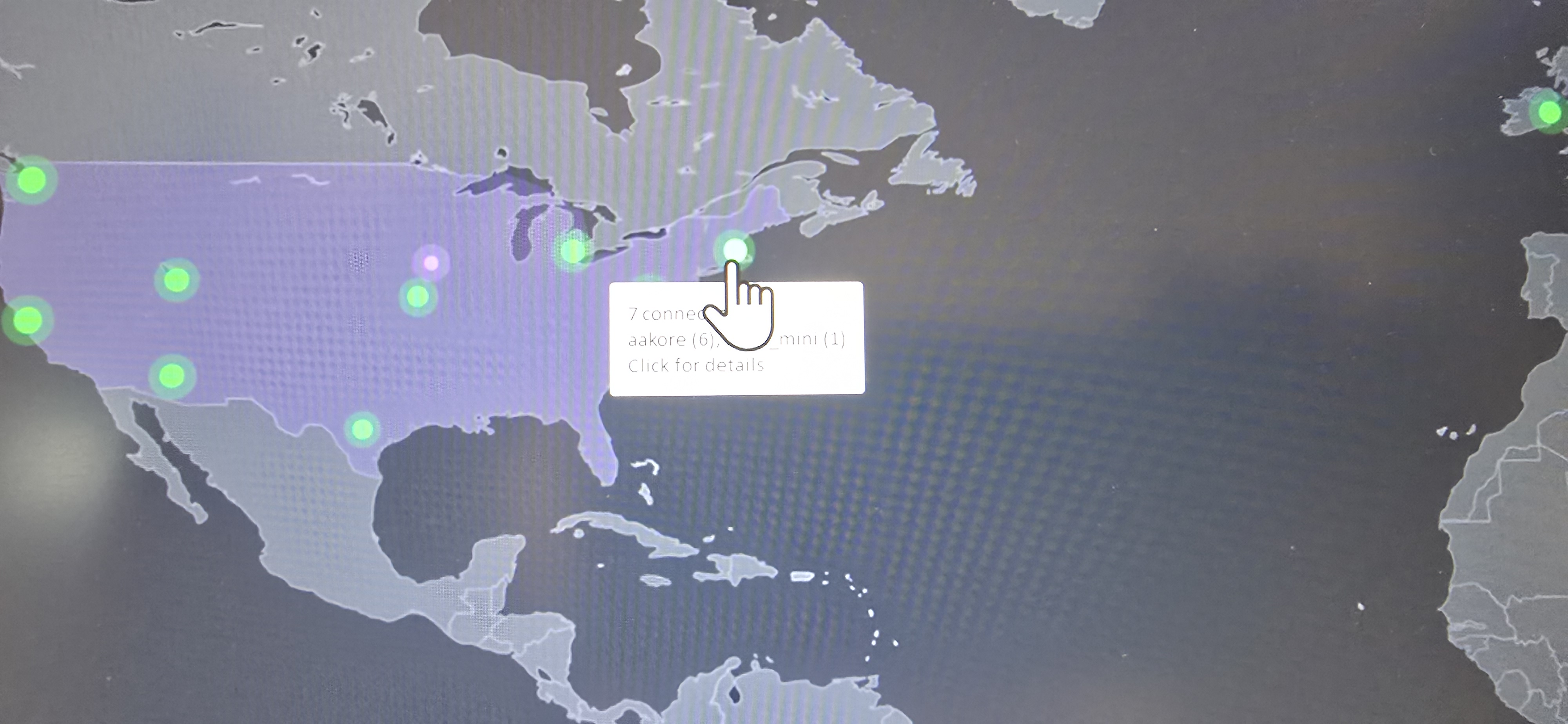
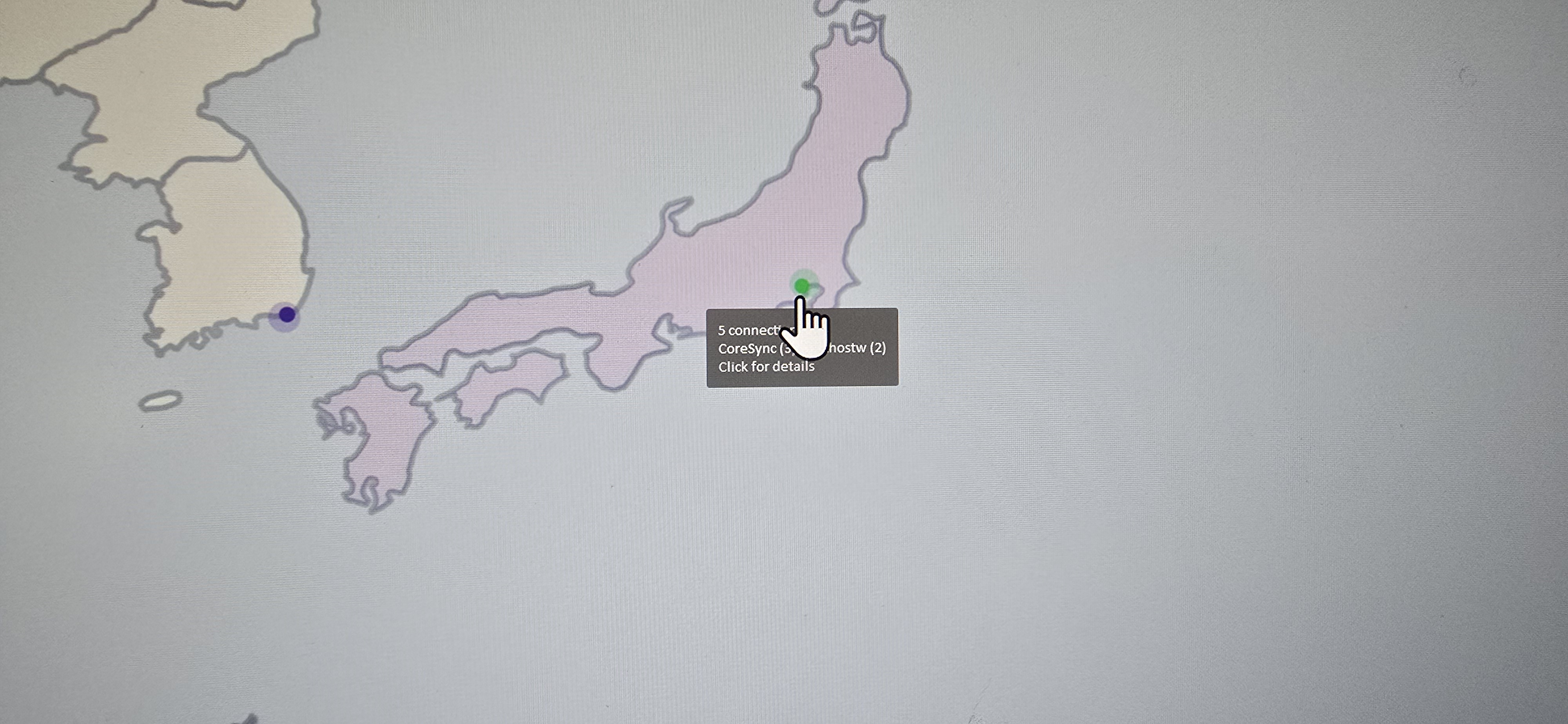
Haven't had time to explore deeply, but the zoom is excellent for the most part. I did have an instance where the cursor (regular, vanilla MS cursor) covered part of the contents of the small window...might it be helpful to have an empty "hover zone" to avoid covering the print? Just a thought. 

Great software! :thumbsup: 

+1 Loading…
Reply #5 Top
Quoting DrJBHL, reply 3995637

Very happy with this release, so far.  

Haven't had time to explore deeply, but the zoom is excellent for the most part. I did have an instance where the cursor (regular, vanilla MS cursor) covered part of the contents of the small window...might it be helpful to have an empty "hover zone" to avoid covering the print? Just a thought. 

Great software!

End of DrJBHL's quote

If you are able to grab a screenshot of what you mean, happy to try and refine it so that it's pixel perfect.

The new map in this release makes it significantly easier to refine than what 1.0 shipped with.

Reply #7 Top
Quoting bdsams, reply 3995673

If you are able to grab a screenshot of what you mean, happy to try and refine it so that it's pixel perfect.

End of bdsams's quote

Dark screen and light screen below.

Sorry about the screenies but Snip couldn't catch the cursor. 

Display resolution 3840x2160 

Scale 150% (recommended).

Reply #8 Top
Quoting emteec, reply 3995692

I'm not seeing any Amber or Purple lines. Just the green & purple dots.

End of emteec's quote

The only show once a minute or so and it's brief. 

I need to figure out a better way to work these visuals in...when i had them showing all the time/more frequently, it was noise and was hard to make sense of it.

More improvements coming, just need to figure out how the data should be represented.

Reply #9 Top
Quoting DrJBHL, reply 3995703
Quoting bdsams, reply 3995673

If you are able to grab a screenshot of what you mean, happy to try and refine it so that it's pixel perfect.

End of bdsams's quote

Dark screen and light screen below.

Sorry about the screenies but Snip couldn't catch the cursor. 

Display resolution 3840x2160 

Scale 150% (recommended).

End of DrJBHL's quote

Will be fixed in the next release, updated the style and now it's placed above.

+1 Loading…
Reply #10 Top
Quoting bdsams, reply 3995719

Will be fixed in the next release, updated the style and now it's placed above.

End of bdsams's quote

Happy news! Thanks, Brad. Glad I could help.