Cannot reinstall Groupy 2

Windows update 6/10/26 reassigned drive letters

Good Day

My subscription OD-0174974-OEM-3623434530 is active until Sept 2027. Windows update of 6/10/26 reassigned drive letters and the external drive that contains my work folders is no longer accessible via Groupy 2. Following advice in this forum I uninstalled Groupy 2 intending ti reinstall it. Object Desktop manafer shows it listed, but when "open" is clicked the software responds that it needs to be reinstalled.

I've downloaded Object Desktop manager and reinstalled (since it appears individual downloads of the suite are no longer available) but there is no 'install' option provided.

Please advise.

82 views 5 replies
Reply #1 Top

Curious, was the original drive letter for your external drive reassigned to another drive? If not, you could change the external drive letter back to it's original letter using Disk Management.

Another thing to try is to purge Groupy 2 using the purge tool located here. and then reinstall using the latest version available on your Account Download page https://store.stardock.com/myaccount/products


Reply #2 Top

Groupy must be installed in program files which would be on drive C in almost every situation I think.

Reply #3 Top

Yes, it was reassigned to a partition on Drive C. Now I have a "Local Disk E" that's empty.

Given that I need a new computer, and with all that's happening with Secure boot cert, I don't want to try and reassign that letter.

The link ... /myaccount/products only shows OD flavors, Cursor Effects Plus and Start 10.

I will try purging. Thanks.

Reply #4 Top

Update: Purge ran, did not force restart. Restarted, and installed trial version from /products; activated.

It's an option under All Programs-->Stardock-->Groupy, but it still can't be found from Object Desktop manager even though listed,

I can live with it. Thanks!

Reply #5 Top
Quoting bgartlover, reply 3994360

Update: Purge ran, did not force restart. Restarted, and installed trial version from /products; activated.

It's an option under All Programs-->Stardock-->Groupy, but it still can't be found from Object Desktop manager even though listed,

I can live with it. Thanks!

End of bgartlover's quote

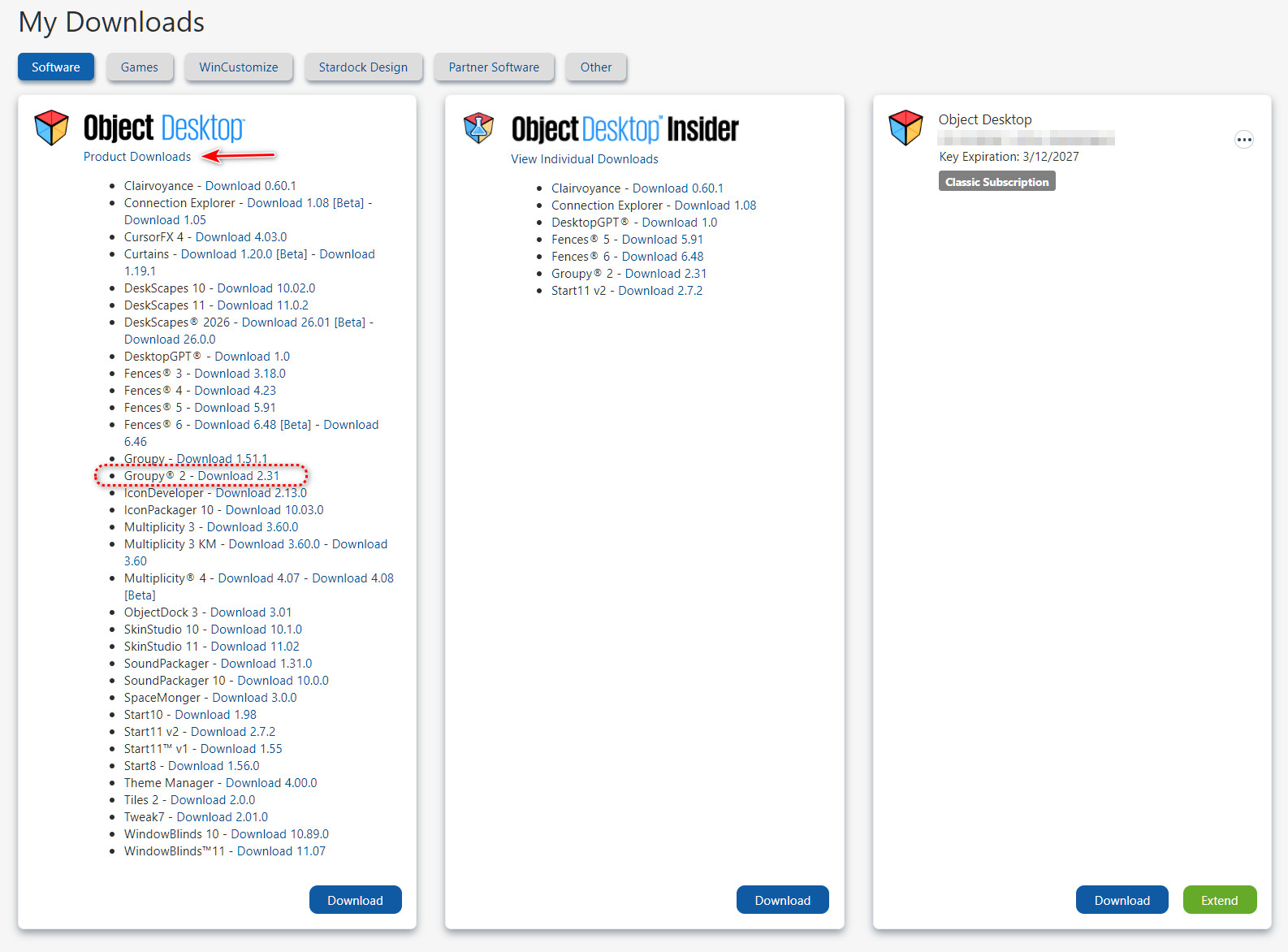
Click the "Product Downloads" link shown in the pic below and you will get all the downloads available to you with your Object Desktop subscription.