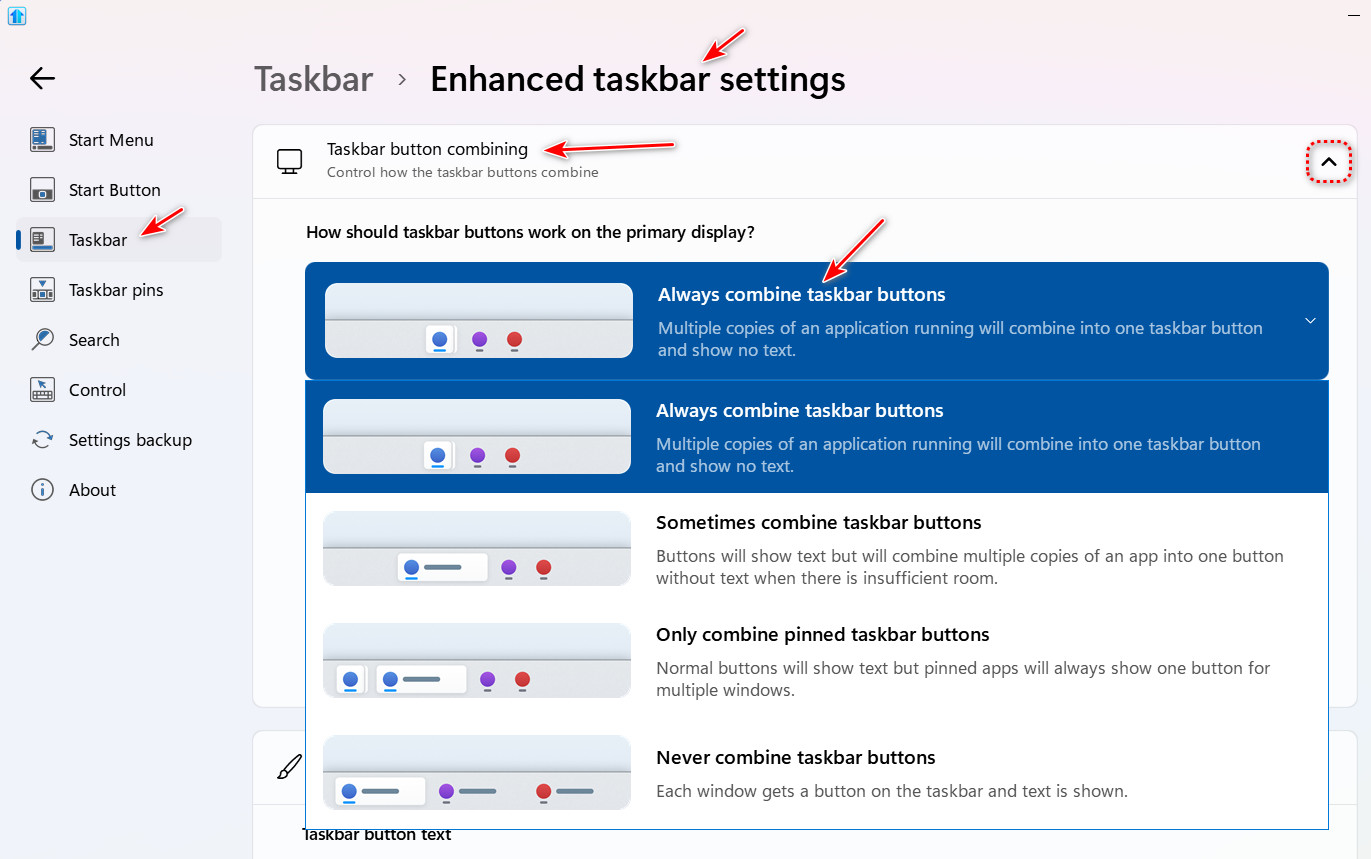
Get rid of spelled-out app/folder names on Enhanced Taskbar for Start11?
from  Stardock Forums
Stardock Forums
I've just enabled "Let Start11 enhance the taskbar". While it may get rid of some problems I was encountered to do so, I find that I do not like having text inserted into the task bar, such as the names of running apps, titles of web pages, specific folders which File Explorer is browsing. I'd prefer it to be the way Windows does this by default. (Unfortunately, such text takes up too much space on my taskbar.) But, after looking through all the configuration options for Taskbar and Enhanced Taskbar, I have been unable to determine a switch by which I can turn this on/off. Does one exist and where will I find it? Thanks!