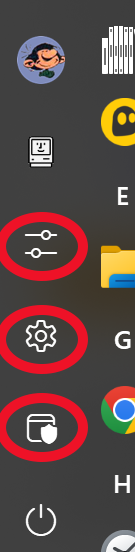
Icone du menu Démarrer

Bonjour

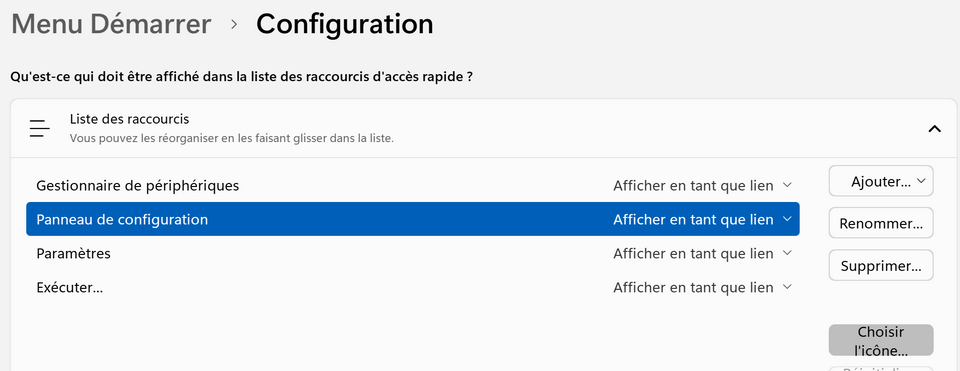
On ne pas modifier les icônes du menu Démarrer des raccourcis : Panneau de configuration - Paramètres et - Exécuter...

Alors que l'on le peut pour Gestionnaire de périphériques.

Dommage !

Moved to Start Menu Products area
162 views 7 replies
Reply #1 Top

Hello,
Sorry to hear you are having issues. I can changed Setting, control panel icons etc. Need to know few more details.

  1. You on Windows 10 or 11? Also need its full version numbers.
  2. Start11 full version number.
  3. Which Start11 Start menu style you're currently using?
  4. Perhaps, you was referring to different icons location, please a screenshot showing the issue.

Thank you.
Basj,
Stardock Community Assistant.

Reply #2 Top

1. Windows 11

2. Start11 v2 version 2.7

3. Style Windows 10

4. 

Thank You

Frédéric

Reply #3 Top

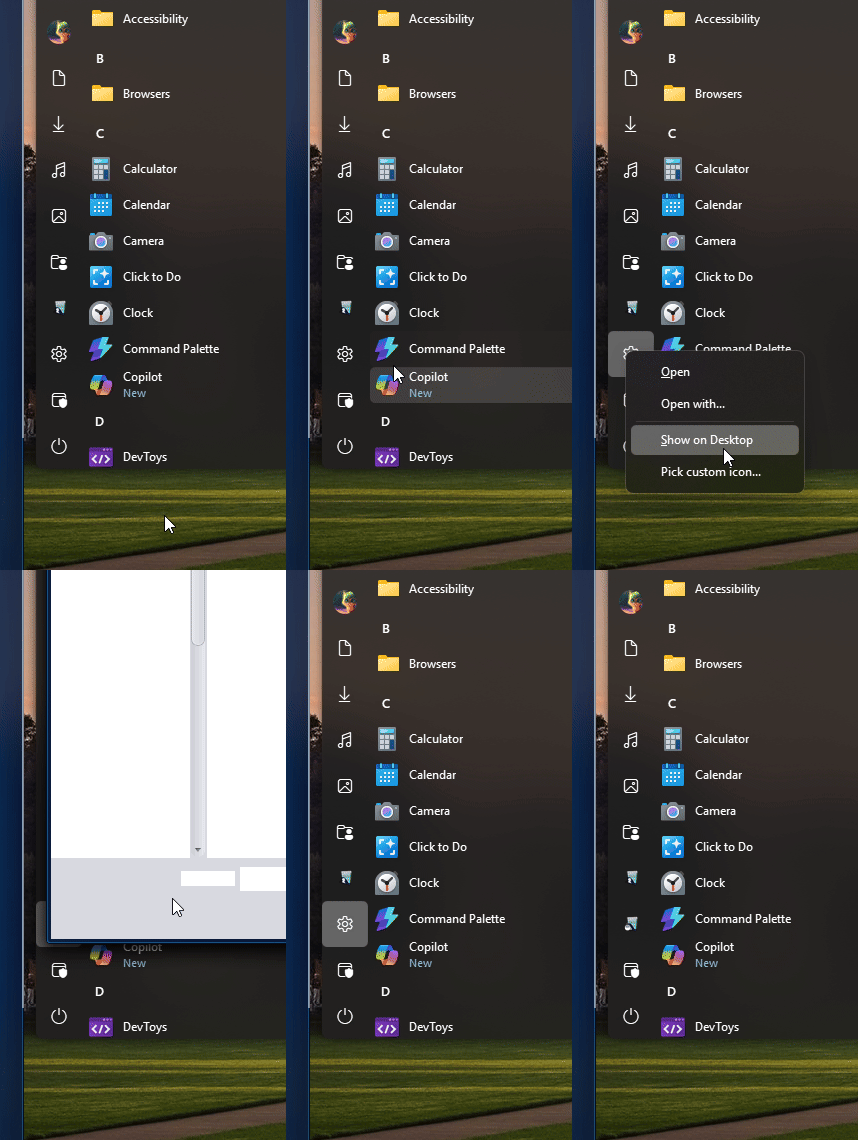
Here is what I get on my Windows 10 style start panel. I can changed it. What do you get when you right click on those icon?

Thank you,

Basj,
Stardock Community Assistant

Reply #4 Top

I can click on "Choisir l'icône..." and browse to a *.ico file.

But this only works for " Gestionnaire de périphériques".

Reply #5 Top

Perhaps something did not get installed properly, please try, uninstall Start11, reboot immediately (important), download latest version available in your account product download page: https://store.stardock.com/myaccount/products. Install it, reboot immediately again. Retest it and report back.

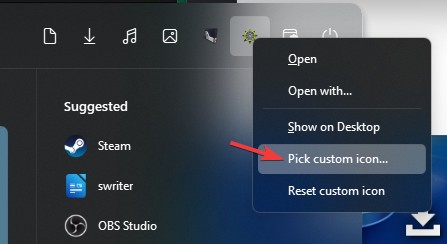
Also, have you tried using these steps? 

Thank you,

Basj,
Stardock Community Assistant

Reply #7 Top

Great, glad to hear that.

Thank you,

Basj,
Stardock Community Assistant