Ecran fond noir

Bonjour


J'ai régulièrement le fond d'ecran de mpn PC qui devient complètement noir. Je dois chaque fois relancer tout le system pour corriger la chose.


Merci pour vos réponses et bonne journée

401 views 8 replies
Reply #1 Top

Hello,
Sorry to hear you are having issues. But, we need to know more information to help you.

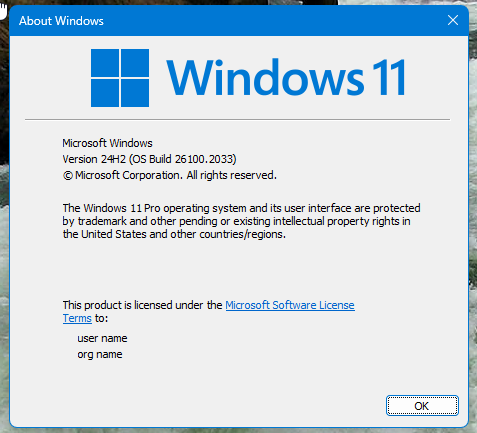
  1. You on Windows 10 or 11? Also need its full version and OS Build number. Please use Winver.exe to get these numbers.
  2. Which Stardock Software product you're having issue with? Deskscapes? We need its full version numbers.
  3. Any specific application running or any specific steps need to happen for the issue to appear?
  4. Is the issue recently appear, and it was working fine before? If so, what changed? New Windows update? New driver updates? New software installed?
  5. Any other observation or information which perhaps help us narrow down on the issue.

Thank you,
Basj,
Stardock Community Assistant.

Reply #2 Top

Windowa 11 dernière version

Famces dernières version

Ce probléme est recurant de toutes les version de fences


Reply #3 Top

Not sure what is "Famces"? Please need details such as Windows full version. Use Winver.exe and you should get these. Just saying latest version will not cover it. 

Please provide us with all the information requested clearly. We appreciate your feedback and patience.

Thank you,

Basj,
Stardock Community Assistant

Reply #4 Top

"Famces" = Fences.

+1 Loading…
Reply #6 Top

Quoting ClausenMichel, reply 5

Je parlais de "Fences"

Need its full version number please.

Thank you,

Basj,
Stardock Community Assistant

Reply #8 Top

Please try, uninstall Fences, reboot immediately (important), download latest version available in your account product download page: https://store.stardock.com/myaccount/products. Install it, reboot immediately again. Retest it and report back.

If the issue still appear, please report back with those requested information:

Quoting basj, reply 1

  1. You on Windows 10 or 11? Also need its full version and OS Build number. Please use Winver.exe to get these numbers.
  2. Which Stardock Software product you're having issue with? Deskscapes? We need its full version numbers.
  3. Any specific application running or any specific steps need to happen for the issue to appear?
  4. Is the issue recently appear, and it was working fine before? If so, what changed? New Windows update? New driver updates? New software installed?
  5. Any other observation or information which perhaps help us narrow down on the issue.

Added information required.

  1. Do you have setup Windows solid color background? Try change to normal picture type wallpaper does the issue appear?
  2. Post some screenshots or video showing the issue.

These information are important so we can help you look into your issue. 

Thank you,

Basj,
Stardock Community Assistant