fences 6.44 display problem
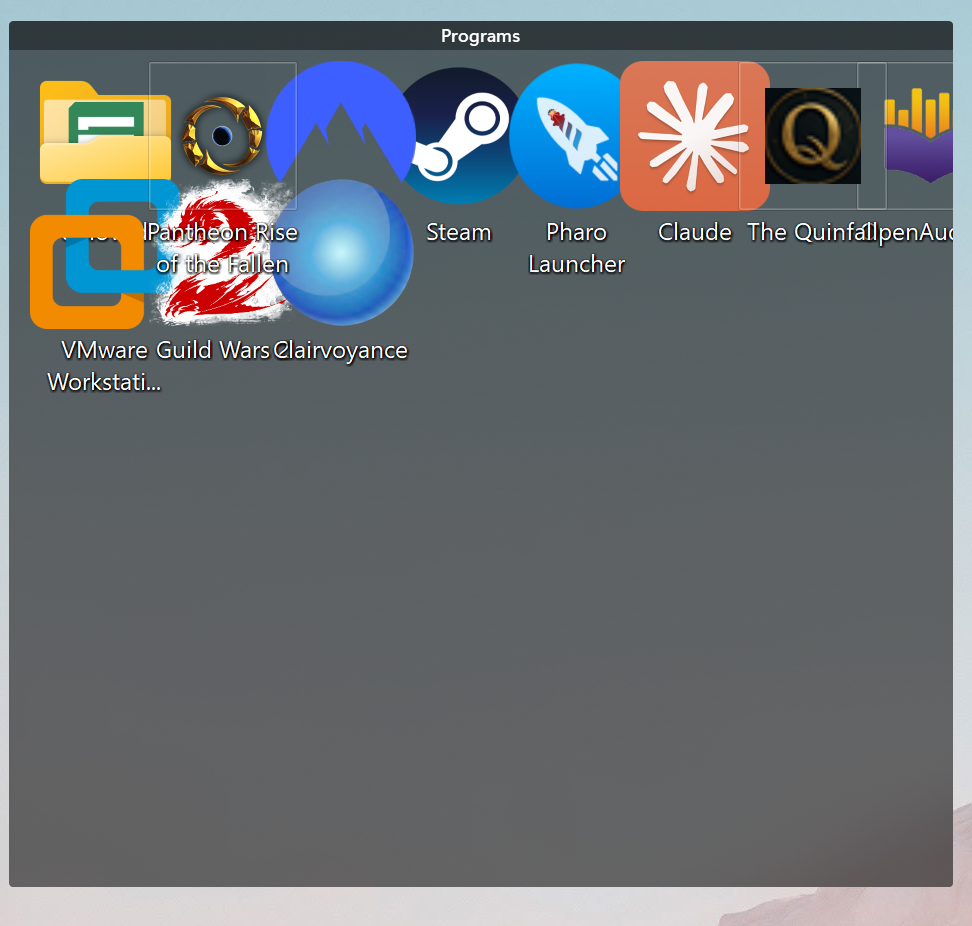
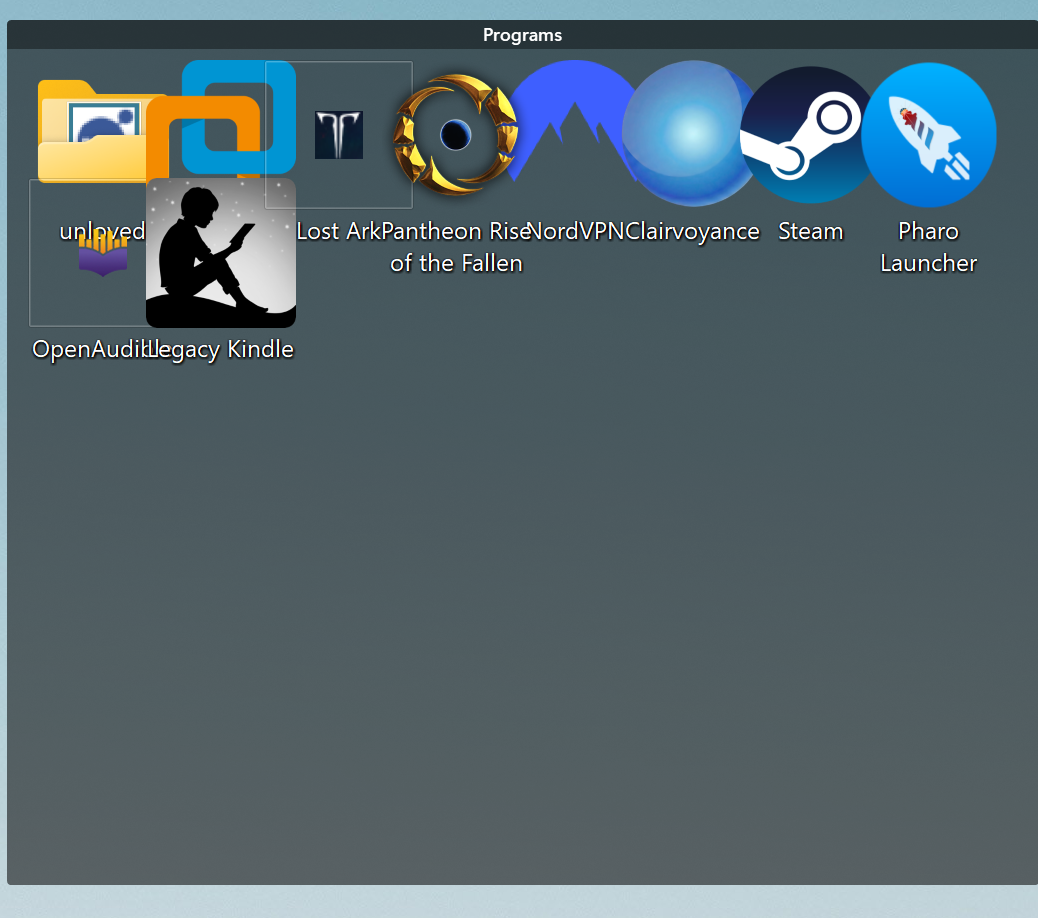
With version 6.44, it scrunches all the icons together about once a day. If I reboot, it is fine.

Moved to Fences area
With version 6.44, it scrunches all the icons together about once a day. If I reboot, it is fine.

Moved to Fences area
Hello,
Sorry to hear you are having issues. Just curious, what trigger the icons become big and close together?
Also, if you have not try it, Please try, uninstall Fences, reboot immediately (important), download latest version available in your account product download page: https://store.stardock.com/myaccount/products. Install it, reboot immediately again. Retest it and report back.
Thank you,
Basj,
Stardock Community Assistant.
It seems to happen when running other programs. When I finish some work and close other programs the icons are grouped up.. I will do the reinstall as you say. It may take a few days to see if that fixes it. I don't know any trigger.
Any programs or specific program which will change your display resolution, scale factors etc, Games, for example?
Yes, please try the reinstall steps and report back.
Thank you,
Basj,
Stardock Community Assistant
I did the clean install. I checked all the games I have. All the games I play do not change the display dimensions. I did find one old game I have not played recently that changes to 1920 x 1080. I tried running it, and after it exited, Fences was fine. I never caught what triggered the bug. I only ever saw it when I had a lot of windows open. When I cleaned up at the end of the day, Fences was all bunched up.
I will give it a few days and report back.
It just happened again. After a reboot, I ran the Chrome browser and SecureCRT, the current version from vandyke.com. Neither of which changes the graphics. They just make windows. The bug happened again. I recently upgraded to 6.44 fences. It didnt give me an upgrade notice for some reason. I haven't seen this bug (or any bug) before this version of fences. I did find a way to fix the display without rebooting. In layout management, if I click off Keep groups sized to multiple of cons and click it back on, it is fixed. I am up to date on Windows updates.

Hi,
Can you show the spacing of icons outside of groups too, with auto arrange turned on?
Likewise, can you try disabling Fences (bottom of the Welcome pane) and logging off / on, turning on auto arrange and showing this as well?
it would be helpful if the team could view your debug log. You can access it by going to About → Troubleshooting, enabling “Enable Advanced Logging”, rebooting, then reproducing the problem. You can use “Create error package” from that same menu to send the log package.
I enabled advanced logging. I have no idea how to reproduce it. When it happens again, I will send the log and the other screenshots. It has never happened more than once in a day, and not every day.
The problem hasn't happened again. I guess consider it closed. I will write back if it ever happens again.
Great, glad to hear that, do report back if it happened, and try to remember what happened when the issue reappear. Need software updates? New driver updates? After specific game played or anything.
Thank you,
Basj,
Stardock Community Assistant
The problem happened again. Unfortunately, I thought the bug was over and had disabled logging. I reenabled. I do have a bit more info. The screen was fine when I went to sleep last night. I used Ctrl-Alt-Delete and picked the lock so it would soon put the monitor to sleep. I use an Alienware 16X Aurora laptop. The monitor is attached via an #OWCTB4HUB5P hub. Then a usb C cable to the monitor. This morning, I had a window open, closed it, and saw the bugged fence. I saw the fence looked good shortly before going to sleep.
So I am guessing the bug has something to do with the monitor wakeup. I do have the laptop set to clamshell mode. It is set not to sleep. That is because I need the keyboard and or mouse click to wake up the monitor and enter the unlock code. This is the monitor I am using https://www.amazon.com/dp/B0FH1QLSRT
The wakeup usually is fine. I can't lock it and let the monitor sleep, then wake it and repeat the issue. So not proof, but maybe next time I can get a log. I did drag the fence and it redisplayed ok this time.
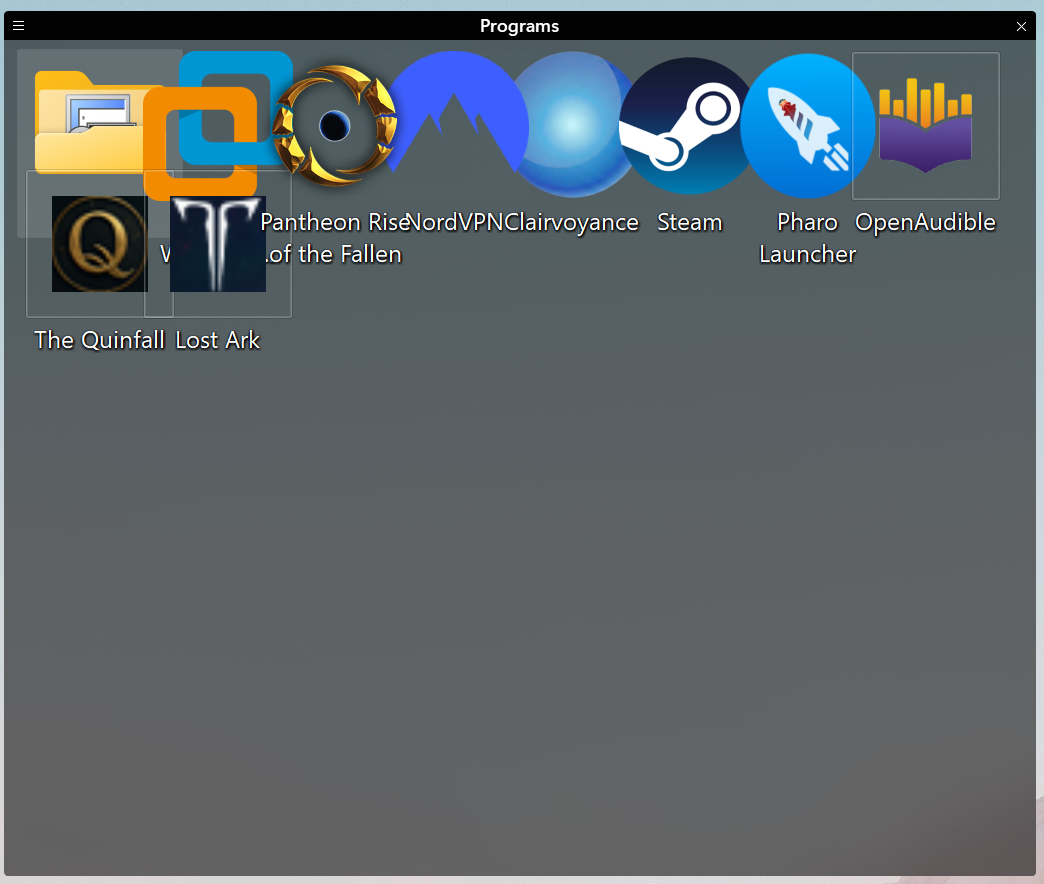
Screen capture of the bug this time:

Just curious, when the issue appear, and you do the Explorer restart, does the issue resolved itself or it still there?
Here are few step to do restart explorer without rebooting or logout and in again:
explorer.exe and hit Enter.taskkill (Force Restart):
taskkill /f /im explorer.exe and press Enter to stop it.start explorer.exe and press Enter to restart it.Try any one of these steps and report back.
Thank you,
Basj,
Stardock Community Assistant
Ok, I recorded the instructions. It may be a while; it doesn't happen every day.
I can partially reproduce it. If I control-alt-delete, lock the screen, and wait for the monitor to power down. wake, unlock, then the fences always show scrunched up like the screenshots. After a few seconds, it repaints. There must be some case where that update dosn't happen. I sent in the fences troubleshooting log
I just installed fences 6.46. From the update notes it should address my issues. I will report back in a week or sooner if news.
If you do, please again make sure advanced logging is enabled and submit an error report if able to see it again. Thanks for the help
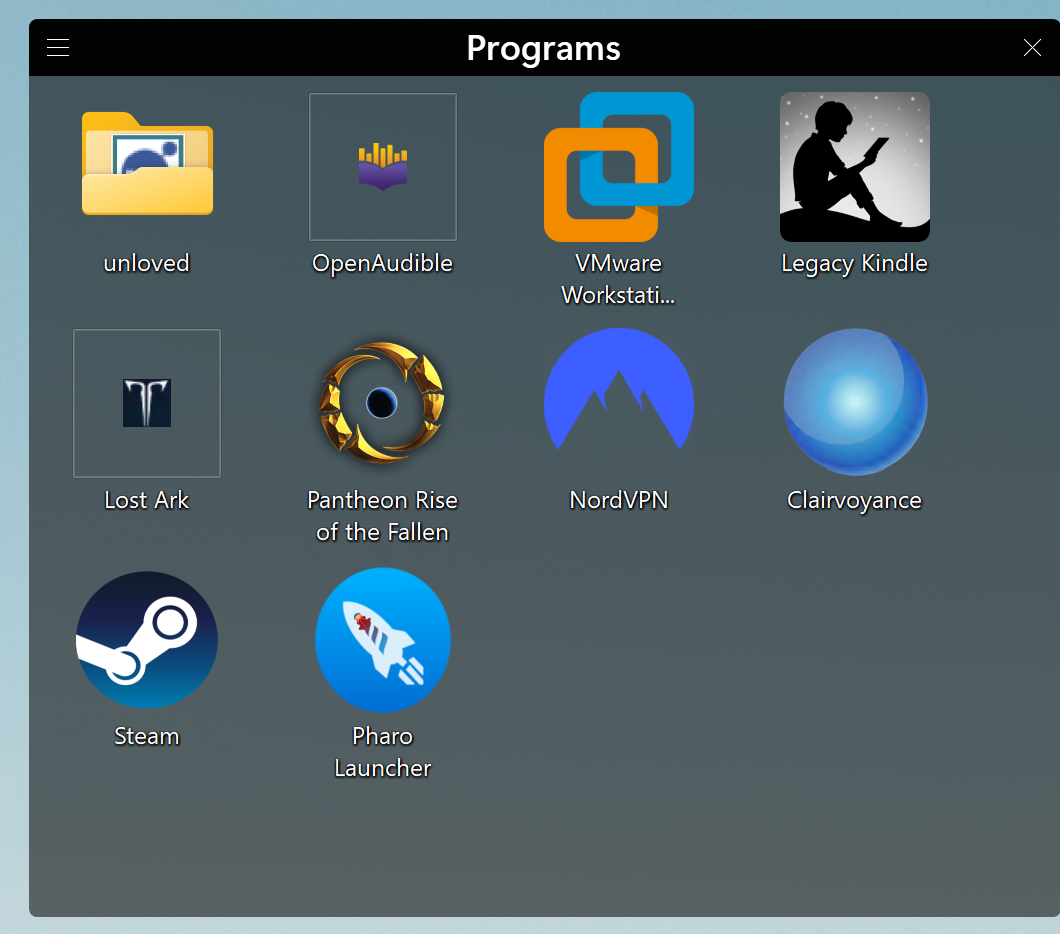
The problem happened in 6.46 this morning when I unlocked. If you compare with 6.44 pictures, it looks like the horizontal spacing is now correct, but the vertical is still scrunched up. I did have error logging enabled and have uploaded a fences report a few min ago. Thanks for debugging. It is obviously not a fatal bug.

Hi avwohl, looking to try to work this out. Having a bit of a hard time as the numbers we're reading from the desktop do not seem to indicate the change
2026-04-24 20:30:01,206 - ReadDesktopSpacing 250/200/250 iconSize(96) desktopSpacingRaw(166,252) desktopSpacingAdj(150,227) sysMetricsRaw(188,188) sysMetricsAdj(150,150) lvSpacingRaw(236,236) lvSpacingAdj(236,236) shim(0)
2026-04-25 07:30:02,027 - DetectResolutionChange attempt | Monitor State [1|0,0|3840x2160]
2026-04-25 07:30:01,720 - ReadDesktopSpacing 250/200/250 iconSize(96) desktopSpacingRaw(166,252) desktopSpacingAdj(150,227) sysMetricsRaw(188,188) sysMetricsAdj(150,150) lvSpacingRaw(236,236) lvSpacingAdj(236,236) shim(0)
I do see a fair deal of jostling around between 200 and 250 DPI, and some 150 DPI, but the numbers are seeming to read correctly and scale appropriately, so going to have to think more about what could be going on. DPI changes are commonplace, so this should not be impacting things
(1) Does logging out and logging in after a DPI change resolve the issue?
(2) What seems to be driving these DPI changes? The screen resolutions appear the same, as in going from one single-monitor system to another, with the same resolution, just different DPI. Plugging in a different external, perhaps? The logs seem to hint at this.
2026-04-20 01:30:18,396 - ResolutionLastEx_Old: [0|0|3840|2160|250|\\.\DISPLAY1|\\.\DISPLAY1\Monitor1|\\?\DISPLAY#BOE0CBF#4&34b9e9a7&1&UID8388688#{e6f07b5f-ee97-4a90-b076-33f57bf4eaa7}|\Registry\Machine\System\CurrentControlSet\Control\Class\{4d36e96e-e325-11ce-bfc1-08002be10318}\0003];
2026-04-20 01:30:18,396 - ResolutionLastEx_New: [0|0|3840|2160|200|\\.\DISPLAY2|\\.\DISPLAY2\Monitor0|\\?\DISPLAY#AGN7903#4&34b9e9a7&1&UID4165#{e6f07b5f-ee97-4a90-b076-33f57bf4eaa7}|\Registry\Machine\System\CurrentControlSet\Control\Class\{4d36e96e-e325-11ce-bfc1-08002be10318}\0000];
I have a laptop running in clamshell mode. The laptop LCD screen is 2560x1600. It attaches to an OWC Thunderbolt 4 hub, then to a USB-C monitor 3840x2160. It runs in 3840x2160 (when in use), lid closed. See above for exact models of each. When I go to sleep, I lock the screen so it will soon go dark (power down the monitor, screen goes black, power light goes out on the monitor). Presumably, it is in 2560x1600 with the external monitor powered down. In the morning, I click the mouse (to power up the monitor) and enter the pin (webcam login doesn't work on an external webcam). When the desktop appears, it often (but not always) shows the fence scrunched up. It sometimes stays scrunched up. As to the DPI, I don't know how to read that on either monitor. Let me know how to check. I can try logging out and back in. If it's just a matter of fixing the fence, grabbing the fence title bar, and dragging a little, it fixes it in 6.46.
Note that I can't reproduce the stays scrunched up fence at will. Most unlocks show it briefly messes up, then it fixes itself. It happens maybe once or twice a week, and it stays scrunched up.
Note that the previous 6.44 was scrunched together both vertically and horizontally. The new 6.46 never has a horizontal issue. So maybe check what you do differently between horizontal and vertical.
Ah! So moving the group fixes it? Interesting. Might need to do more work here to detect changes in sizing that are late.
does pressing f5 fix it as well? (I know, infrequent)
v6.46 has virtually no changes from v6.44 so again yes this seems like a system timing specific issue. Will have to continue to noodle on how to best next diagnose. Let’s see if we can chip away as it occurs. Thanks for the info
Welcome Guest! Please take the time to register with us.