Map Display Error - randomly crashed

Reporting this bug as it is happening more frequently than before.

I have tried everything from validating files to resetting the game setting; but nothing can resolved the issue.  Once the displayed is crashed, I cannot get rid of it.  I have to load a previously saved game file (before the crashed); if that doesn't work or cannot locate one, I have to restart the game a new.


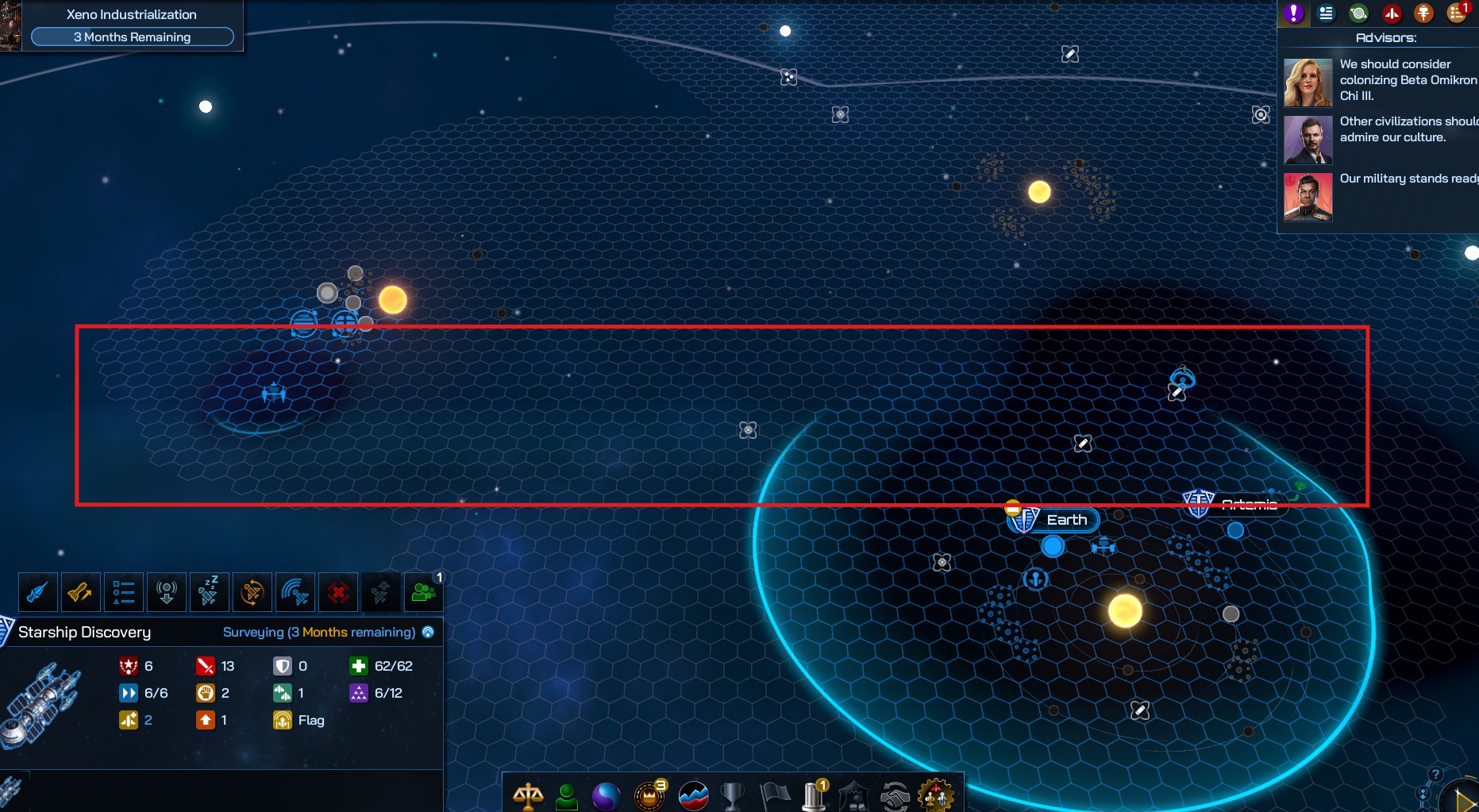
Symptom: Part of the map is not showing or indicating properly.  It doesn't show the border and the tile grid is distorted.  Ship travel lane and resources link to starbase are not shown.


Below is the screen capture for your reference.  Thank you in advance for any assistant.
 

3,268 views 5 replies
Reply #1 Top

Hiya! It would be very helpful to get one of those "broken" save file show casing your issue. Can you share it with us over on the GC4 discord ?

Reply #2 Top

Unfortunately, I have deleted them.

For future references, may I ask you the following questions?

1) Is there an official way to open a ticket to the development team?  I understand this is a forum, but I could not locate a support platform for this game.

2) Where may find the saved game file?


Many thanks.

Reply #3 Top

No worries, if it ever happens again feel free to joins us on discord at https://discord.gg/galciv and share your issue with us in GC4-Commons by drag and dropping your problematic save file found in %userprofile%\Documents\My Games\GalCiv4\Saves with an explanation of what's the problem.

You can share your issues here, on the Steam forum or on Discord, but the most efficient is Discord since it's easier to share files and images over there, as well as try to troubleshoot things live with you.

Reply #4 Top

Great!  Thank you.


I have joined and able to recover the file.


Please advise where to post that on Discord.

Reply #5 Top

You can drop it in the latest Sitrep (LIVE) v3.2 March 26th Update Sitrep, or if you cannot find it just drop it into gc4-commons with a small explanation and I'll forward it along to the sitrep ;)