Locked screens on Secondary

Still trying to figure everything out with a free trial, although this sure seems like it's going to be what I need.  I got a KVM switch which works fine with my 27" monitor, but neither of my RAZER Chroma mouse or keyboard will work on the switch. 

Windows 11 is primary and Windows 10 is secondary.  I can switch from primary to secondary with no problems.  I can use monitor, keyboard and mouse just fine.

However, I found I cannot use the Start button menu at all on the secondary.  Cannot interact in any way.  So found the programs I needed and pinned to task bar.  I needed to edit a Word document for publishing to a website I help manage.  I could open up the document, but I could not scroll or edit the document,  Tried different plain Jane Logitech mouse - no joy.

I also have not figured out how to switch back to my primary computer from the secondary computer.  I've had to shut down the secondary.

I'm probably missing something, but I've checked all the support documents and can't find any answers.

1,070 views 15 replies
Reply #1 Top

Hello,
Sorry to hear you are having issues. Please refer to these guides.

  1. https://support.stardock.com/space/SHC/1288011870/Missing+Mouse+Cursor+on+Secondary 
  2. https://support.stardock.com/space/SHC/1287389230/Mouse+is+stuck+on+the+Secondary 
  3. https://support.stardock.com/space/SHC/1287815231/Mouse+Cursor+Lags+on+Secondary 
  4. https://support.stardock.com/space/SHC/1288044590/I+can+move+my+mouse+to+the+Secondary+but+cant+interact+with+the+desktop 

Please report back, if you still need assistance.

Thank you,
Basj,
Stardock Community Assistant.

Reply #2 Top

Thank you, Basj.  Maybe I wasn't clear enough.  On the secondary Windows 10 computer, my mouse and keyboard work just fine with the exception of the Start menu and Word.  Once I got the programs I needed to edit and upload information to be published at the website I help manage, I was able to edit photos, navigate on the internet, use my desktop etc.

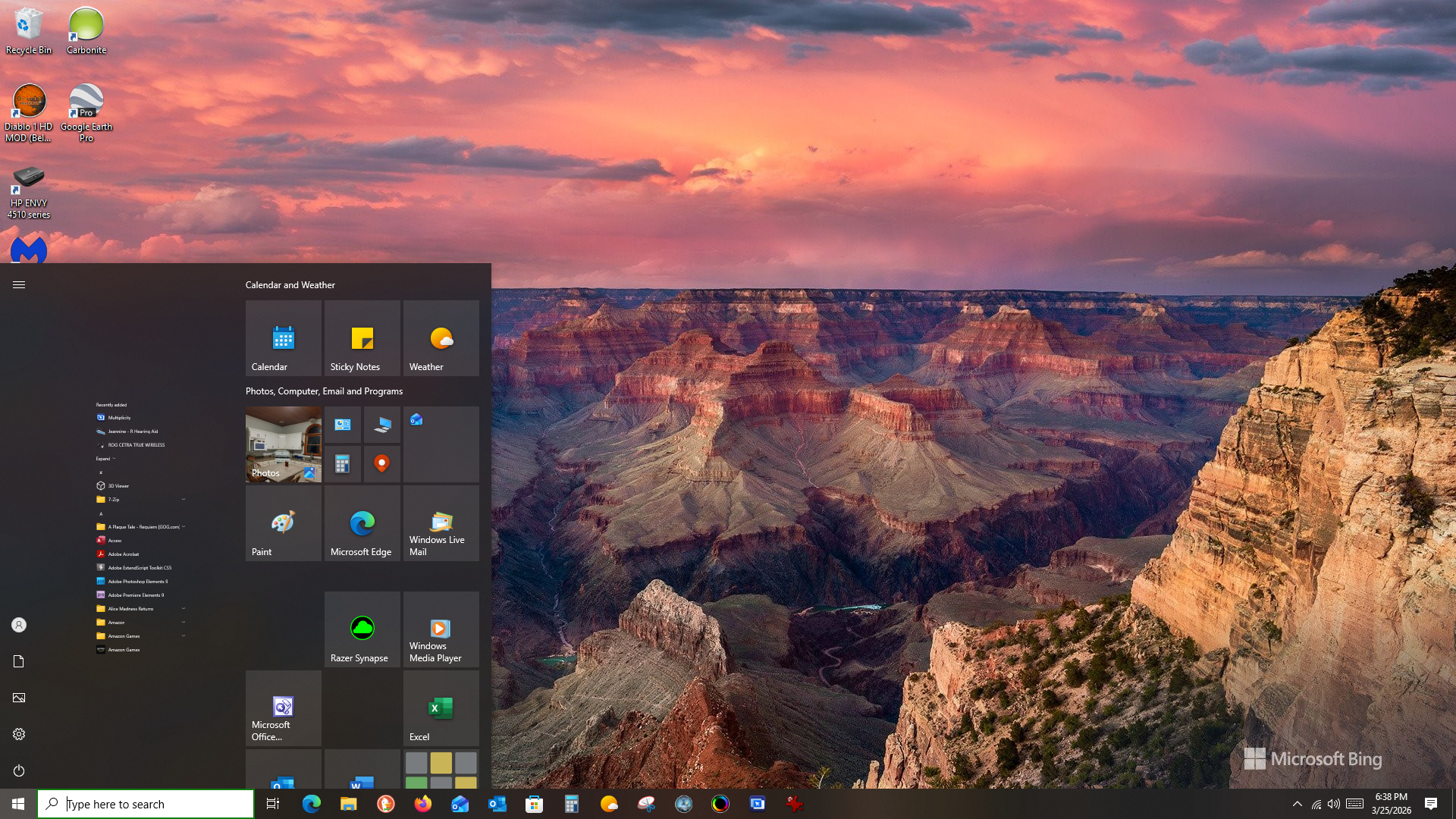
The Windows 10 Start menu was even not displaying correctly.  The list of programs on the left was so tiny they couldn't be read and could not use the Start menu.  The document in Word displayed, but I could not scroll or edit or do anything in Word.  I have a screenshot if that would help.

I also still cannot find any way to switch back to my primary computer from my secondary unless I shut down my secondary.  

Reply #3 Top

Yes, please post screenshots and/or video, would help to understand the issue.

Thank you,

Basj,
Stardock Community Assistant

Reply #5 Top

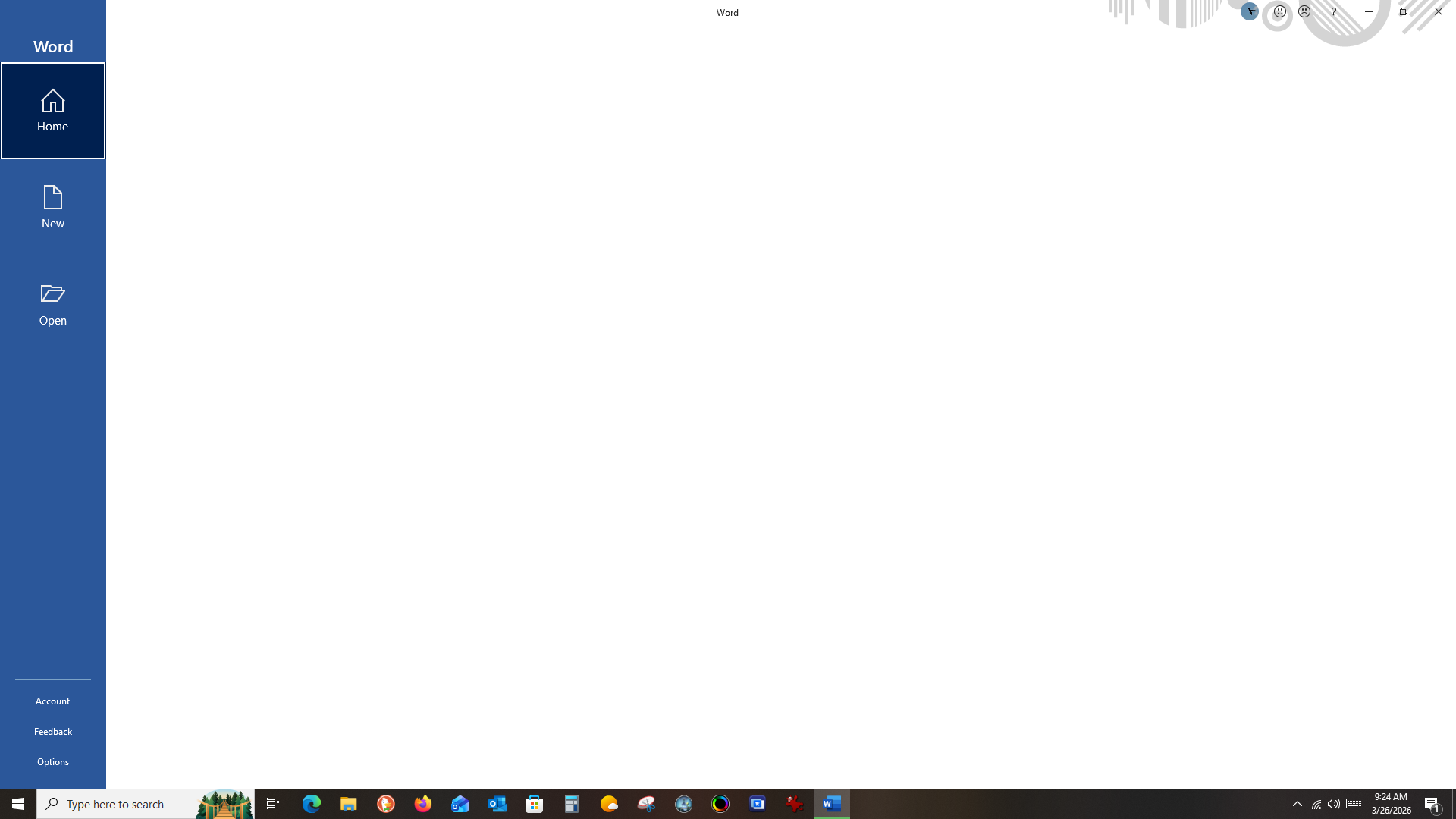
And here is what I get when I open up Word.  This is Microsoft Office Word 2019.  I had to type in a search so I could pin it to the task bar as I can't interact with the Start menu to open it from there.  It opens in a blank page.  When I opened an email Word file attachment, it opened with only the visible part on the screen and I couldn't scroll down to the rest of the document or do any editing.  So far all my other programs seem to work although I haven't tried all of them.

Reply #6 Top

Hello,
I have forwarded your problem/question to Stardock Support Team for their assistance. Please keep an eye on this thread for any updates. We appreciate your feedback and patience. Thank you.

Basj,
Stardock Community Assistant

Reply #8 Top

Are you able to explain which features in Multiplicity you are using here and how your setup looks?

Is this KVM mode, Seamless mode, or Seamless display mode?

Reply #9 Top

Hi, Neil and hopefully I can explain this correctly.  This is a 30 day trial version while I figure out if this software will work for me.  Primary is new Windows 11 and secondary is older Windows 10.  I built both systems myself.

I have a physical KVM switch and it works fine for the 27" ASUS monitor.  However, my Razer Chroma keyboard and mouse do not work on it.

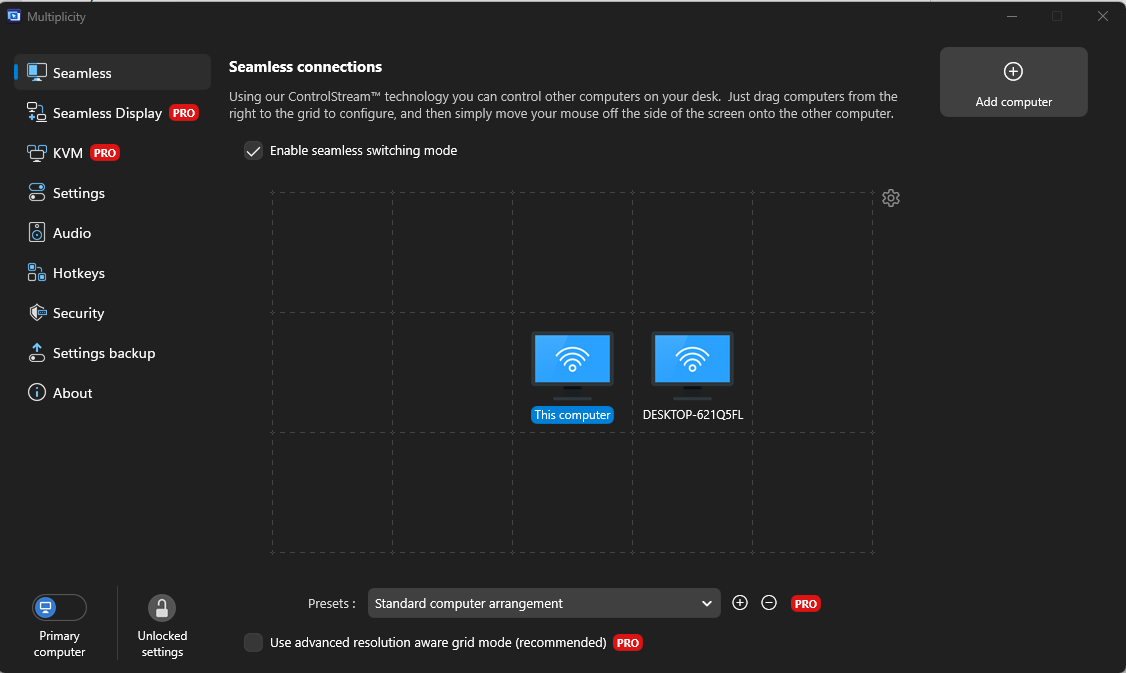
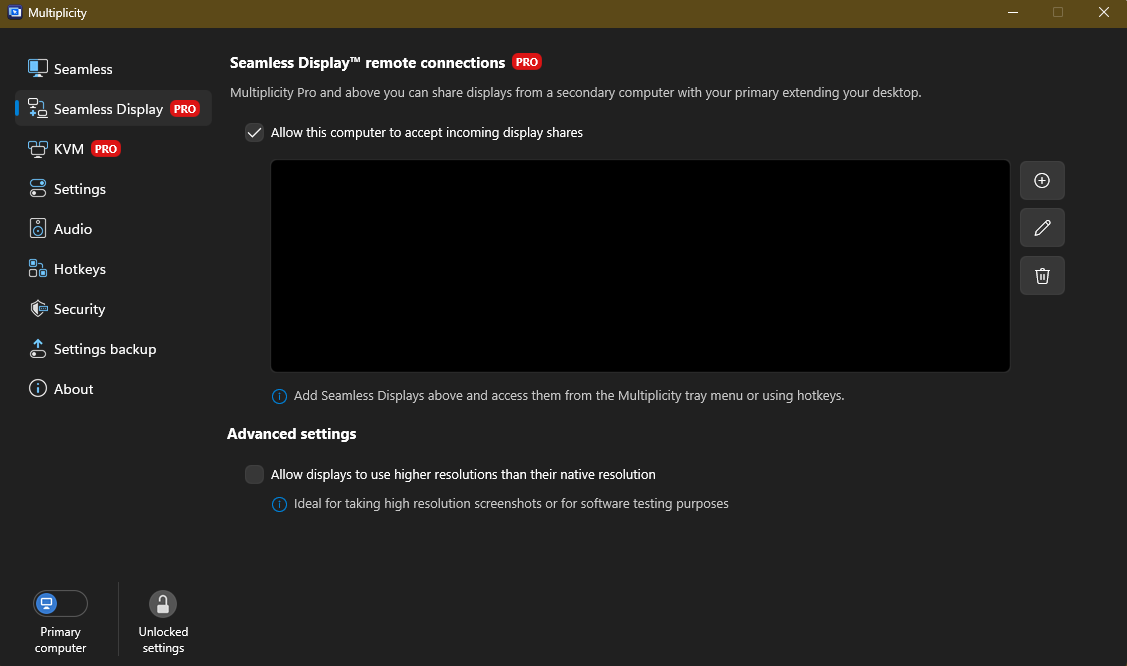
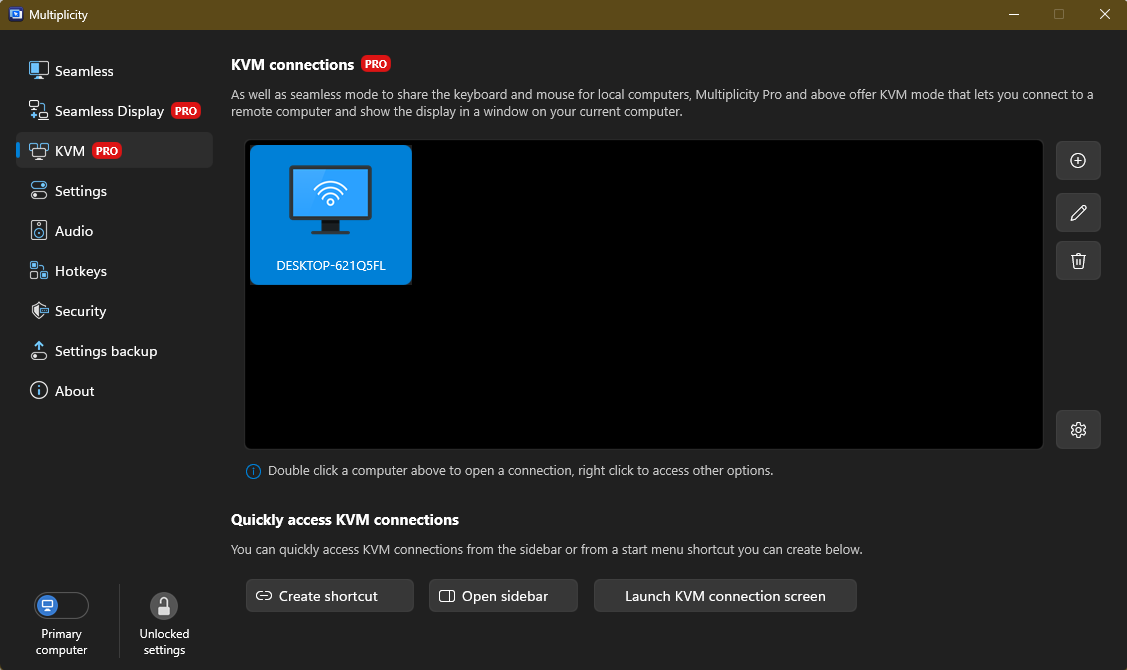
On my primary computer these are the screens.  I don't seem to be able to move my mouse to the right side to access the secondary computer.  The only way I can is to open KVM mode and double click the secondary.  I also can't figure out how to get back to my primary computer without shutting down my secondary.

Reply #12 Top

Quoting djhoeft, reply 2

The Windows 10 Start menu was even not displaying correctly. 

Multiplicity would have nothing to do with how its displayed.  If you are actually at the PC in question, do you have any issues accessing the Start menu or Word?

I also want you to review this:

https://support.stardock.com/space/SHC/1287815196/Multiplicity+Seamless+vs+KVM+confusion

Lastly, if there is anything left of your actual KVM hardware hooked up, please remove it - each PC should be their own separate boxes and nothing in between them. 

Sean Drohan
Product Lifecycle Manager


Reply #13 Top

I didn't think about that - yes, the monitor is still connected to the physical KVM.  I will disconnect both computers from it and see what happens.

I am on my primary Windows 11 computer and both Start menu and Word are fine.  If I go over to the Windows 10 computer is when I run into issues.  

Reply #14 Top

So, I unplugged all computers from the KVM switch.  A slight improvement on secondary computer in that I could interact with the Start menu programs and tiles, but they were still displayed the same.  And when I tried to move a tile, the screen went black and everything froze up.  I tried Excel on the secondary and everything was perfect, but again, Word did not display, nor could I edit a document.  When I plugged that computer directly into the monitor, everything worked as it should.

I happened by chance on a tiny little hidden option at the top left of the screen in the secondary display.  When I hovered my cursor over it, there was an option to close the secondary computer.

I had already read that link you provided in my attempts to figure this all out, but will go through it again.

If this is the best I can get, I can live with it.  The gaming website I help run is operating on the ancient Frontpage 2000 which will not run on Windows 11.  I can edit my word documents on the Windows 11 computer and sent them to myself on the secondary computer to publish to our website.

Thanks for your help!

Reply #15 Top

djhoeft said:

When I plugged that computer directly into the monitor, everything worked as it should.

That meanas the remote Secondary is headless, yes?

If that is the case, and you plug a monitor into it and then the KVM connection is fine, this is by far the cheapest option

t.ly/aQ2Fr  (that is a shortened Amazon URL)

Sean Drohan
Product Lifecycle Manager