Fences6 Activation error code -212

Documented solution didn't work

I need help getting Fences6 activated. I've done all the steps for removing old Fences software, uninstalled/reinstalled, making sure I have the correct code (subscription but didn't remember that until now, I do have a standalone license and that failed too). Interestingly enough, if I look at my account and the license where it's activated, it says my computer is activated so not sure why the activation wizard is not activated... version 6.2.0.1.

1,225 views 10 replies
Reply #2 Top

Hi Basj,

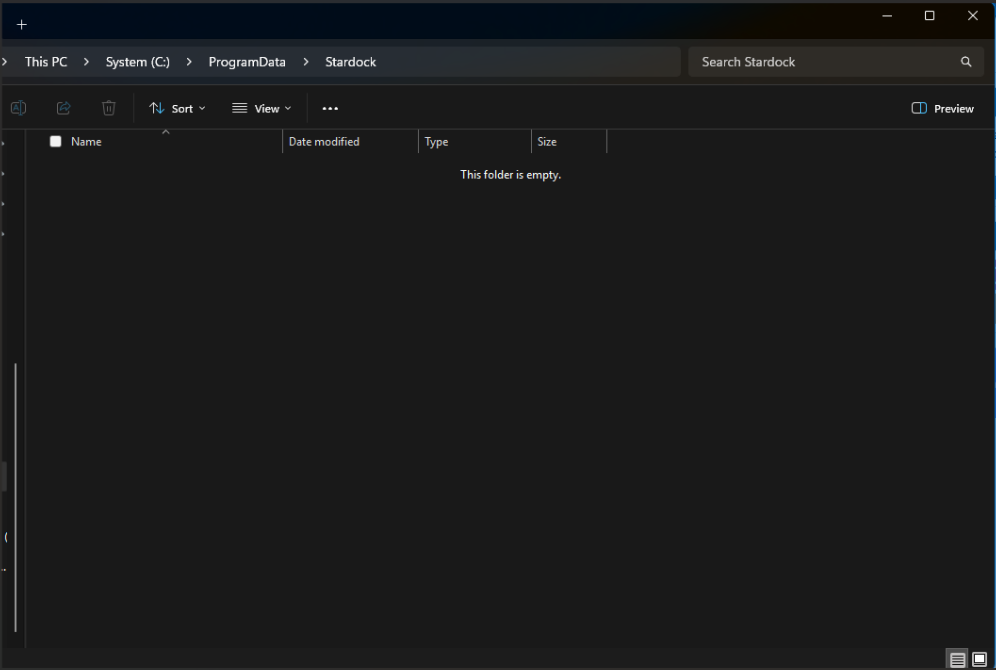
As mentioned in the original post, I completed uninstalling and reinstalling the software and that included the steps mentioned in link sent. I tried a 2nd time and there's no folder to remove in the location. Should I remove the Stardock folder itself? I seem to recall having a similar issue when I went to version 5 a couple years ago but I don't remember what I did to get it working then. As of Mar 16, I have two emails saying my license was deactivated but that might be older versions I have on my account. I just checked and the current subscription for version 6 5-pack is showing active. 

Reply #3 Top

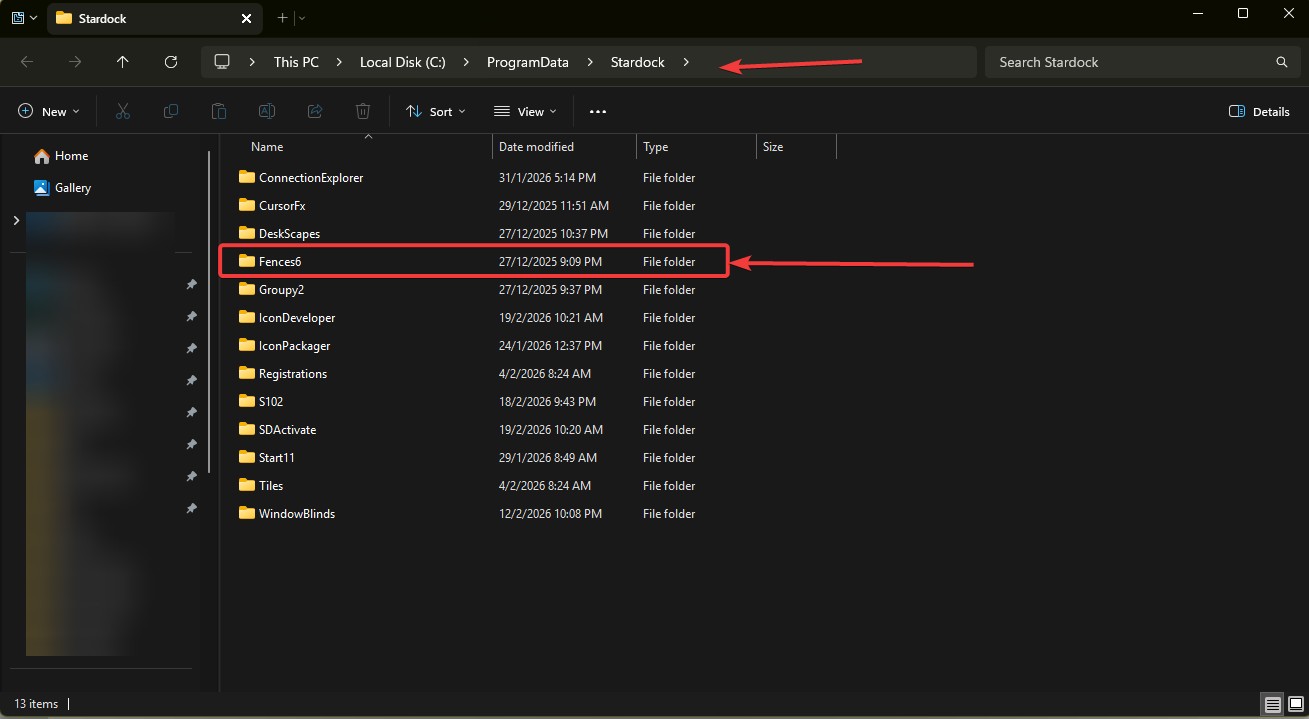
Please post what you see here, once you finished install Fences 6. Do you see something like my screenshot below?


Thank you,

Basj,
Stardock Community Assistant

Reply #5 Top

That is strange, yes, please try to run it again. Also look into your AV/security/cleanup software which might block Fences from creating those folder and files.

Thank you,

Basj,
Stardock Community Assistant

Reply #6 Top

Tried again and got the same error. Trying to figure out how to temporarily disable AV software.

Reply #7 Top

I couldn't figure out how to temporarily disable my AV software so uninstalled it. I uninstalled Fences6 and reinstalled it and get the same error code. Tried logging into my Stardock account as well, same error. 

Reply #8 Top

As a test, try install in a Windows Sandbox and see if you can activate it while in the Sandbox. Refer here for Sandbox steps: https://support.stardock.com/space/SHC/1416560645/Testing+Fences+in+Sandbox. Try it and report back.

You can use this guide to review and manage your activation: https://support.stardock.com/space/SHC/1260191763/How+to+review+and+manage+your+current+activations.

Thank you,

Basj,
Stardock Community Assistant


+1 Loading…
Reply #9 Top

I have not had a chance to work with Sandbox yet, but I was able to install Fences 6 on a new windows installation on a different laptop first try. I've had internet issues that needed to be taken care of before I tried again on the original laptop. I plan on working on this this weekend.

Reply #10 Top

It is also possible that the folder at C:\ProgramData\Stardock does not have the required permissions to allow the user to create the the fences folder.  The user would need to have full control permissions on that folder.