Can't toggle on Seamless Display

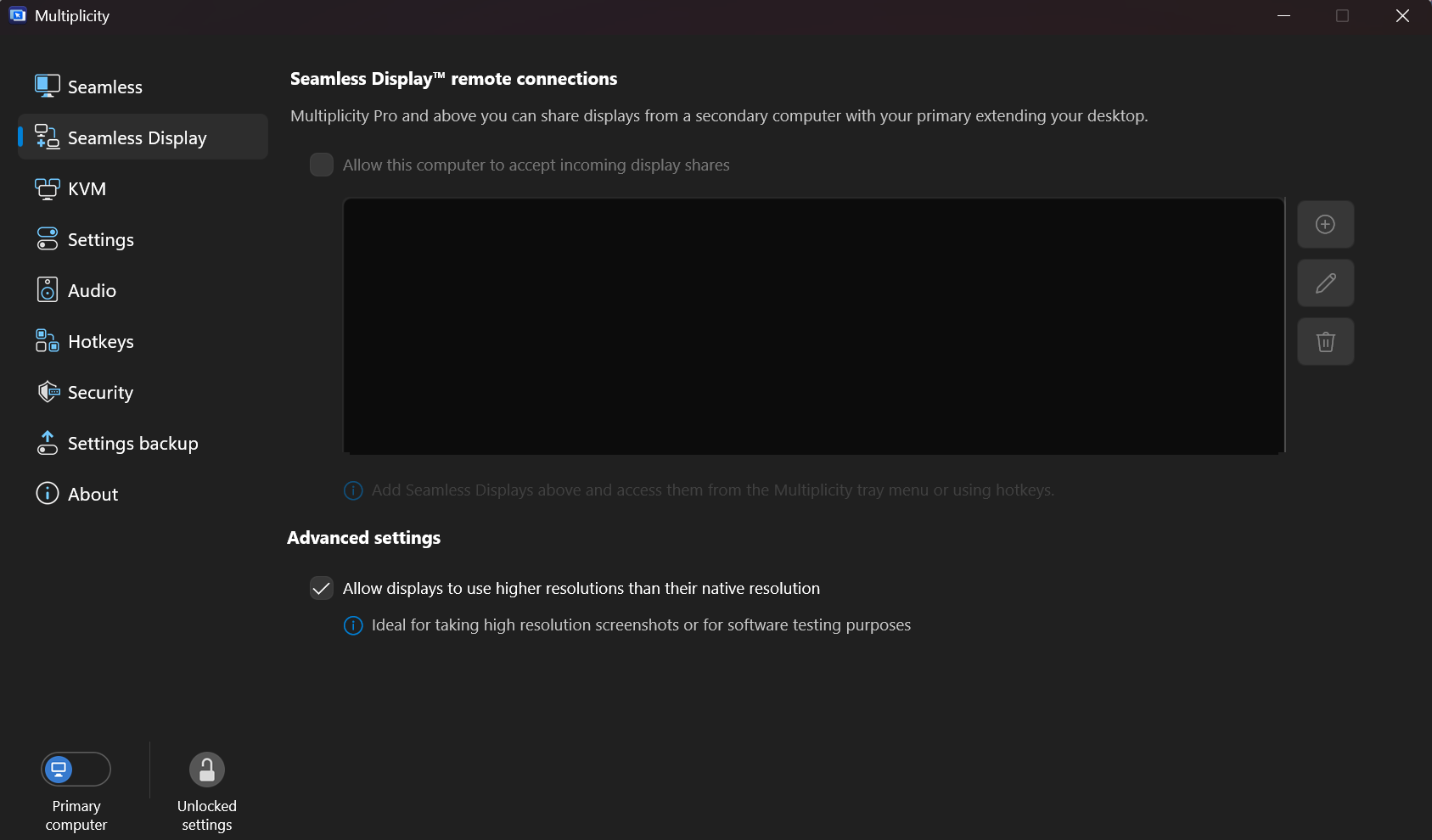
When I try to follow the documentation instructions for using Seamless Display, on my primary computer I can't turn on Seamless Display remote connections "Allow this computer to accept incoming display shares" - it's greyed out and unresponsive. Has anyone else had this issue? How do I resolve this? Thanks.

BTW - everything else works just fine. Regular Seamless works, KVM connects - haven't tried using it much so far, I really just wanted the Seamless Display. 
Moved to Multiplicity area

1,061 views 8 replies
Reply #1 Top

Hello,
Sorry to hear you are having issues. I have forwarded your problem/question to Stardock Support Team for their assistance. Please keep an eye on this thread for any updates. We appreciate your feedback and patience. Thank you.

Basj,
Stardock Community Assistant

Reply #4 Top

Quoting abxander, reply 3

Snapdragon(R) X 12-core X1E80100 @ 3.40 GHz (3.42 GHz)

Thats why.  ARM based CPUs are not supported for Seamless display where the ARM device is the primary.  It can be used as a display but not be the device that has the display added to it.

Reply #5 Top

Oof alright, that's disappointing for my setup. It is what it is. Thanks for letting me know.

+1 Loading…
Reply #6 Top

Hi, are you a member of the support team and able to forward me to the Stardock return team/division? Turns out because of my computer specs, the features I purchased Pro for are not going to work, and I want to downgrade again. The documentation says sales will not do a refund without an RMA from tech support. Thanks in advance

Reply #7 Top

Hello,
Sorry to hear you are having issues. Please raise support ticket using the link below, use the "Ask a Question" option. Include all information details. Remember to record down the ticket number for future reference if needed. Do not raise multiple ticket, that will make your ticket back to the end of the line. Send once and wait. Ticket will be answer by the order they send in.

https://stardock.atlassian.net/servicedesk/customer/portal/4/group/13 

Thanks
Basj,
Stardock Community Assistant

Reply #8 Top

Quoting abxander, reply 6

Hi, are you a member of the support team and able to forward me to the Stardock return team/division? Turns out because of my computer specs, the features I purchased Pro for are not going to work, and I want to downgrade again. The documentation says sales will not do a refund without an RMA from tech support. Thanks in advance

Refunds are handled through tickets

https://support.stardock.com/space/SHC/1339883584/Returns

Sean Drohan
Stardock Product Lifecycle Manager