
Search with right-side taskbar has "top" cut off
from  Stardock Forums
Stardock Forums
When using Search in start11 in a right-aligned taskbar:
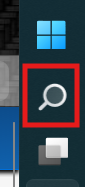
The "top" of the search window is cut-off and I can't even see what I type:

The top of the image is the top of my display so it's cut-off exactly as in this screenshot.
The start menu itself is fine, no issue. I highly suspectr DPI scaling set at 125% is the issue because if I turn it off / set it to 100% the issue disappears.
How can I make this work with dpi scaling enabled?