Object Desktop saying there are updates, but there are none

Object desktop

Hello.  Love Stardock software!  I have a subscription for Object Desktop and recently (maybe over the past month or so) it has been prompting me saying there are software updates (and creating a folder in my downloads folder in Windows 11), but no updates are showing in Object Desktop and there is nothing in the folder it creates.  I have tried reinstalling the software and rebooting, but it continues.  Is there a current issue?  If yes, how do I fix it? Thank you in advance.
951 views 10 replies
Reply #1 Top

Also, here is the version info:

Object Desktop

Version 4.07

ObjectDesktopManager.exe

4.7.9510.27166

Build Date

2026/01/14 03:41:41


Reply #2 Top

Hello,
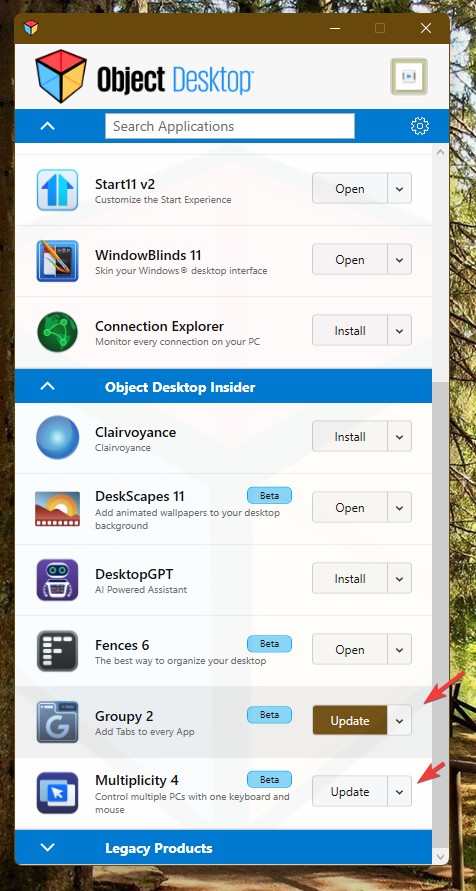
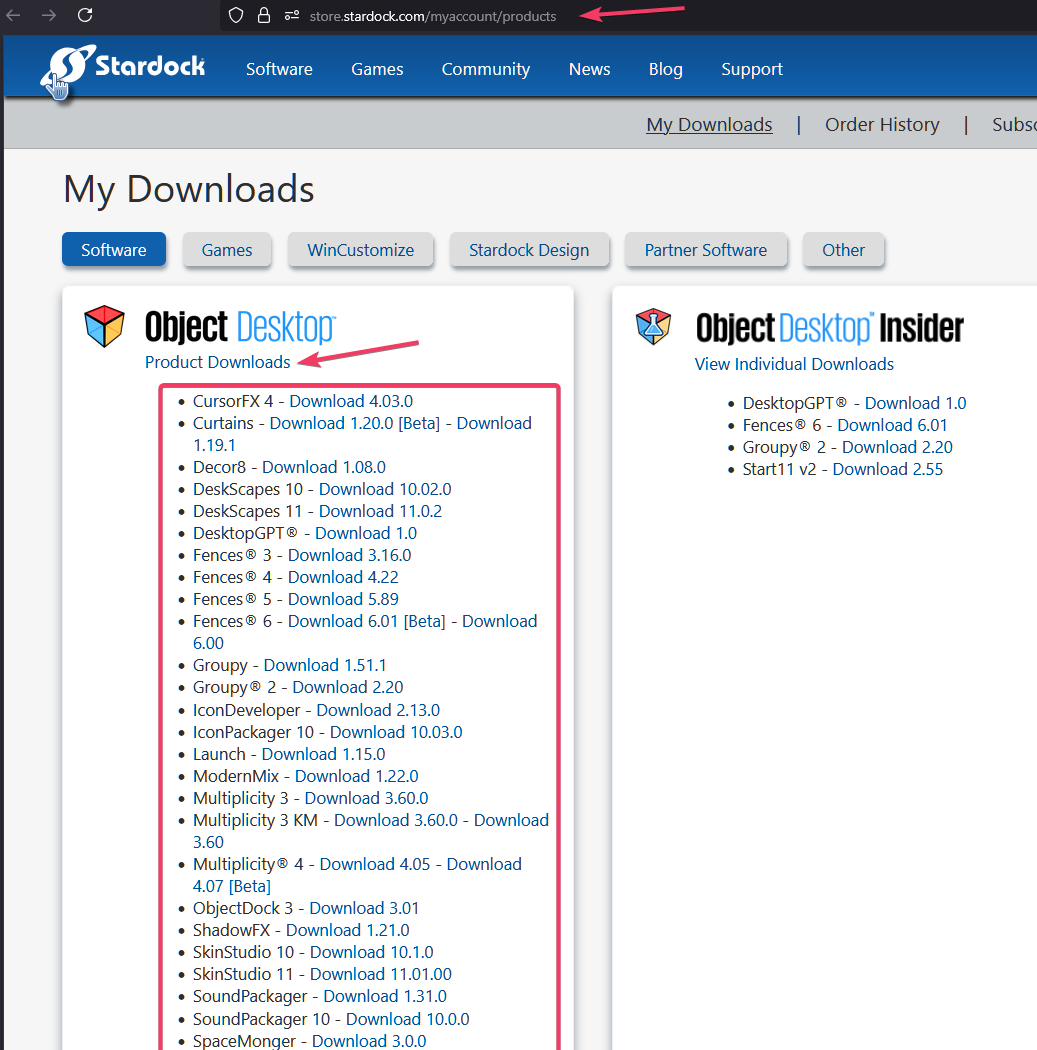
Sorry to hear you are having issues. Do know that it is still best to review your software version directly from your account Product page: https://store.stardock.com/myaccount/products. Click on the Product Downloads link to see all available download under Object Desktop. Something like my screenshot below. These listing most probably look different for your account. 

Thank you,
Basj,
Stardock Community Assistant.

Reply #3 Top

Yes, that is where I downloaded the latest installer, but it did not fix the issue.   How do I fix the issue?


Reply #4 Top

Did you open up Object Desktop and know which Stardock application was mentioned needed updated? Perhaps, Groupy 2 and/or Multiplicity 4?

Thank you,

Basj,
Stardock Community Assistant

Reply #5 Top

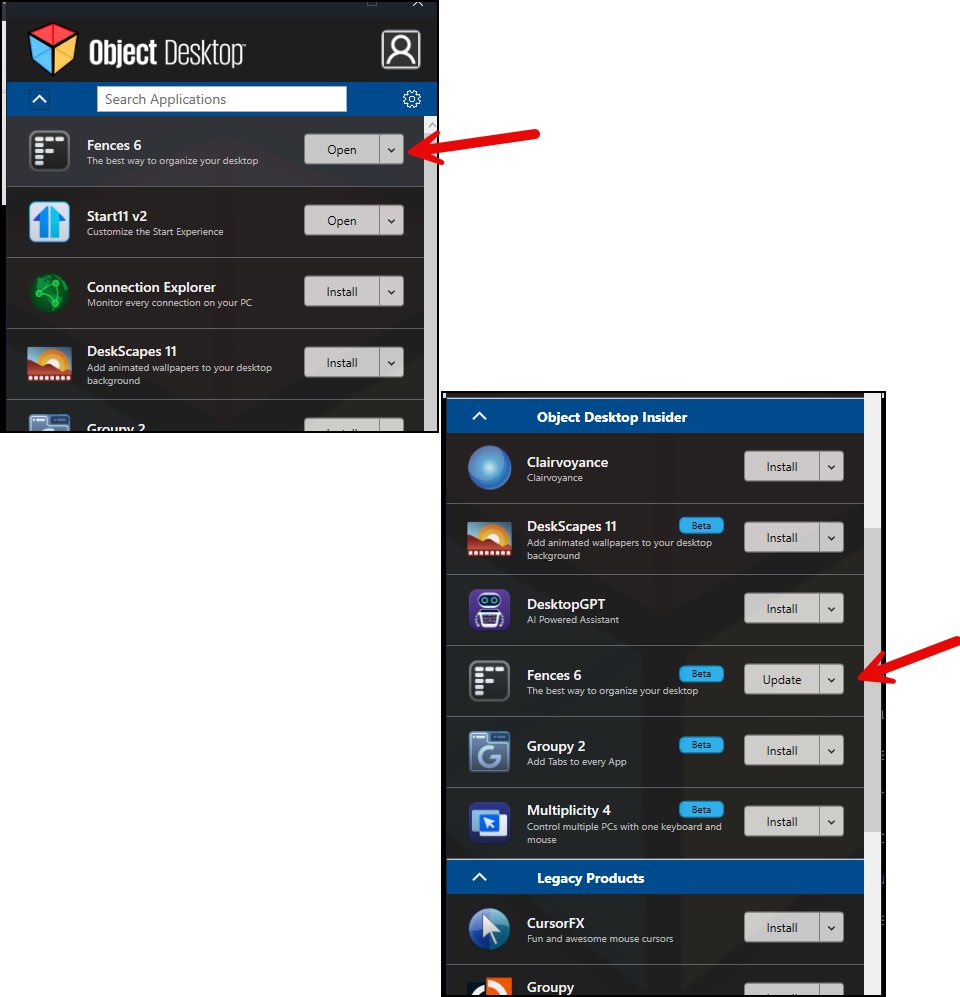
Originally I did check twice, but I now see that it shows to different things for Fences. See attached picture.  The top section of Object Desktop shows no update for Fences, but in the next section it does show an update.  However, I see that the update is BETA, not a production release.  I usually wait for production, but since it keeps notifying me (a nuisance), I've gone ahead and updated to the new BETA version.  Why does it show a different status for Fences in the two different sections show under the Object Desktop - that is confusing?

Reply #6 Top

Please post a screenshot of this popup message that supposedly came from Object Desktop. 

Thank you,

Basj,
Stardock Community Assistant

Reply #7 Top

I just did.. but it showed a bunch of characters on the screen.  Let me try again here:

Reply #8 Top

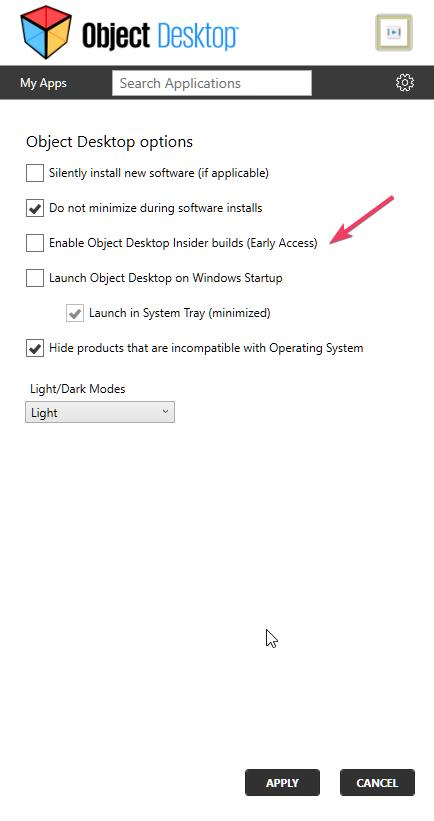
The top picture is for official version release. The bottom is for beta released. For user not interested to view the Beta/Insider release you should be able to disable it within Object Desktop setting.

Thank you,

Basj,
Stardock Community Assistant

Reply #9 Top

Thank you for that insight! I've updated the settings. Appreicate all the help! have a great day

Reply #10 Top

Glad to help.

Thank you,

Basj,
Stardock Community Assistant