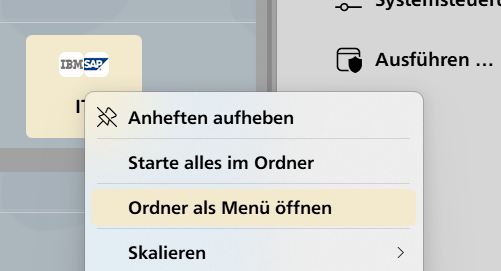
Start 11 icon for web sites in folders

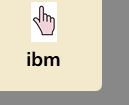
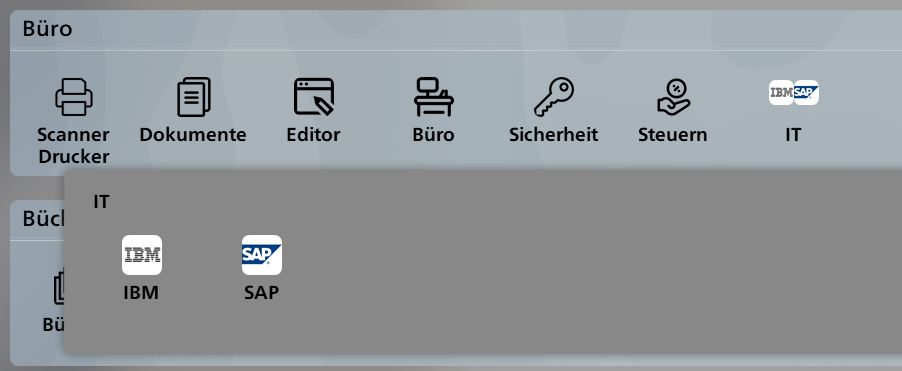
When I pin a website in a folder, I can select a customized icon. This icon is correctly displayed in the folder, like this
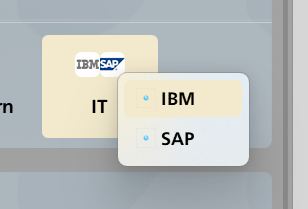
When the option 'Display folder as menu' is selected, web links will only be displayed as a small dot, like this:
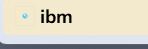
Can this be changed somehow?

444 views 5 replies
Reply #1 Top

Hello,
Sorry to hear you are having issues. Need more details,

  1. Windows 10 or 11? Also need its full version and OS Build number. Use Winver.exe to get these numbers.
  2. Start11 full version numbers.
  3. How did you change those icons?
  4. "Display folder as menu" on? Start menu or taskbar? Windows 7 style Start menu?
  5. Bigger screenshot with wider coverage should help us understand it better.

Thank you,
Basj,
Stardock Community Assistant.

Reply #2 Top

Hello Basj,

1. Windows 11, 25H2, Build 26200.7840

2. Start 11, V. 2.6

3. Create new Start 11 item via 'Pin Website'. Then context menu -> symbol -> user defined. Select JPG image from local disk, size 256x256 pixel. Create another item and combine both into a folder.

4. 'Display folder as menu' selected from folder's context menu. Start 11 style 'Windows Pro'

5. Folder created with items IBM and SAP

Symbol is correct in this folder display mode.

Switch folder to menu style:

Icons gone:

This is just a minor cosmetic problem, but I wanted to ask anyway.

Reply #3 Top

Thank you, I can reproduce your request. I have forwarded your request to the Stardock Support Team for their review and recommendations. Please keep an eye on this thread for any updates. We really do appreciate your feedback, Thanks

Basj,
Stardock Community Assistant.

Reply #5 Top

Hello and thanks for posting.

Letting you know this should be addressed in the latest beta update for the software. 

For details on updating to the beta, listed changes, and feedback, please see:

https://forums.stardock.com/541012/page/1/

Best regards,

Adam McGuinness
Stardock Support Specialist