Iconpackager breaks folder thumbnails in win 11

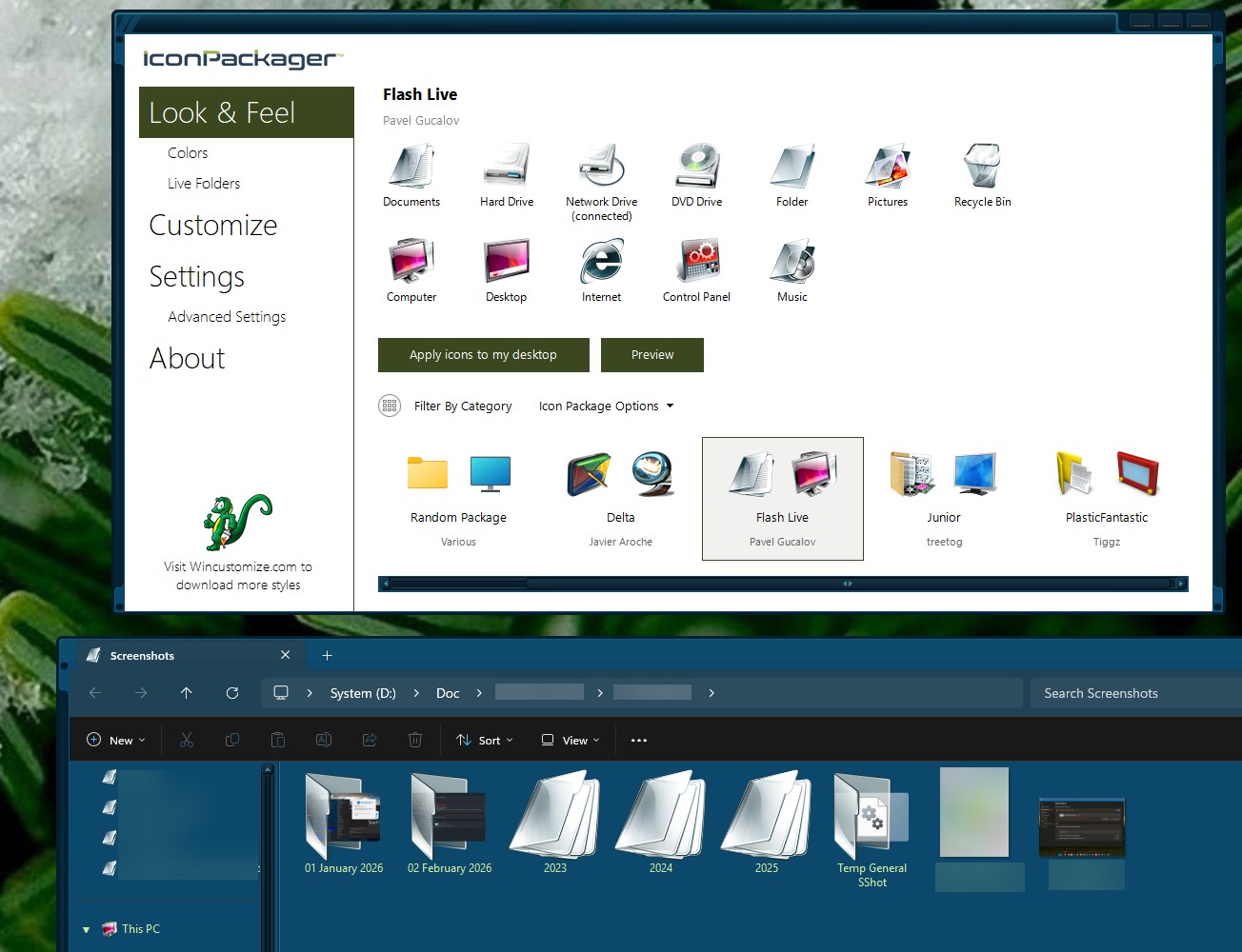
Latest iconpackager, win 11 home (up to date), installing iconpackager and doing nothing else only allows half height folder thumbnail previews (windows default), and breaks the full-height patch at

https://lesferch.github.io/FolderThumbnailFix/


Applying ANY iconpackager theme instantly breaks folder thumbnails completely, they simply show a generic "blank" (themed) folder icon 

 

962 views 9 replies
Reply #1 Top

Hello,
Sorry to hear you are having issues. But, unfortunately, FolderThumbnailFix don't work on my system. So I can't verify your issue. However, I have forwarded your problem/question to Stardock Support Team for their assistance. Please keep an eye on this thread for any updates. We appreciate your feedback and patience. Thank you.

Basj,
Stardock Community Assistant.

Reply #2 Top

Ignoring the patch issue, my main point is that iconpackager breaks DEFAULT windows when any theme is applied, folder thumbnails simply disappear 

Reply #3 Top

Okay, so its has nothing to do with "FolderThumbnailFix", now I wonder you include that in your post.

Anyway, I can not reproduce your issue on my system. Here is what I get on my system. Unless, I am looking at the wrong area, it seem working for me.

Moving forward, please make sure IP get properly install. Please try, uninstall IconPackager, reboot immediately (important), download latest version available in your account product download page: https://store.stardock.com/myaccount/products. Install it, reboot immediately again. Retest it and report back.

Thank you,

Basj,
Stardock Community Assistant

Reply #4 Top

>Okay, so its has nothing to do with "FolderThumbnailFix", now I wonder you include that in your post.


because it shows IP is directly affecting a 3rd_party app.

I followed your uninstall/re-install instructions, same problem. Oddly, the "flash live" & "delta" skins work, but NO other packs do, Dragon Fire, Velvet Matrix, Junior, PlasticFantastic, Steel Dragon, all fail, no folder thumbnails


Reply #5 Top

I can confirm your issue on my system. Some icon packages work, some packages don't. I have forwarded your problem/question to Stardock Support Team for their assistance. Please keep an eye on this thread for any updates. We appreciate your feedback and patience.

Ref: Work.

Ref: Don't Work


Thank you.

Basj,
Stardock Community Assistant

Reply #6 Top

Hello and thanks for posting,

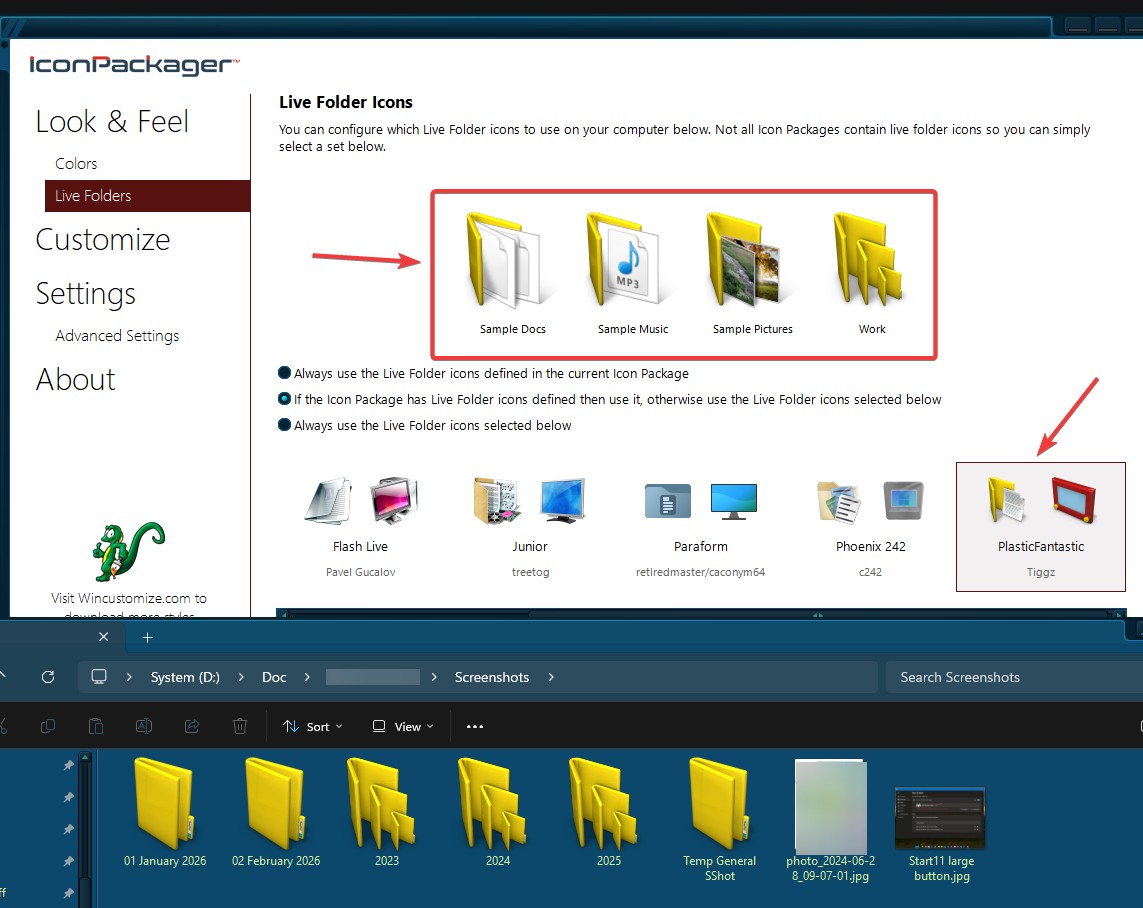
From basj's image, I am seeing the "PlasticFantastic" Folder icons in File Explorer as intended, no?  If I'm missing something there, please let me know how it should look or clarify where exactly I should be looking.

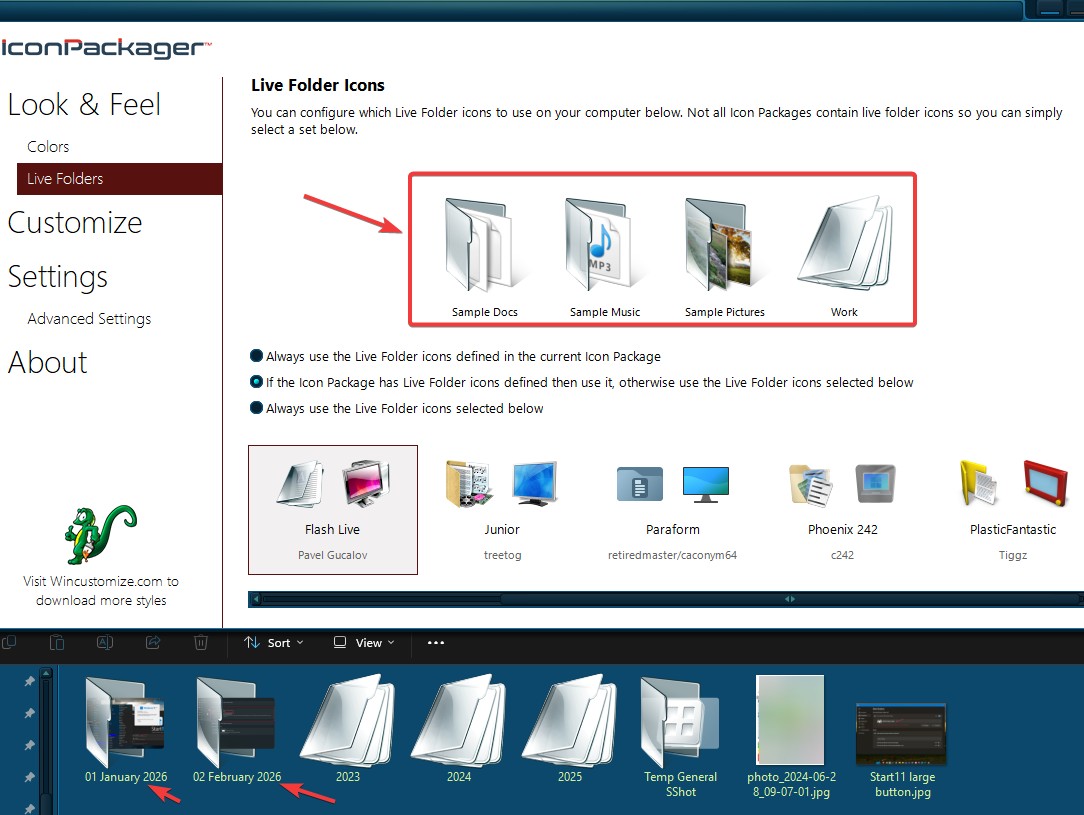
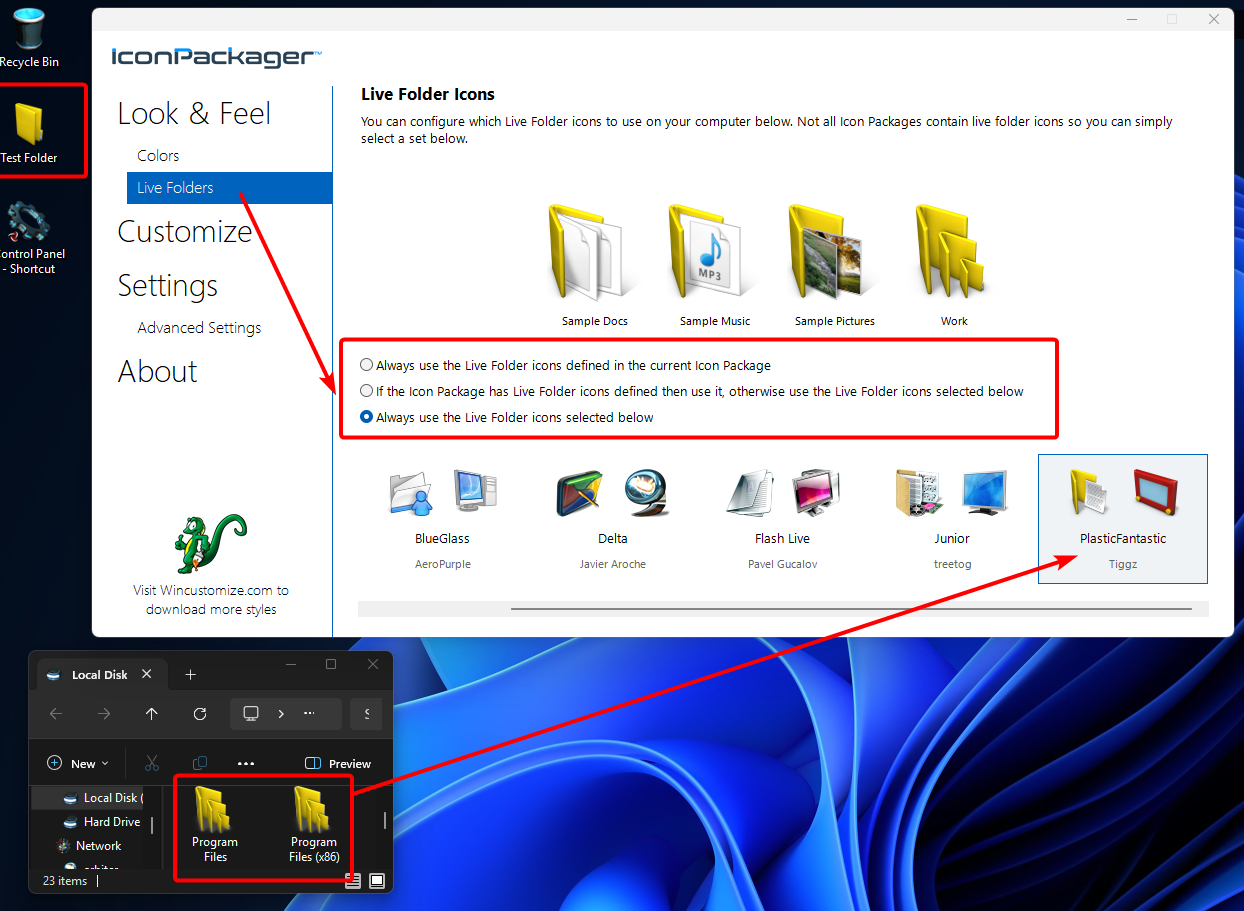
In my own testing of this, I did notice the "Live Folders" you pick only apply depending on which of these three radio menu options is set:

In the above picture, note that I have "Always use the Live Folder icons selected below" selected.  If either of the other options here is selected, the package applied from the "Look & Feel" tab will overrule any "Live Folders" package when you apply it.

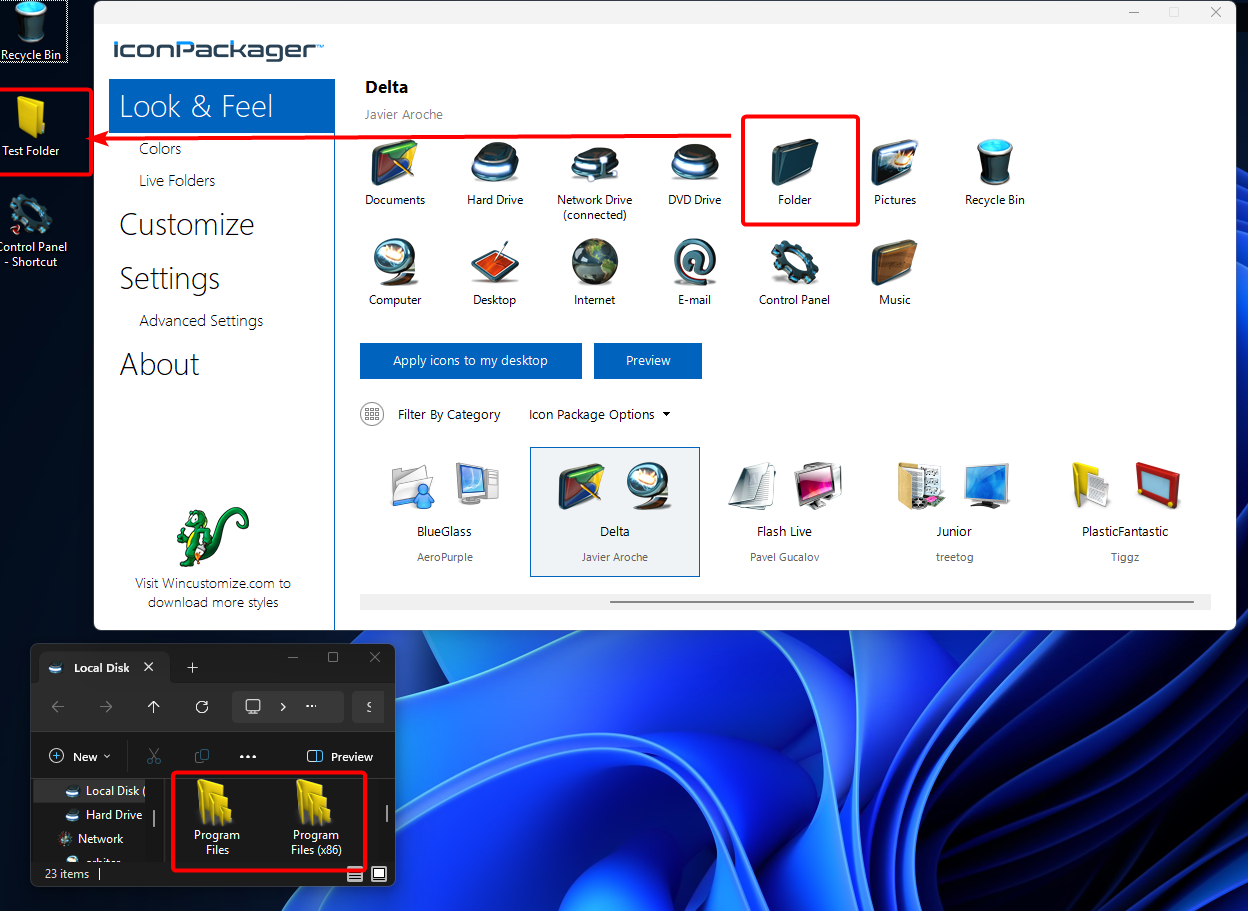
You can see in my next image, that when I "Apply icons to my desktop," the PlasticFantastic Folder icon remains as intended, despite the fact that I applied the "Delta" package:

If you're still having trouble, please try as I have above.  If you're still having trouble, perhaps try clicking "Apply icons to my desktop" a second time.

Please let me know if this helps or if an issue remains.

Best regards,

Adam McGuinness
Stardock Support Specialist


Reply #7 Top

Hello again,

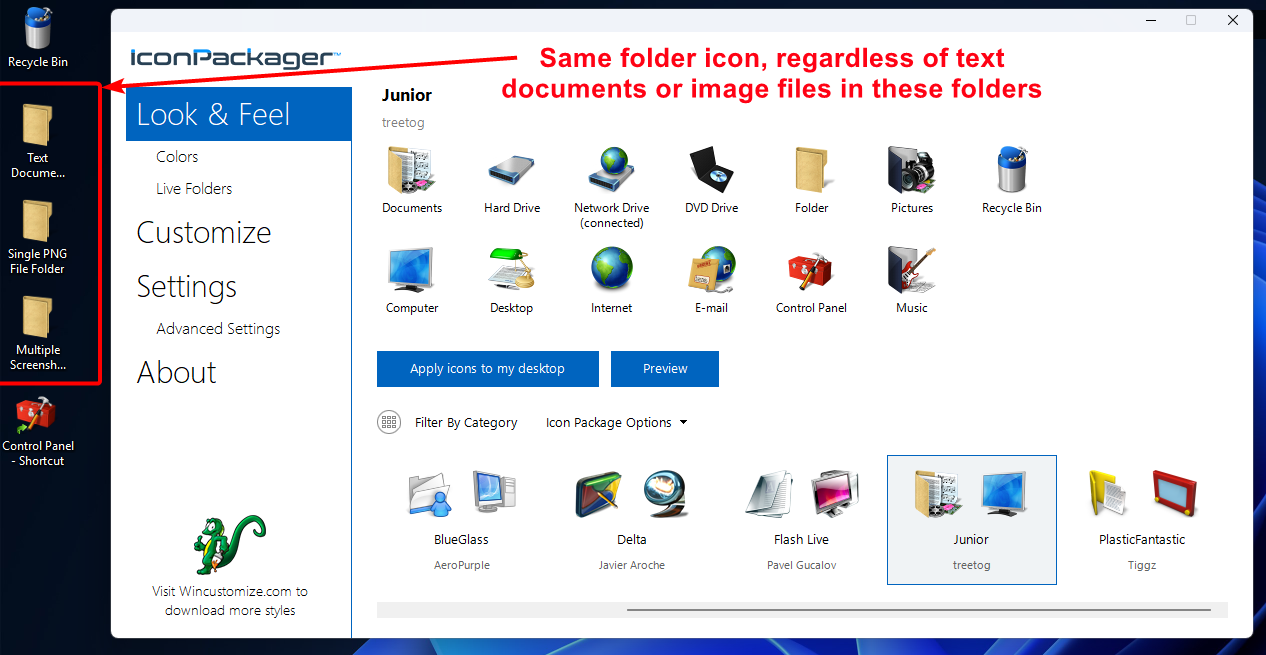
To follow up on my last message: It's possible we're talking about a (Win11 specific, not in Win10) issue when certain icon packages are applied (regardless of Live Folders).  I can see that some are not showing when a folder includes certain contents (text files, images, etc). 

It has occurred to me this is what basj has demonstrated, and I can reproduce it with the default Junior and PlasticFantastic packages:

We will have this logged.

Internal Ref: ODNT-12039

Thank you and best regards,

Adam McGuinness
Stardock Support Specialist

Reply #8 Top

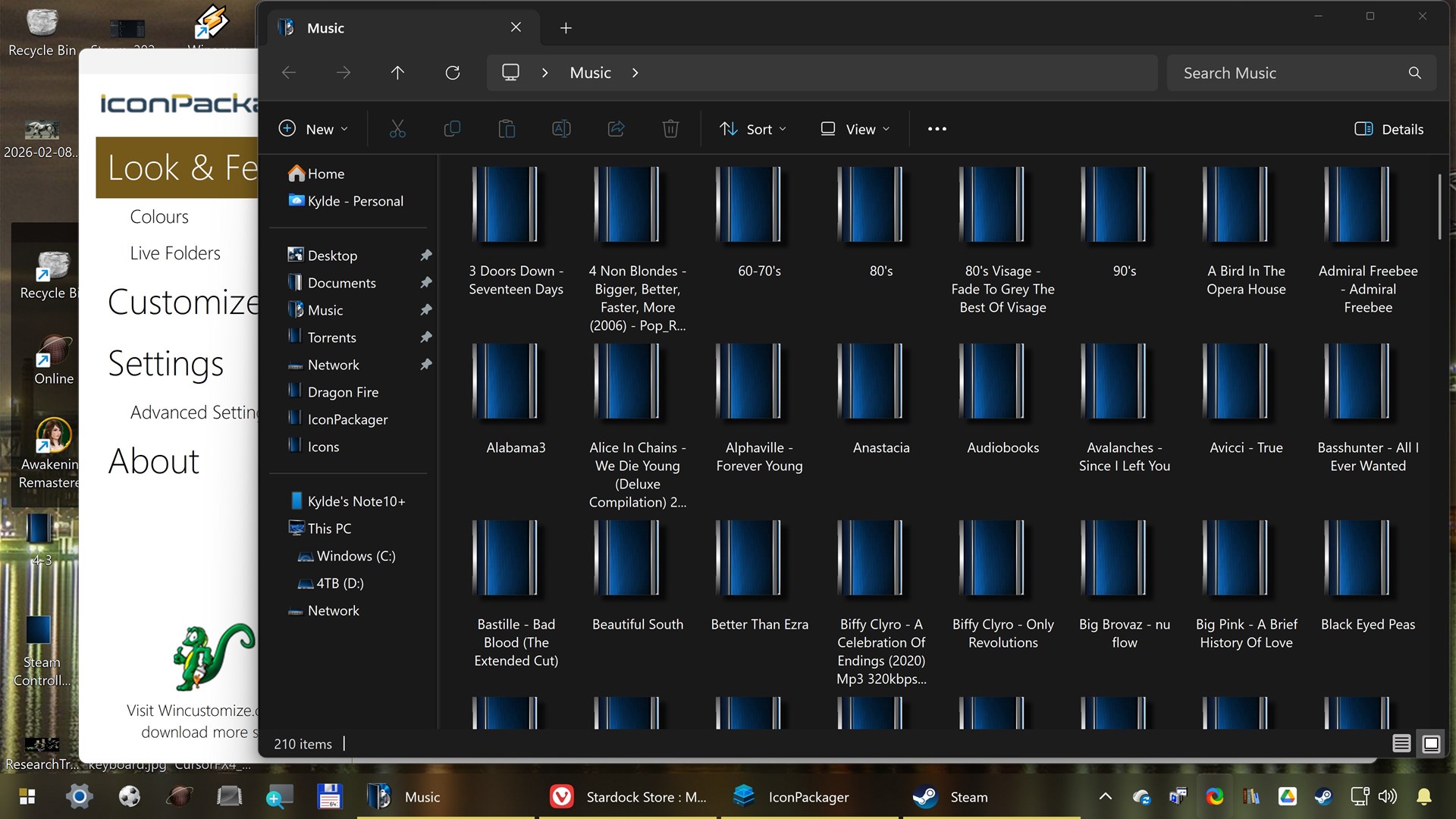
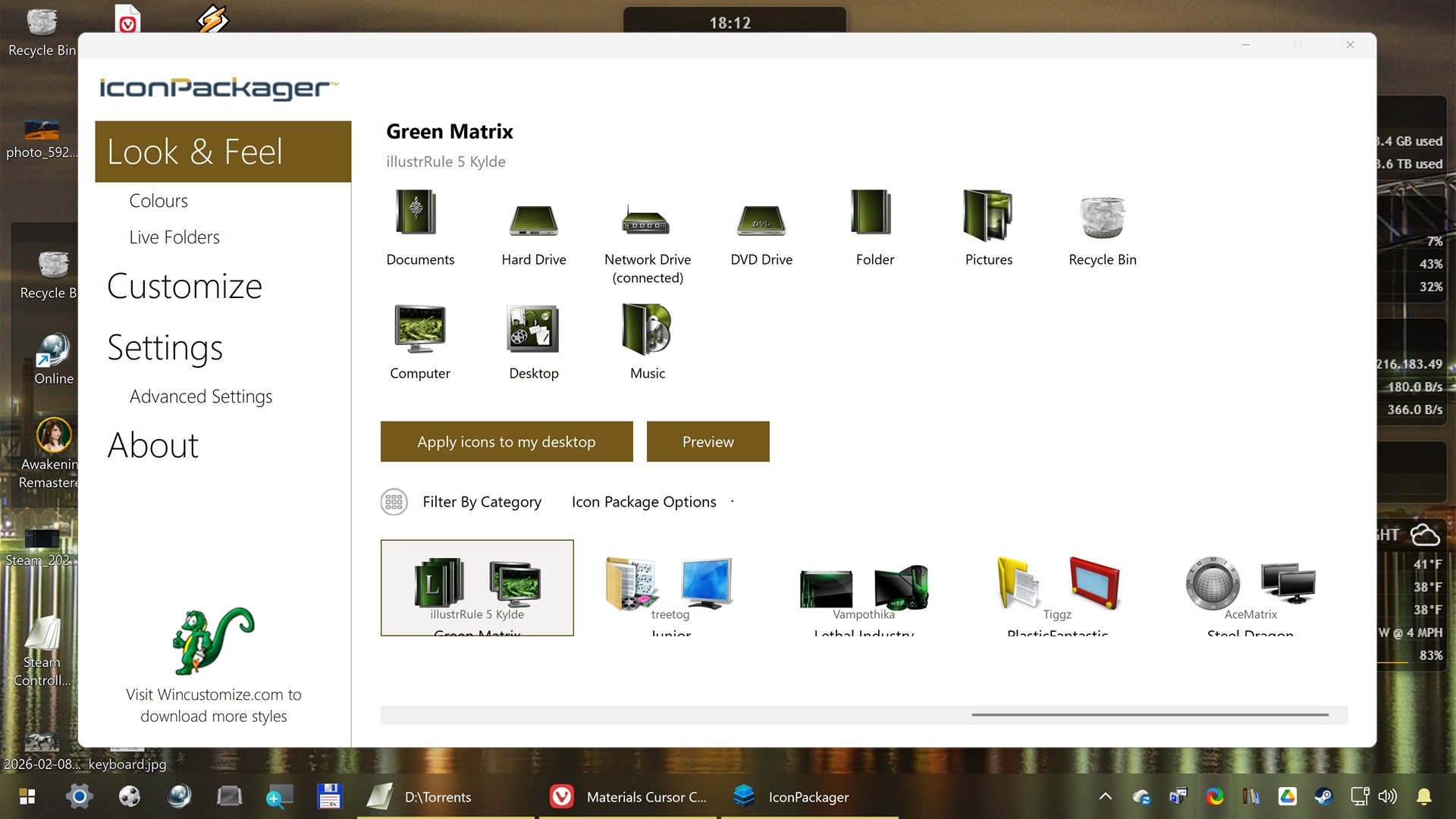
Thanks for the input. Yes, selecting "always use live folders from Flash Live (or Delta)" works for other themes, but it IS only a workaround. One last minor bug, 4k display truncates the themes labels within IP (system-recommended settings of 3840 * 2160, 300% scale on a 43" TV) 


Reply #9 Top

Thanks for bringing this to our attention, KyldeLarsen. 

Please note that at this time, Windows 11 is not included in the listed System Requirements for the IconPackager software and may encounter differences from Windows 10. 

We'll be looking into further compatibility testing in the future, pending review.

Thanks again,

Adam McGuinness
Stardock Support Specialist