"PINNED" doubles up

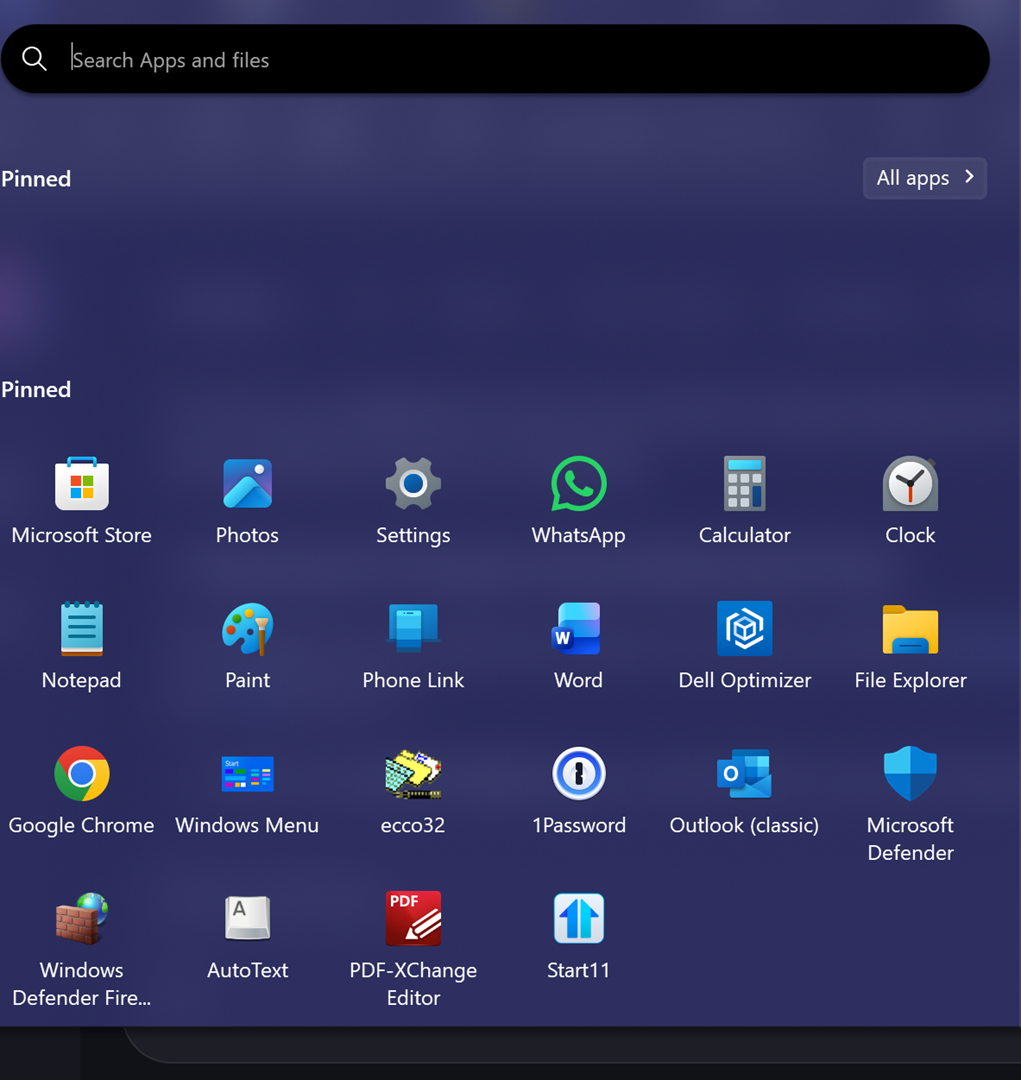
I recently moved my install of Start11 to a new computer.  When I click on the Start button, the Start11 menu that appears in the Windows Pro style or the Windows Launcher style or the Windows App style shows two areas labelled Pinned (see screenshot), which reduces the area for pinned icons.  This does not happen on my old computer.  Both installs are the the same (current) version.  What's up with that?
435 views 6 replies
Reply #1 Top

Hello,
Sorry to hear you are having issues. I believe this happen when you "moved" or copy over your previous saved setting file to a new system. You should be able to delete one of the "pinned" group.

Thank you,
Basj,
Stardock Community Assistant.

Reply #2 Top

Basj, thanks for your reply.  I was unaware of the options to save, clear, and restore settings & have tried Reset settings and Clear information; however the problem still persists.  I should make it clear that both my old computer and my new one both point to the same *.S11Backup file in the cloud, although the new computer has the problem with extra Pinned area and the old one does not.  Shouldn't the two installations behave in the same way?  If I delete the setting file, will it get recreated if I set up Start11 from scratch?  What is the default name of the Settings file, and where is it stored?

Reply #3 Top

Not really sure about your cloud saved backup setting file. However, I have forwarded your problem/question to Stardock Support Team for their assistance. Please keep an eye on this thread for any updates. We appreciate your feedback and patience. Thank you.

Basj,
Stardock Community Assistant

Reply #4 Top

Basj, any response from the Support Team?  Would uninstalling and reinstalling help?  I can reconstruct my settings if they get lost in the process.  It would be so cool to have all that extra real estate to Pin to....

Reply #5 Top

Have you tried deleting the extra group via right click menu?