Start 11 — Shutdown/Restart Options Missing

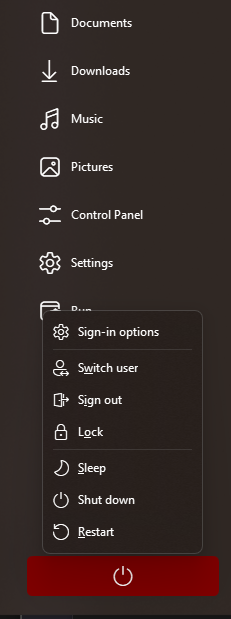
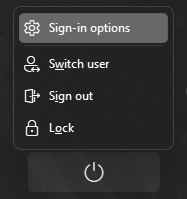
Just updated Start 11 v2 to the latest 2.6 version, but am missing Restart/Shutdown options from Power Menu now.

This is not a remote desktop, so "Show shutdown and reboot via Remote Desktop" is and always has been turned off.

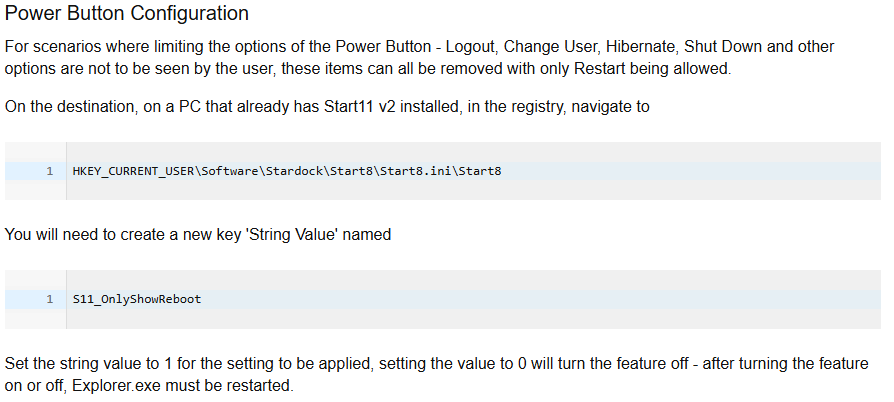
The only reference I found even remotely applicable is the documentation on setting registry keys for Start 11 Business to hide those settings manually for users. Will the same steps work to turn them back on, by adding and setting the string value to "0" instead of "1"?

Or is there another Power Menu setting section in the main application that I'm failing to see?
 Power Menu

643 views 7 replies
Reply #1 Top

Please let us know what menu style you are using.

Windows 10 or 11 and full version number xxxxx.xxxx

Reply #2 Top

Windows Pro style.

Windows 11.

v2.6.0.2. (would be useful if this was visible right in the app as well in future releases).

Reply #3 Top

Windows 11 26200.7705, in case this what you were looking for.

Reply #4 Top

Hello,
Sorry to hear you are having issues. This is what I get on my Windows 11 Ver 25H2 (OS Build 26200.7623)

Not really sure on how to add or remove these, perhaps you can review this thread: https://forums.stardock.com/540727 

Thank you,
Basj,
Stardock Community Assistant.

Reply #5 Top

On my remote machines I have the same power buttons available as tvz123, set that way by choice to prevent accidental shutdown of secondaries hundreds of miles away (a virtual LAN is used for Multiplicity). That was done using the group policy editor "gpedit". I had no luck using the info in the thread referenced by Basj. This post is for Basj's info as tvz123 would know if he had used gpedit.

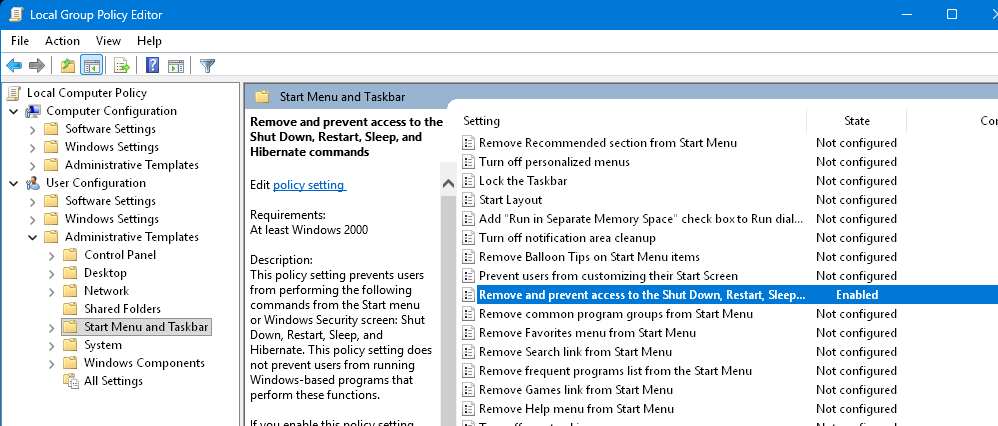
To remove the buttons, in gpedit go to User Configuration->Administrative Templates->Start Menu and Taskbar. Enable the setting "Remove and prevent access to the Shutdown, Restart and Sleep and Hibernate commands". The default value is "Not configured".


Reply #6 Top

Yeah, not too sure what was going on there for a bit but a couple of restarts later and the menu is back to showing all the restart/shutdown options as before.

Brings to questions if somehow my PC was itself acting/running/appearing as a remote device in and of itself?

Reply #7 Top

Recurring issue due to another program on my system, not Start11 related.

Here's the quick fix using regedit -

HKEY_CURRENT_USER\Software\Microsoft\Windows\CurrentVersion\Policies\Explore

Delete:

NoChangeStart

NoClose

NoLogOff