Program List In V1 was Small nut V2 it is wide

Start11 V1 program list was nicely compact with an icon to expand it.

V2 starts with an expanded list and I can see no way to reduce it to an icon.

This frustrating and confusing for my wife when she uses the machine occasionally.

Any feedback woould be appreciated.
 

1,378 views 5 replies
Reply #1 Top

Hello,
Sorry to hear you are having issues. Not really sure which list you're referring to, please post a screenshot.

Thank you,
Basj,
Stardock Community Assistant.

Reply #2 Top

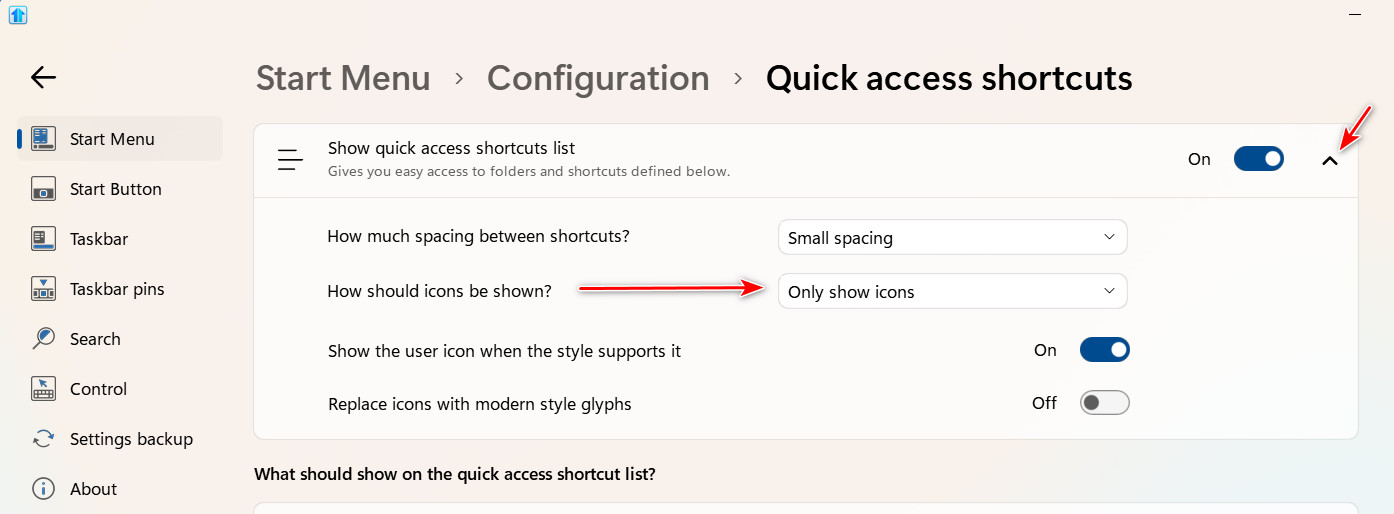
Assuming you are using the Windows 7 style, open the config app and go to Start Menu tab and click Configure menu > Quick access side shortcuts. Click the down arrow on the right side of "Quick access shortcuts," at the top, and select "How should icons be shown > Only show icons.

Reply #3 Top

Thanks for your feedback.

I have spent ages trying to send my response including an upload of a modified screenshot but every time the upload just spun the little logo in the middle and did nothing - is there a problem or a secret with uploading files?

To explain a little more: I am using the Win10 style menus in both my old m/c with Start11 V1 and new laptop with V2. Both systems are running the same current version of Win11 Home

On my old pc with V1 there were 2 icons on the top left of the screen a) Pinned Tiles and b) All Apps. the default was (a) with tiles and clicking on (b) would hide the tiles and show the file list.
In the V2 version I cannot see these options or any configuration settings that might allow this.

If anyone has any comment(s) on the above they would be much appreciated.


Reply #4 Top

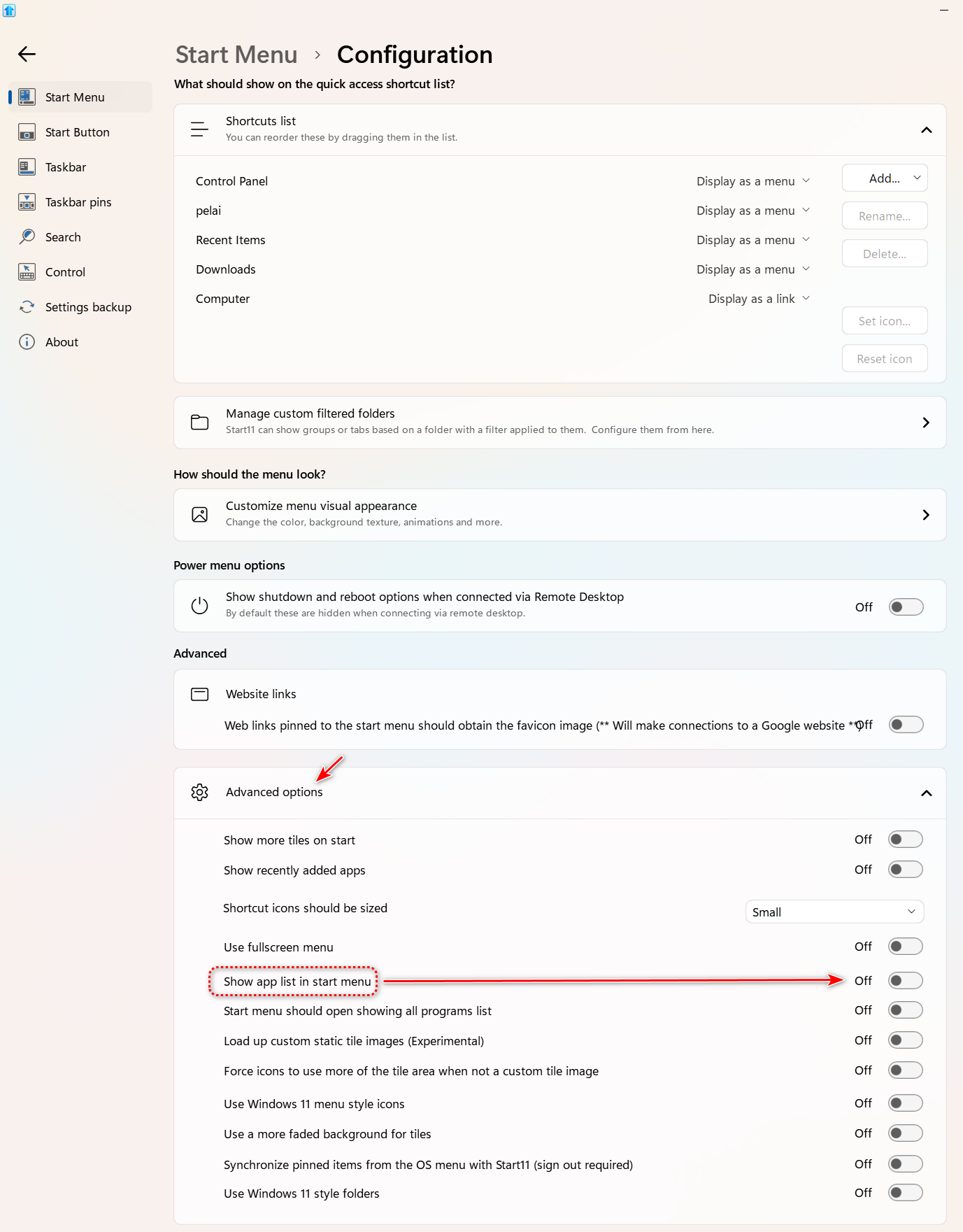
Open the config app and click Configure Menu; open Advanced options and turn off "Show app list in start menu."