Windows 11 Start button location

Start 11

Forgive me if this is old news... I recently upgraded my 3-monitor work PC to Windows 11 and installed Start 11 on it (previously used S11 on a laptop). My primary display has the Start button and all app icons centered, but the 2 secondary displays will only center the app icons; the Start button is welded to the left. (I also use DisplayFusion, BTW.) Any chance an updated version of Start 11 can allow the secondaries to center the Start button as well? A CoPilot query told me what I want can't be done - Microsoft isn't making that tweak possible. Thoughts anyone?

5,204 views 10 replies
Reply #1 Top

Are you using the OS taskbar on a secondary or a DisplayFusion one?

Start11 should let you centre both the start button and app buttons on secondary displays.

What build of Windows are you using?

Reply #2 Top

<Are you using the OS taskbar on a secondary or a DisplayFusion one?>

Sorry, I don't know how to answer this one...

My system has Windows 11 Pro Version 24H2 OS build 26100.7462

Reply #3 Top

Hi, got the same issue, the start button and the icons on the second monitor are not centered as expected, like the primary monitor.

One would think the setting would apply for any and all monitors detected, but it's only in primary.

PS: windows 10 19041

Reply #4 Top

Quoting AlbusD, reply 2

Sorry, I don't know how to answer this one...

My system has Windows 11 Pro Version 24H2 OS build 26100.7462

Hello,
Sorry to hear you are having issues. As a test if you disable or uninstall Displayfusion, reboot your system, does the issue appear? It is known that DisplayFusion might have compatibility issue with Start11 taskbar.

Quoting careca777, reply 3

Hi, got the same issue, the start button and the icons on the second monitor are not centered as expected, like the primary monitor.

One would think the setting would apply for any and all monitors detected, but it's only in primary.

PS: windows 10 19041

Need more information.

  1. Windows 10 full version and OS Build number. Use Winver.exe to get these numbers.
  2. Start11 full version installed.
  3. Any other 3rd party application that also change, control or add something on your taskbar? Program such as DisplayFusion, StartAllBack, OpenShell etc.

Thank you,
Basj,
Stardock Community Assistant.

Reply #5 Top

Hi Basj,

I have Windows 11 Version 24H2 (OS Build 26100.7623). And I am using DisplayFusion Pro 12.0.1.

Reply #6 Top

win 10 enterprise ltsc 21H2 19044.3324

start 11 2.56

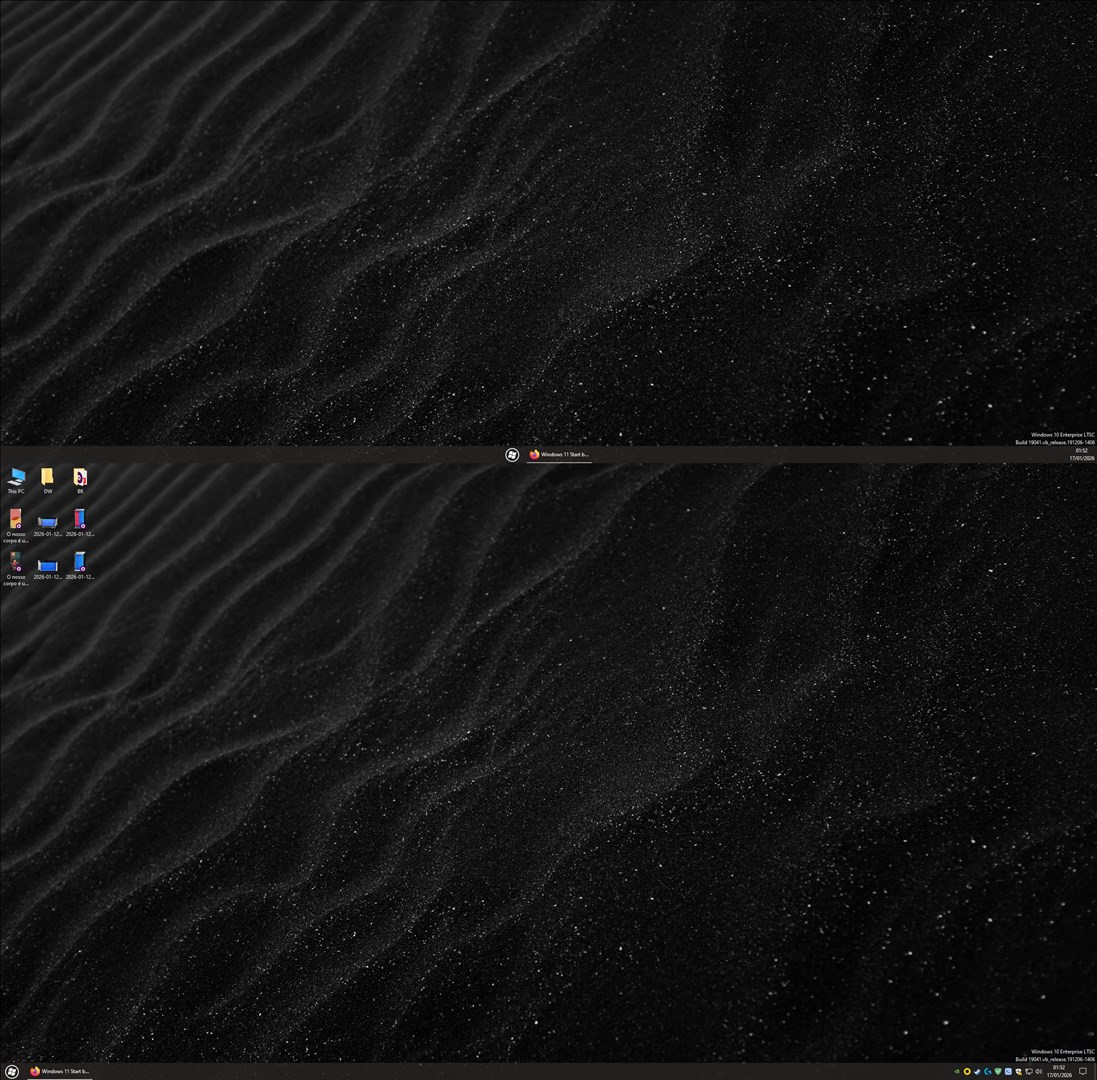
PS: the situation evolved for me in an unexpected way, i restarted the pc and now i have the start button and icons centered, but only in the second monitor, the primary has everything in the left.

Changing the option in start 11 makes changes only in the secondary monitor. 


Reply #7 Top

Quoting AlbusD, reply 5

Hi Basj,

I have Windows 11 Version 24H2 (OS Build 26100.7623). And I am using DisplayFusion Pro 12.0.1.

If you disabled or uninstall DisplayFusion, reboot the system does it work?

Thank you,

Basj,
Stardock Community Assistant

Reply #8 Top

Quoting basj, reply 7

win 10 enterprise ltsc 21H2 19044.3324

start 11 2.56

PS: the situation evolved for me in an unexpected way, i restarted the pc and now i have the start button and icons centered, but only in the second monitor, the primary has everything in the left.

Changing the option in start 11 makes changes only in the secondary monitor.

From your screenshot, its not clear, what are those? Red arrows. Why you have them? An app or only Windows notification?

Thank you,

Basj,
Stardock Community Assistant

Reply #9 Top

Those are Windows watermarks showing the Windows version. These are usually used on Insider preview versions, but this is Windows 10 Enterprise LTSC.

Reply #10 Top

Hi, this watermark can be made to appear in any windows version by editing registry:


[HKEY_CURRENT_USER\Control Panel\Desktop]
"PaintDesktopVersion"=dword:00000001

It's a windows thing.

Getting back to the topic, i don't know why, but after 2 more computer restarts, or so, the icons are in the middle in both monitors.

I think something is definitely wrong at a code level, but i understand that if it's not a persistent issue, and not widespread, it's not going to get looked at.

Since i don't want to break things, i didn't even try to reproduce, im just happy it's good now.