Start11v2-

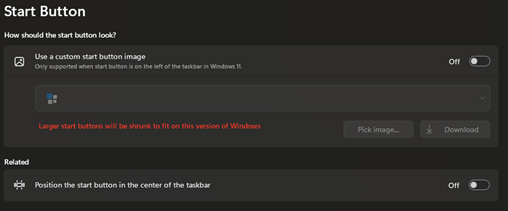
When use custom start button image, it aligns taskbar to the Center, and its showing Left Aligned.
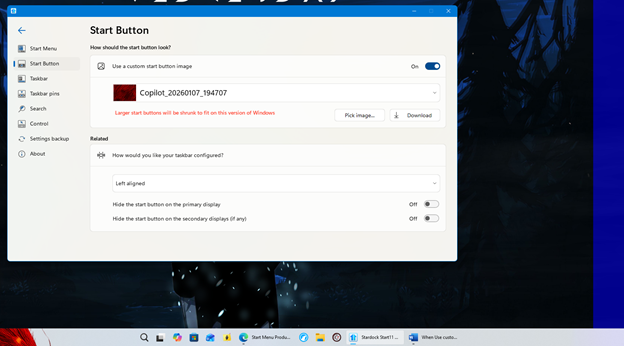
Turn off and it goes back the Window setting of Left Aligned. If I go to Taskbar-> Taskbar Position: Align Left it moves taskbar to the left side of screen, not bottom. (This is where everything started as fubar). I had start button working ok and now it just does not want to stay on the left aligned when I turn on Custom Start Button image.

Now I cannot change the Start Button without sending it to Center Aligned but it doesn’t show that in settings.

Tried to uninstall and reinstall and it still happening. 

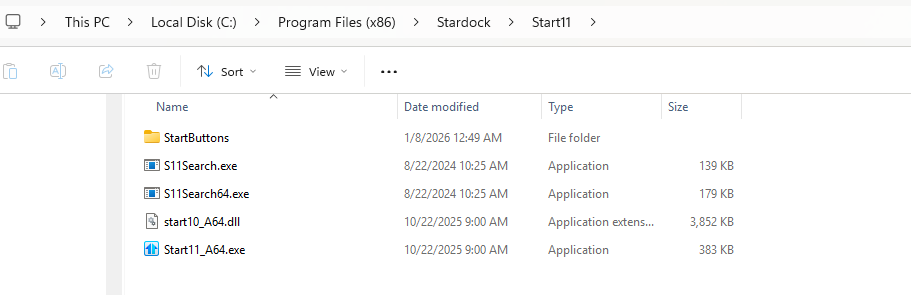
Uninstalling it leaves behind Start11 folder with files. 
 

627 views 3 replies
Reply #1 Top

Seems that if the Start button is not precise (40x126) it will cause the image to expand and push Start to the center of the taskbar.

In order to reinstall I had to delete Start11 folder in Programs Files (x86)-Stardock, because every time I tried to install it would keep moving Start to the middle and when   Start11 enhance the taskbar it would move start to the left side of screen. Removing the folder seems to reset Start11.


Reply #2 Top

Hello,
Sorry to hear you are having issues. Need few more information.

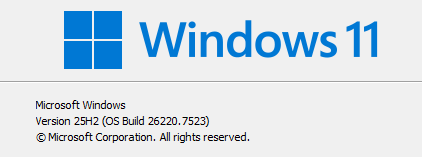
  1. Windows 11 full version and OS Build number. Please use Winver.exe to get these numbers.
  2. Start11v2 full version numbers.
  3. Is the issue on specific Custom Start button? Or it happen with any custom Start button including those that come with Start11? If it just your own custom start button, please share the file so we can test it out.

Thank you,
Basj,
Stardock Community Assistant.

Reply #3 Top

Start11 Version 2.56

Happens with custom start buttons. I found out that if the button is not 40x126 it will cause issues with a lot of settings. Especially if you set it to Left and load custom start buttons that are too large it will push the taskbar icons to the center and if you change {How would you like your taskbar configured?} it will push the taskbar to the left side of the desktop. Then it messed up Enhance the taskbar and turned it off. After failing to set the setting without issue, I uninstalled Start11 from installed apps. After the issue continued after reinstalling, I uninstalled again. Looked in Programs Files (x86)-Stardock and there was Start11 folder and files. Deleted folder and reinstalled. 

I then looked over my custom start buttons, and I was a pixels over (40x127). So, I scrapped all my custom buttons and reworked them using Start8BtnEditor.zip. At the moment all seems to be working correctly.