Multiplicity 4 Pro Seamless Display Glitch

Disconnects and display become lost in limbo

Hey everyone,

I've been using Multiplicity 4 Pro primarily for the Seamless Display feature, turning my old laptop into a second extended display for my desktop PC. Both are on the same Gigabit LAN switch via cable (laptop always on when desktop is), but it glitches out very frequently, at least once a day: the laptop suddenly shows its own empty desktop instead of the extended PC display. Moving the mouse to the laptop screen goes into a "hidden" invisible screen in between—clicking there triggers audio like YouTube starting/stopping, and dragging windows (guessing where the title bar is) works and moves back the window to the main PC but the laptop doesn't show anything. Continue to move beyond the "invisible" display the mouse reaches the laptop (KVM feature of MP). I have to disable/re-enable Seamless Display multiple times to get it working again.

I bought the Pro specifically for this.

My setup is:

  • Desktop (Primary): Windows 10 latest updates (ESU), Multiplicity 4 Pro latest via steam.
  • Laptop (Secondary): Windows 10 laptop, connected via Ethernet to same switch.
  • No WiFi involved, stable gigabit network.

How can I try to find the reason for this behaviour? any debugging functions or logs I can check.

Moved to Multiplicity area
1,468 views 5 replies
Reply #1 Top

Hello,
Sorry to hear you are having issues. I have forwarded your problem/question to Stardock Support Team for their assistance. Please keep an eye on this thread for any updates. We appreciate your feedback and patience. Thank you.

Basj,
Stardock Community Assistant

Reply #2 Top


I have to disable/re-enable Seamless Display multiple times to get it working again.

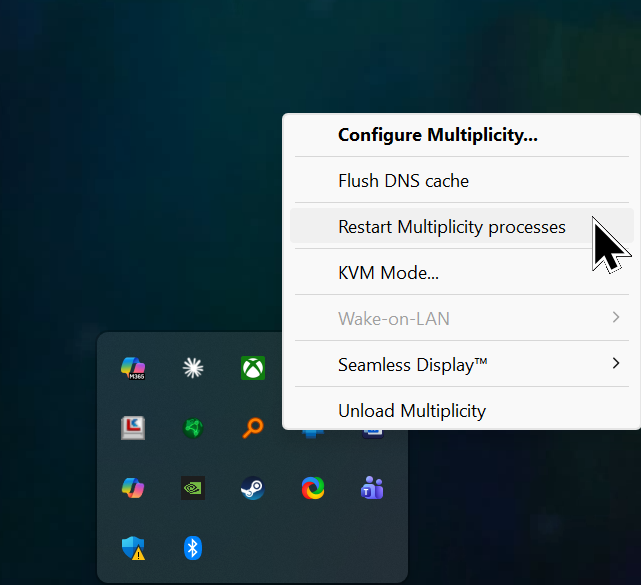
If you restart the MP process on each PC

Does it work then right after?

What exact version are you on?  Have you installed the current beta on each PC?

https://forums.stardock.com/540065/multiplicitity-408-beta-feedback

Sean Drohan
Stardock Product Lifecycle Manager

Reply #3 Top

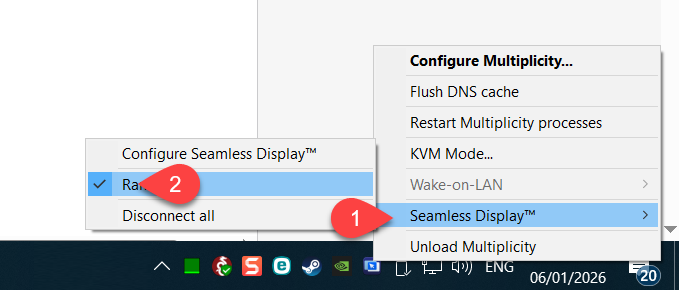
No need to restart both processes, just stopping the Seamless display on the primary (selecting this option 2 or 3 times), to really disable and stop the seamless display, then reselecting it will make everything work again for another couple of hours.

My question is why.

I am using the stable 4.07 version, not the beta.

Reply #4 Top

Quoting ramikattan, reply 3

No need to restart both processes

Humor me.

Quoting ramikattan, reply 3

to really disable and stop the seamless display, then reselecting it will make everything work again for another couple of hours.

My question is why.

That would be our question as well.  Is there anything unique about the Secondary? Is it in a docking station (for example)?

Quoting ramikattan, reply 3

I am using the stable 4.07 version, not the beta.

The beta is not 'unstable.'  If you wanted to install on each PC, thats fine for testing. 

Sean Drohan
Stardock Product Lifecycle Manager

Reply #5 Top

I just installed the 4.08 Beta version to try, let's see how it works.

The secondary PC is a standard laptop, an old-gen Intel i7 4710, with a built-in Gigabit LAN port, so nothing unusual here.