
Connection Explorer Beta 2 Arrives with Activity Timeline, Bandwidth Monitor, and More
View activity, track bandwidth, and more in the newest Stardock app
 Stardock Forums
Today we are releasing the second beta of Connection Explorer, an all-new app that makes it easy to see every connection your PC is making. With the update today, we are enhancing the visual layer with new charting, updated mechanics, and additional data to provide deeper insight into where your data is going.
New in this release is the Bandwidth panel that as the name suggests, gives you a first-class look at the data your apps are sending and receiving. Grouped by the process name and you can expand each item to see the endpoint for each connection, as well as the bandwidth associated with each connection – it’s deeper look at how your device is using all the data it sends and receives.
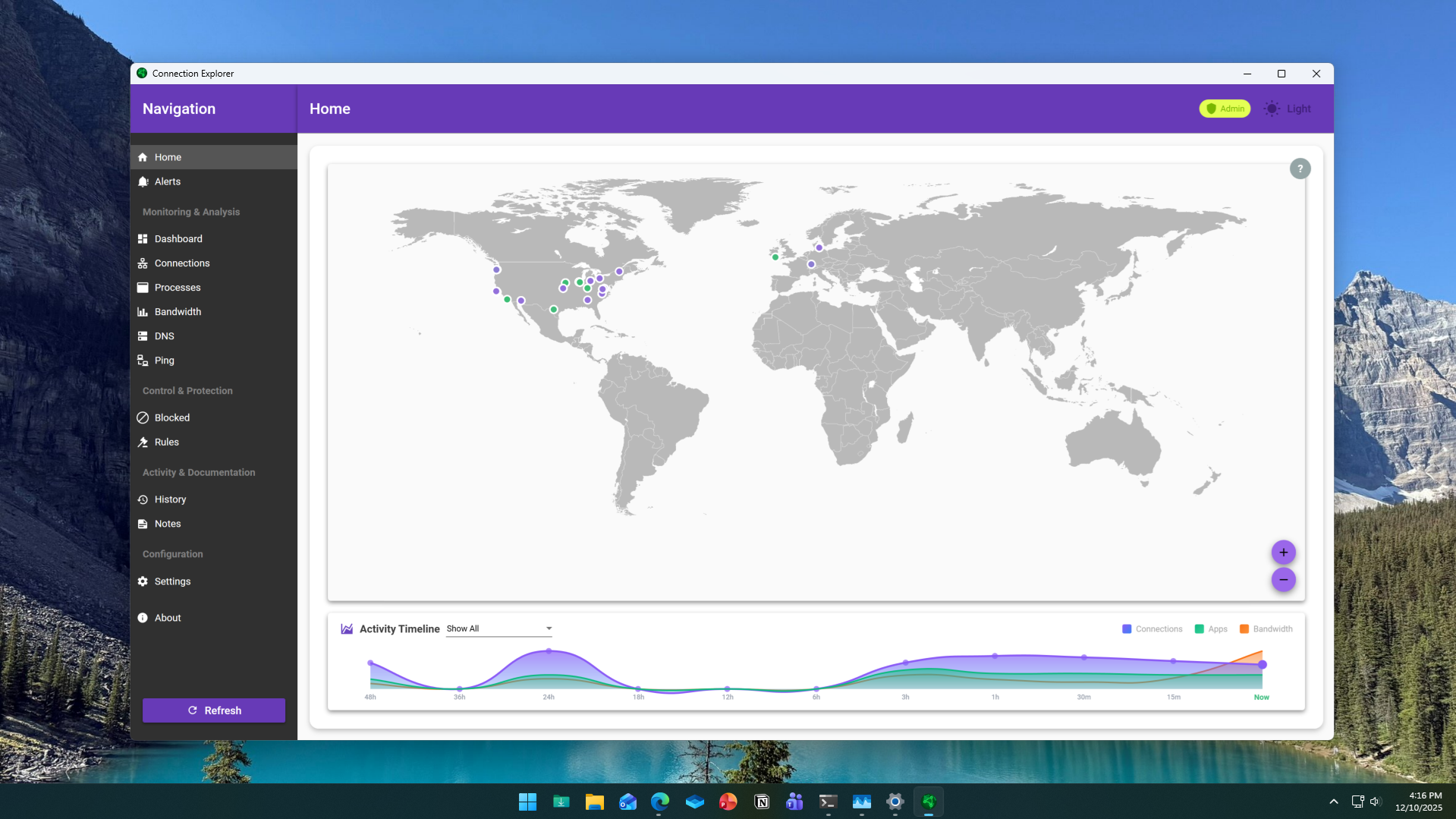 Updated Home view with new Activity Timeline
Along with the new bandwidth monitoring, the Home panel has been updated with new mechanics and graphics. The activity timeline is a horizontal representation of your device activity over a period of 48 hours to help identify bandwidth and usage spikes as correlated to your apps/connections.
The map view is intended to provide a visual representation of your connected footprint at any given time while the activity timeline is a representation of your connected footprint over a span of time. The goal is always to help you understand your device better and make it easier to see undesirable connections and processes running on your device.
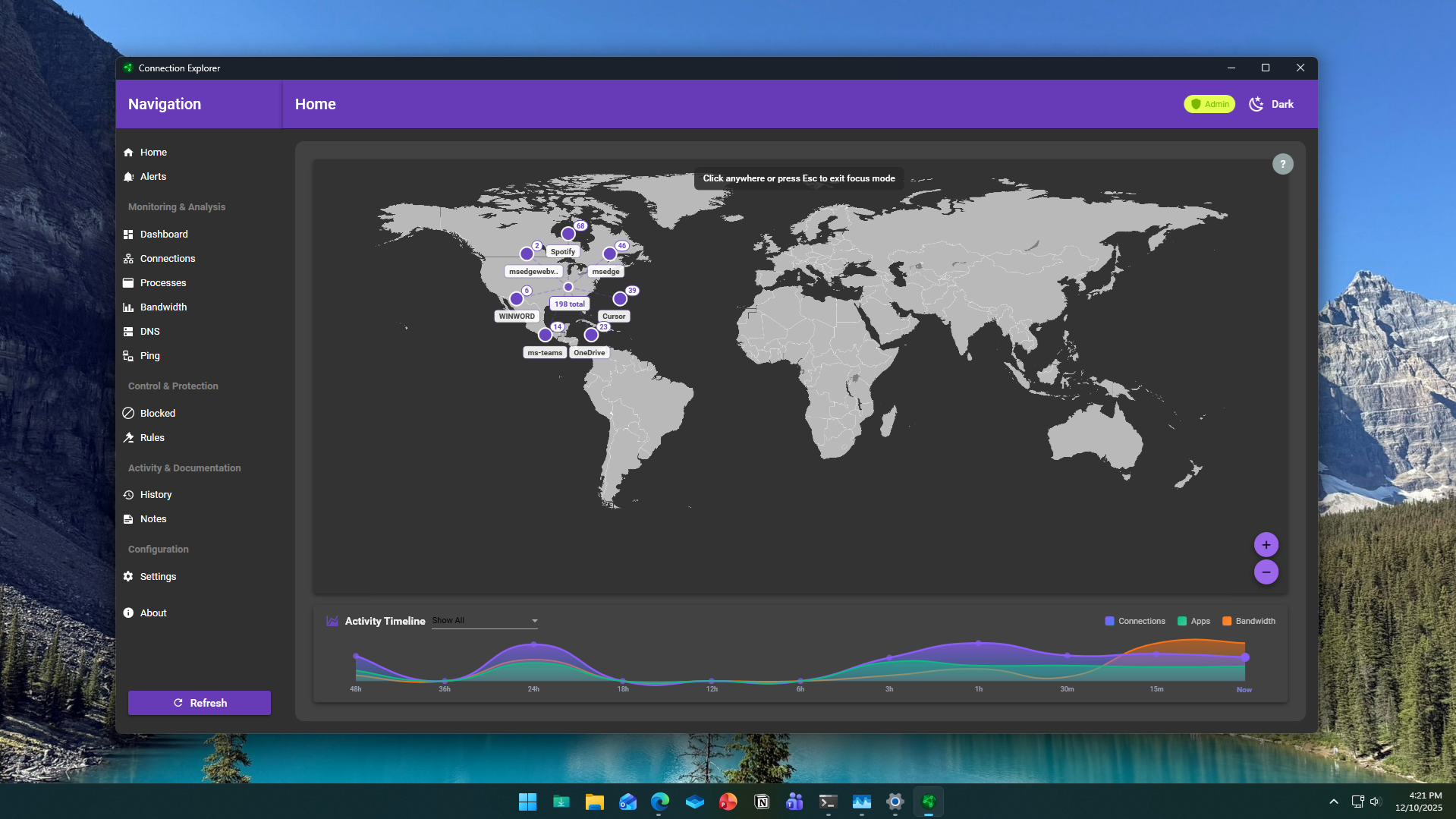 Dot expansion for congested map areas
Based on the initial feedback, there are improvements to the map view including a new right-click option that will expand closely aligned connection dots for improved discovery and there are new map controls overlayed on the map for easier zoom/pan. There are bug fixes to remember dark mode on startup and a change to how the app launches after reboot as well.
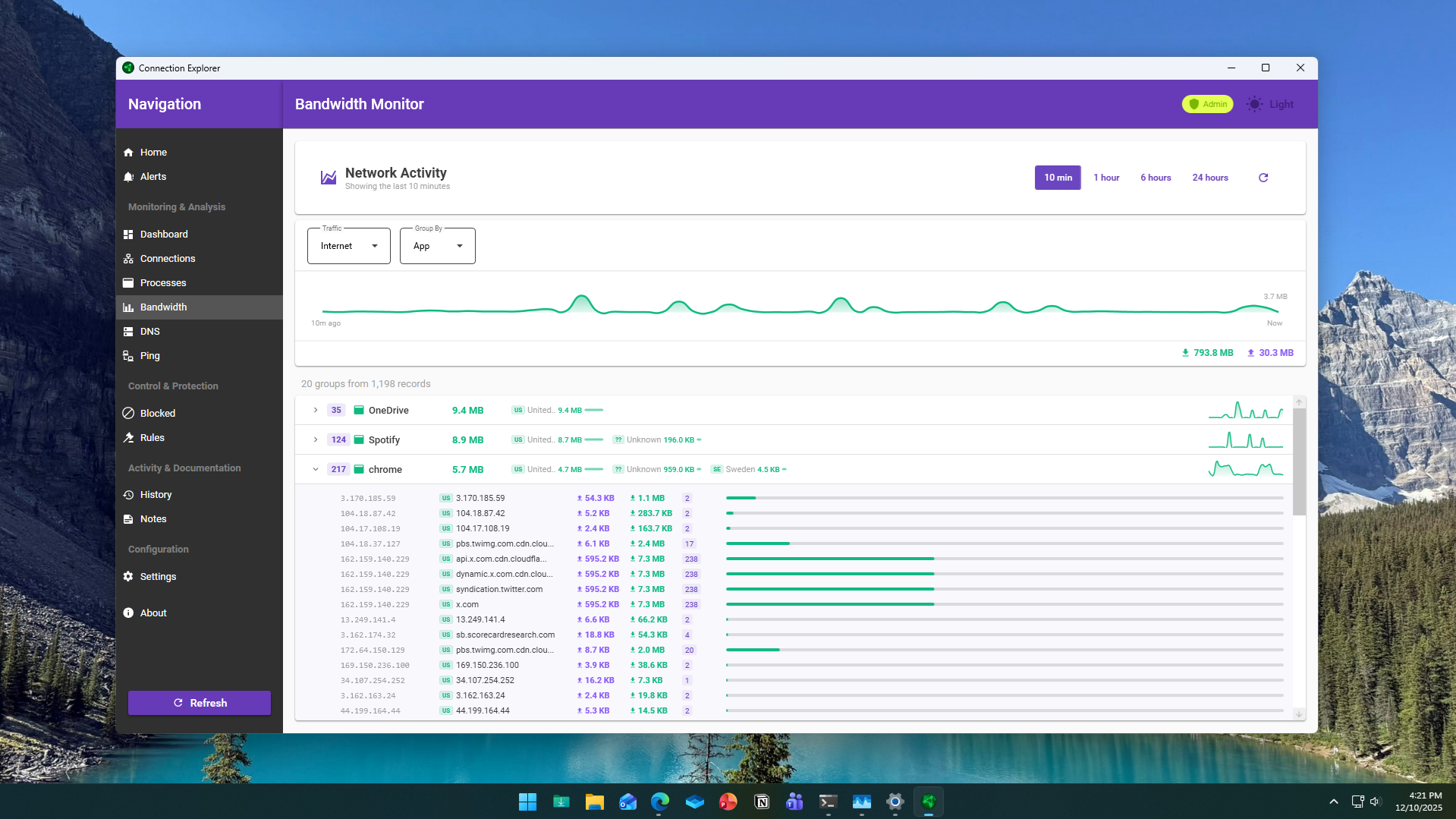
Detailed view of bandwidth usage.
As we continue to refine features and add additional functionality to the application, your feedback is vital to the evolution of Connection Explorer. If you haven’t already, make sure to join the conversation in the forums and if you haven’t tried the app yet, you can learn more here.