Multiplicty 4. File transfer and copy and paste Not working properly

I have just upgraded to Multiplicity 4. For some reason I can transfer files and copy and paste from Secondary computer to Primary but if I try transferring files from Primary to Secondary computer it wont work. The mouse stops and wont move to the other screen. If I try to copy and paste the file it does not work either and the the popup comes up trying to transfer the file on the secondary computer it comes and goes 3 or 4 times and then disappears. If I try and copy and paste text into text file on secondary computer it basically crashed the text app.

2,225 views 9 replies
Reply #1 Top

Hello,
Sorry to hear you are having issues. Please review this guide: https://support.stardock.com/space/SHC/1287454780/Multiplicity+Drag-drop+Copy-Paste+Issues. Try it and report back if you still need assistance.

Thank you,
Basj,
Stardock Community Assistant.

Reply #2 Top

Hi,

I went through the guide. I Turned off al Firewalls on both computers and I was able to transfer files and text(Copy and Paste)

I turned the firewalls back on and installed the batch file.

I tested after the batch file and it did not work.

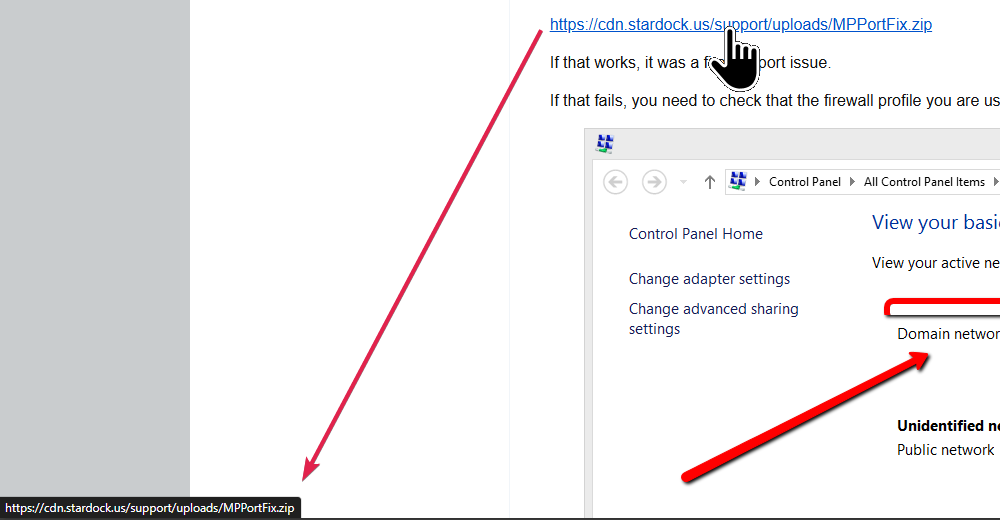
I went to the Windows Defender Firewall step. I am missing the Multiplicity KVM option as shown in the image in your link

I have also noticed I still have the Multiplicity 3 on there too. Should I delete that. I did uninstall the Multiplicity 3 before installing Multiplicity 4

Thanks

Tom


Reply #3 Top

From what I know, Multiplicity 4 don't have KVM option. Only Multiplicity 4 Pro and above have KVM option in it. But, from the chart appear here, Copy and paste should work with Multiplicity 4. To be sure, I have forward your problem/question to Stardock Support Team for their assistance. Please keep an eye on this thread for any updates. We appreciate your feedback and patience. Thank you.

Basj,
Stardock Community Assistant

Reply #4 Top

I have the same problem, (Multiplicity 4.07 Pro) I have added all of the firewall rules with the batch file MPPORTFIX.bat and went ahead and added the out rule as well as the in rules that were already there as the problem is the main sending machine. If I disable the Windows firewall on the main sending machine then the transfer happens as expected but if it is not disabled even when the receiving machine has it's firewall off then it just repeats copying files to target machine over and over and finally just stops. I don't know what other firewall rule to add to allow through the firewall and the windows even viewer log does not show any security alerts on either machine. Any pointers in the right direction?

Reply #5 Top

Quoting Billtay42, reply 4

I have the same problem, (Multiplicity 4.07 Pro) I have added all of the firewall rules with the batch file MPPORTFIX.bat and went ahead and added the out rule as well as the in rules that were already there as the problem is the main sending machine. If I disable the Windows firewall on the main sending machine then the transfer happens as expected but if it is not disabled even when the receiving machine has it's firewall off then it just repeats copying files to target machine over and over and finally just stops. I don't know what other firewall rule to add to allow through the firewall and the windows even viewer log does not show any security alerts on either machine. Any pointers in the right direction?

Hello,
Sorry to hear you are having issues. I have forwarded your problem/question to Stardock Support Team for their assistance. Please keep an eye on this thread for any updates. We appreciate your feedback and patience. Thank you.

Basj,
Stardock Community Assistant

Reply #6 Top

I have found the problem. The MPPortFix.bat file you provide is giving the wrong direction for where the programs are located in the firewall rules.

C:\Program Files (x86)\EdgeRunner\Multiplicity\Multipl2.EXE

C:\Program Files (x86)\EdgeRunner\Multiplicity\MPRDP64.EXE

My install on both my machines is in the Stardock directory and not in the EdgeRunner directory.

C:\Program Files (x86)\Stardock\Multiplicity\Multipl2.EXE 

C:\Program Files (x86)\Stardock\Multiplicity\MPRDP64.EXE

The Batch file when opened in Notepad++ shows these entries that point to the wrong location for my installs:

 ECHO Creating rule "Multiplicity Application (KVM)"...

    netsh advfirewall firewall add rule name="Multiplicity Application (Remote screen control)" dir=in action=allow protocol=TCP description="Allow outgoing network traffic from Multiplicity for remote screen" profile=domain,private program="C:\Program Files (x86)\EdgeRunner\Multiplicity\MPRDP64.EXE"


ECHO Creating rule "Multiplicity Application (clipboard)"...

    netsh advfirewall firewall add rule name="Multiplicity Application (clipboard)" dir=in action=allow protocol=TCP description="Allow incoming network traffic to Multiplicity for clipboard" profile=domain,private program="C:\Program Files (x86)\EdgeRunner\Multiplicity\Multipl2.EXE"


One further note for those troubleshooting this problem, I noticed I have some older entries for Multiplicity 3 and 4 further down that must have been installed from an older install from over the years

Under Stardock Multiplicity 4 Profile All, Enabled Yes

and a second one, Stardock Multiplicity 4 Profile Private, Public Enabled Yes

C:\program files (x86)\stardock\multiplicity\multipl2_64.exe with Protocol type: UDP All Ports set (Local and Remote)

C:\program files (x86)\stardock\multiplicity\multipl2_64.exe with Protocol type: TCP All Ports set (Local and Remote)

I don't know if these are needed but it's working so I'm not going to mess with it. =)

Reply #7 Top

Quoting tomknorz, reply 2

I went through the guide. I Turned off al Firewalls on both computers and I was able to transfer files and text(Copy and Paste)

Excellent,  then you know it works.

Quoting Billtay42, reply 6

ECHO Creating rule "Multiplicity Application (clipboard)"...

    netsh advfirewall firewall add rule name="Multiplicity Application (clipboard)" dir=in action=allow protocol=TCP description="Allow incoming network traffic to Multiplicity for clipboard" profile=domain,private program="C:\Program Files (x86)\EdgeRunner\Multiplicity\Multipl2.EXE"


One further note for those troubleshooting this problem, I noticed I have some older entries for Multiplicity 3 and 4 further down that must have been installed from an older install from over the years

Under Stardock Multiplicity 4 Profile All, Enabled Yes

and a second one, Stardock Multiplicity 4 Profile Private, Public Enabled Yes

C:\program files (x86)\stardock\multiplicity\multipl2_64.exe with Protocol type: UDP All Ports set (Local and Remote)

C:\program files (x86)\stardock\multiplicity\multipl2_64.exe with Protocol type: TCP All Ports set (Local and Remote)

I don't know if these are needed but it's working so I'm not going to mess with it.

It was from a bad \ old restore in March.  I have updated the zip \ batch file to account for both ER and SD.

Sean Drohan
Stardock Product Lifecycle Manager


Reply #8 Top

Be aware that you still have locations pointing at:

https://stardockcorporation.sharepoint.com/sites/StardockSupport/Shared%20Documents/Forms/AllItems.aspx?id=%2Fsites%2FStardockSupport%2FShared%20Documents%2FCommunity%20Manager%20Channel%2FMultiplicity%20Support%2FMPPortFix%2Ezip&parent=%2Fsites%2FStardockSupport%2FShared%20Documents%2FCommunity%20Manager%20Channel%2FMultiplicity%20Support&p=true&ga=1

MPPortFix.bat that isn't updated (2024-06-20)

I got the file from here late last night from one of the posts here on the forum but I can't find the link from the post but if you can update it here it will avoid confusion and additional errors. =)


Reply #9 Top

Quoting Billtay42, reply 8

Be aware that you still have locations pointing at:

https://stardockcorporation.sharepoint.com/sites/StardockSupport/Shared%20Documents/Forms/AllItems.aspx?id=%2Fsites%2FStardockSupport%2FShared%20Documents%2FCommunity%20Manager%20Channel%2FMultiplicity%20Support%2FMPPortFix%2Ezip&parent=%2Fsites%2FStardockSupport%2FShared%20Documents%2FCommunity%20Manager%20Channel%2FMultiplicity%20Support&p=true&ga=1

MPPortFix.bat that isn't updated (2024-06-20)

I got the file from here late last night from one of the posts here on the forum but I can't find the link from the post but if you can update it here it will avoid confusion and additional errors. :)


https://support.stardock.com/space/SHC/1287946260/Multiplicity+Connection+issues+101

Sean Drohan
Stardock Product Lifecycle Manager