Option to trap mouse on secondary monitor?
 Stardock Forums
I use Multiplicity to share my mouse and keyboard between my personal PC desktop, and my work laptop (mostly, I sometimes connect to other laptops, but that's generally not a problem).
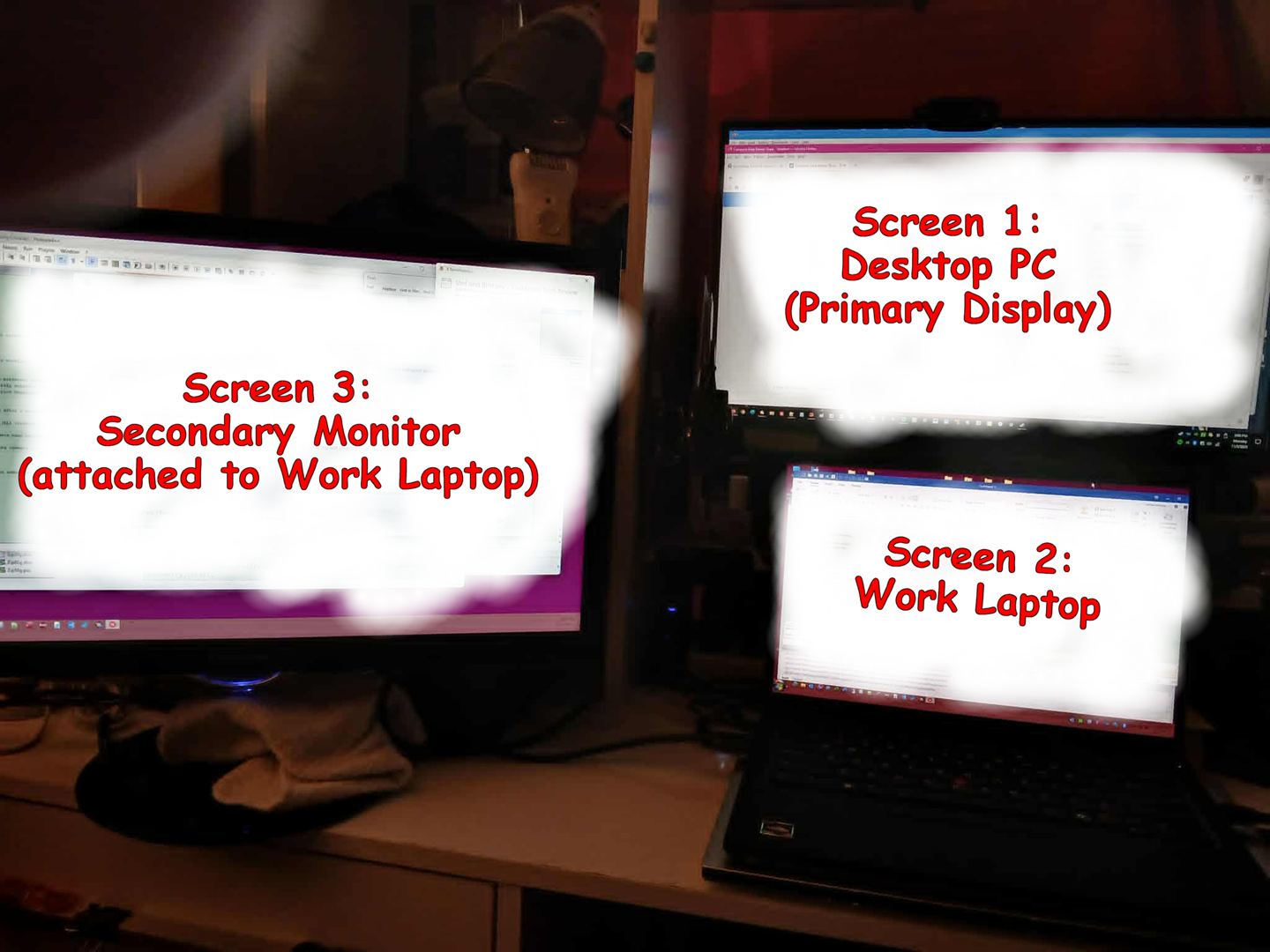
The work laptop has an external monitor attached, so I have 3 screens as shown in the attached screenshot.
When navigating the mouse is on Screen 3, it's easy accidentally to overshoot the mouse pointer just past the upper edge of the screen making it then show up on the lower edge of Screen 1.
I then have to re-navigate from Screen 1, to Screen 2, then back to Screen 3 to do whatever it was I originally intended; which is a proverbial PITA.
Is there some way to get Multiplicity to treat the upper edge of Screen 3 as a limit rather than having it treat it as part of the lower edge of Screen 1?