
Start11 should display “tray” icons in multiple rows to fill available space
 Stardock Forums
Hi, very happy to see left/right taskbar support in Start11 even though it's still experimental. The biggest thing that keeps me from daily-driving Start11 left-side taskbar is the way the system tray icons take up too much vertical space since they only display in a single tall row instead of side-by-side to fill available space like the old native Windows 10 taskbar did.
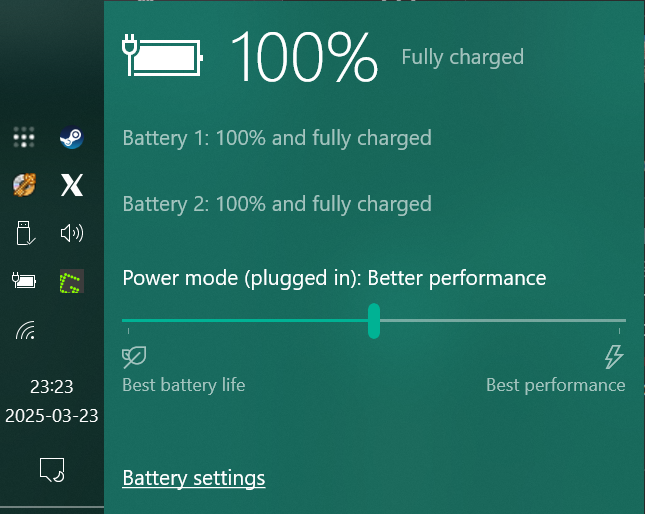
Here's the layout I'm trying to replicate, from my old Windows 10 machine:
Here's what it looks like in Start11 with the single giant tall line of icons taking up too much vertical space:
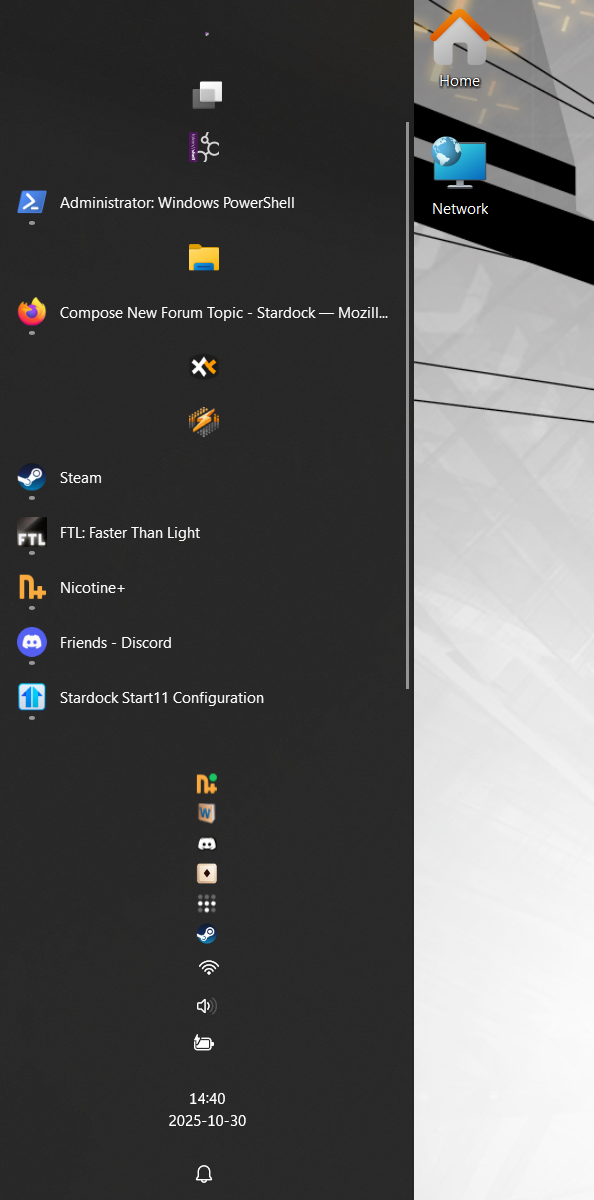
(Expanded wider than I would ever actually use to show that the tray icons do never wrap)
This applies to top/bottom taskbar placement as well, but I keep my taskbar short when on the bottom so it only bothers me in left/right placement:

Thanks!