hishamzr

Multiplicity 4 pro: "One time passcode is wrong"

Multiplicity 4 pro: "One time passcode is wrong"

I installed Multiplicity 4 pro in order to use the KVM functionality.

The seamless KM works flawlessly however when I try to connect with the KVM in order to see the second PC screen on my main monitor it says "One time passcode is wrong"

What is the one time passcode? How do I find it?

I tried changing the passcode and still got the same error!

How can I solve this issue?


10,157 views 41 replies
Reply #26 Top

Quoting hishamzr, reply 25

I tried the offline, it did not work!

I am afraid we need more information than that to help.  What went wrong, what errors did you receive?

Sean Drohan
Stardock Product Lifecycle Manager

Reply #27 Top

I'm not sure this thread is still active.

I'm having the very same issues and it's over a year from this one. 

Both computers are running version 4.0.7.2. Primary computer is running Windows 11 Pro and the other is running Windows 7.

Works great in seamless, but KVM says "one time passcode is wrong".

I need a way to transfer files from the 7 to my 11 computer. 

Thanks Bob

Reply #28 Top

Quoting Big, reply 27

I'm not sure this thread is still active.

I'm having the very same issues and it's over a year from this one. 

Both computers are running version 4.0.7.2. Primary computer is running Windows 11 Pro and the other is running Windows 7.

Works great in seamless, but KVM says "one time passcode is wrong".

I need a way to transfer files from the 7 to my 11 computer. 

Thanks Bob

Hello,
Sorry to hear you are having issues. I have forwarded your problem/question to Stardock Support Team for their assistance. Please keep an eye on this thread for any updates. We appreciate your feedback and patience. Thank you.

Basj,
Stardock Community Assistant

Reply #29 Top

Quoting Big, reply 27

I'm not sure this thread is still active.

I'm having the very same issues and it's over a year from this one. 

Both computers are running version 4.0.7.2. Primary computer is running Windows 11 Pro and the other is running Windows 7.

Works great in seamless, but KVM says "one time passcode is wrong".

I need a way to transfer files from the 7 to my 11 computer. 

Thanks Bob

Windows 7 is not supported using Multiplicity 4.  It requires Windows 10/11 only.  This is why KVM mode is failing as it needs some Win10+ functionality.

Reply #30 Top

I was afraid of that. It does work great on "Seamless" but haven't figured out a way to transfer files from my virtual machine running my DOS program hosted by my Windows 7 machine to my Windows 11 machine.  I can send them to one of my network drives, but this new computer is too fast that it times out real quick and reports that the folder is empty.

Any ideas?

Reply #32 Top

Quoting Big, reply 30

I was afraid of that. It does work great on "Seamless" but haven't figured out a way to transfer files from my virtual machine running my DOS program hosted by my Windows 7 machine to my Windows 11 machine.  I can send them to one of my network drives, but this new computer is too fast that it times out real quick and reports that the folder is empty.

Any ideas?

Can you not use MP seamless copy and paste via the clipboard?

Reply #33 Top

Quoting Big, reply 31

Just a thought, would the KVM work with Multiplicity 3? I still have that copy.

You couldn't use MP4 to connect to a MP3 server but MP3 will connect to MP3 and should support Win7.

Reply #34 Top

I probably could if I knew what your talking about. lol

I guess I could surely use some advice on this. My computer that died last month would connect to my network drive every time, but this new one does not each time even tough it has been mapped. A lot of the time it say empty folder, but if I'm persistent, it will eventually show my files.

Thx again  

Reply #35 Top

Stardock folks will have to help regarding transfers via their software.

I use MP4 on my computers for maintenance/setup/installing software, and have two shared network drives from one of my secondaries. Recent Windows 11 updates caused the network drives to disconnect or not be found sporadically. Last week I found a "maybe" to try and so far the network drives have behaved without problems. I do not recall the specific details, but the solution was enabling SMB settings - a Google search turned it up. There was an update rollback for a specific item that had been purported to fix the network drives but it did not (I tried it first).

Reply #36 Top

I also did the SMB settings by Mr. Google last week, but still have issues accessing the drives. One drive I can't at all with this new computer, but my other ones are fine with it.

Do you know if Multiplicity 3 KVM is compatible with Windows 7.

What I would really like to do is get my DOS program to work under Hyper V, but it uses a security key that needs to run on a true parallel port attached to the motherboard. If I run it on a legacy port I get "missing signal 5" on the .exe file. 

Reply #37 Top

Sorry SMb did not fix drives.

Stardock will have to answer regarding MP3 on Windows 7. IIRC all my machines had Windows 10 when I bought MP3.

Reply #38 Top

I just uninstalled MP4 on the two machines I have issues with and reinstalled MP3 on both. The KVM does work great, but when I start Virtual PC 2007, the mouse only jumps in huge leaps like on a grid. Can't control where it ends up. Had to reinstall MP4 and just use Seamless I reckon.

Thanks so much for your help though, Bob

Reply #39 Top

Quoting Big, reply 36

Do you know if Multiplicity 3 KVM is compatible with Windows 7.

Yes, Multiplicity 3 is compatible with Windows 7, refer here as reference: https://support.stardock.com/space/SHC/1378254871/System+Requirements.

Thank you,

Basj,
Stardock Community Assistant


Reply #40 Top

I have used it with Multiplicity 3 in seamless for a few years now, but the problem is I use a DOS program for my work and that runs on a 7 machine running Virtual PC 2007. It has to run on a true parallel  port for the security key. As soon as I enter the virtual machine the mouse is very unstable and basically unusable. Any way that you know of to fix that?

Thanks, Bob

Reply #41 Top

Quoting Big, reply 40

As soon as I enter the virtual machine the mouse is very unstable and basically unusable. Any way that you know of to fix that?

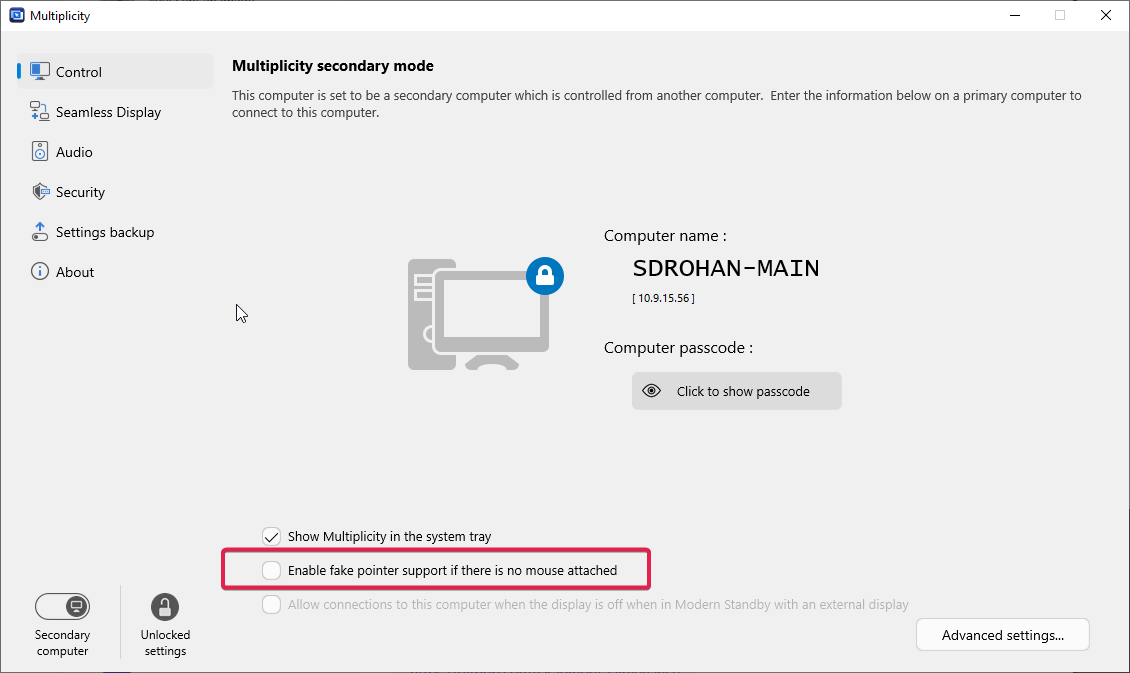
The only thing I can think of is to plug a mouse into that box if there is not one or the opposite, to unplug it and if you dont have a cursor, use:

That all said, MP4 should not be used on Windows 7.

Sean Drohan
Product Lifecycle Manager