Option 1
If you are looking for an alternative (also works on taskbar)
This software is fairly old but last I checked still worked.
http://www.chrisnsoft.com/standalonestack


Option 2
There is also this program that allows you to assign a folder as a menu, albeit you need to create a shortcut to the exe and add the folder to the end of the target field.
https://ramensoftware.com/quick-folder-menu
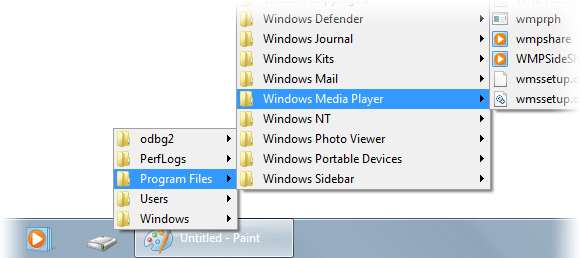

Option 3
Final option works the same as the above one but with start11 2.0. When you pin a foldermenu with start11, you can navigate to its stored location and copy that shortcut to your dock. To do this create a shortcut on your desktop and put this in the target field. Once filled out hit ok and drag onto your dock.
"C:\Program Files (x86)\Stardock\Start11\PinMenu.exe" "E:\Desktop"
& in start in
"C:\Program Files (x86)\Stardock\Start11"


Hopefully one of these helps you out! 


 Stardock Forums
 WinCustomize Forums
