Customizing the Active Tab color using WindowBlind

Hi,

I am using a customized Precision style with a modified WinRetro style for the taskbar.

When a TAB is active, its color background changes, but I find it to drab and hard to notice with some apps icons.

How can I change this color?

4,486 views 17 replies
Reply #1 Top

I'm getting close: in "Theme Parts Details" -> "Buttons" -> "TaskBar"  -> "Taskbar Buttons" -> "Buttons" ->  "Activated" -> "Additional Layer 1" -> Edit

I see 3 rectangular shapes. The 2 on the right show a grid of small rectangular dots that are in the color I want to change.

Reply #2 Top

Well, it's not that: editing these rectangular shapes does not changes the way an active tab on the taskbar is displayed.

Also, is there a way to make SkinStudio use IrFanView rather than Paint by default?

Reply #3 Top

Hello,
Sorry to hear you are having issues. Need some screenshot showing us which area you wish to change.

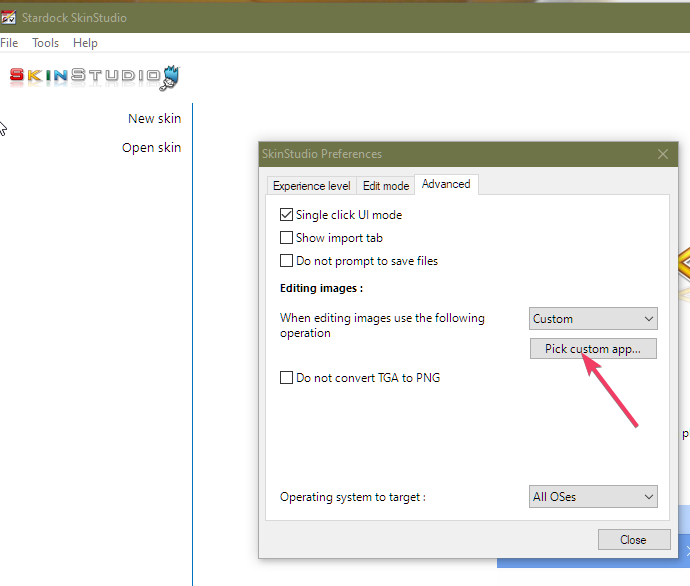
And to change the linked graphic software when you choose to edit something, please refer to screenshot below. Open Skinstudio preferences->Click on "Advanced" tab->Click on "Pick custom app.."->browse to your selected app.

Thank you.
Basj,
Stardock Community Assistant.

Reply #4 Top

Your screen cap did not show at first, but the description was enough to change the default app, thanks.

Then the image was visible after making this post, weird.

Here is a screen cap of 2 tabs in my taskbar:

https://i.postimg.cc/G3qHqKxd/task.jpg

The one wit a bit of yellow is the one active, I wish to use a more visible color, maybe a solid background instead of the dotted one.

Here is how what I though was the correct bitmap looks:

https://i.postimg.cc/Hk5WD9XJ/task2.jpg
                                                                                                                 
https://i.postimg.cc/43gfJHQW/task3.jpg

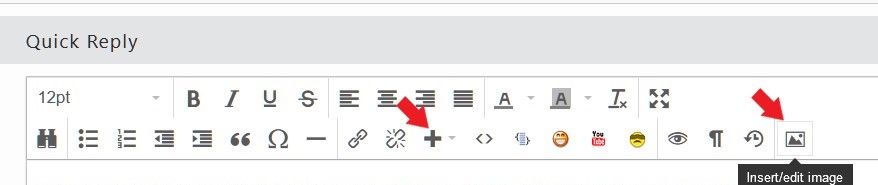
These are just links, how do I include an image in the post itself?

Reply #5 Top

To add an image, please use any one of these two buttons

Thank you,

Basj,
Stardock Community Assistant

Reply #6 Top


modified WinRetro style

Also, need to know what you mean by this? And link to the mentioned skins so I can refer to it.

Thank you,

Basj,
Stardock Community Assistant

Reply #8 Top

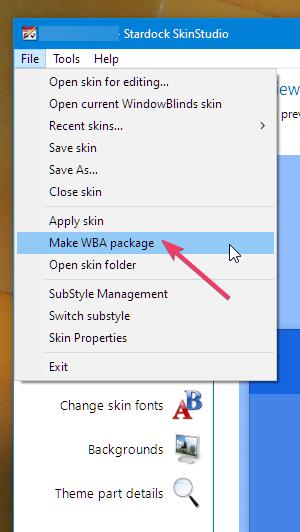
It is best if you could pack your modified theme to a .wba files. Than share the wba files here.

Thank you,

Basj,
Stardock Community Assistant

Reply #9 Top

Here are both skins:

https://we.tl/t-Kd26f6qWJD

I'm learning interesting stuff here, how do you import a WBA file in SkinStudio?

So far, when I wanted to use a skin in another of my 5 installs, I just copied the whole directory. That needed a restart.

Reply #10 Top

Oh, I re-tested the mods I described above, the result is unwatchable, what I did does not work at all!

The Skins I just uploaded are the ones I have been using for a long time, before these tests.

Reply #11 Top

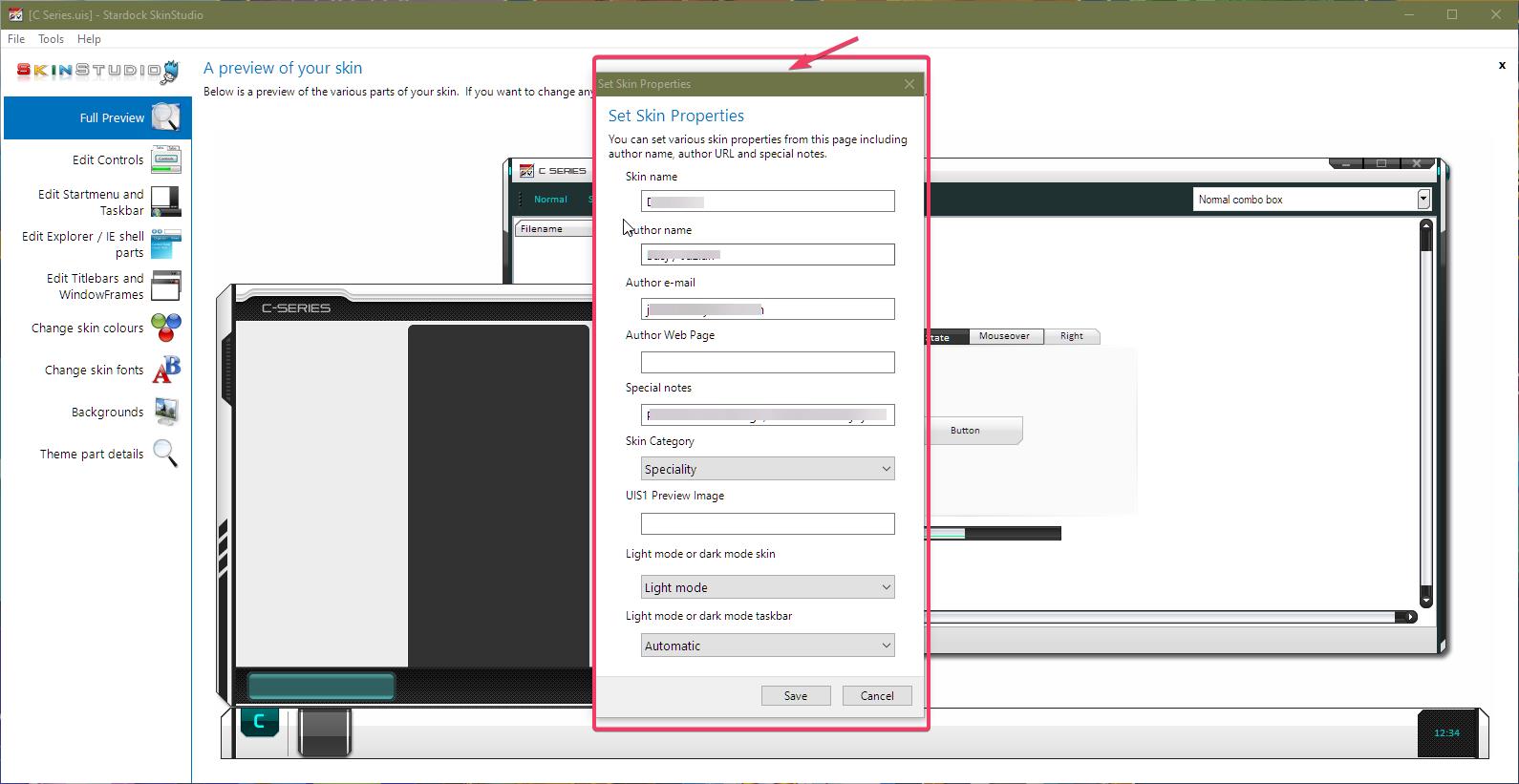
I believe you already know how to open a skin in Skinstudio. But if you save it, it will over ride the original skin. What you should do, change the Skin Properties: refer screenshot below and than use the "save as" to save in different name. Save it and wait, depending on the original skin, if its have lots of substyles it will take sometime. Once that is done. Your new skin name should be loaded and you will notice it in the Skinstudio title bar. From there on, the original skin will not be effected by your changers.

Thank you,

Basj,
Stardock Community Assistant

Reply #12 Top

Yes, thanks, I was already using copies to be safe.

I sent you the original ones, without any recent modifications.

Reply #13 Top

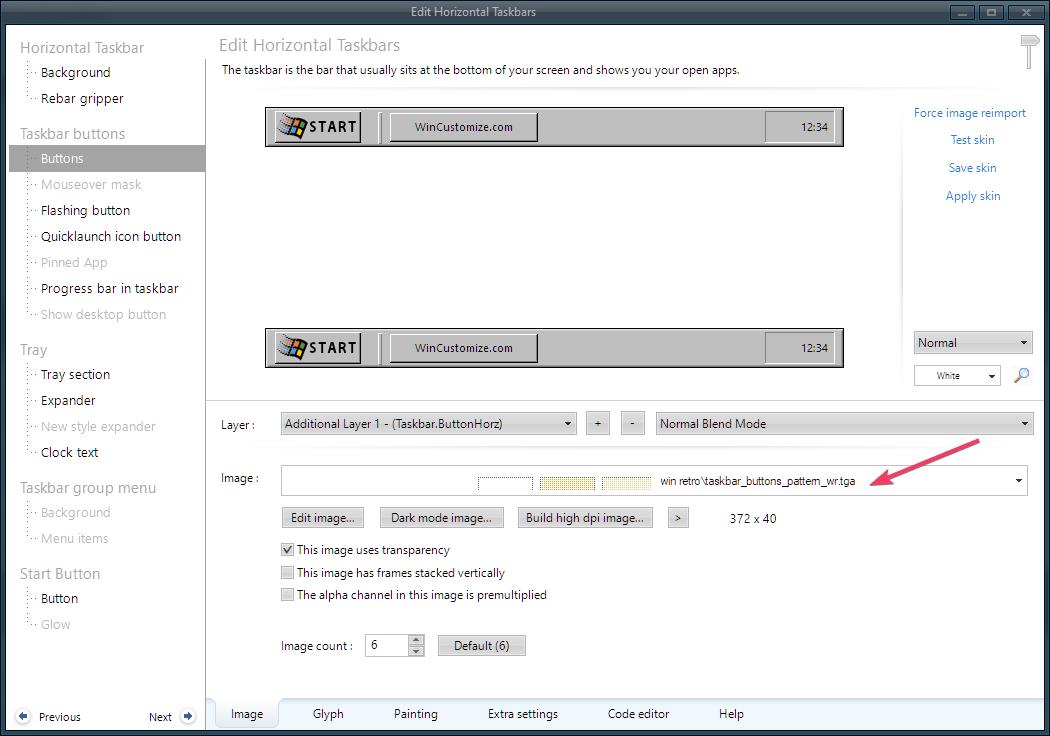
Looking at the original skin, Win Retro, to change the taskbar button color, you will need to change "taskbar_buttons_pattern_wr.tga". You will need to edit that image with a good graphics program that can handle transparent layer and change those color manually.

Thank you,

Basj,
Stardock Community Assistant

Reply #14 Top

Yes, it's exactly what I was doing.

But somehow, changing the dot colors changes also the whole background to black.

From what you said, it's likely the program I use.

Paint is annoying with a high res monitor: It cannot scale more than 800%, and that's not enough to be accurate for a dot by dot coloring, the dots are still too small.

I'll see what I can find, and get back to you.


Reply #15 Top

That show that the program you use can't deal with transparent pixel. Hence it replace all the transparent pixel into black pixel. You will need a program like Photoshop.

Added: A free alternative is GIMP.

Thank you,

Basj,
Stardock Community Assistant

Reply #16 Top

By looking into these programs, I remembered that I used Paint.net 5 years ago to create my modified styles.

After all this time, I just forgot that Paint and Paint.net are 2 different things. Paint.net is 100 times better.

And indeed, it works now.

I have still problems sometimes to apply the changes, it seems random.

I have sometimes to apply a different skin and then go back the modified one to finally see the edits I made.

Anyway, thanks.

Reply #17 Top

Great, glad to help.

Thank you,

Basj,
Stardock Community Assistant