CursorFX 4 03

All cursorFX themes are blurry on Windows 11

No matter which theme I apply and how much I resize the cursors, the cursors are blurry on windows 11.

Is there any workaround ?

Specs below.

Windows 11 23H2 x64  OS build 22631.2792  | RTX 3080 Ti with driver version 546.29

13,717 views 16 replies
Reply #1 Top

Hello,
Sorry to hear you are having issues. Need to know more.

  1. CursorFX version.
  2. Monitors resolution and Scale factors.
  3. Screenshot of your issue would be great.

Thanks
Basj,
Stardock Community Assistant.

Reply #2 Top


No matter which theme I apply and how much I resize the cursors, the cursors are blurry on windows 11.

Is there any workaround ?

Specs below.

Windows 11 23H2 x64  OS build 22631.2792  | RTX 3080 Ti with driver version 546.29

I would think it's a scaling issue. Without knowing your DPI settings I can't say for sure however if you are scaling and the icons do not have larger sizes (128, 256, etc..) they can appear blurry.

Reply #3 Top

Do you by any chance have the "Windows Settings>Accessibility>Mouse pointer>Size" set to anything other than 1? If so, set it to 1 and see if that makes any difference. Use CursorFX to adjust the size.

Reply #4 Top

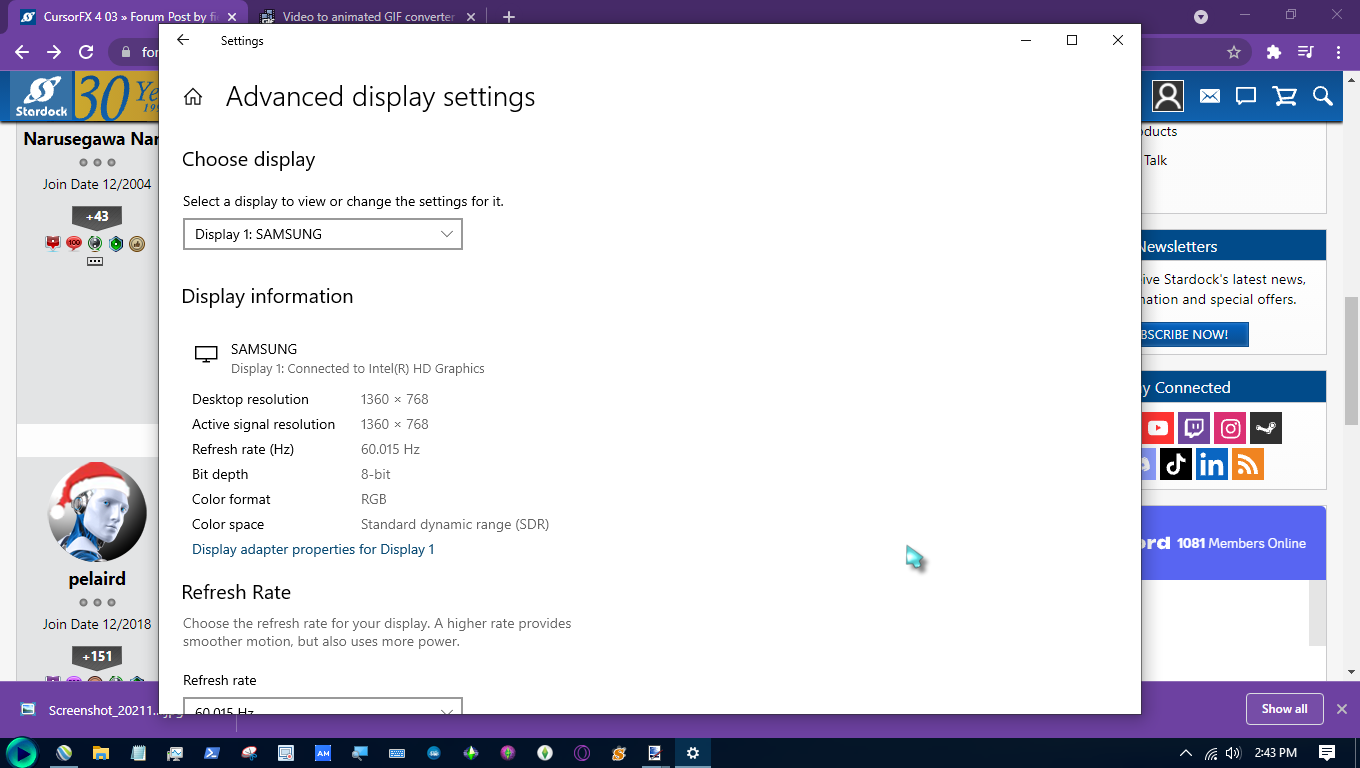
I'm having the same problem, wasn't able to change size inside the program's settings as you'll see below screenshots of my display and mouse settings...


idkbro


Perhaps it's worth mentioning that the appearance of the default cursor behind the custom one when I closed the screen capture program was not a visible real time effect while I was recording.

Reply #5 Top

Quoting MinaLoi, reply 4

I'm having the same problem, wasn't able to change size inside the program's settings as you'll see below screenshots of my display and mouse settings...

Looks like your are on Windows 10. The Mouse Pointer size is located in Settings>Ease of Access>Mouse Pointer. (See Below)

Reply #6 Top

Yes, and all that does is revert the cursor back to the default Win10 cursor. In the post just above mine, you tell OP to change the Win cursor size setting to "1" and use the program's setting to change the size of its custom cursor: it took me several attempts to realize everything on the settings page is appearantly behind a paywall.

which is fair, I understand this is business, and I do really appreciate free albeit limited versions of the software, but it was super frustrating being redirected to the about page, to look at that very brief for that "CursorFX Plus Only" annotation, that is really small and contrasts very poorly with the white background of the page itself. 

Thankfully my vision impairment does terminally affect my ability to differentiate colour yet lol. 

I would appreciate it if the developers would consider adding the first page of settings to be used on the free version, or even just the ability change the size of the cursor, and they definitely should fix the way they differentiate the free features from the pro features. I'm sure that I'm not the only one who missed the annotation, but altogether thought the software was broken because they literally couldn't see the prompt for being vision impaired.

Reply #7 Top

GM WC, When I use an animated cursor no matter the size, it jumps around. Thanks for your time.

Device name    Exit666
Processor    12th Gen Intel(R) Core(TM) i9-12900K   3.20 GHz
Installed RAM    64.0 GB (63.8 GB usable)
Device ID    3F0937D3-B26E-494C-9764-CB448B70E281
Product ID    00330-80000-00000-AA801
System type    64-bit operating system, x64-based processor

4K 3840 x 2160  Scale 300%  Video card MSI Nvidia 4080 ti super

Cursor FX ver. 4.03
Pen and touch    No pen or touch input is available for this display

Reply #8 Top

Fixed. I turned down the resolution to 200%, as suggested by another user here, and it works great.

Thanks everyone. :grin:  

Reply #9 Top

Quoting MinaLoi, reply 6

Yes, and all that does is revert the cursor back to the default Win10 cursor. In the post just above mine, you tell OP to change the Win cursor size setting to "1" and use the program's setting to change the size of its custom cursor: it took me several attempts to realize everything on the settings page is appearantly behind a paywall.

which is fair, I understand this is business, and I do really appreciate free albeit limited versions of the software, but it was super frustrating being redirected to the about page, to look at that very brief for that "CursorFX Plus Only" annotation, that is really small and contrasts very poorly with the white background of the page itself. 

Thankfully my vision impairment does terminally affect my ability to differentiate colour yet lol. 

I would appreciate it if the developers would consider adding the first page of settings to be used on the free version, or even just the ability change the size of the cursor, and they definitely should fix the way they differentiate the free features from the pro features. I'm sure that I'm not the only one who missed the annotation, but altogether thought the software was broken because they literally couldn't see the prompt for being vision impaired.

Consider upgrading to CursorFX 4.03. It is available to purchase for only $4.99 US. There is a 30 day free trial.

Reply #10 Top

Spot on !!

I had actually changed the size to 3 since it looked so small in my 3440x1440p monitor.

tried the same in my freshly installed system, but then everything was normal.

Just couldn't figure out why :grin:  

Thank  you for the solution. 

Reply #11 Top

Issue resolved.
It is cursorFX 4.03 as i mentioned in the post title.

Reply #12 Top

Great, glad to hear that.

Thank you,

Basj,
Stardock Community Assistant

Reply #13 Top

Quoting fieldbuzz, reply 10

Spot on !!

I had actually changed the size to 3 since it looked so small in my 3440x1440p monitor.

tried the same in my freshly installed system, but then everything was normal.

Just couldn't figure out why :grin:  

Thank  you for the solution. 

Glad to help.

I actually discovered this issue with Windows 10. My cursors were flashing and unusable. After setting the size to 1 in the Windows settings, everything was normal again. I think it has something to do with Windows and Stardock competing to change the size of the cursor.

Reply #16 Top

Quoting ET6, reply 15

I'm about to be 73 on 3\4\2026. Been here since 2001. WOW

Yep, 72 this year and been here 8 months longer ....;)

In fact, in a few days' time it's a quarter of a century.  [but who's counting]....