Where is the hidden tray icons stuff defined?
My 'hidden tray icons' panel needs another background color and a mouse over thingie,
but I don't where this can be done.

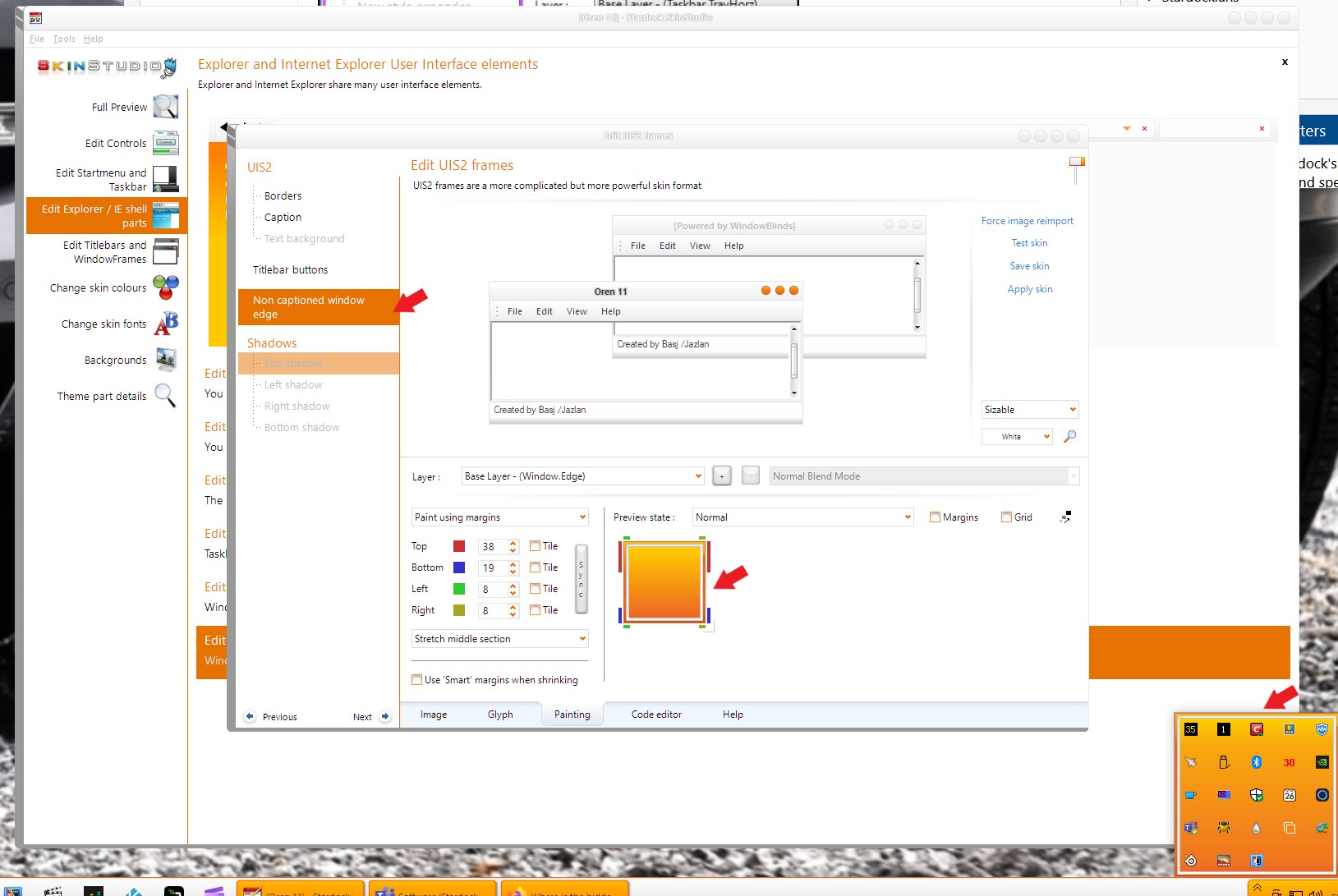
It certainly seems not to be here:
My 'hidden tray icons' panel needs another background color and a mouse over thingie,
but I don't where this can be done.

It certainly seems not to be here:
I haven't really checked it on WB11, but I think this still applies. 2 options:
1- Don't define an image, and it will use the System Colour ButtonDkShadow with a little bit of transparency.
2- Define an image in Window frames / UIS2 / Non captioned window edge. I had better luck using a bmp or a png/tga without any general transparency (maybe some on the corners), transparency seemed to cause some graphic remnants while mousing over. The default image count is 4, but I used to use 2 with a left and a right (the "help" tab and the note at the bottom of the image tab indicates 2 states).
Oh, and I'm not completely sure, but I don't think you can change the mouseover.
On Windows 10. I believe that tray is using "Non captioned window edge". Don't know why. And not sure on how to change the mouse over tile color too.
On Windows 11. It is using something else. Sometimes I saw it using my horizontal taskbar graphics.
Windows 10

Windows 11

Thank you,
Basj,
Stardock Community Assistant
Thank you guys, DaveRI and Basj,
It is indeed the 'Non captioned window edge', I could never have guessed that.
And with my previous image, I did have some graphic remnants while mousing over,
that is why I thought I needed to define some mouse over stuff, but now, with my new
image, it's all working fine out of the box.
Welcome Guest! Please take the time to register with us.