Start11 and Virtual Desktops

Apps open on virtual desktops are not showing on taskbars on other desktops. This option is enabled in Windows settings and works when Start11 is not running. Is there a fix for this?

5,090 views 17 replies
Reply #1 Top

Hello,
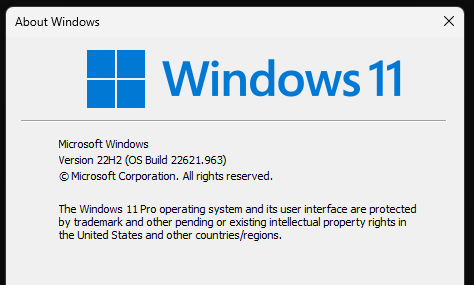
Sorry to hear you are having issues. You on Windows 10 or Windows 11? Which version? Use Winver.exe to get the full version numbers.

Thanks
Basj,
Stardock Community Assistant.

Reply #3 Top

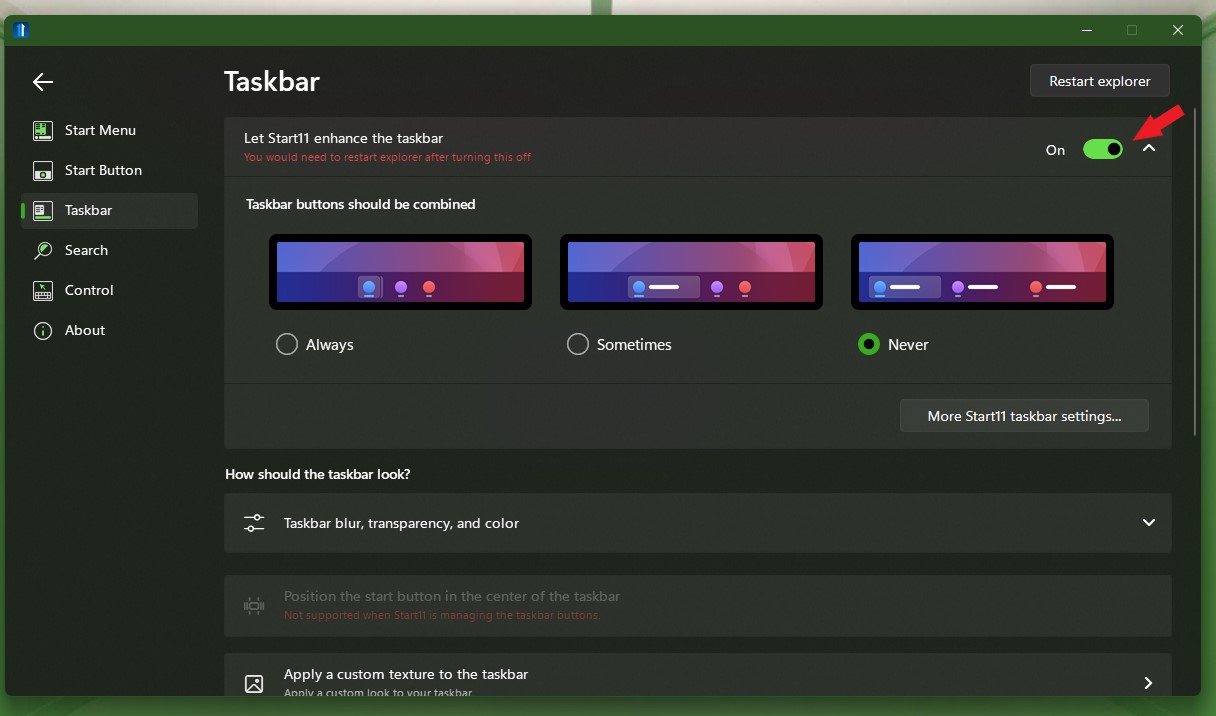
It does appear when Start11 enhance taskbar turned off, yes?

Thank you,

Basj,
Stardock Community Assistant

Reply #4 Top

Correct. With Start11 disabled, apps on virtual desktops appear in the taskbar on all desktops. With the Start11 taskbar, those apps are missing

Reply #5 Top

No, what I mean is, with Start11 still enable, but, just disable/turn off enhance taskbar and restart Explorer. The issue do not appear yes?

Thank you,

Basj,
Stardock Community Assistant

Reply #7 Top

Sorry, when the Start11 enhanced taskbar is disabled, but with Start11 running (Start11 + Windows 11 taskbar), I can see all apps on virtual desktops. This seems to be a bug with the enhanced taskbar

Reply #8 Top

Hello,
I have forward your problem/question to Stardock Support Team for their assistance. Please keep an eye on this thread for any updates. We appreciate your feedback and patience.

Basj,
Stardock Community Assistant

Reply #10 Top

Nothing yet on this one, I have forwarded again this problem to Stardock Support Team for their assistance. Please keep an eye on this thread for any updates. We appreciate your feedback and patience.

Basj,
Stardock Community Assistant

Reply #11 Top

Hello,

Through testing this, here are the steps I've taken as I understand them to attempt to reproduce:

  1. Open an app (in my tests I've tried Windows Media Player, and the Start11 app itself)
  2. Pin the app to the Taskbar.
  3. Create Desktop 2 through the Virtual Desktop button.
  4. The app now exists on the Taskbar on both Desktop 1 and Desktop 2, and any more Desktops I create.

This works as described without Start11 installed or running at all.  This is how I expect virtual desktops should work.  Am I missing anything so far? 

Then, I started from scratch and installed Start11, and repeated the same.  Same result.

Then, I again started from scratch, and this time tried this with "Let Start11 enhance the taskbar" set to "On", and again, I'm getting the same result.  

I've tried this on Start11v2 (see video link below):
https://cdn.stardock.us/support/uploads/WindowsSandboxClient_2024-06-06_12-23-39amcguinness.mp4

Am I doing anything different at all than those experiencing this issue? 

Please also note that our interest here is in testing Start11v2.  If you are using Start11v1, and need to install the trial to troubleshoot this testing, please do so:
https://www.stardock.com/products/start11/download-trial

Thanks,

Adam McGuinness
Stardock Customer Support Specialist

Reply #12 Top

Hi @SD_McGuinness, 

This is not related to pinned apps but rather apps and folders that are opened and hence will show up in the taskbar. Windows has an option under "Settings > System > Multitasking > Desktops" for "On the taskbar, show all the open windows" with the options of "On all desktops" and "Only the desktop im using".

What it does is say you have App 1 and Folder 1 open on Desktop 1, and App 2 and Folder 2 open on Desktop 2, then for:

  • "Only the desktop im using", If you are on Desktop 1, the taskbar will show App 1 and Folder 1 and if you are on Desktop 2, it will show App 2 and Folder 2.
  • "On all desktops", Regardless of whether you are on Desktop 1 or 2, the taskbar will always show open apps and folders from all desktops

Start 11 is only ever doing behavior 1, it does not do behavior 2 even if I have that set in Windows settings.

Hope that clarifies it.

Reply #13 Top

Hi GaryStardock,

Indeed, it does clarify it.  It helps quite a bit to have even the most seemingly mundane aspects of technical difficulties explained with step-by-step instructions.  Sincere thanks!  

This has now been reproduced, and I've logged the issue for us internally.

Internal Reference: ODNT-8348

Thank you everyone for posting and providing this feedback.

Adam McGuinness
Stardock Customer Support Specialist

Reply #15 Top

Quoting GaryStardock, reply 14

Hi, any updates on this issue?

Hello,
I have forwarded this issue again to Stardock Support Team for their assistance. Please keep an eye on this thread for any updates. We appreciate your feedback and patience.

Basj,
Stardock Community Assistant

Reply #16 Top

Hi, I also ran into this problem today, and impatiently will wait for a fix.

Cheers,
Gunter


Reply #17 Top

Quoting gunterzielke, reply 16

Hi, I also ran into this problem today, and impatiently will wait for a fix.

Cheers,
Gunter

Hello,
Sorry to hear you are having issues. Unfortunately, there is nothing new to report on this one.

Thank you,
Basj,
Stardock Community Assistant.