Contextual menu

Hello;

I think I have found where to modify the parameters of the contextual menus.

But I can't change them as I want.

In this picture, the menu 2 in red is good, but not the 1.

Menu 1 is a right click on a program icon in the start menu

There is more space between each line of text, I can change the space but not like the other.

If I set OS Menu height to 10 it is not enough. I have tried 5 but it does not change.

How can I do it ?


Reduced 90%
Original 928 x 522


Another question:

after having made a copy-paste on the desktop of a file

I right click on the desktop.

And in the contextual menu that appears, the word (Ctrl Z) appears too big.

Where can I change it ?


Reduced 96%
Original 871 x 597


Cordialy

Jérôme

3,253 views 2 replies
Reply #1 Top

I'm afraid I'm not going to be much help on these.  Regarding the first question, I haven't really paid much attention to it and all I can say is I loaded a few different skins and they all look extremely similar to your screenshot. It may be one of those things that can't be changed but I don't really know.

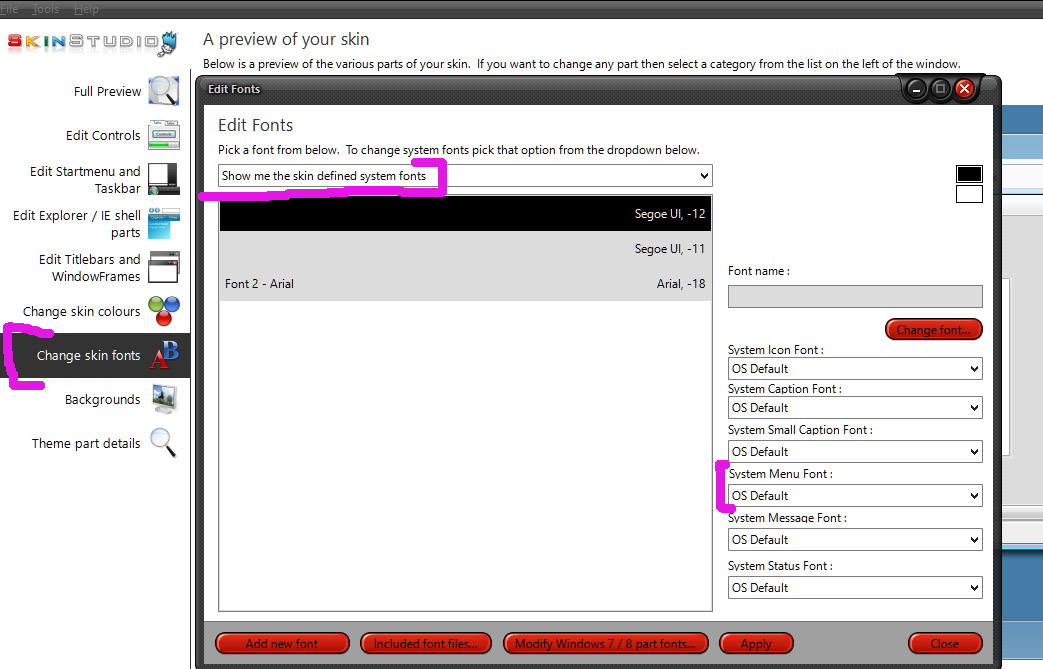
Regarding the second question, well that is odd.  I don't think I've seen mixed fonts on a menu like that.  Fonts can be contrary, the first thing I'd try is switch to a different skin and then back to this one and see if it clears up.  If that doesn't do it,, you might try changing the system menu font, which will also change the fonts in other menus:

Hopefully someone else can come along with more definitive answers.


Reply #2 Top

In both cases (question), no change whatever the skin used.

I tried to create another font for case 2. But it changes all the contextual menu. Maybe something else that cannot be changed.

If someone finds it, I'm interested.

Cordialy Jérôme