Tiles - Fullscreen Issue in 2nd Display

Hello,

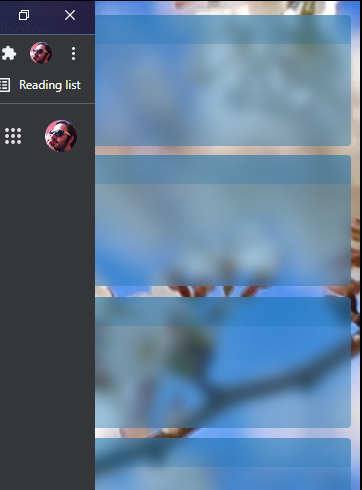
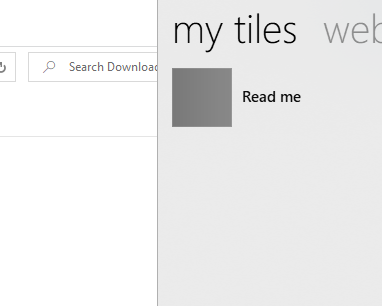
When I fullscreen a window, then the window goes under the tiles bar. But it should enlarge upto the beginning of the tiles bar.


I use an additional display, Tiles is positioned to this external display. But it is still allocating space in my laptops screen (the primary one).  


This is a partial screenshot from my laptops screen (primary display). As you see, one of the objects on desktop is partially visible. Because Tiles bar is occupying space there, although it's positioned on the other display.  
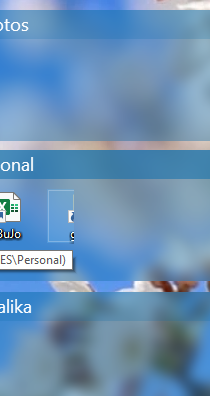


Also when I fullscreen a window in my primary screen, it enlarges the window like there's a Tiles bar. But there isn't. Below picture shows it. There's an invisible Tiles bar overlaying here :)


And when a window is made fullscreen in the secondary display, closing button or minimizing button etc become inaccessable because they gone behind the Tile bar.  
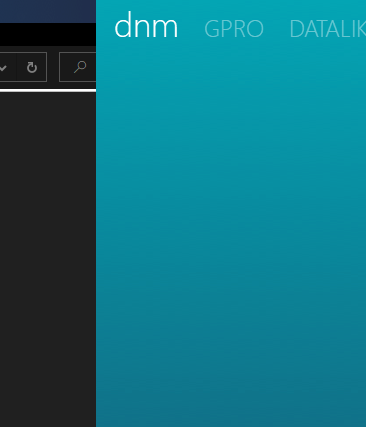

As you see in above picture, all the control buttons like close minimize etc left under the Tiles bar.


Is there a fix for this? 
How can I solve this issue ?  

3,853 views 9 replies
Reply #1 Top

Hello,
Sorry to hear you are having issues. More information on your system please.

  1. Windows 7,8,10 or 11? and its version number please. Use Windows own "Winver.exe" to get Windows full version numbers.
  2. Tiles and Fences versions
  3. Resolution and scaling on your primary and secondaries monitors.

Thanks
Basj,
Stardock Community Assistant.

Reply #2 Top


Edition Windows 10 Home

Version 21H2

Installed on ‎11/‎07/‎2021

OS build 19044.1503

Experience Windows Feature Experience Pack 120.2212.4170.0


Fences v4.0.0.3

Tiles v2.0


Primary monitor:  1920x1080    scale: 100% 

Secondary monitor:  1920x1200   scale: 100%

Reply #3 Top

Hello,

Have you tried uninstall both, reboot,and reinstall, Tiles and Fences, one at a time with reboot, retest in-between them. If not please try and report back.

Thank you,

Basj,
Stardock Community Assistant

Reply #4 Top

Will I lost my current setup  if I uninstall and reinstall ? 

What can I do to preserve my current setup ?  Could I find the pages I created and the objects I put in Tiles, after reinstall ?  Same for fences...  And what about the configurations, can I find them back after uninstall reinstall ?  


And do you suggest me to install from the downloaded exe file, or  from the object desktop app.  Is there difference between ? 

Reply #5 Top

For Fences if uninstall and reinstall Fences, the layout screenshot are untouched. But, just to be sure you can use this guide to backup for layout snapshot : https://forums.stardock.com/486084/fences-support-faq#backupsnapshots.

But, For Tiles, I am not really sure.

As for installer files, it is best to download direct from your product page. https://store.stardock.com/myaccount/products

Thank you,

Basj,
Stardock Community Assistant

Reply #6 Top

Spent more than 1 hour...


Uninstalled Fences...

> didnt work

Rebooted...

> didnt work

Uninstalled Tiles...

Rebooted...

Installed Tiles...

> didnt work

Rebooted...

> didnt work

Uninstalled Tiles... (didnt preserve settings this time)

Rebooted...

Installed Tiles...

> didnt work

Rebooted...

> didnt work

Cleared Registry (by scanning CCleaner)

> didnt work

Rebooted...

> didnt work


Although Fences is down, still the same problem exists.


This feature is broken !

Reply #7 Top

Okay, for now keep Fences and Tiles uninstall. Reboot. do a Cleanboot : https://forums.stardock.com/486084/fences-support-faq#cleanboot.

Install Tiles while under a new admin account. See if Tiles work under that new account.

Thank you,

Basj,
Stardock Community Assistant

Reply #8 Top

Same!


Anyway, that's all from me. 

Spent more than 3 hours for that sh*t, to get an idea about the broken feature.

Still I need to reinstall and configure all the other object desktop  apps. 

Reply #9 Top

I understand the frustration. Anyway, I have forward your problem/question to Stardock Support Team for their assistance. Please keep an eye on this thread for any updates. We appreciate your feedback and patience.

While waiting for them and if you still keen to look into this. Please try purge and reinstall steps as mentioned here: [link]. Just make sure to redownload the latest version from your account. Reboot after the purged. Reinstall, and Reboot again after the installation. Retest it. Report back here.

Basj,
Stardock Community Assistant