Translate Start11

Hello! I started translating the program because I liked it a lot. Over 95% is ready. But there is a lot of translation that I do not find in the program itself. Words, options, settings in the test file, but in the program I did not find where they are. Mostly at the end of the file, but not only. Not part of the program or future features?

63,895 views 9 replies
Reply #1 Top

Hello,

What language you're translating to?

Thanks
Basj,
Stardock Community Assistant.

Reply #2 Top

Quoting basj, reply 1

Hello,

What language you're translating to?

Thanks
Basj,
Stardock Community Assistant.

I'm sorry, I forgot to specify. Bulgarian.

Reply #3 Top

There are sometimes settings in the lng files for features which a) were cut, b) are upcoming, or even c) leftovers from previous versions.
It is best to translate them all where possible so that if the strings get used they will be translated.

Reply #4 Top

Quoting Neil, reply 3

There are sometimes settings in the lng files for features which a) were cut, B) are upcoming, or even c) leftovers from previous versions.

It is best to translate them all where possible so that if the strings get used they will be translated.

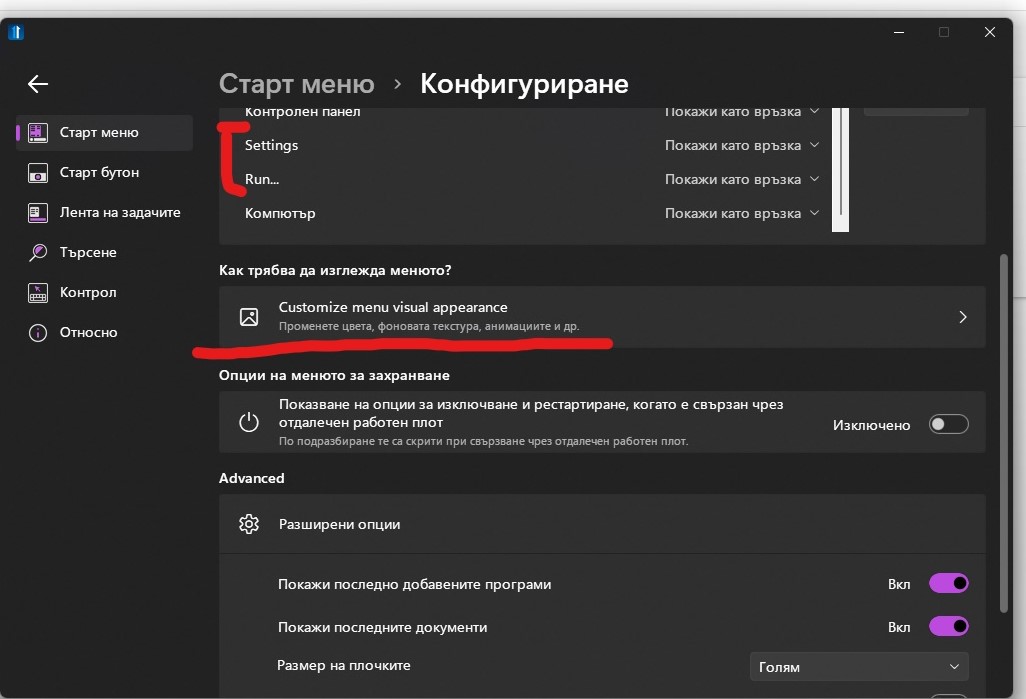
I translated them all. There are 3-4 place  that could not be translated, although I translated them. I entered the translation in the file, but it does not come out.

Reply #5 Top

Quoting deifbatista, reply 4


Quoting Neil Banfield,

There are sometimes settings in the lng files for features which a) were cut, B) are upcoming, or even c) leftovers from previous versions.

It is best to translate them all where possible so that if the strings get used they will be translated.


I translated them all. There are 3-4 place  that could not be translated, although I translated them. I entered the translation in the file, but it does not come out.

Reduced 81%
Original 1026 x 699


The Settings and Run entries are only translated when added to the list.  So if you remove them from your list and add them again you will find the new links you added are translated.

On the other one, there is a typo in the english string.  Find "Customize menu visual apperance" in the lng file and change it to "Customize menu visual appearance".  The a was missing in the middle of appearance in error.

Reply #6 Top

Thank you very much! All that's left is what he doesn't want either. 


 And these too: "Pinned"= "Закачени", "Universal application"="Стандартно приложение"
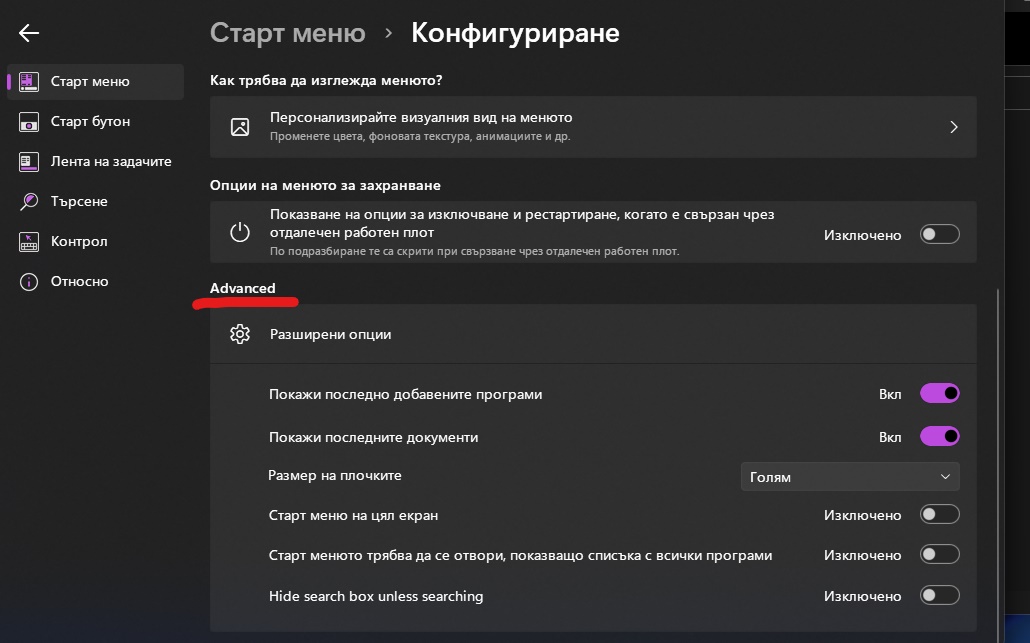
Does not show the translation.

Reply #7 Top

Quoting deifbatista, reply 6

Thank you very much! All that's left is what he doesn't want either. 


Reduced 81%
Original 1030 x 643

 And these too: "Pinned"= "Закачени", "Universal application"="Стандартно приложение"

Does not show the translation.

Where are you seeing Pinned not being translated?

Universal application may be using the Modern UI application translation (as thats what it is sometimes internally called)

For Advanced, if you add "Advanced"="translated bit" at the bottom of your lng file does it fix it?

Reply #8 Top

Problem with "Pinned" I solved it.

And about "Advanced" is not fixed after entering: "Advanced" = "translated bit"

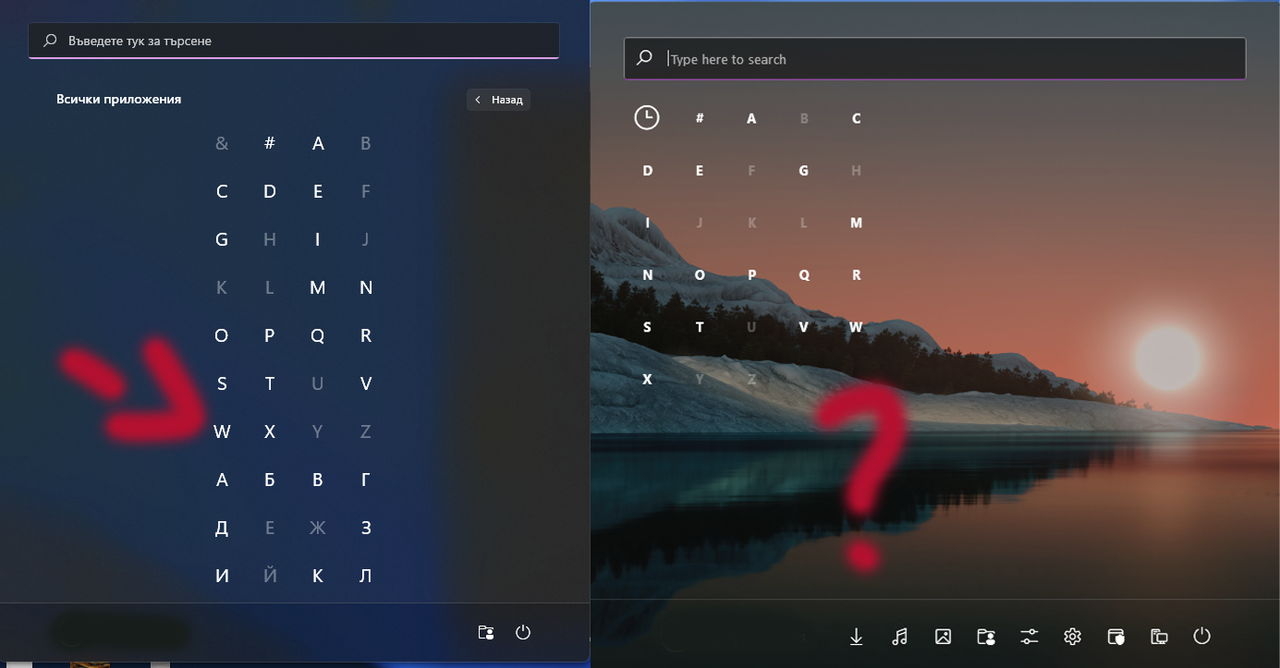
Now I see that the above "Тype here to search" is also missing in the file.


Reply #9 Top

Quoting Neil, reply 7


Quoting deifbatista,

Thank you very much! All that's left is what he doesn't want either. 


Reduced 81%


Original 1030 x 643

 And these too: "Pinned"= "Закачени", "Universal application"="Стандартно приложение"

Does not show the translation.


Where are you seeing Pinned not being translated?

Universal application may be using the Modern UI application translation (as thats what it is sometimes internally called)

For Advanced, if you add "Advanced"="translated bit" at the bottom of your lng file does it fix it?

The translation is finalized! Thanks for the help! 

P.S. Do you intend to add Cyrillic, as it is on the Windows menu? In order to be able to search for Cyrillic programs.
