Tried "fixing" a cursor, things went downhill from there
CursorFX not working at all
 WinCustomize Forums
So I tried altering Tronnix cursor. Didn't seem to make any difference no matter what setting was altered. That's when the hell began. I deleted Tronnix because it wasn't working properly anyway and after that I couldn't apply any cursor set at all.
So I figured that I'd uninstall CursorFX and reinstall CursorFX. Should be back in business but oh no the hell continued. There's a message that you have to close any instance of CursorFX before proceeding with uninstall. Through task manager and using Wisecare 365 I did not see any instance of CursorFX running.
Re-installed and it seemed to go fine until trying to load a cursor set up. NOTHING. Just the windows cursor. No set will load.
So I cleaned the registry through Wisecare 365. Looked for any leftovers of CursorFX. Didin't see any instance of it running and repeated the uninstall reinstall process again. Seemed to go fine again but no cursor set will load. Back to cursor hell.
That's it. I need help. Not going any further with this until I get help. This is the latest version of CursorFX.
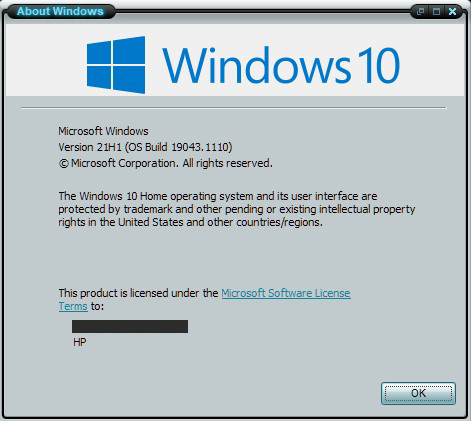
Knowing how this goes here's Winver (email address Blocked out on purpose):