NOW AVAILABLE: SoundPackager 10 - Customize the Windows Sound Scheme
 Stardock Forums
Stardock Releases SoundPackager 10
Now available standalone or with an Object Desktop membership
Stardock released the next-generation version of its Windows® sound scheme manager, SoundPackager 10, today. With SoundPackager, Windows users can instantly change the default sounds on their computer with themed sound schemes called sound packages.
SoundPackager 10 adds cloud access to thousands of different sounds, along with a number of all-new sound packages designed to give Windows users additional choices in how their PC sounds. Users can also create their own sound packages to share with others via an in-app editor.
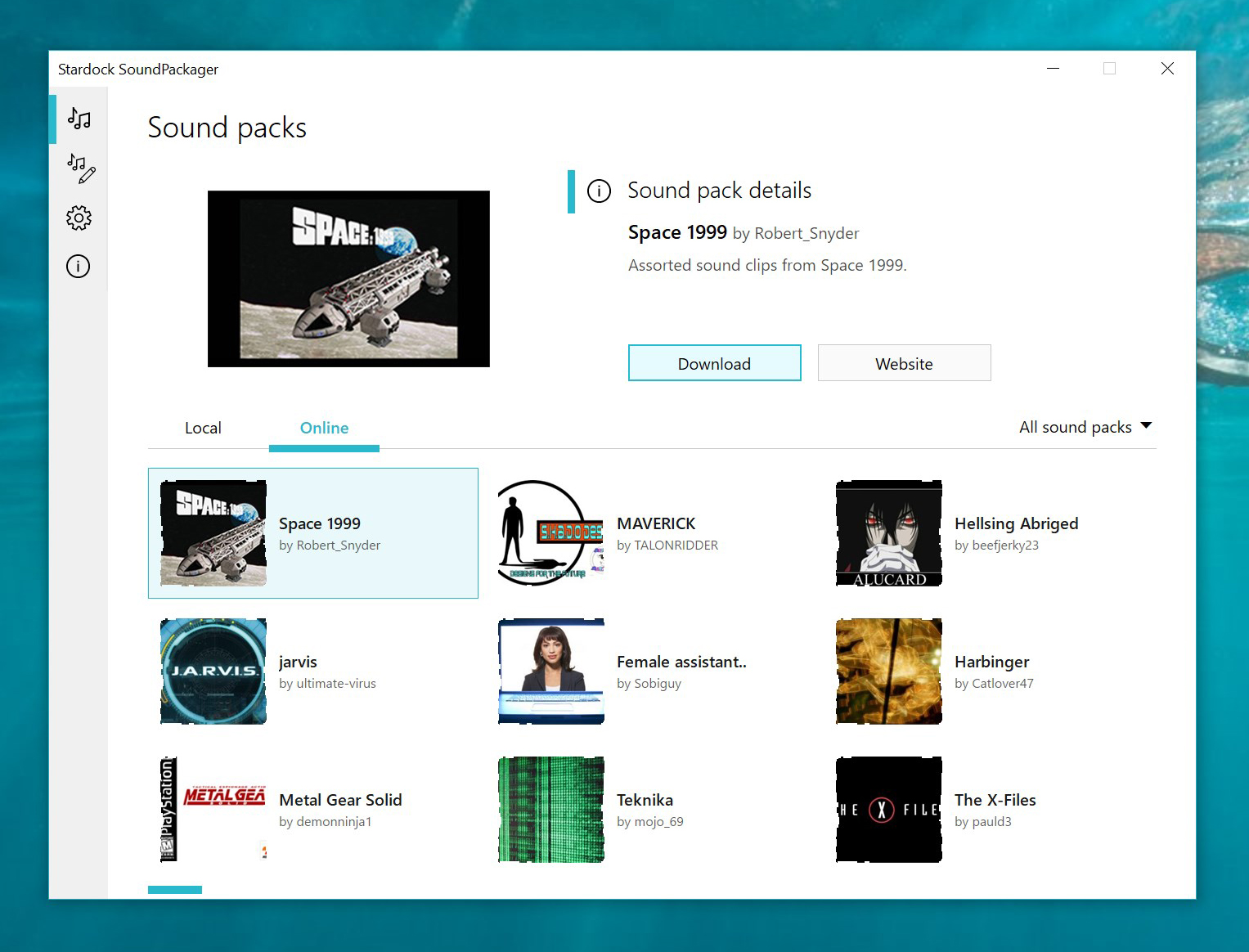
"At this point we think a lot of Windows 10 users are ready for some variance in their PC sounds," said Brad Wardell, CEO of Stardock. "SoundPackager 10 not only includes several professionally produced alternative sound schemes for Windows, but also direct access to literally thousands of sounds created by users across the world."
Users can also get SoundPackager 10 with a membership to Object Desktop,
as well as several other popular Stardock apps like Fences, Groupy, and Start10.