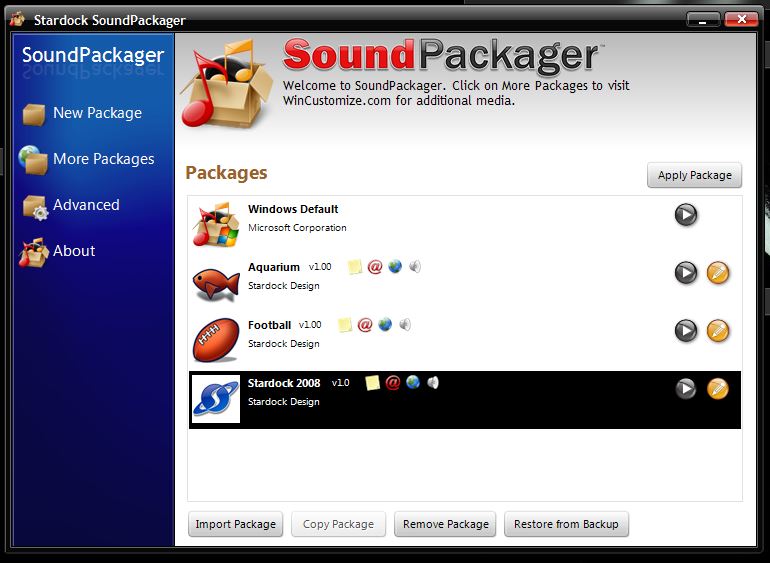
SoundPackager 2

again-I reinstalled it, but it comes on for about 1/2a second, then DISSAPEARS!!!(could it just be the extremely cold, windy, snowy weather we are having ? should I just wait?(running windows 7)HHEELLPP!!!!!!!!!!!!!!!!!!!!!!!!!!!!!!!!!!!!!!!!!!!!!!!!!!!!!!!!!TK U,Happyxchairr(here we go again~!)

6,674 views 10 replies
Reply #1 Top

Hello,

Sorry to hear you are having issues. Would like to know, which sound package you having problem with?

Thanks

Basj,

Stardock Community Assistant.

Reply #3 Top

Please try to apply the Football or the Aquarium Theme. Is it working?

Thank you,


Basj,

Stardock Community Assistant

Reply #5 Top

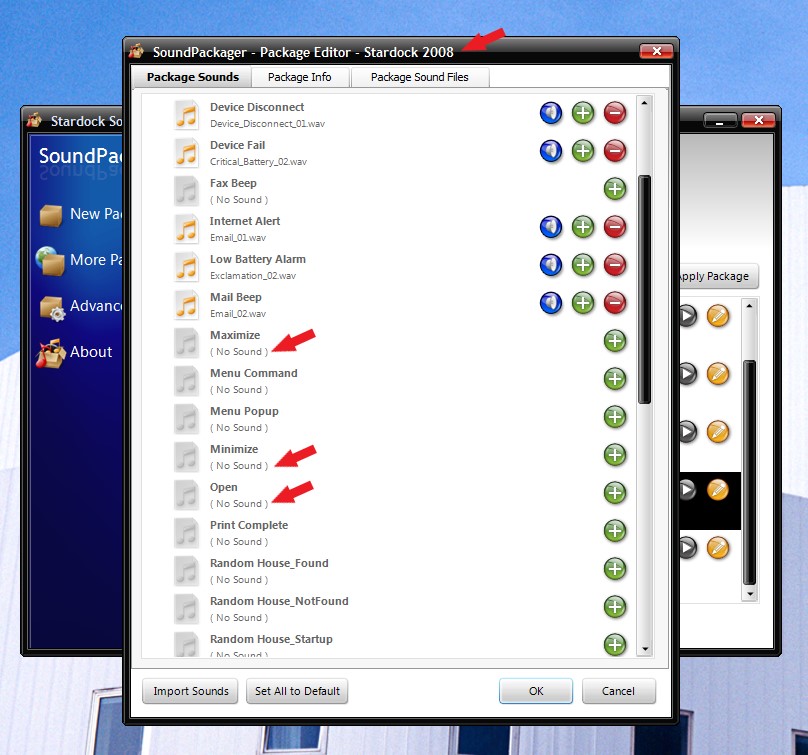
What do you mean disappears? I am sure you know that, when you apply the soundpackager theme, It will only change Windows sound Scheme. And these sounds only play out when you interact with Windows, such as clicking on Max/Min/Restore/Close buttons. or Menu bars etc etc. Its all pending on what sound you set in Soundpackager theme. Some of the theme does not have sound set for certain Windows task. For example in "Stardock 2008" Sound scheme there are no sounds set for those maximize, minimize and open. But you can always add your own sound by clicking on those "+" buttons and select sound from your own library. So I am assuming that when it disappears you mean that the sound not playing? or was I misunderstood you.

But if you mean SoundPackager disappears from taskbar when closed. Yes once it done changing your sound setting. It will disappeared when you closed it. If you need to make any changers. You need to open SoundPackager again. But once the sound applied. The sound should play when you interact with windows according to the theme you set. It will never change until you change it again using the SoundPackager or there is some other program change it for you.
Thank you,


Basj,

Stardock Community Assistant

Reply #6 Top

it (the sound packager program STAYS ON FOR 29 SEC. THEN GOES AWAY. (sorry for the CAPS- unintentional)

Reply #7 Top

Still, I don't understand the problem, what do you mean it goes away?

Maybe a video screen shot of your problem can help me understand more clearly.

Thank you,


Basj,

Stardock Community Assistant

Reply #8 Top

I can't afford a video camera, as I am motor-impaired....forget it, by going away, I mean it won't even click on from the taskbar, period only comes on for a few seconds, then NADA.So I can't use it at all.

Reply #9 Top

Hello,

As mentioned on the other thread, I have forwarded your problem to Stardock Support team for their assistance. Please keep an eye on this thread for any updates. We appreciate your feedback and patience.


Basj

Stardock Community Assistant.

Reply #10 Top

Happychairs,

Do you have any software installed that helps you use your PC that may have the potential to interfere with the proper functioning of other products? 

----------------
Sean Drohan
Stardock Customer Service Manager