September 2018 Desktop Screenshots
from  WinCustomize Forums
WinCustomize Forums
That time of the month!
Post those Desktop Screenshots!

 Hankers
WinCustomize Forums
Hankers
WinCustomize Forums
That time of the month!
Post those Desktop Screenshots!
So much green lol. Next release you will be able to tint the icons green too. 
What do you guys think of this one? It was commissioned by me to Danilo a few years ago, but I never got to release it. It's called 'Office' (screenshot is just a 'mockup', but I have the real thing here, just need to tie some loose ends):
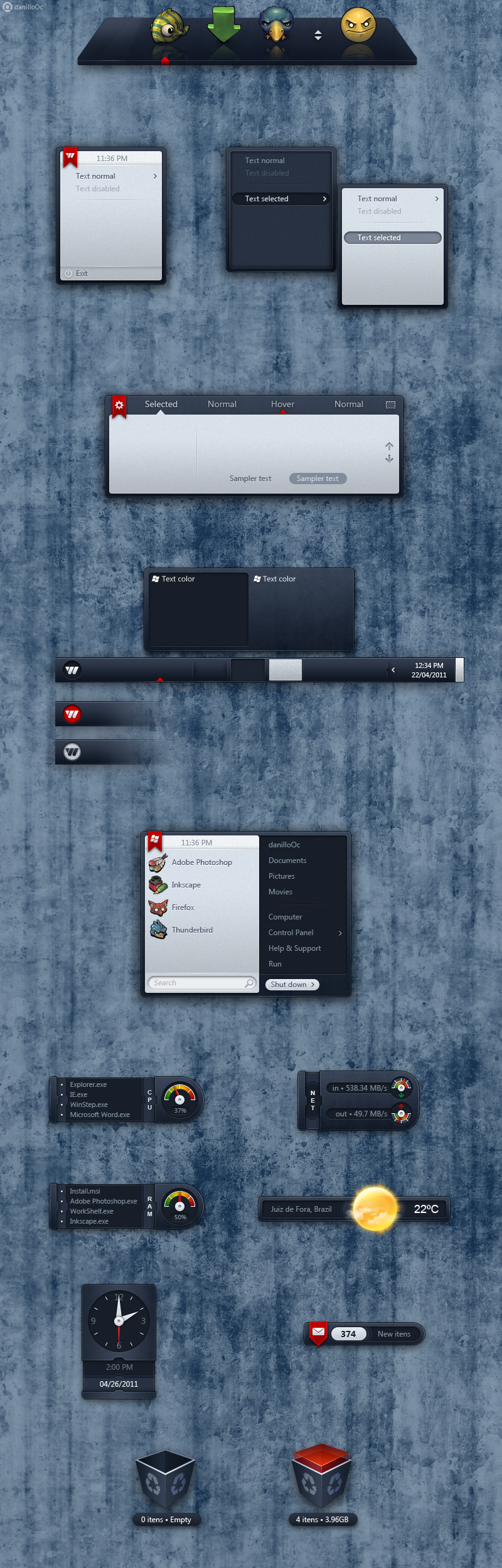
Thanks, Tom. Can't take any credit for it though, it was created by our very own master Danilo on commission from Winstep. I'm just 'assembling' the pieces into a working Winstep theme.
No WB to match AFAIK. Don't get your hopes up with the two panel Start Menu though, the bitmaps were included for when/if I ever added a double panel Start Menu to NextSTART.
This said, since the theme belongs to Winstep, I have no problems whatsoever with someone else making a matching WB theme.

You mean the Rainlendar calendar application or RainMeter? The latter seems to be still going strong.
LOL, that was me Don, not Tom Jorge. 

yes please release that office skin!! looks great, everything by dannill0c is superb!! love the other master skins also, will be buying them today
GAWD, sorry Dan, slip of the key, I swear (please ignore the fact that the T key is quite far off the D key)! 

GAWD, sorry Dan, slip of the key, I swear (please ignore the fact that the T key is quite far off the D key)!
Dan?  Ok, Jorge, you've had too many. Back away from the bar....lol.
Tom's Valiant WB...Dark Tech Winstep...and black ops 3D OD Zoomer

Haven't seen that one in quite a while Ross, great screenshot! 
Working on a new Master Skin release here called Dynasty... here's a preview so far:

Comments appreciated!

Nice! But with all that beige and brown I would have called it 'Noctua', not Dynasty. 
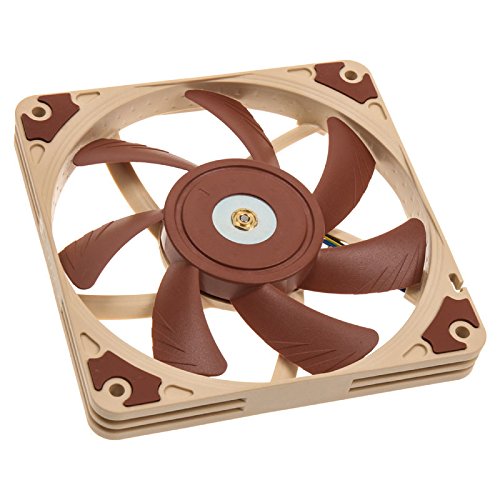
Good one JCRabbit, I'll save that name for a future skin. I certainly would not have thought it up. 
So much green lol. Next release you will be able to tint the icons green too.
What do you guys think of this one? It was commissioned by me to Danilo a few years ago, but I never got to release it. It's called 'Office' (screenshot is just a 'mockup', but I have the real thing here, just need to tie some loose ends):
I thought this one got released way back when Dani & I were working on several other themes you came up with. 
Ended up not releasing it and so it stayed half finished in my hard drive for all these years. Also have another theme here - this one by VStyler - in the same conditions. 
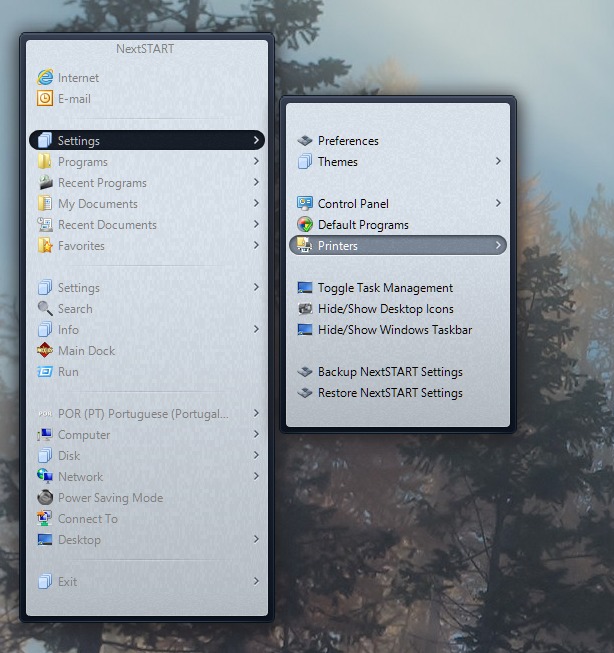
Anyway, I was actually just working on the Office theme, and I need an opinion from all of you guys. As some of you know, menus themes in NextSTART can have an optional sub-theme (so the main menu is one thing and the active and inactive sub-menus a variation of that main theme). I'm not sure if I should include the sub-theme for this one:
If I don't include the sub-theme, all sub-menus (including inactive) will be bright and shiny like below.
If I do include the sub-theme, then inactive sub-menus (not the main menu though) become dark.
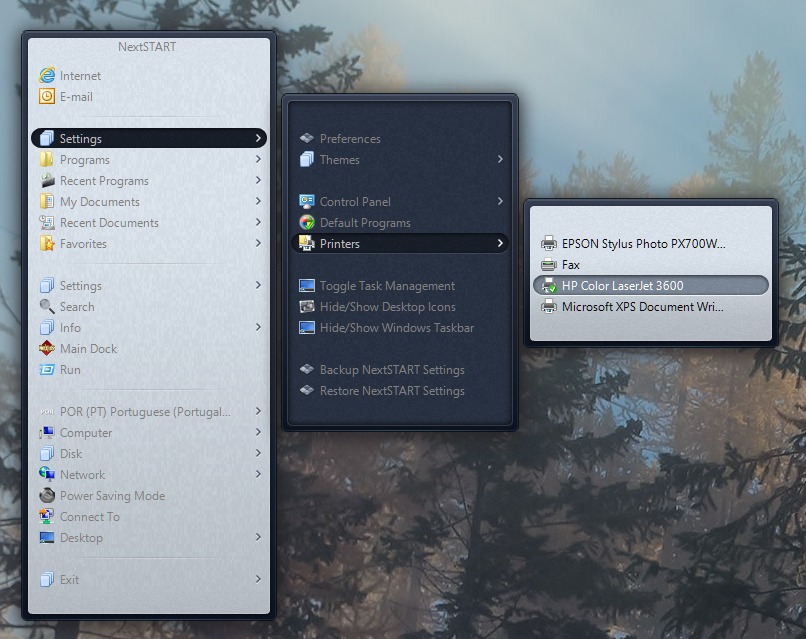
Which of the two examples do you guys like the best?
Thank God! Me too.
I can actually include the sub-theme but leave it disable in the configuration file. That way, if someone prefers Office with a sub-theme, all they need to do is change the ThemeHasSubtheme entry from False to True in the NextSTART configuration file.
Thank God! Me too.
I can actually include the sub-theme but leave it disable in the configuration file. That way, if someone prefers Office with a sub-theme, all they need to do is change the ThemeHasSubtheme entry from False to True in the NextSTART configuration file.
Actually I like both....would be great to have that option.
Welcome Guest! Please take the time to register with us.
Select a reason for giving karma:
You're about to visit an external site:
Sign up here to get the latest news, updates, and special offers delivered directly to your inbox.


 Cool new WB Tom.