Frogboy Frogboy

Star Control: Chapter 1 - BETA 2

Star Control: Chapter 1 - BETA 2

Today's the day for BETA 2.

We've tried to incorporate as much of your feedback as possible in the past couple weeks.

This post will go over some of the highlights:

Start of game introduction

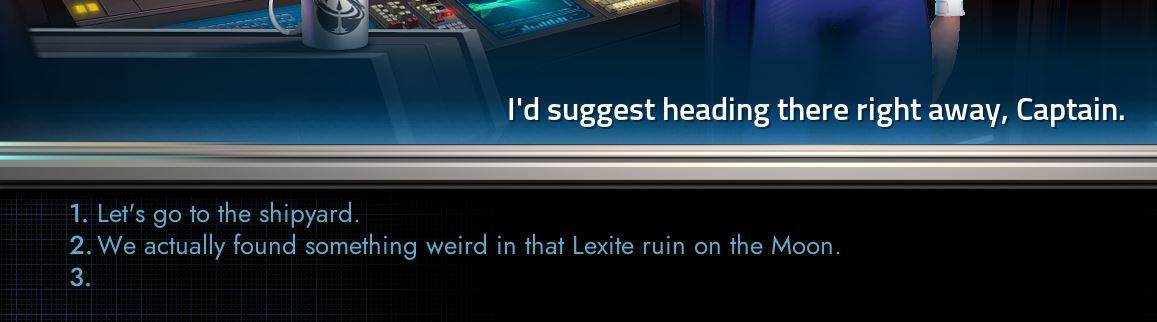
The biggest amount of feedback we got was the general abruptness of the start of the game.  Beta 2 begins the process of addressing this by adding two new screens after the story intro.

For Beta 3 (due in August) after you hit continue you'll get a second mini-cut scene that shows your shuttle making a pass by the UES Vindicator (ala Star Trek: The Motion Picture) and then you will meet the commander.

Another addition has been more dialog to help you learn how the ship works.


Planet Scan Changes
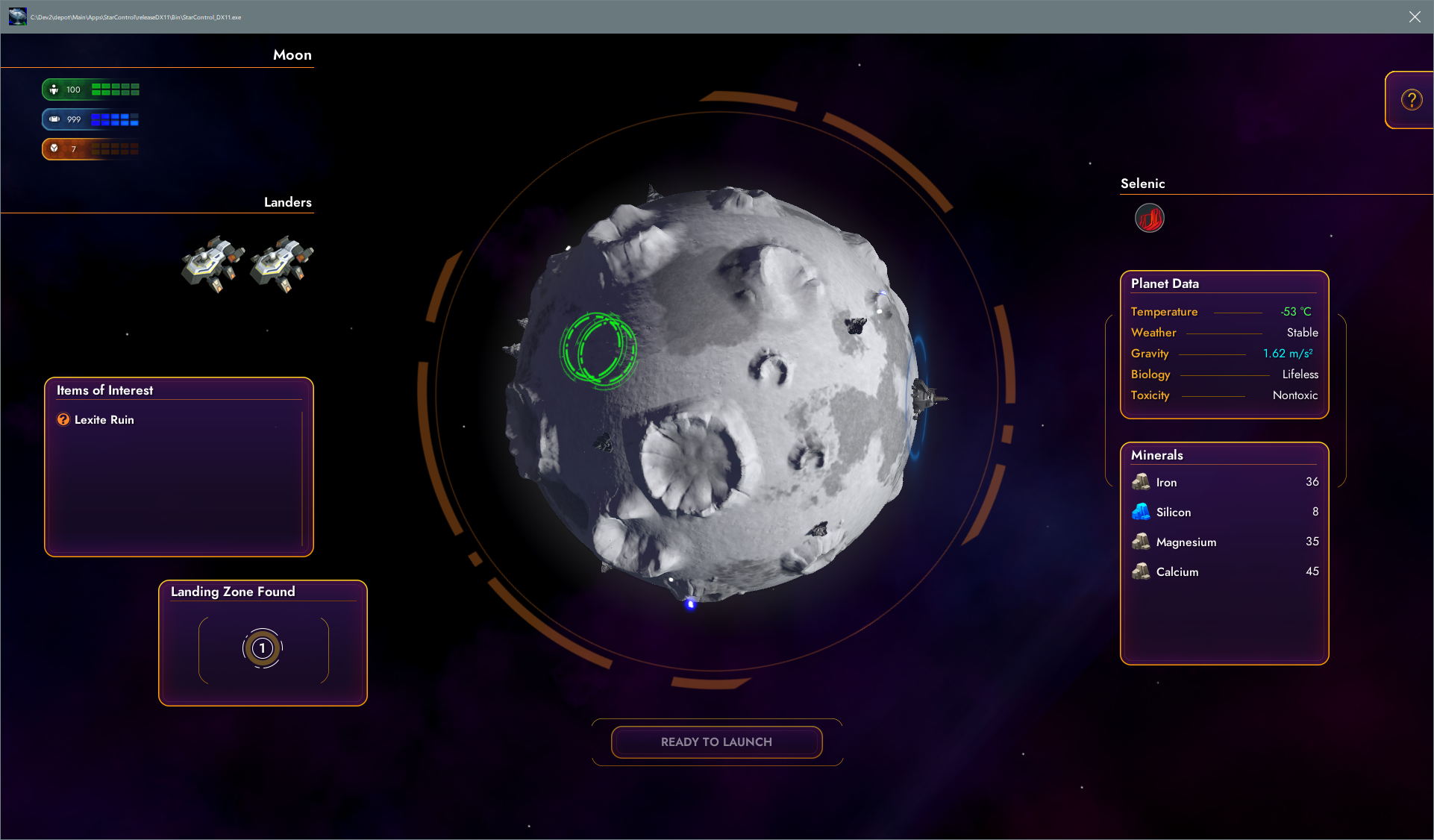
We are midway through the re-design of this screen so hang in there.  For this build, you will need to hit the ENTER key or the landing zone (1) in order to get the landing zone selected.  We are a few hours away from making it so that  you can left-click anywhere on the planet for the landing zone to be selected (you won't be able to land anywhere, the computer will simply pick the most optimal landing pathway).

The weather now controls how your lander will be injected to land on the planet.

The angling will, we hope, make it clear how hard it is to land on some of these planets without better tech.


The Training Fascility
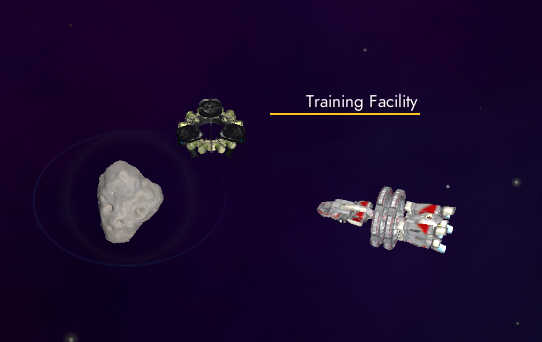
We added Ceres to the mix and a Training facility. This helps new players get used to how combat will work.

Here you can select a few test combat scenarios to get used to it.


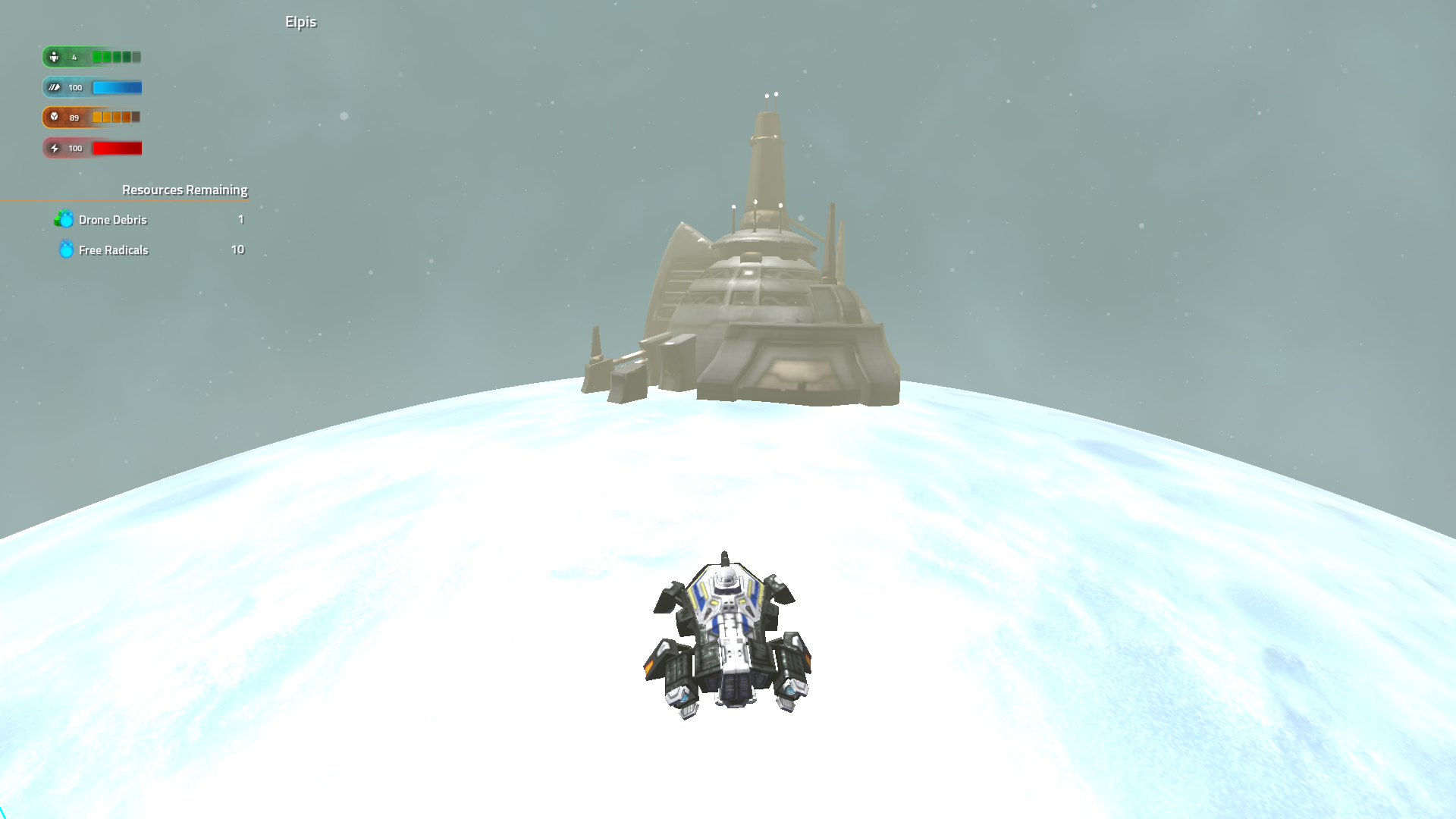
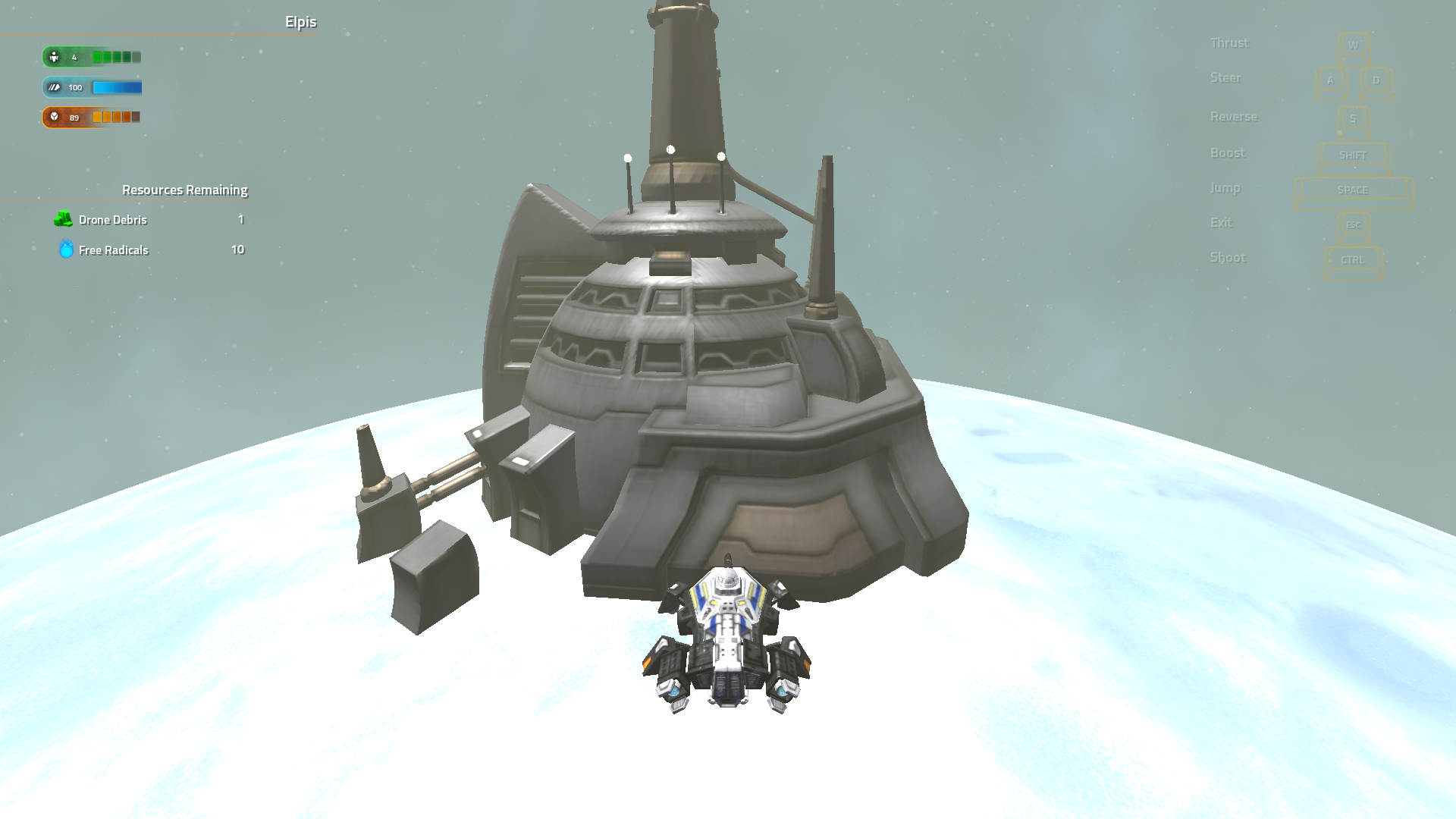
Planet Changes
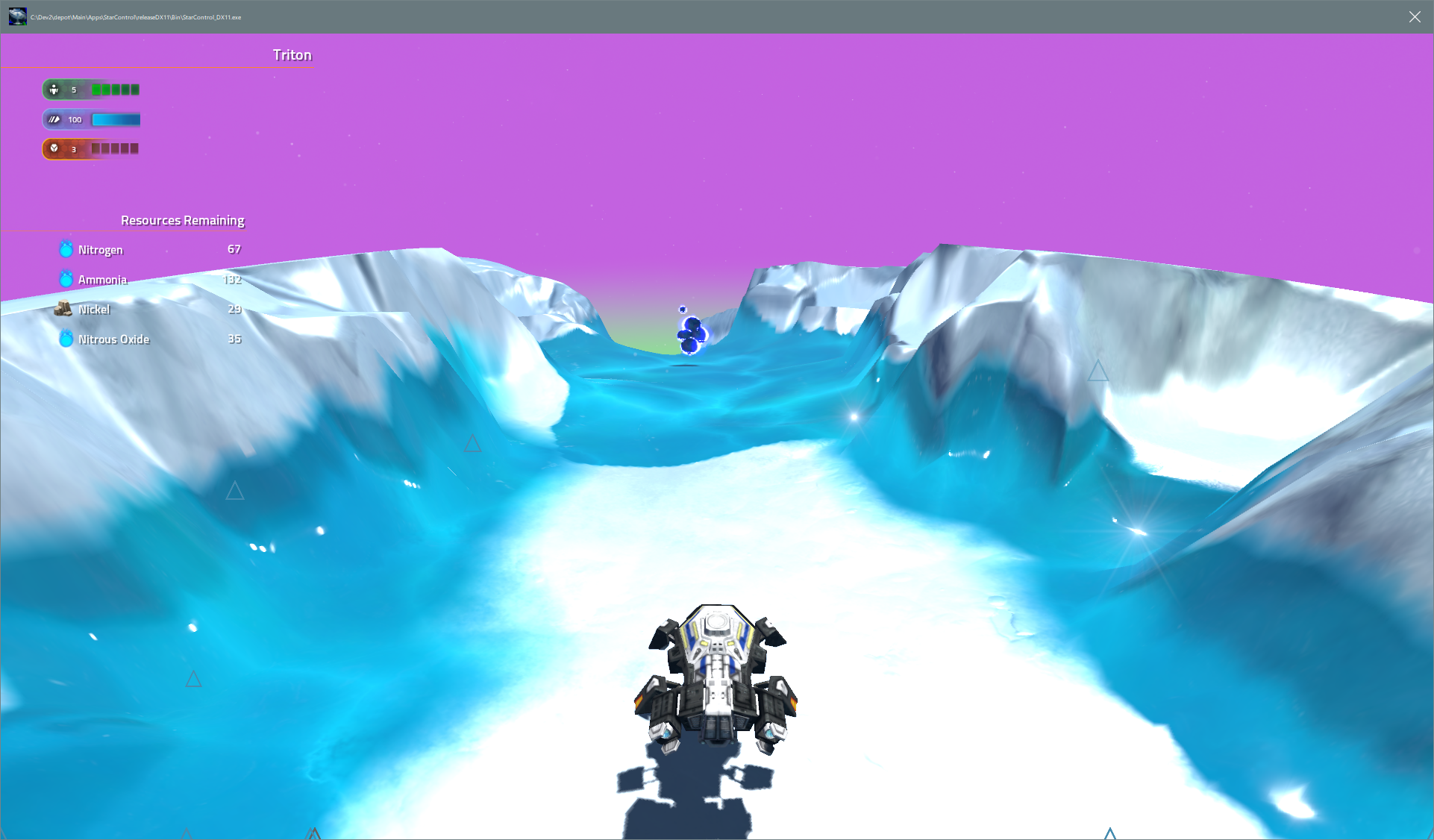
You don't get jump anymore right away.  Now, if you're new to the game, this won't be a big deal. But if you're used to just ignoring obstacles, it's a pretty big deal.   You can buy jump but you don't get it for free.  

Planets now look quite a bit better thanks to real-time shadows and a new LOD system that lets us have much higher quality visuals.

We are hoping that players will immediate appreciate the upgrading system since jumping is pretty cool.


Dialog changes

Some UI and custom fonts are now in.  Also, you can choose an option by selecting its number.

Options

You can change difficulty in the options now.  We are resisting having it something you do at the start of the game (you can change difficulty any time you'd like).

We also added a lower quality mode called "Bleh".  We awnt this game to be able to run on really really low end computers.

There are other elements outside the adventure mode that are strictly works in progress and in fact, some may get removed before release in order to have more time for balancing later and be able to release as a free DLC.
29,977 views 49 replies
Reply #26 Top

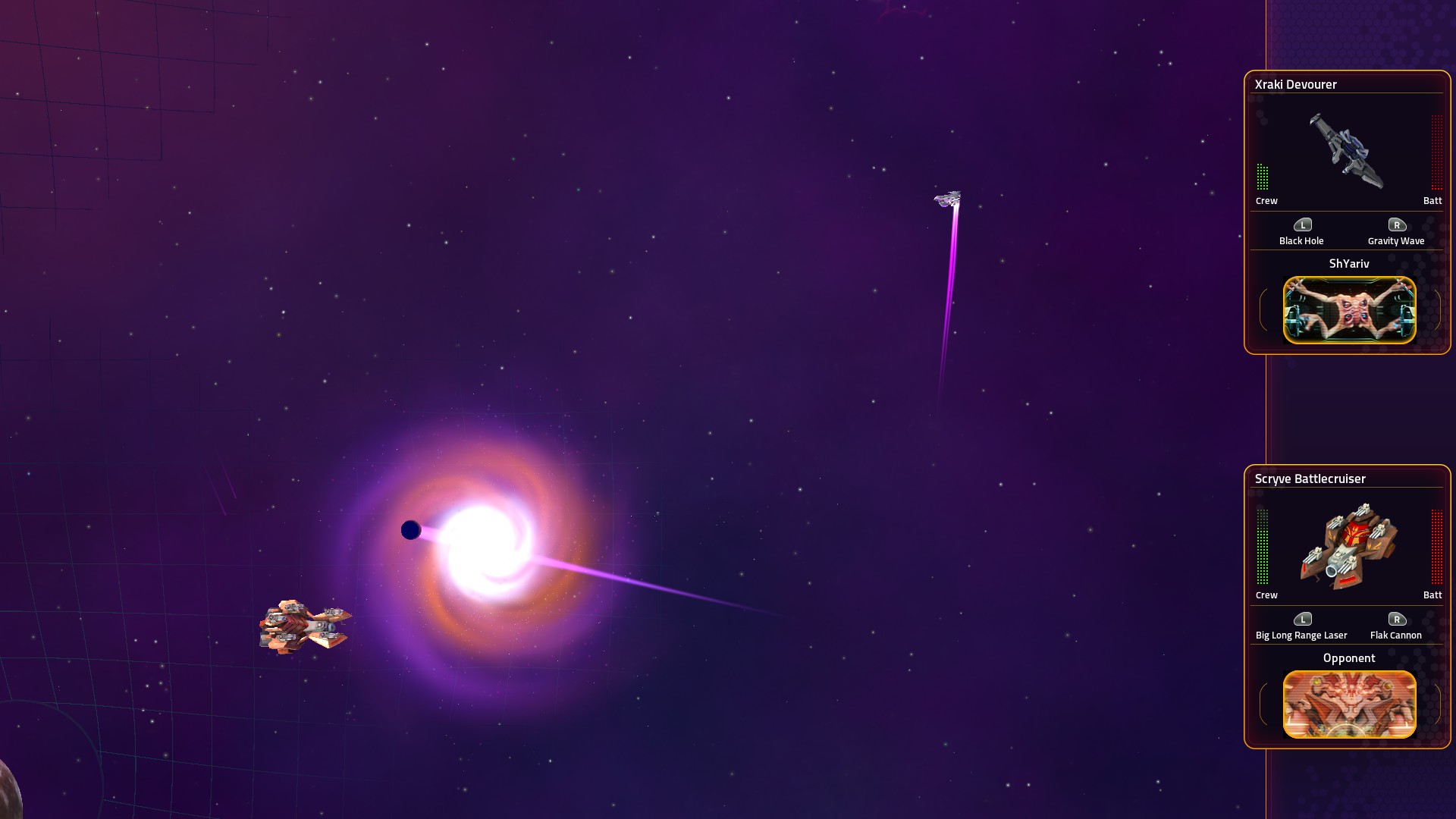
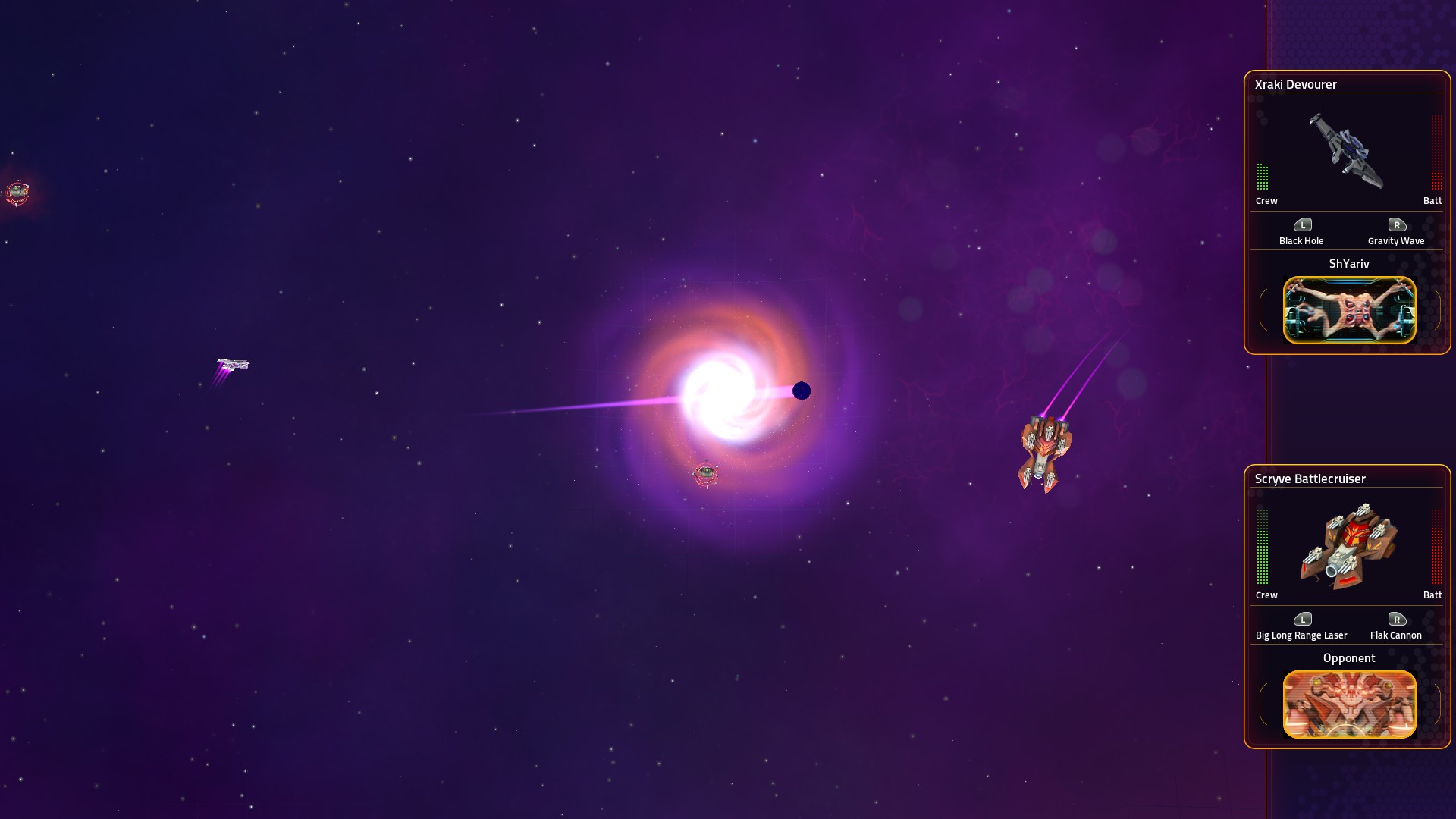
A Fleet Battles bug:

The black hole weapon projectile continues to move a short distance after it's detonated. As far as I can tell the area of effect still overlaps the accretion disc visuals, but the black spot itself is off center.

A couple of screenshots:

Reply #27 Top

We just fixed that bug an hour ago.  :)  

Reply #28 Top

I just played through the mission again on this morning's update.  As reported by others, at some points (and I didn't find a pattern to it) the lander's cargo display goes missing.  When it happens, sometimes I saw a horizontal bar with no surrounding graphics, but mostly it was completely missing.  Going back to the ship and landing again fixed it every time I tried it.

This time I upgraded the lander with the jump engines first, it made life much easier exploring the other moons.

Reply #29 Top

Quoting Publius, reply 28

I just played through the mission again on this morning's update.  As reported by others, at some points (and I didn't find a pattern to it) the lander's cargo display goes missing.  When it happens, sometimes I saw a horizontal bar with no surrounding graphics, but mostly it was completely missing.  Going back to the ship and landing again fixed it every time I tried it.

This time I upgraded the lander with the jump engines first, it made life much easier exploring the other moons.

Hi, I believe you'll notice the graphic goes missing after interacting with a "quest hub" (Lexite ruins/Wymdoo/etc.) on a planet.

It'll reappear like you noticed, after leaving the planet. Thanks for the report we are already looking into it. Hope you are enjoying the update and keep the feedback coming.


Thanks,

Jeff Sanders

Reply #30 Top

Hi,

Great fun replaying chapter 1 with this new build. Overall, great to see improvements, particularly on the story front.

Sharing some feedback (some repeats from previous posts):

-          Event animation: instead of looping right to left, and then breaking to start again from right, perhaps the panning could sweep right to left and then left to right

-          Lexites facilities models in planets totally different from animations – maybe merits a quick rework?

-          Training facility: same issues as reported, with AI not really aggressive, and battles often ending only when the battlefield starts shrinking. Maybe there could be some tutorial on the Vindicator’s initial weapons, including the point defense system? More for immersion rather than actual support, for new players. Lastly, definitely there should be no permanent crew loss at a training facility, much less a game over.

-          Planet lander sections: honestly, becomes frustrating getting stuck in canyons without the jumping modules. Even after purchasing the lander jump module, not very easy to skim around. Without reopening the minimap discussion, there should be a little compass at least: often times, I spend quite some time just looking say, for the last drone on the planet. These can be eventually features that can be turned on or off. Spending more than 3-4 minutes in a planet is not really something that I find fun – that was the balance that made the lander sections attractive in SC2 for me.

-          After interacting with a facility or with the Tywom ship, the UI acts up, hiding one of the lander panels: sometimes the cargo, others the laser battery. Minerals symbols also change. Screenshot below

-          Dialogues: it would be nice if we could see options already chosen greyed out. Great that we can now choose the answers with number keys, but for some reason after a few conversations, cycling through the options with the up and down keys stops working.

-          StarControl base: it would be great if we could choose not to always speak first with the Commander, and go straight to the shipyard instead if we choose so. Not possible to cycle between Trade and Outfit buttons with keyboard – with the inconvenience of forcing to use the mouse when you are just using the keyboard for the rest of the game.

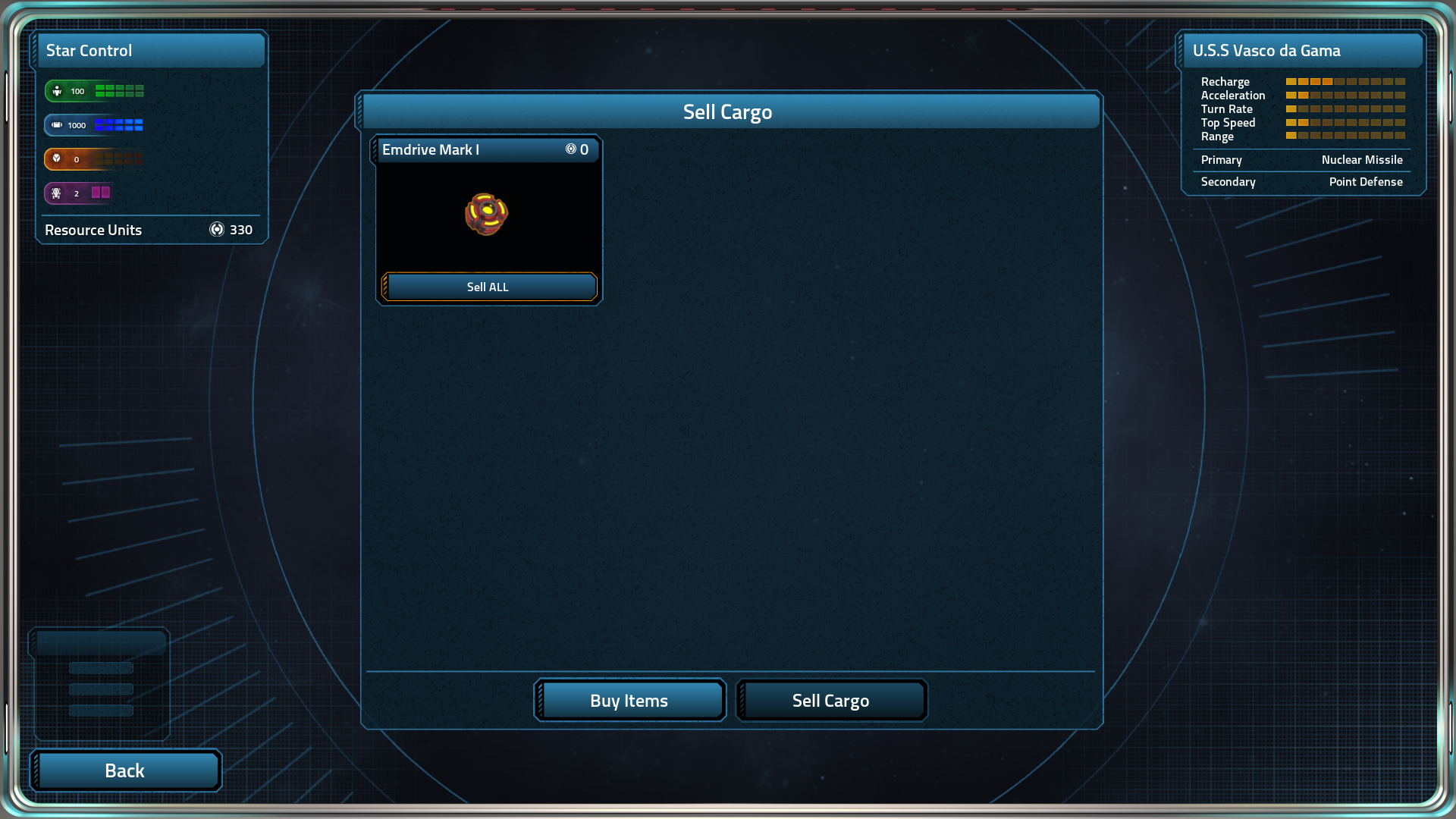
-          When Trading, there should be an option to sell all non-quest essential items at once.

-     Pet peeve - bouncing against the sun - would be easier and player friendly just to fly over - unless if there is a plot point somewhere in which you find something in a star maybe?

Hope this helps, and keep up the great work!

Reply #31 Top

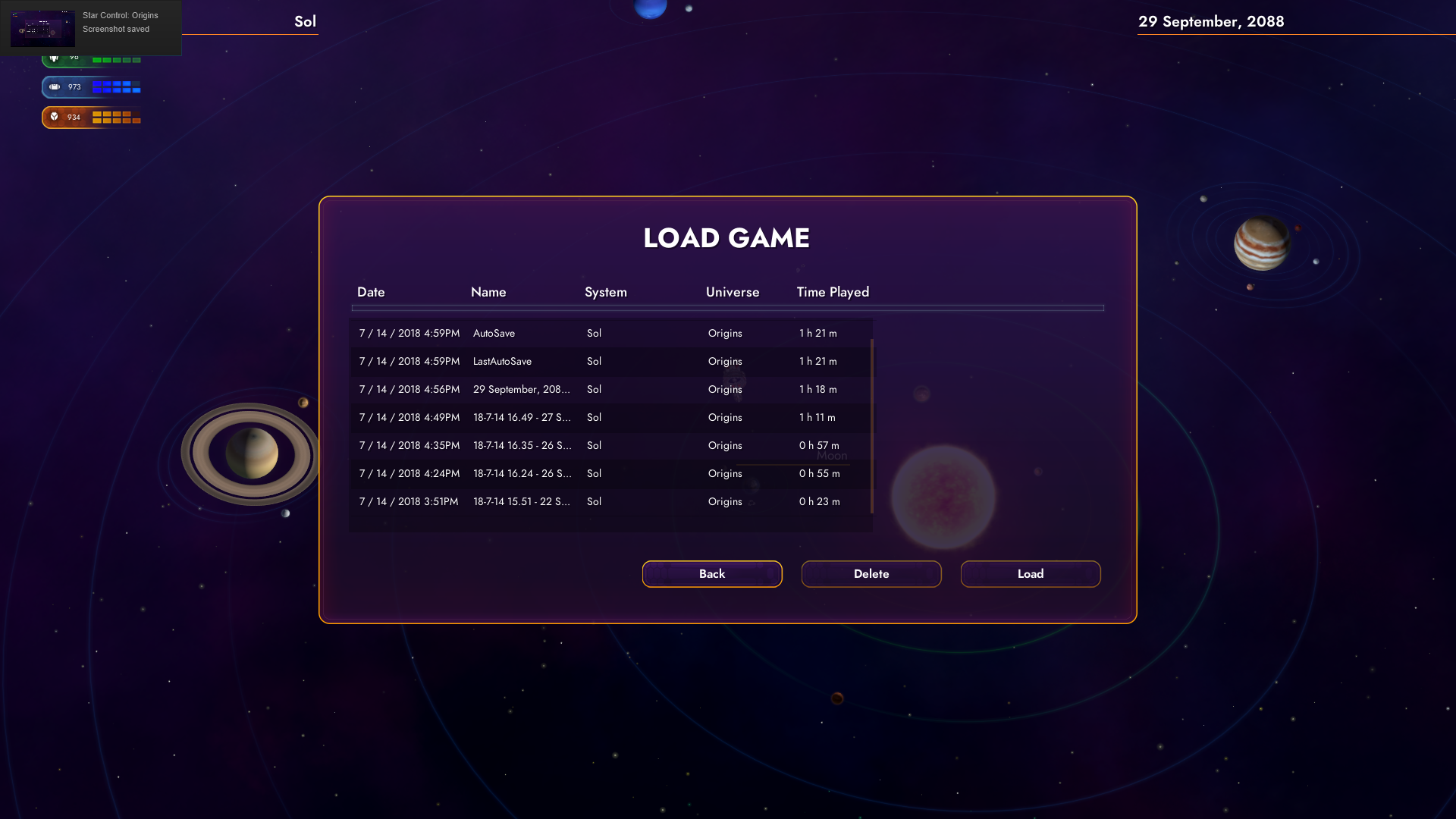
I think the save/load screen should be bigger as it is the names of the saves aren't fully displayed.

The Emdrive Mark I should at least be worth something when selling it.

I have seen more instances of resources spawning on planets after clearing them out. Don't know that is causing it.

Reply #32 Top

So far, I like the changes. Though I will say I was surprised when I landed on Titan I was traveling around picking up minerals and then Boom, I was destroyed. Nothing to indicate I was taking damage. Not a complaint , you don't always know what did you in. The game acts a bit sluggish at times, but I'm still tweaking the setup. Beyond that, I'm ready to travel to another star system to do some exploring.

Reply #33 Top

Quoting SavageMind1, reply 32

So far, I like the changes. Though I will say I was surprised when I landed on Titan I was traveling around picking up minerals and then Boom, I was destroyed. Nothing to indicate I was taking damage. Not a complaint , you don't always know what did you in. The game acts a bit sluggish at times, but I'm still tweaking the setup. Beyond that, I'm ready to travel to another star system to do some exploring.


ah, that one happened to me. i then proceeded to notice the fact i drove straight into some storm

Reply #34 Top

Noted one thing that is still missing IMO - when intercepted by another ship there is not transitional sound or UI effect to note that we need to take action via the Converse button. Effects as per the original gameplay teaser would be great, but at least a sound effect (siren as per SC2) would be sufficient.

Reply #35 Top

I'm loving how this is coming together. A few pieces of feedback:

The new 'Start' screen graphics feel jarring like they don't match the rest of the flow of the game. I'm hoping this will get polished up a bit and was just a first draft.

The movement of the player ship around between planets feels way too slow. I get that you will want to make the speed up-gradable/etc, but it feels like the start speed got set just a tad too low.  When moving around in non-zoomed space, there were times I wasn't sure I was moving.  Thankfully I could see the engines light up and not light or I would have thought I was stuck.

Reply #36 Top

I seem to be in the habit of breaking the game. It seems that picking up either all of the Tywom parts or maybe just the part on one of Jupiter's moons, it triggers the probe entering the solar system (I'd already retrieved the other two parts on Mars prior to talking to the Tywom). I ran to the Tywom with their parts, which seemed to trigger the next Scryve encounter. This meant that I seemed to encounter both Scryve vessels at the same time. The probe hit me first, told me it was going to inform the Scryve, and then immediately I was in a second fight with the cruiser. It completely skipped the dialogue with the Scryve cruiser. Here's a screenshot for what it looked like when I left the moon with the Tywom:

Scryve probe and light cruiser in same screen


Reply #37 Top

Quoting Vates, reply 21


Hi Corgano,

In the Outfit Ship Screen the jump upgrade for purchase is available under Lander Modules.

Here: https://www.screencast.com/t/J6gHuFO2U , please let me know if this helps. Glad to hear you are having fun!

 
Thanks,

Jeff Sanders


Hello. I just wanted to say I was playing an older save, so that's why the didn't show up. Started another new game and they are there for purchase as they're supposed to be.


Thanks for the reply though Jeff!

+1 Loading…
Reply #38 Top

Quoting Dart_Mouth, reply 36

I seem to be in the habit of breaking the game. It seems that picking up either all of the Tywom parts or maybe just the part on one of Jupiter's moons, it triggers the probe entering the solar system (I'd already retrieved the other two parts on Mars prior to talking to the Tywom). I ran to the Tywom with their parts, which seemed to trigger the next Scryve encounter. This meant that I seemed to encounter both Scryve vessels at the same time. The probe hit me first, told me it was going to inform the Scryve, and then immediately I was in a second fight with the cruiser. It completely skipped the dialogue with the Scryve cruiser. Here's a screenshot for what it looked like when I left the moon with the Tywom:

Scryve probe and light cruiser in same screen


Thank you for this report, we will look into it.


Jeff Sanders

Reply #39 Top

When I picked up all of the Tywom parts before meeting the Tywom, the probe never appeared and I just faced the Cruiser after meeting the Tywom.

Reply #40 Top

Quoting Prof_Hari_Seldon, reply 39

When I picked up all of the Tywom parts before meeting the Tywom, the probe never appeared and I just faced the Cruiser after meeting the Tywom.

By design.

Reply #41 Top

I played 3rd beta and found several issues that were worth mentioning:

1. Pressing "E" to investigate artifacts on a planet --> Seems redundant to me.
2. The legate ship approached me and a "Press E to hail" pop up appeared.
    Naturally, I did not press "E" and the ship just followed me around the solar system totally helpless...
3. When I finally pressed "E" it just made the "Converse" button appear.
    Why must I initiate the communication?
4. I requested this feature several times, but now it screams to be implemented --> add an "Attack" option to this dialog.

I don't remember if it was raised before... How do Humans understand Scryve? How do humans have the necessary equipment to even open a channel (this requires knowing the frequencies, encryption, modulation method, etc.)?
It is a plot hole in my opinion. Easily fixed with a few dialog lines from Tywom.

Reply #42 Top

Several more things:

1. In this build you bump off the star-base and Ceres you need to hail them to communicate.
   You need to point your ship exactly right and wait for the "E" to appear.
   Personally, I don't like it.
2. I bought from the star-base the advanced nuke and kept the basic nuke.
    Went to Ceres, got the advanced nuke and point defense, went back to the star-base discovered something very confusing.
    I can equip two advanced nukes or point defense basic/advanced combo.
    It took me a while to understand that I could sell them for the trade screen.
    Seems odd to me that:
    a. I buy thing in one screen and sell them in another
    b. I cannot remove items from my ship, if a slot is occupied it remains occupied
    c. That I sold the items half price --> I lost a lot of RU
3. If you go back to the star-base after she send you to Alpha... you see a missing dialog option.


Tried to reconstruct and it did not. The line should have read "We are off to the great unknown".

Reply #44 Top

Quoting johnyklatchian, reply 41

I don't remember if it was raised before... How do Humans understand Scryve? How do humans have the necessary equipment to even open a channel (this requires knowing the frequencies, encryption, modulation method, etc.)?
It is a plot hole in my opinion. Easily fixed with a few dialog lines from Tywom.

This is actually explained later, humans don't have the technology to communicate. But aliens do, well most aliens, they've been at this a lot longer than humanity.

Reply #45 Top

I posted this on Discord yesterday, then realized I probably should have put it here:

Re: Chapter 1 beta released today. I'm not a fan of the feature added where you have to hit 'E' to interact with objects. Compared to the old system of simply running into an object and the interaction happening immediately, it's just another unnecessary key stroke. The worst case is when the probe comes in and you have to now hit the E key to let you then click on the button to let you speak to them.
Another example: I hit both Star Control and Earth and bounced off without triggering the E prompt. I had to make another pass at it to get the prompt.
It's also inconsistent in that you don't have to hit E to interact with planets you want to scan/land on
Otherwise, no crashes, the game preformed very well on my laptop. One last very minor point, a nit, really. The voice acting by the Executive Officer about the Lexite ruin on the moon sounds like there's a problem with the emphasis. He says something like "they didn't stay here (slight pause) long after they left Earth" when it should be "they didn't stay here long (slight pause) after they left Earth"
Reply #46 Top

In today's release of the beta, everything worked well as I picked up the Tywom's engines on Mars, fought the Scryve drone, picked up the other half of the Tywom ship, and travelled back to Triton.  However, when I talk to the Tywom, the conversation gets to the point where he says "Did you get everything we need to repair our vessel?" and then no dialog options appear.  The bottom part of the window (where my answers should be) remains empty and there is no obvious way to advance the dialog.  I did hit the 1 key and that advanced to "You did?" and then "Did you tell them we were here?" and now I have only one option to choose from, "2.Kinda wishing we had, yeah".  I think there are supposed to be other options.

Reply #47 Top

Also happened to me!

I went to the Tywom ship, only had the option to select the 2nd dialog option and finally the dialog just stopped.
Nothing to select from and the tywom stopped talking.
I eventually had to kill the game because I could not continue.


Reply #48 Top

Hello all, not sure if this is the right place for this or not.  When I play the BETA, the fan on my computer goes berserk and the computer gets very hot.  I'm not sure if there is a setting somewhere where I can dial down the visuals or something?  Maybe some other setting?  My laptop is pretty decent I thought, so I wasn't thinking this game would push it so hard.  Maybe just something I'll have to deal with?

Windows 10

32GB Ram

64 bit

Intel Core i7-7700HQ @ 2.81Ghz

NVIDIA GEFORCE GTX1050 4GB

Reply #49 Top

I believe that you can turn down the graphics settings in the Options menu ... hope that helps.

+1 Loading…