Problem with Registering Tiles
Startiung Tiles to register disrupts my desktop icon layout
 Stardock Forums
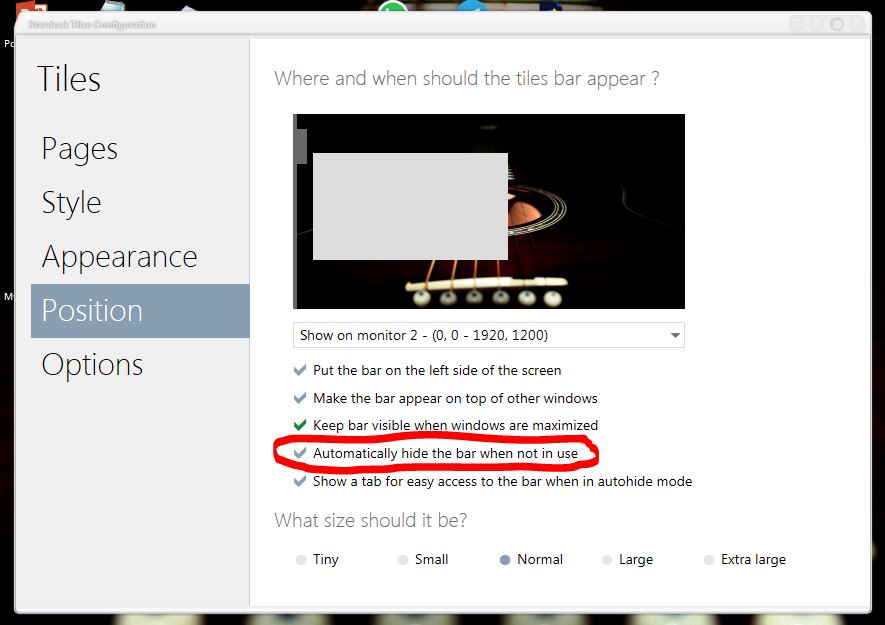
Recently I renewed my Stardock subscription, and have been trying to register all of the included apps. When I start Tiles, it immediately disrupts my desktop icon locations by inserting a tile on the right border. This is very annoying and I have to redo my icon layout every time after I close the blanlk tile. I do not even lnow how to use this app, I am just trying to get it registered so I can begin to learn how it works. I have to register it via the offline process because I was not provided a specific key to enter for registration.
I have disabled the auto startup setting in the system configuration, but nevertheless in order to register the app I must run it to get the registration screen, thus immediately causing the disruption as soon as I start it. How can I prevent the tiles app from doing >>anything at all<< until I specifically select some control or setting to do so? Or is that not possible?
Thanks
Pete Barnes