[eMod] Lusher Scenery Mod: Forests, Mountains and Sea

This Mod changes and adds scenery graphics, mostly changes to tree and foliage textures but also enhancements to the look of mountains and water. Because in a typical game of FELH some Terrain, Forest and Water graphics spend a lot of time and space on-screen the aim was to add color and detail to these, whilst keeping changes suitable to the murky style of the original.

For full details of changes see the Readme file in the mod download; features in brief are:

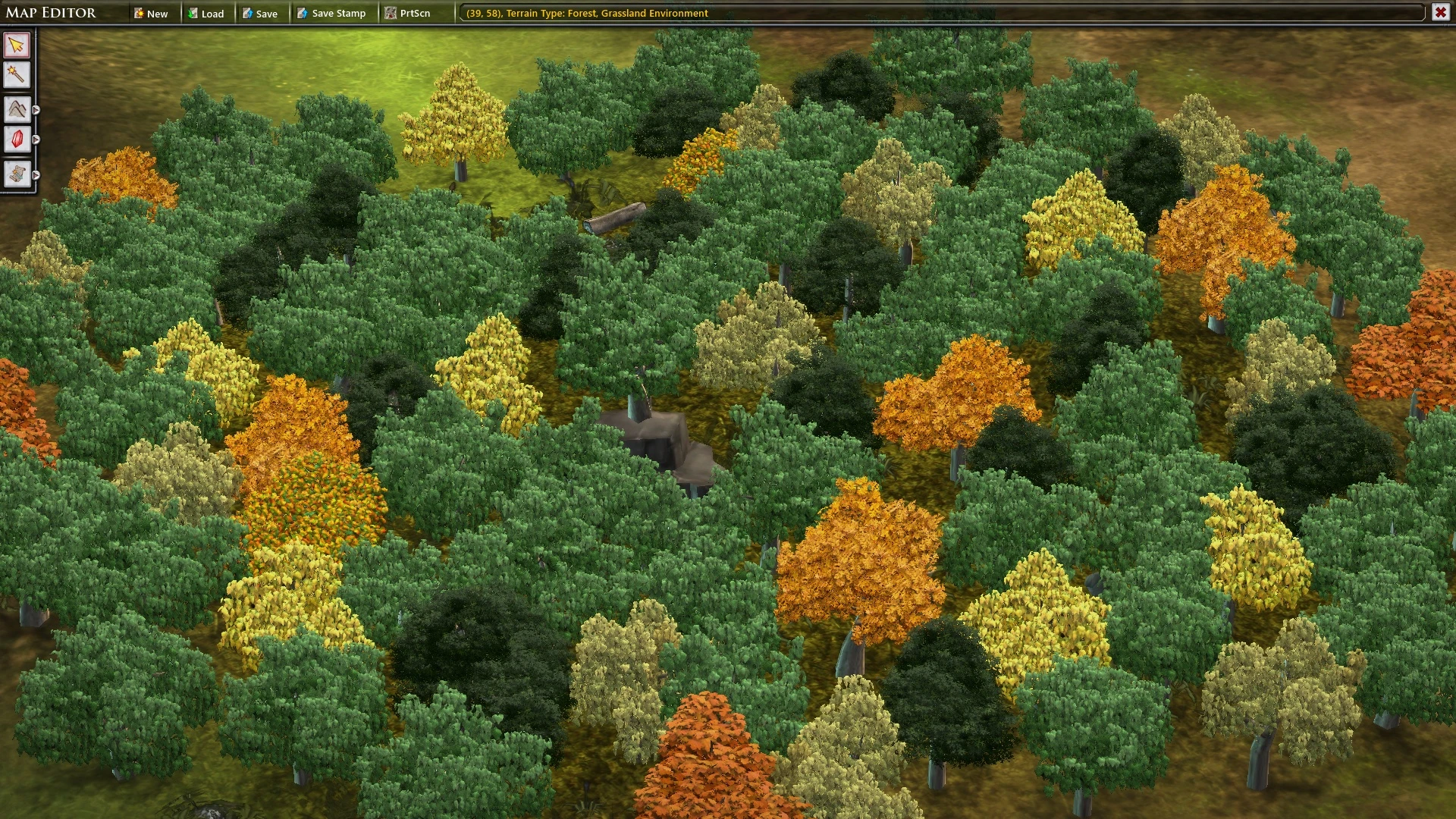
- Changes to most of the forest tree / foliage textures, and many forest tiles, and added new textures and tiles, to put more colourful and detailed foliage in FELH’s 3D-view scenery

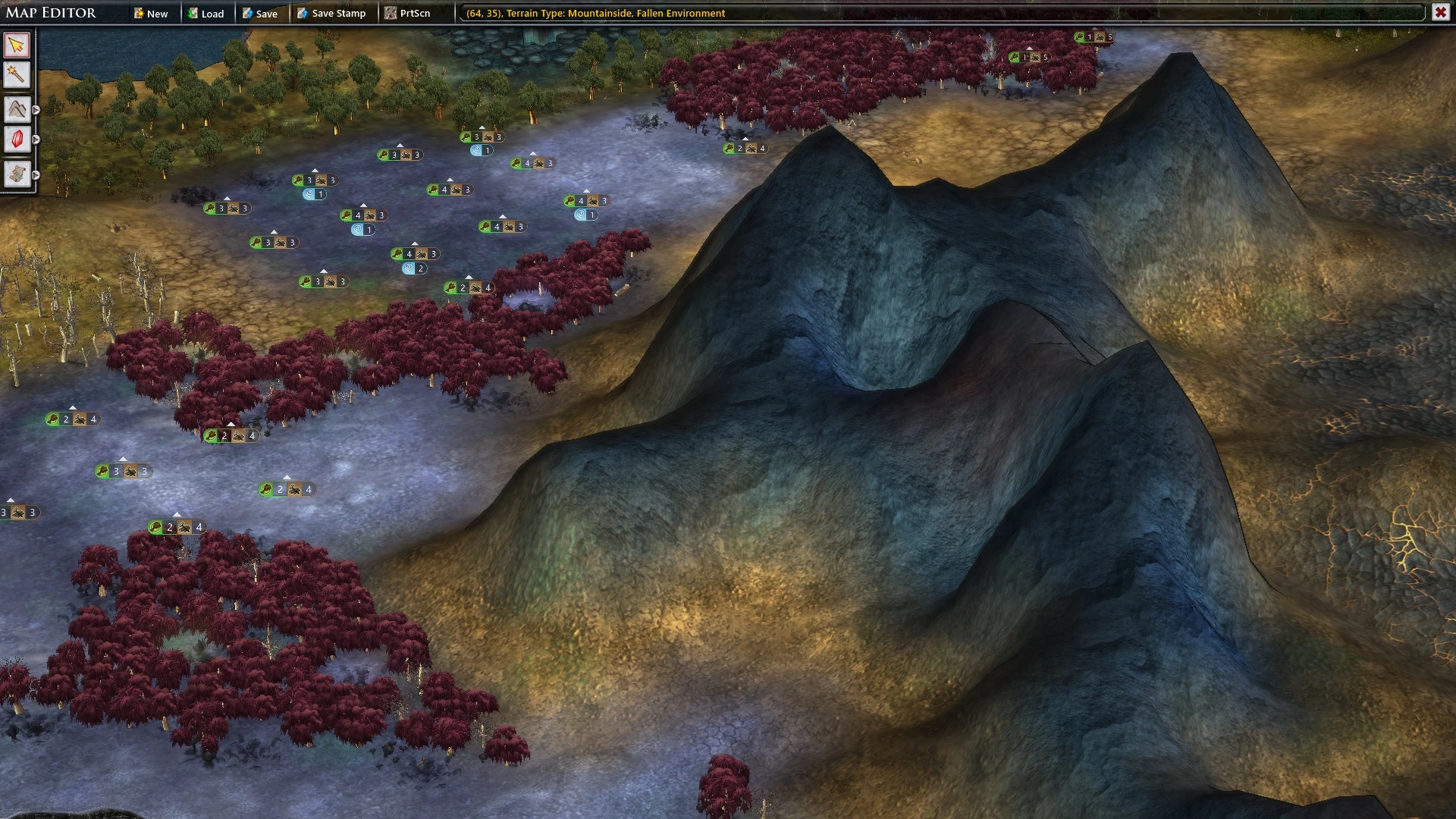
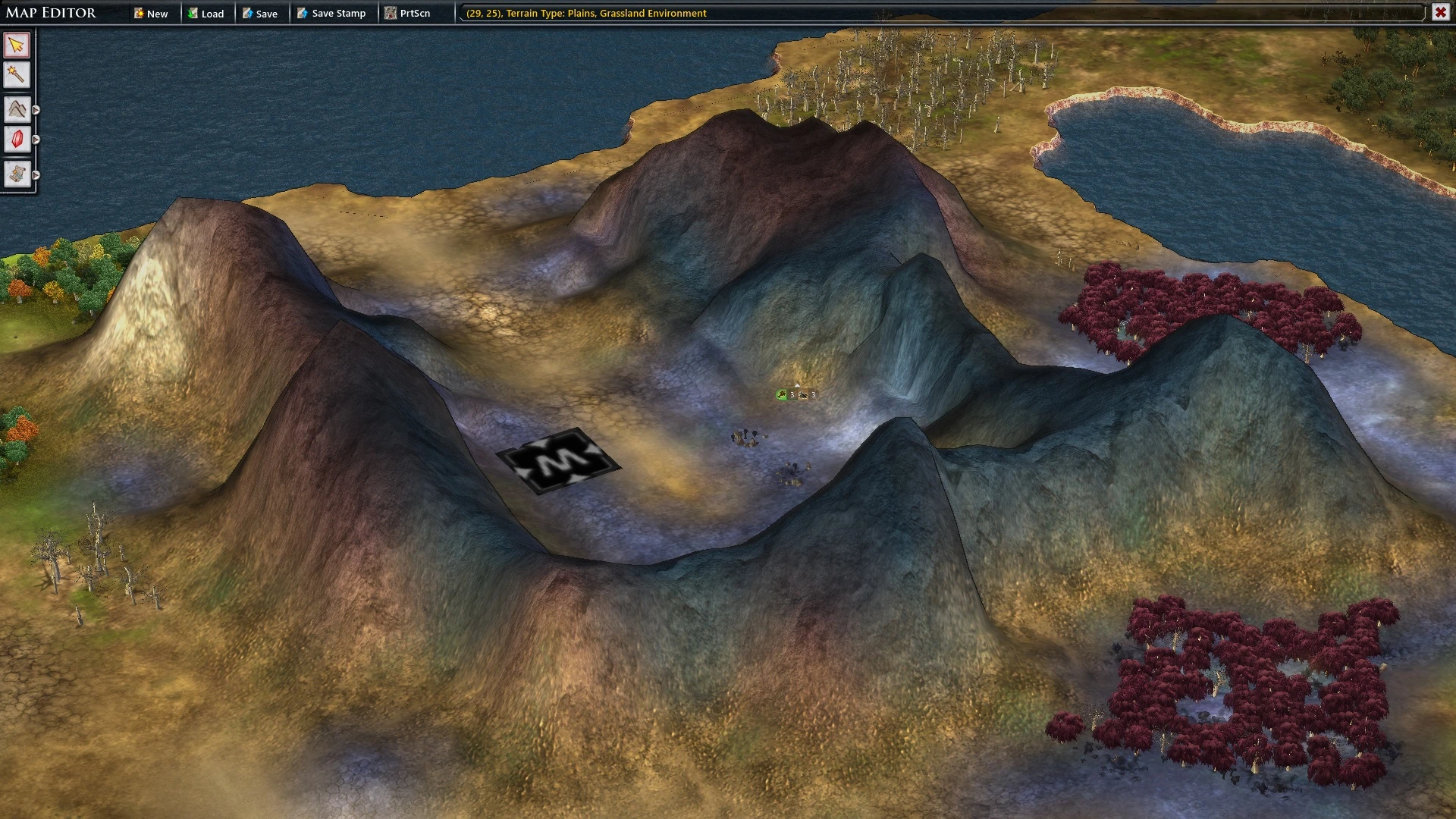
- Changes to Mountains including shape to make them look more jagged

- Changes to Sea and Rivers to add semi-transparency, color fade with depth in Sea

- Texture changes to Cliffs

- Miscellaneous other minor enhancements, such as removal of artefacts from some transparent plant textures


The Mod changes are seen best on newly generated maps; I recommend trying out for taste by generating a few maps in the Map Editor (“Cartographer’s Table”) and zooming in to view new detail.


Screenshots:

---------------------------

Colourful Autumnal Forests on Kingdom Land:
 

More Jagged Mountains with different texture depending on environment (first screen below shows Fallen mountain):
 

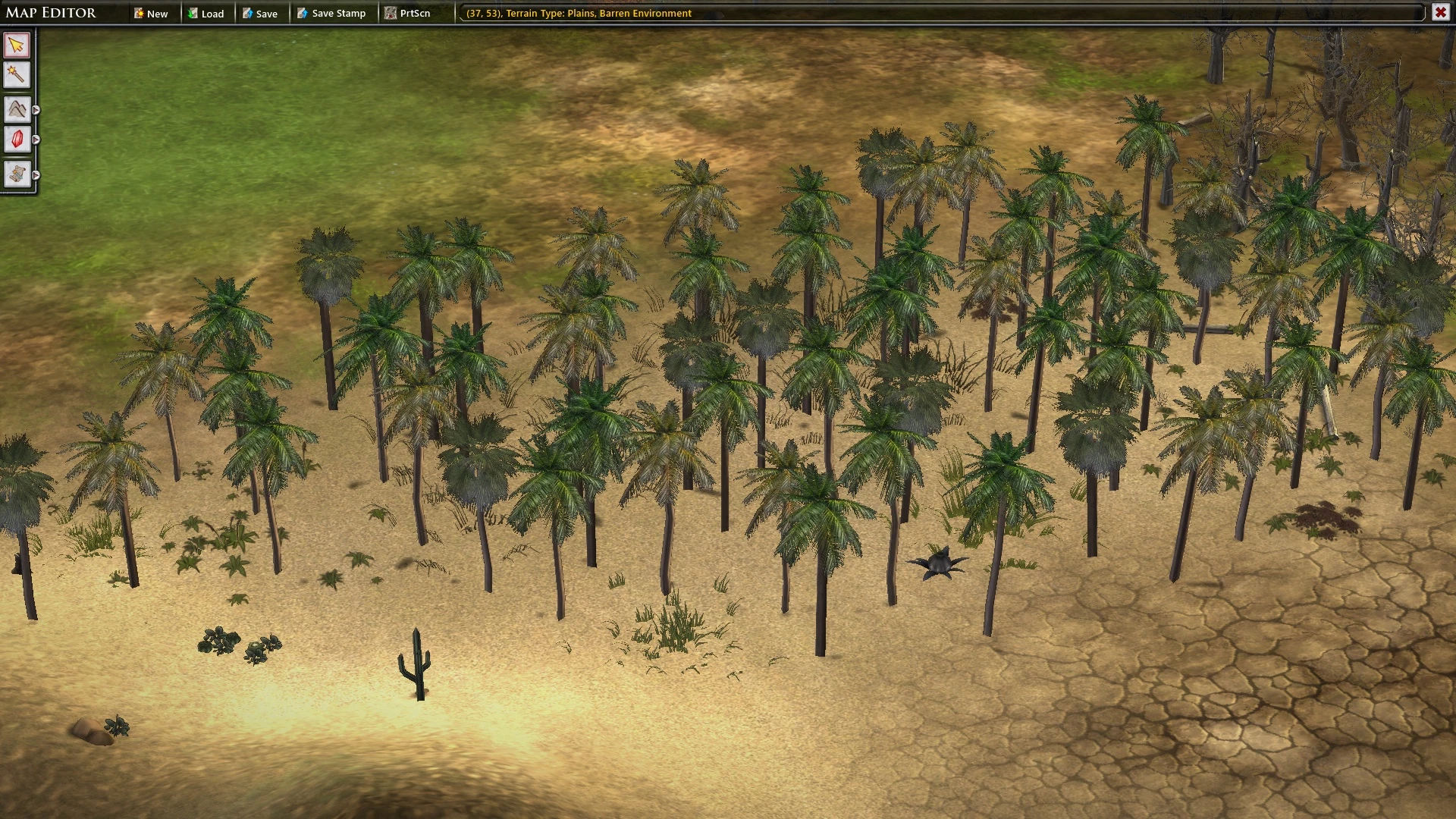
Palm Trees in the Desert(!):
 

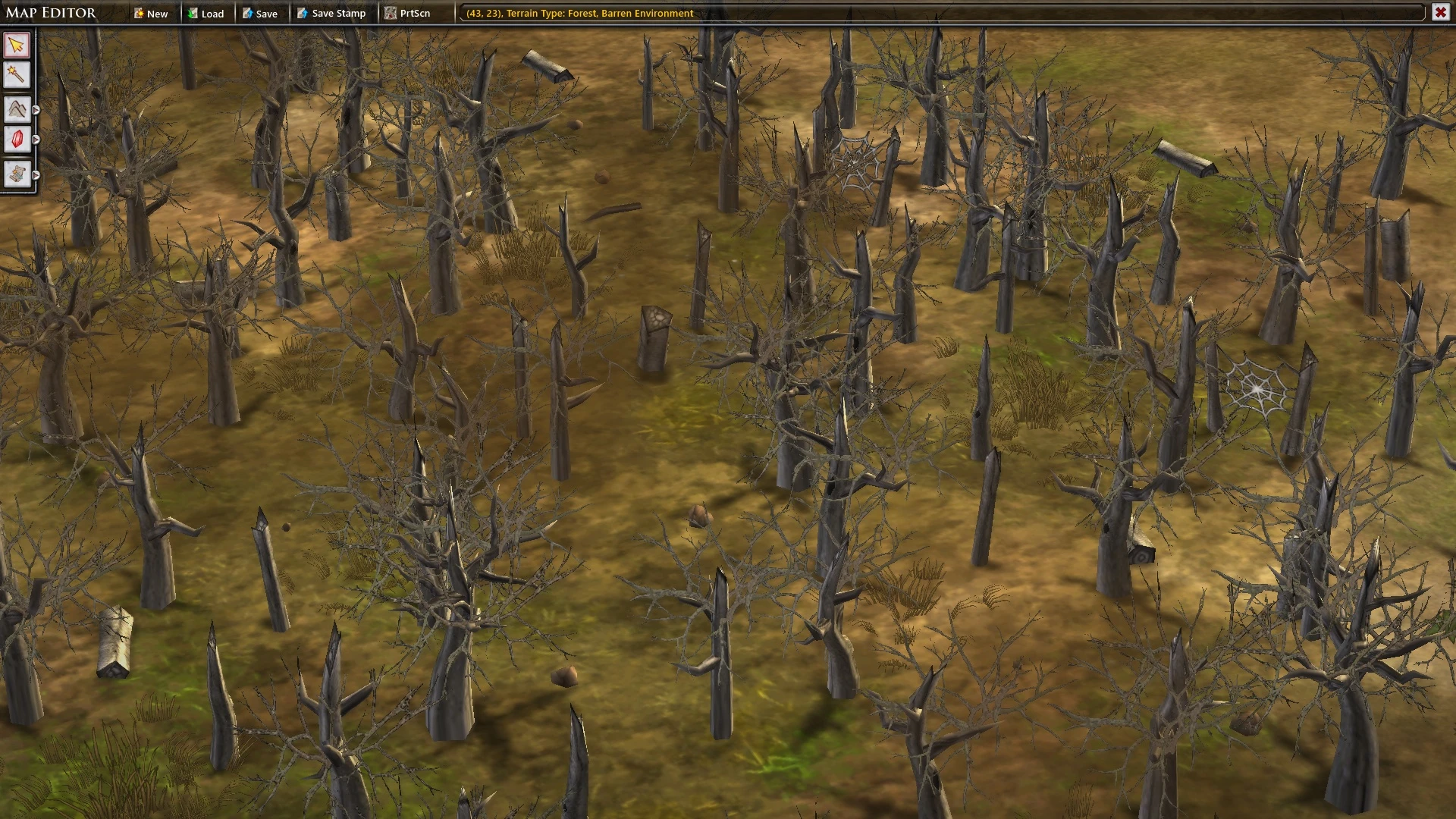
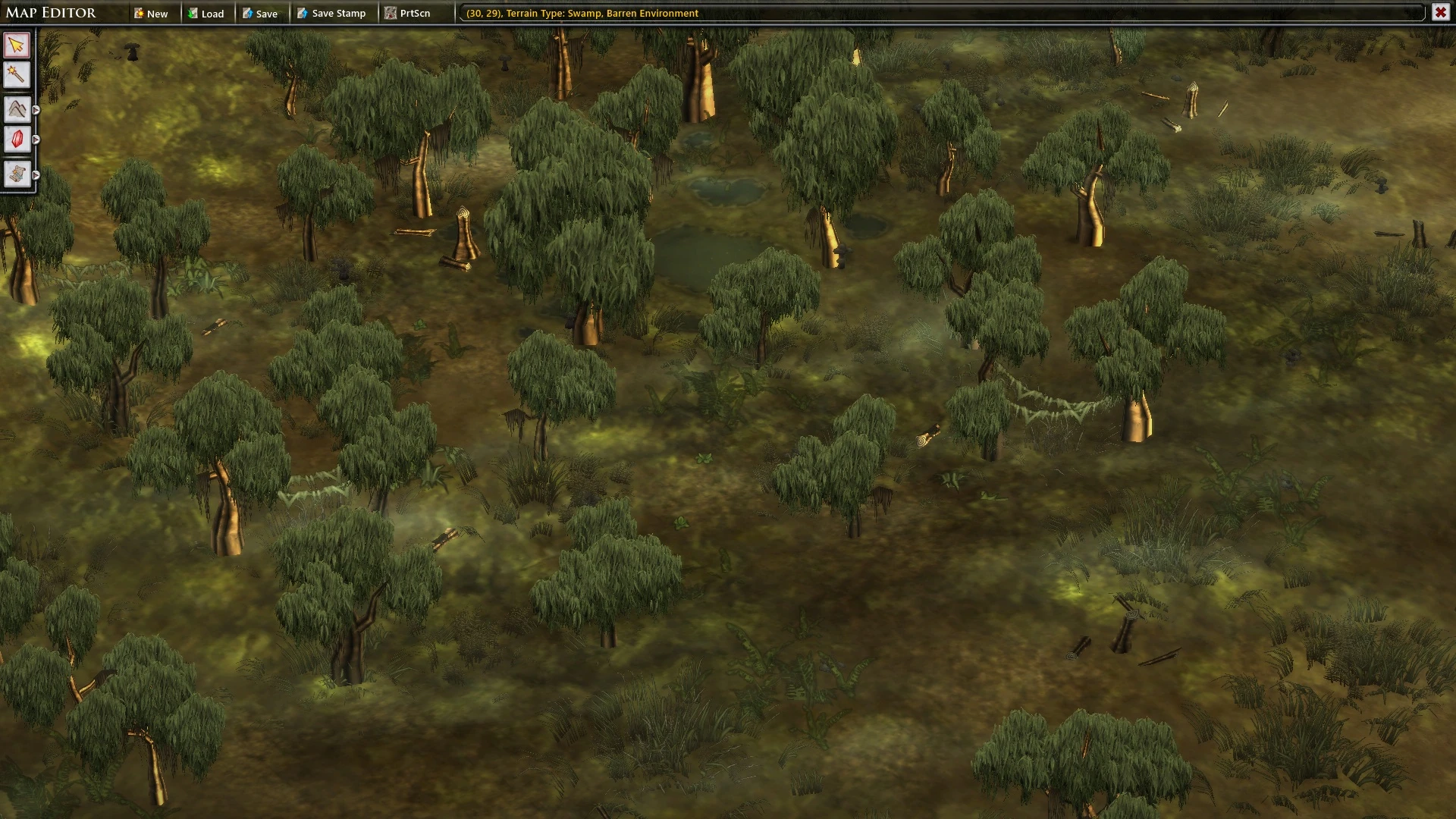
Changes to other trees (screens below are Swamp and Barren Forest):
 

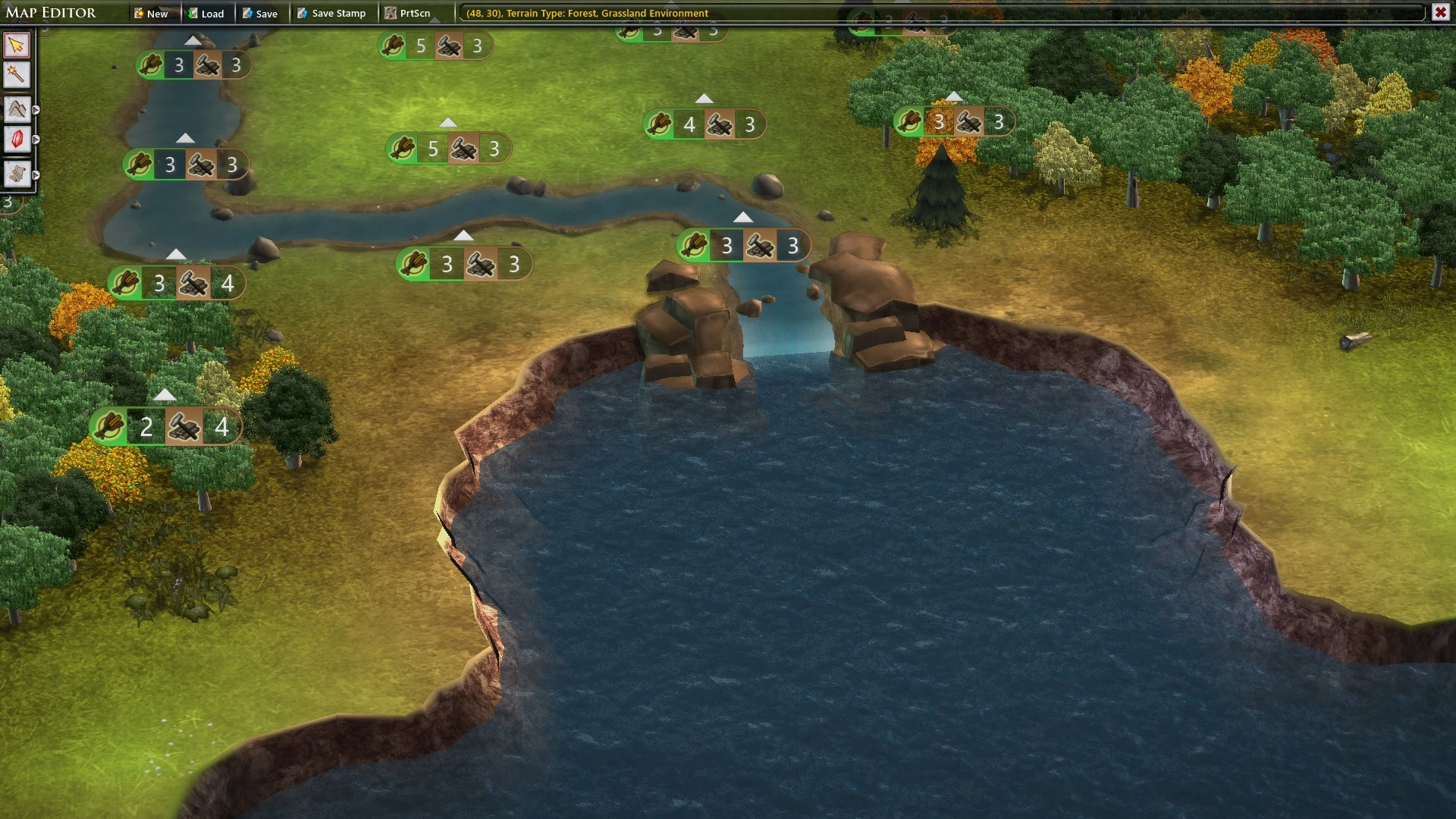
Sea has more faded transparency at shorelines, and other changes including whiter appearance of waterfalls:
 

Download from Nexus Mods:

http://www.nexusmods.com/fallenenchantresslegendaryheroes/mods/11/?


Acknowledgements:

---------------------------

To Stardock, of course, for producing such an ambitious game and keeping it highly moddable so I could have fun decorating it.

Also to mttriglav from whose “Triglav National Park” mod I started finding out how some of this was done.


65,112 views 11 replies
Reply #1 Top

It's too bad this hasn't received any public comment yet, so let me be the first to say it: well done!

Overall, this is some great stuff. Brings a breath of fresh air to the strategic map as nobody has done much about this in the last few years (yep, we're now talking years!). I'd say it's somewhat more colorful than the original, but generally not too colorful. Everything looks great zoomed in. Some of the things I thought were quite well done:

  • Barren forest branches (Looks even greater when zoomed in);
  • Palm trees (Nice!);
  • Arctic forest;
  • Jagged mountains (This is a great improvement);
  • Lava looks a bit more lively, looks hotter(!) too, if that's possible;
  • Waterfalls (If I may, it seems like the waterfall riverbed is on a higher ground than the rest of the river, as if it goes upward just before reaching the waterfall? Different water color maybe responsible for this illusion, not sure?).

Additionally, the Low-level Swamp Water and the Hedge Walls are absolutely extraordinary.

Finally, thanks for writing an extensive ReadMe. I know these things require much work. Know that it was helpful in many ways.

Reply #2 Top

Thanks very much for those good words.

It's been a great fun mod to play around with - though has been done over a long time, started over a year ago. I hope to find some time in coming months to make a few refinements.

Interesting that you noticed the waterfall artifact. Water (both the sea and rivers) are very nearly opaque in vanilla FELH - When I first worked out how to make water more transparent, I found graphical artifacts under both that you don't normally see. Cliff objects had points where the underlying terrain pokes through - which I dealt with by bending the Cliffs outward slightly in the terrain shader.

River cliff-ends had an artefact where the terrain pokes through the river bed for about one tile before the waterfall; what you see in your screenshot is the slope upwards. I managed to obscure this partially by applying decals to the river bed tiles (otherwise you'd see grassy green on that river bed!) - but couldn't find a way to get rid of the "bump" entirely.

The rivers / waterfalls were a part of the mod I was least satisfied with; may get to improve - there's potential for more particle effects on the waterfall too.

Reply #3 Top

Wow, looks awesome. I've just started playing FE:LH again, so will give this mod a try.

Reply #4 Top

Quoting Primal_Savage, reply 1

It's too bad this hasn't received any public comment yet, so let me be the first to say it: well done!

Overall, this is some great stuff. Brings a breath of fresh air to the strategic map as nobody has done much about this in the last few years (yep, we're now talking years!). I'd say it's somewhat more colorful than the original, but generally not too colorful. Everything looks great zoomed in. Some of the things I thought were quite well done:


    • Barren forest branches (Looks even greater when zoomed in);


    • Palm trees (Nice!);


    • Arctic forest;


    • Jagged mountains (This is a great improvement);


    • Lava looks a bit more lively, looks hotter(!) too, if that's possible;


    • Waterfalls (If I may, it seems like the waterfall riverbed is on a higher ground than the rest of the river, as if it goes upward just before reaching the waterfall? Different water color maybe responsible for this illusion, not sure?).


Additionally, the Low-level Swamp Water and the Hedge Walls are absolutely extraordinary.

Finally, thanks for writing an extensive ReadMe. I know these things require much work. Know that it was helpful in many ways.


Primal, would this be compatible with your Xtra mod?

Reply #5 Top

Quoting BlackSmokeDMax, reply 4
Primal, would this be compatible with your Xtra mod?

Yes. There is an extra step to make it compatible, described in the ReadMe file.

Reply #6 Top

Quoting Primal_Savage, reply 5


Quoting BlackSmokeDMax,
Primal, would this be compatible with your Xtra mod?


Yes. There is an extra step to make it compatible, described in the ReadMe file.


Thanks!


WildBoarPie: An excellent Readme!! Seriously, one of the better I've seen in using mods around a bunch of different games.

Reply #7 Top

Thanks - I'd been meaning to point the compatibility instructions out too, but was slower to comment than Primal.  :grin:

Reply #8 Top

Wonderful mod, love the colors!  :) :)  :)

Reply #9 Top

Hello, WildBoarPie pls check your pm, I submited you my link to my save where I have strange artifacts on trees, I'm using your mod together with:

XD_MOD_CoS-1894-2-0n-1;

Children of Storm-1850-1- ; 

XtraDeconstruct plus DLC_MOD Compatibility Files-1894-2-0n-1 

Reply #10 Top

Quoting WildBoarPie, reply 2

Thanks very much for those good words.

It's been a great fun mod to play around with - though has been done over a long time, started over a year ago. I hope to find some time in coming months to make a few refinements.

Interesting that you noticed the waterfall artifact. Water (both the sea and rivers) are very nearly opaque in vanilla FELH - When I first worked out how to make water more transparent, I found graphical artifacts under both that you don't normally see. Cliff objects had points where the underlying terrain pokes through - which I dealt with by bending the Cliffs outward slightly in the terrain shader.

River cliff-ends had an artefact where the terrain pokes through the river bed for about one tile before the waterfall; what you see in your screenshot is the slope upwards. I managed to obscure this partially by applying decals to the river bed tiles (otherwise you'd see grassy green on that river bed!) - but couldn't find a way to get rid of the "bump" entirely.

The rivers / waterfalls were a part of the mod I was least satisfied with; may get to improve - there's potential for more particle effects on the waterfall too.

Great mod but I am also getting a picture in the trees. Also using COS and XtraDeconstruct, Black Market Bizarre and Champion Bonanza.

Reply #11 Top

Apologize for the Necro, but I had the same problems noted above (i.e. getting a picture/wrong graphic coming up in the trees.)  I have the same mods installed as mentioned above also.  In case anyone else sees this problem, I figured I'd post the solution that seems to have worked for me.


First, the texture that is generating the picture is TreeCard42.png.   The texture itself seems to be fine.  What actually seems to be the issue is the NAME of the texture.  To solve the issue first open ".../Mods/Data/Lusher Scenery Mod/English/LS_MyExtraCoreForestProps.xml" and change the enry:


<PropModelType InternalName="TreeCard42">

    <DisplayName>Tree Card 42</DisplayName>

    <Tag>AnimatedLeaf</Tag>

    <Tag>Tree</Tag>

    <Thumb>Gfx/Hkb/Trees/TreeCard42.dds</Thumb>

    <Model>Gfx/Hkb/Trees/TreeCard42.dds</Model>

    <Scale>10.0</Scale>

    <ZoomLevel>50</ZoomLevel>

    <LeafOffset>1</LeafOffset>

  </PropModelType>


To


<PropModelType InternalName="TreeCard42">

    <DisplayName>Tree Card 42</DisplayName>

    <Tag>AnimatedLeaf</Tag>

    <Tag>Tree</Tag>

    <Thumb>Gfx/Hkb/Trees/TreeCard42b.dds</Thumb>

    <Model>Gfx/Hkb/Trees/TreeCard42b.dds</Model>

    <Scale>10.0</Scale>

    <ZoomLevel>50</ZoomLevel>

    <LeafOffset>1</LeafOffset>

  </PropModelType>


(We just added a "b" onto the end of the text name of the .dds file.  DON'T change anything else.  You still want the PropModeTypeInternalName to read TreeCard42 as other .xml files reference it.)


Next, open your  ".../Mods/Gfx/Lusher Scenery Mod/HKB/Trees" folder.  Find the file 

TreeCard42.png and rename it to TreeCard42b.png


Note, that this won't fix existing saves.  This will only fix new games you generate.  (I think the xml is embedded in the saves.)


Hope this helps anyone running into this issue!