WindowBlinds 7.41 Now Available!

The latest update for WindowBlinds is now available!  WindowBlinds is the absolute best way to change the complete look and feel of the Windows desktop.

The 7.41 update includes:

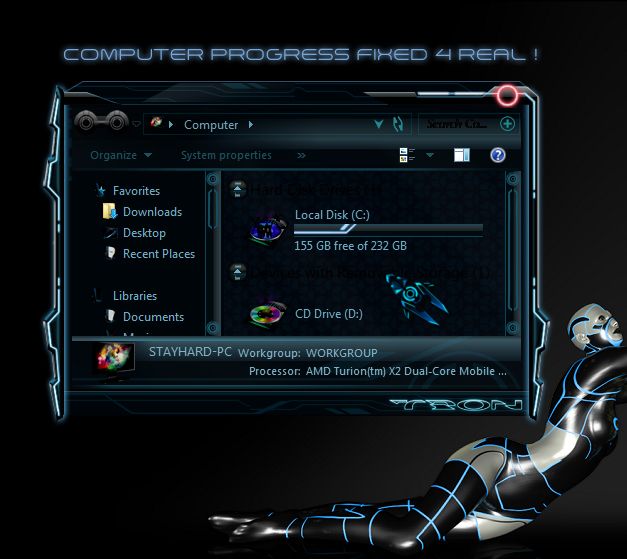
  • Updated My Computer progress bars to paint with skin progress bar image
  • Firefox fixes for skins with very large titlebars
  • Opera 12 fixes
  • No changes when running on Windows XP

Don’t have WindowBlinds?  Get it here!

https://www.stardock.com/products/windowblinds/

You can download WindowBlinds 7.41 from the Stardock download page (http://download.stardock.com) or via the beta of Stardock Central (https://www.stardock.com/products/stardockcentral).

WB7_screenshot7

149,538 views 38 replies
Reply #1 Top

Installing as I type! =D

Reply #2 Top

Snowy, how's the DF working? Mine still has problems. Maybe this WB update will help?

Reply #3 Top

Quoting RedneckDude, reply 2
Snowy, how's the DF working? Mine still has problems. Maybe this WB update will help?

I've just given it a try. Switched through 7-8 different skins, new and old, and only one (Phoenix by 2of3) didn't apply on the extended taskbars on the first try - it took on the second apply.

Seems like all systems go, cap'tn.....

Reply #4 Top

FINALLY !!

-I just put Neil banfield in my will  :star:


+1 Loading…
Reply #5 Top

I had hoped that the update would have fixed this issue: LINK


Alas, no :'(

Reply #6 Top

I will wait to see if this update is working.  The Cursor FX did not work 3 weeks ago. Now I'm leary about updates.

+1 Loading…
Reply #7 Top

Quoting S, reply 6
I will wait to see if this update is working.

Works for me.

Reply #8 Top

Quoting 2of3, reply 5
I had hoped that the update would have fixed this issue: LINK


Alas, no :'(

It does.

The firefox issue is sorted. Your Skype issue is unrelated and could not be reproduced.

Reply #9 Top

Updated.

Reply #10 Top

Quoting Neil, reply 8
It does.

The firefox issue is sorted.

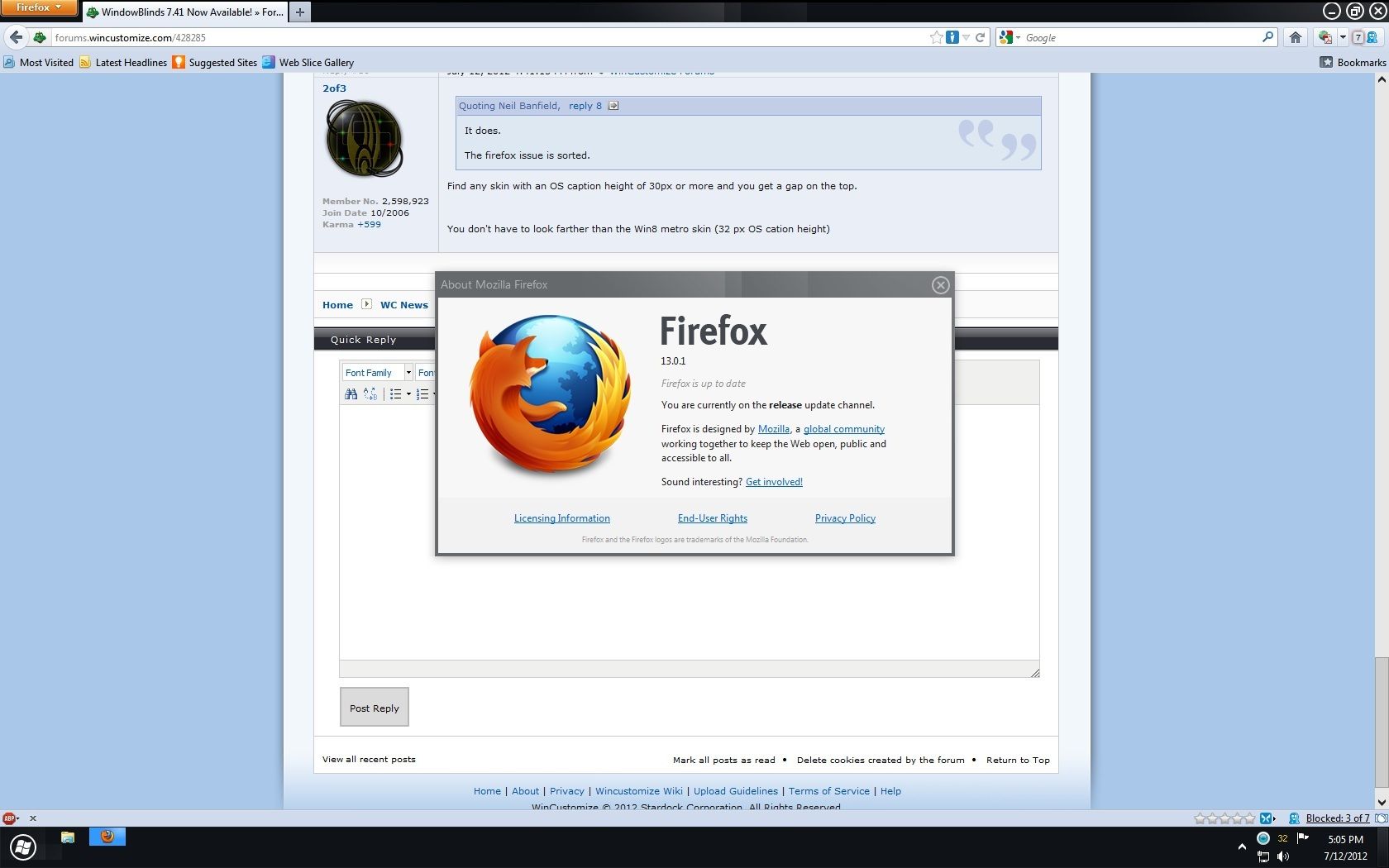
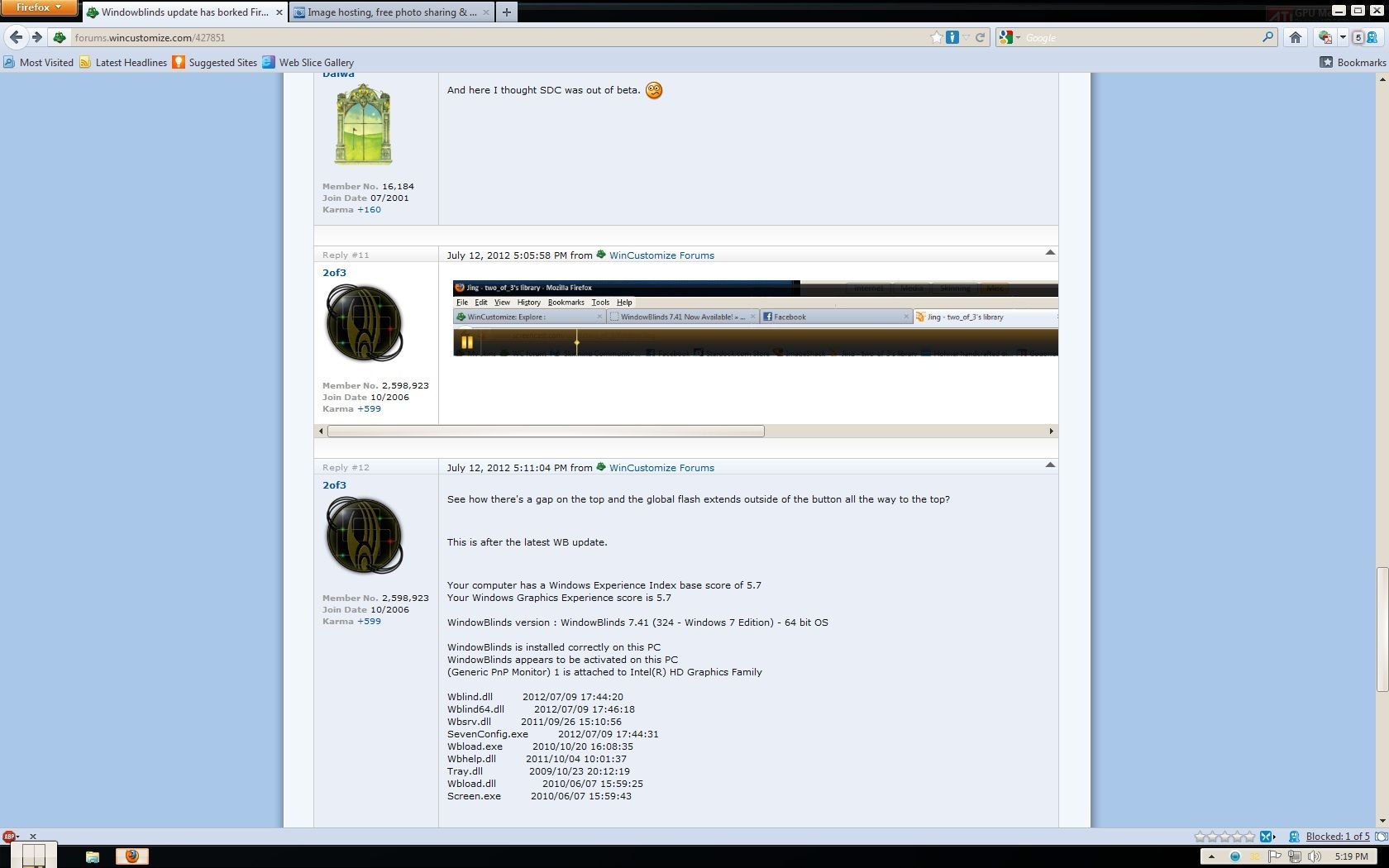
Find any skin with an OS caption height of 30px or more and you get a gap on the top.


You don't have to look farther than the Win8 metro skin (32 px OS cation height)

Reply #11 Top

I just just updated to the recent release and all seems to be working fine. I did see 2of3's post & link to the OP and I must say; I am not seeing the issue. I too use FF and took a snapshot of my window at max. Please see the screenie below. I may be missing something??? I normally do not run at max so, that may be the reason why I have not noticed any issues...

Reply #13 Top

I looked at most recent post at: https://forums.wincustomize.com/427851 and I applied the same skin used (which, I think is awesome!!!x10) and I do not see the same behavior... Please see snapshot below...the only thing I noticed was the orb, which I never use the task bar at that height anyways...

Reply #14 Top

Quoting 2of3, reply 10
Quoting Neil Banfield, reply 8It does.

The firefox issue is sorted.

Find any skin with an OS caption height of 30px or more and you get a gap on the top.


You don't have to look farther than the Win8 metro skin (32 px OS cation height)

I have checked into this and it seems the smaller caption issue is sorted but there is an issue with larger captions that the QA team noticed but decided wasn't important so didn't mention it to me.

I have made a new build and hopefully we can do another update soon, though due to SDC limitations it has to be called 7.42 rather than 7.41.

Reply #15 Top

Quoting Neil, reply 14
I have made a new build and hopefully we can do another update soon, though due to SDC limitations it has to be called 7.42 rather than 7.41.

Great news, Neil!

I'm sorry to bring it up here on the release thread. Any update on this issue can be posted at the thread I linked to in reply #5

Reply #16 Top

Quoting Neil, reply 14
I have made a new build and hopefully we can do another update soon, though due to SDC limitations it has to be called 7.42 rather than 7.41.
Seems to me that SDC issue needs to be fixed. Just my two cents. It seems to create a lot of confusion.

Reply #17 Top

Quoting RedneckDude, reply 16
It seems to create a lot of confusion.

Actually, Jim, it was more confusing when a new build/update was released with the same number as the last, imho.

Reply #18 Top

Quoting Neil, reply 14
it has to be called 7.42 rather than 7.41.

I don't see that as a bad thing. Thank you for staying on top of things. I don't use Firefox but it's nice to know  that even little details get looked into. :thumbsup:

Reply #19 Top

/me likes new shining things.

Reply #21 Top

can it be installed on a secondary drive?

Reply #22 Top

Nope.

*Just to frustrate you.  :grin:

Reply #23 Top

Yesterday, the system tray alerted me to a WB 7.41 update. I started SDC, selected WB 7.41 and clicked uppdate. After the required boot, I assumed that WB 7.41 was installed. This morning I got another alert that there was a WB 7.41 update??? I checked the installed WB and found that WB 7.4 was still installed.

I started SDC again, selected WB 7.41 and clicked update, where upon SDC crashed!

Reply #24 Top

Quoting kku, reply 23
Yesterday, the system tray alerted me to a WB 7.41 update. I started SDC, selected WB 7.41 and clicked uppdate. After the required boot, I assumed that WB 7.41 was installed. This morning I got another alert that there was a WB 7.41 update??? I checked the installed WB and found that WB 7.4 was still installed.

I started SDC again, selected WB 7.41 and clicked update, where upon SDC crashed!
Please email [email protected] so we cam take a look.

Reply #25 Top

I notice yesterday your also a new install, regular WB, this exactly:
Your computer has a Windows Experience Index score of 7.4 basis
Your Windows Graphics Experience score is 7.4

WindowBlinds version: WindowBlinds 7.42 (325 - Windows 7 Edition) - 64 bit OS

WindowBlinds is installed CORRECTLY On this PC
Appears to be activated WindowBlinds On this PC
(Generic PnP Monitor) 1 is attached to ASUS EAH5770 Series

2012/07/13 13:23:20 Wblind.dll
2012/07/13 13:24:18 Wblind64.dll
2011/09/26 15:10:56 Wbsrv.dll
2012/07/09 17:44:31 SevenConfig.exe
2010/10/20 16:08:35 Wbload.exe
2011/10/04 10:01:37 Wbhelp.dll
2009/10/23 20:12:19 Tray.dll
2010/06/07 15:59:25 Wbload.dll
2010/06/07 15:59:43 Screen.exe

and running smoothly so good.