Major Stress Major Stress

[Rebellion Modding] Rebellion Modding Q, and A.

[Rebellion Modding] Rebellion Modding Q, and A.

Specific discussions about Rebellion Modding here.

As the title says. Discuss Rebellion Specific modding.

For Example: Some say they have had success converting, and importing Rebellion meshes in game with the current version of ConvertXSI, but they had to use a text editor for the new shaders to work.

This is kind of important information for the modding community to know. We don't know if the Forge Tool set will be updated for Rebellion, or not.

The ones that did have success importing meshes into Rebellion can you explain to the community what you did, and how you did it? This will help us all greatly. Especially Me for the resurrection of TSOP, and it will help the Sins modding community in general. If you want to post tutorials, and/or links to tutorials. Even better.

I would like this topic to be an open topic on Rebellion Specific Modding. Any, and all information regarding Modding Rebellion specifically post it here. Hopefully it will get a sticky.

Thanks

Edited to reflect this topic as a general question, and answer topic specifically for Rebellion Modding.

344,682 views 115 replies
Reply #26 Top

So what is this 2nd shader exactly? I was under the impression that you could now use something other than Phong and or as well as. Can it be any other shader? Or is what I am thinking entirely different to what this new shader is?

Edit; nevermind

Reply #27 Top

Quoting Volt_Cruelerz, reply 24
I don't know how or where it would display them though.

Aren't there more "spaces" next to the weapons/durability/antimatter slots?

Reply #28 Top

Spaces, yes, but there doesn't seem to be any rhyme or reason to it aside from 4 abilities on top, 3 upgrades on bottom.

Reply #29 Top

Quoting GoaFan77, reply 25
One thing I've been meaning to try is to see if the Starbase upgrade properties work on titans, they look almost identical. Could give our titans more interesting passive upgrades that way. Probably won't but I can dream until I start really looking at this stuff.

At this time they do not work based on my tinkering around. Please feel free to verify though.

Reply #30 Top

I had tried swapping them and got no luck either--but what do I know?  I did do the passive fixed level in ability 4.

The setup looked a bit funky and I imagine the "Highlander abilities" are hard coded in and fill those "empty" spots?

There can be only one.

Reply #31 Top

Quoting Sinperium, reply 30
The setup looked a bit funky and I imagine the "Highlander abilities" are hard coded in and fill those "empty" spots?

The titans don't need abilities to limit themselves, the engine has been set up to do that by itself. Even if you could fill the UI without more modifiers you won't be able to do anything radically different with them I think.

Reply #32 Top

I have tested Rebellion retail and the shadow bug is still there, as prominent as ever. I believe the shadow bug has two major contributors to it.


The first contributor is that the shadow maps are extremely small. The 'squares' we're seeing are no doubt individual pixels of the shadow map. I thought maybe you could force higher resolution shadow maps in the settings file (Why waste all my GPU power, anyways?), but such is not possible.

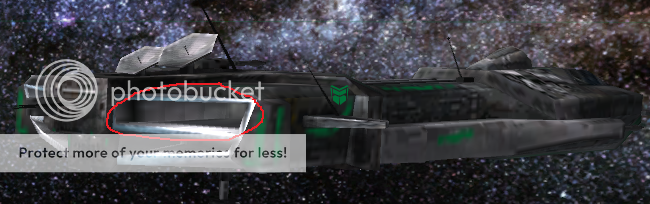
The second contributor is that the engine doesn't seem to devote nearly enough shadow space to edges or thin constructs. This makes sense to an extent, but every single attennae in the game seems to create wildly flickering shadows, not to speak of curved wings, plating, and other such things. Some shadows create triangles and not even "pixels", resulting in very weird shadowing.

The attennae on the new TEC capital ship also produce very buggy shadows.

I seriously doubt a new version of convertxsi.exe would fix this, unless it allows you to manually define the resolution of a mesh's shadow maps. A lot of ships like my Kraken above have a lot of plating and tests yielded it all freaking out because of these bugs, and the bugs are prominent on many vanilla meshes.

Changes to AF and AA settings have no impact on the bug. While I zoomed in to point out the bugs, you'll see them clearly at any distance, especially if the ship is moving.

Reply #33 Top

Realistically, though, you won't be zoomed in far enough, during normal gameplay, to really see that (or care).


Reply #34 Top

It's visible zoomed out. And the problem is very apparent on larger meshes (like the ones I posted early in the thread). The flickering is pretty distracting.

Reply #35 Top

Quoting IskatuMesk, reply 35
It's visible zoomed out. And the problem is very apparent on larger meshes (like the ones I posted early in the thread). The flickering is pretty distracting.


I haven't noticed an issue over them (nor do I seem to have issues on my side).  Then again, I run with high shadows on.  If you do modelling, I imagine you'd notice it quicker than the rest of us.

Anyway, Sins got updated again.  Yarlen gave a passing mention to a balancing patch coming out soon.  I guess they were quick about delivery.

https://forums.sinsofasolarempire.com/378266/page/4/#3173281 <-I put updated refs. in Harpo's thread.

Reply #36 Top

I have high shadows on (lower shadows seems to reduce the shadow map resolution further). It's only the self-shadowing that seems to freak out. Anyways, I'm going to revise the Kraken and see if I can manipulate the plating in a way that reduces that effect.


Thanks for the refs, too. These will be most useful in my update project.

Reply #37 Top

Quoting IskatuMesk, reply 37
I have high shadows on (lower shadows seems to reduce the shadow map resolution further). It's only the self-shadowing that seems to freak out. Anyways, I'm going to revise the Kraken and see if I can manipulate the plating in a way that reduces that effect.


Thanks for the refs, too. These will be most useful in my update project.

AMD or Nvidia card?  It could be more of a matter of the drivers needing to be updated for the game vs. the game itself.

Reply #38 Top

It appears that you have to put in the moveAreaRadius and hyperspaceExitRadius for planets in the galaxy file; using the planet's own entity appears to be insufficient now. I'm extremely disappointed by this, it absolutely ruins several maps that I enjoy playing and/or have made.

Edit: Scratch that, they will work it seems, but the dev exe will bitch an error storm over it. This needs more testing.


Reply #39 Top

The engine did get updated.  I expect more options would be available because of it.

Reply #40 Top

Quoting XATHOS, reply 38

Quoting IskatuMesk, reply 37I have high shadows on (lower shadows seems to reduce the shadow map resolution further). It's only the self-shadowing that seems to freak out. Anyways, I'm going to revise the Kraken and see if I can manipulate the plating in a way that reduces that effect.


Thanks for the refs, too. These will be most useful in my update project.
AMD or Nvidia card?  It could be more of a matter of the drivers needing to be updated for the game vs. the game itself.


AMD, but it's fairly updated. Would you mind getting me screenshots of your self-shadowing in much the same manner of my examples? I'm extremely curious if there's something else afoot.

Reply #41 Top

Putting in hyperspaceExitRadius with blank values does not make the game reference the planet/star's entity files, but instead uses some weird, tiny, default. Haven't looked at moveAreaRadius yet.

Quoting XATHOS, reply 40
The engine did get updated.  I expect more options would be available because of it.

Depends on your definition of "more". For some people, this allows for far more customization of maps, allowing them to bypass a file's entity values. For some it results in less variety, as you cannot, for example, have a random star which can have a different moveAreaRadius and hyperspaceExitRadius based on the star which is spawned; you are now forced to enter in these values or face error messages.

Reply #42 Top

Quoting Lavo_2, reply 42

Depends on your definition of "more". For some people, this allows for far more customization of maps, allowing them to bypass a file's entity values. For some it results in less variety, as you cannot, for example, have a random star which can have a different moveAreaRadius and hyperspaceExitRadius based on the star which is spawned; you are now forced to enter in these values or face error messages.

You have more control, thus, you have more  you can do.  Whether positive or negative is in the eyes of the modder (generally, a positive).


Quoting IskatuMesk, reply 41

AMD, but it's fairly updated. Would you mind getting me screenshots of your self-shadowing in much the same manner of my examples? I'm extremely curious if there's something else afoot.

I'll see what I can do.  Can't guarantee anything new, but I'll take some shots of a titan with maxed out graphics.


Reply #43 Top

Max graphics.  I don't see a single issue.

TEC Rebel Titan


TEC Colony Capital


TEC Scout


Reply #44 Top

Hmm. I do see the shadow map pixels on the colony capital, and on the small turrets with the ragnarov, but certainly not as prominent as some of mine.

I will have to investigate this issue very thoroughly if I am to proceed with my plans. I fear it will be unavoidable.


Reply #45 Top

Quoting IskatuMesk, reply 45
Hmm. I do see the shadow map pixels on the colony capital, and on the small turrets with the ragnarov, but certainly not as prominent as some of mine.


What kind of card do you have?  My laptop has a crossfire setup on it.  I could see if this ends up the same way on that end (later, maybe).

Regardless, like I said, it could be a driver issue.  I'd wait until the next Catalyst drivers are out.  They'll probable have a fix in there.

You should also check your settings.  My universal settings had this with FXAA on.  If the engine had blurry shadows, it'd show up with that.

Reply #46 Top

I'm using a 6970 single GPU. It could be a driver issue I suppose. I'll fool around with those settings on my next test run and see if I can figure something out.

Reply #47 Top

Quoting XATHOS, reply 43
You have more control, thus, you have more  you can do.  Whether positive or negative is in the eyes of the modder (generally, a positive).

Define "more control". I feel like I have less control, as I cannot leave things up to chance if I so desire.

Quoting XATHOS, reply 46
Regardless, like I said, it could be a driver issue.  I'd wait until the next Catalyst drivers are out.  They'll probable have a fix in there.

I'm not sure it's a drivers issue... I, also on an ATI card, have no issues with the base game yet have issues with ported models. Further, it appears some meshes, such as the Vasari's Battleship (CapitalShip_PhaseBattleship) have remain unchanged from as far as Entrenchment (don't have or want base Sins' reference files). Something is amiss.

Reply #48 Top

Well well well, seems some stock Sins models have shadow issues. While I wasn't looking for them, I noticed the TEC scout has some.

Reply #49 Top

I'm too busy not getting killed to notice those. ;)

Reply #50 Top

For the sake of argument. How well do the "current" sets of modding tools we have now work with rebellion? (Harpos tools plus the forge tool set)