
G3mpi3 G3mpi3

ClearGem (WIP)

ClearGem (WIP)

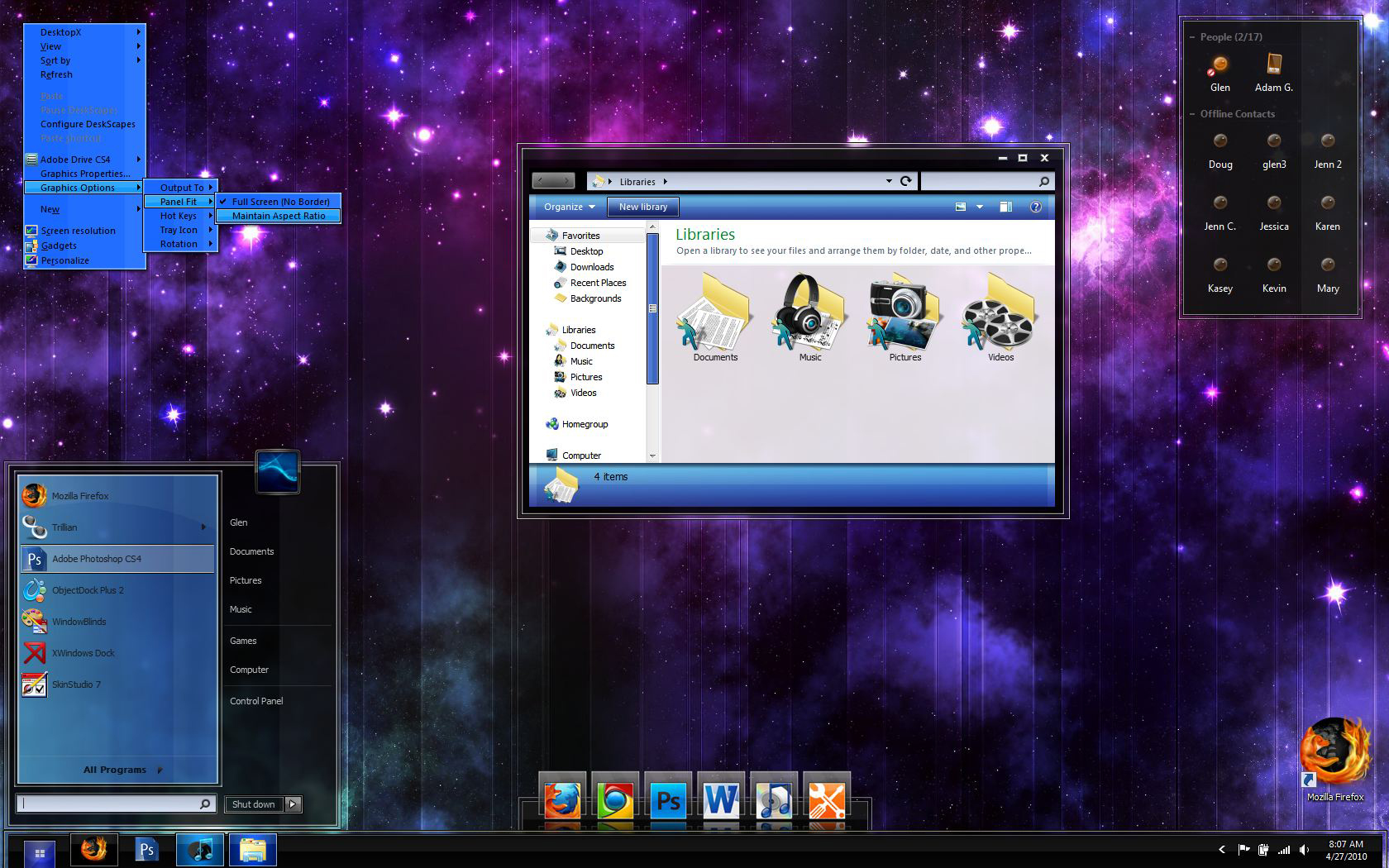
I was working on my first windowblind, Azzurro and my computer crashed and I lost all of my work. I finally got around to starting a new one, and I'm very happy with it so far.

This is still technically my first windowblind, so be patient because I'm really going to take my time with it. Click on the screenshot and zoom in to see the details I've put into the taskbar, start button, taskbar buttons, and start menu. Let me know what you think.


I will also release the dock seen in the screenshot. I'll make a 2D zoomer as well as a tabbed dock too.


UPDATED to show new dock, minor changes, new trillian skin, and some icons (some of a pack of 60+)


G3


Here's the icon pack (so far) that I'm making to go along with my theme. I'll make any requested icons too.

149,152 views 67 replies
Reply #51 Top

Great advice

Definitely. You're right about the nitty-gritty stuff, it's not as exciting to do. Also, I'm doing some more work on the dock and icons now. I'll get back to the blind next week. Thanks for all the support Brian :sun:

+1 Loading…
Reply #53 Top

Well, I finally started working on this thing again. Just one problem I need help with. I can't figure out how to make the start menu shorter........it seems like there is a gap between the all programs button and the icons above it. What should I adjust? Any help would be awesome! :grin:

Reply #54 Top

Glen, did you right-click on your start menu and choose properties > customize? After this, change the "number of recent programs to display" values under "start menu size" AND uncheck some of the items in the list on top.

If you've already done this, then I dunno. :\


+1 Loading…
Reply #55 Top

Also, make sure that the right side of the startmenu has a negative value for the bottom text margin in Sks (-35 or so). Sorry if that has been said before in this thread.....I just got up and need my coffee.

+1 Loading…
Reply #56 Top

Quoting Mirsguy, reply 54
Glen, did you right-click on your start menu and choose properties > customize? After this, change the "number of recent programs to display" values under "start menu size" AND uncheck some of the items in the list on top.

If you've already done this, then I dunno.


Ah yeah, it's really weird because I can actually almost empty the start menu and it's still about the same height. Thanks for the quick response though, Brian.

Quoting 2of3, reply 55
Also, make sure that the right side of the startmenu has a negative value for the bottom text margin in Sks (-35 or so). Sorry if that has been said before in this thread.....I just got up and need my coffee.

I'll definitely look into that Tim, and I appreciate your help  :thumbsup:

Reply #57 Top

Quoting G3mpi3, reply 56

Quoting Mirsguy, reply 54Glen, did you right-click on your start menu and choose properties > customize? After this, change the "number of recent programs to display" values under "start menu size" AND uncheck some of the items in the list on top.

If you've already done this, then I dunno.

 
Ah yeah, it's really weird because I can actually almost empty the start menu and it's still about the same height. Thanks for the quick response though, Brian.


Quoting 2of3, reply 55Also, make sure that the right side of the startmenu has a negative value for the bottom text margin in Sks (-35 or so). Sorry if that has been said before in this thread.....I just got up and need my coffee.
I'll definitely look into that Tim, and I appreciate your help 

I think (and I'm far from an expert here :P), but I think some of it might have to do with how large the original image was when it was created. I know I make my start menus around 300x400 so even when I have them practically empty, it's kept the same basic size as the parts that are sliced apart for the menu.

If that makes sense?

I don't know, I have the same problem. :P

Nice looking blind though, man. ^_^

Reply #59 Top

Skillet: the size of the actual image should have no effect on the height of the start panel.....it's all in the settings ;)

Reply #60 Top

Looking good Dude!  I'm DX ready!, I can also test on all 3 OSes...hint, hint.  :-" ;)

Reply #61 Top

I can also test on all 3 OSes...hint, hint.

That would be great man. I've been looking for a Vista tester. I'll probably send it to ya within the next couple weeks ;)

Reply #62 Top

:grin:   You have my email, right?

Reply #63 Top

Quoting RedneckDude, reply 62
  You have my email, right?


uh.....I don't think so... :|

Reply #64 Top

You never said whether or not you were able to shorten the height of the startpanel.

Reply #65 Top

You never said whether or not you were able to shorten the height of the startpanel.

Right, well I haven't tried yet. I'll try it either tomorrow night or Monday. I'll let you know. ;)

Reply #66 Top

G3mpi3, check yer PM.

Reply #67 Top

You never said whether or not you were able to shorten the height of the startpanel.

Well, this is strange. I can't seem to make the start menu shorter than the height shown in the last screenshot. I even changed to a different windowblind (Venom), and I still can't make it smaller than that height. I'm not sure what I'm doing wrong.....