Transparent Parts in Vista Home Basic. HOW?

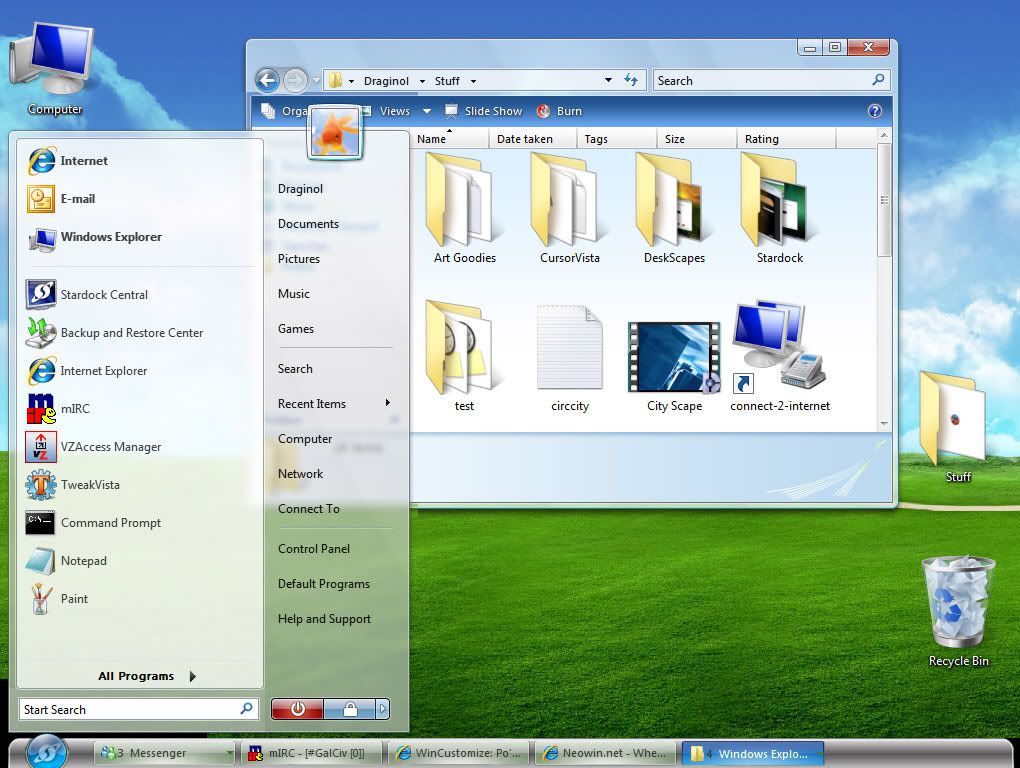
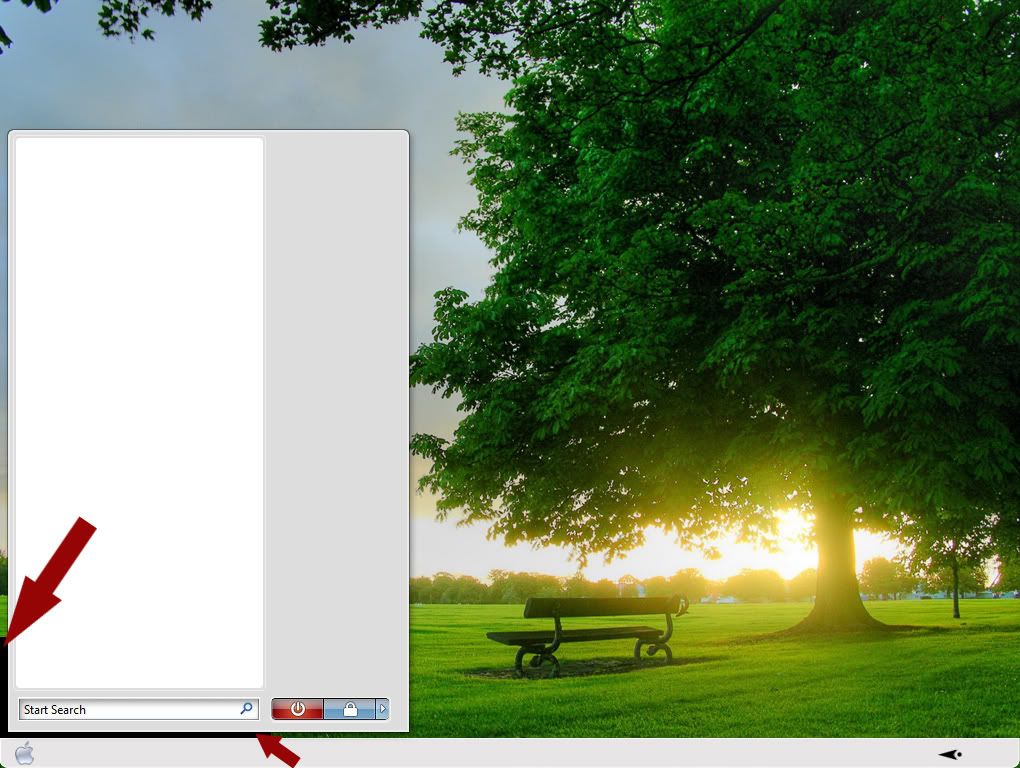
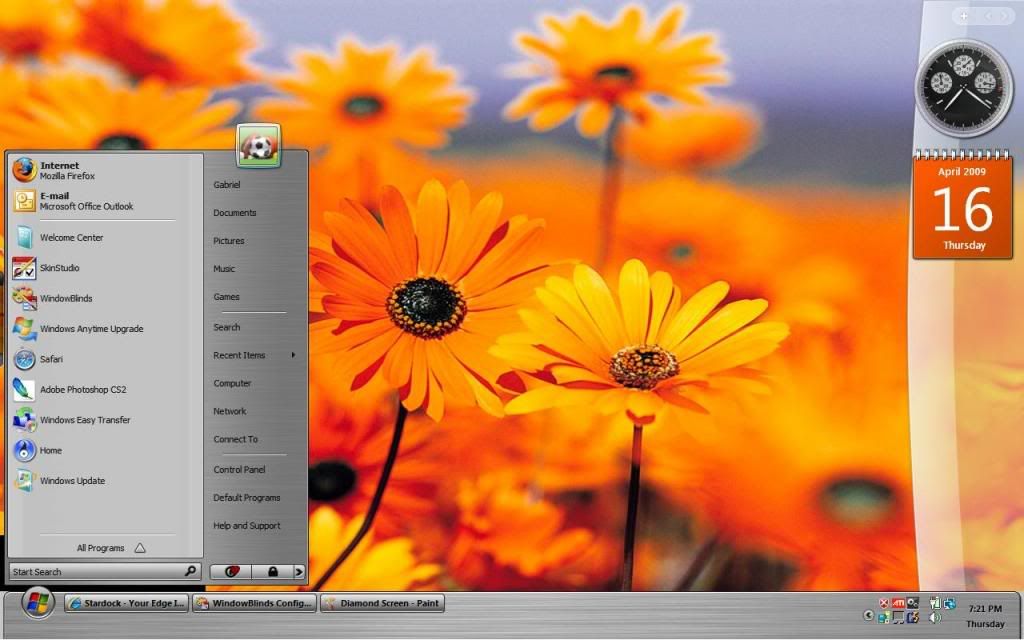
I recently bought a laptop running Vista Home Basic and have installed Windowblinds. I noticed tho, that when I apply skins that have transparent parts (such as the Start panel and Taskbar sides in the Diamond style) that I get these white or black sections on each side of the taskbar and under the start panel. Is there wa way to get rid of this, as I have it set to the same configs as on my desktop ?(running xP, tho).  Please help. I've posted 3 images. (1) the way it SHOULD look (2) the white sections (3) the black sections


29,195 views 30 replies
Reply #1 Top

Btw: The start panel on my Vista laptop isn't semi-transparent like in these images. But I would like them to be. Please advise how regarding the start panel aswell. Thanks.

Reply #2 Top

Open the WindowBlinds Configuration screen and click on "System info" then click the "Copy text" button. Paste that info here.

Reply #3 Top

Far as I know Home basic doesnt support all WB's capabilities. Not positive tho.. How did u get it working in image 1?

Reply #4 Top

What is your graphics score under Vista?

Reply #5 Top

Quoting vStyler, reply 3
Far as I know Home basic doesnt support all WB's capabilities.

I've heard that too. I hope there's a work-aroundthat tho. Or that WB will include features that will help Vista support them all. Otherwise, what's the point of purchasing WB if your running Vista? And hopefully Windows 7 will be able to support them out of the box.

Reply #6 Top

Quoting messiah1, reply 4
Does your graphics card support transparency?  You need a graphics score of at least a 1.9 I think to run anything transparent.


Graphics card: ATi Radeon 1150 . Sumthing like that.

Reply #7 Top

Quoting vStyler, reply 3
Far as I know Home basic doesnt support all WB's capabilities. Not positive tho.. How did u get it working in image 1?

I simply found an image on the web of the Diamond style and doctored it with photoshop in the last two images to illustrate my problem. But I forgot to dr up the start panel.

Reply #8 Top

Quoting Hankers, reply 2
Open the WindowBlinds Configuration screen and click on "System info" then click the "Copy text" button. Paste that info here.


I'll have to wait til I get home to check my laptop.

Reply #9 Top

Would you post the information requested in comment #2, please.

Reply #10 Top

what I HAVE noticed tho is that when I load the Aero Broken Glass WB skin in Vista home Basic, the transparent areas on the explorer windows ARE transparent (you know where the edges of the windows look like the glass is cracked off?) So, how my graphics card MUST support transparency. But then, why wont the Start panel and taskbar do so aswell?

Reply #11 Top

Quoting Hankers, reply 9
Would you post the information requested in comment #2, please.

I have to wait until I get home (where my laptop, on which I'm having the issue) is so that I can get that info from Comment #2.

Reply #12 Top

Vista Home Basic will not support transparency or blur. It tells you that in WB configuration. I used it for over a year that way.I could get  transparency with the window frames, but none with the taskbar or menus.I would get transparency in the startmenu if it was open and I moused over ObjectDock,but I have no idea why that worked the way it did. 

I think this is due to Home Basic not having full Aero capabilities. There is no work around other than upgrading to Home Premium or Ultimate.

On dark blinds/walls the white areas at the ends do look bad but there are some skins that have no blur in that area,thus no white is showing.

Reply #13 Top

Quoting Hankers, reply 9
Would you post the information requested in comment #2, please.

Here's the System Info you requested:

Your computer has a Windows Experience Index base score of 2
Your Windows Graphics Experience score is 2.4

WindowBlinds version : WindowBlinds 6.3 (build 112 x86 - Vista Edition)

WindowBlinds is installed correctly on this PC
WindowBlinds appears to be activated on this PC
(Generic PnP Monitor) 1 is attached to ATI Radeon Xpress Series

Wblind.dll      2008/11/06 12:22:20
Wbsrv.dll      2008/09/16 07:44:22
Wbconfig.exe      2008/11/18 17:15:54
Wbload.exe      2008/04/26 15:14:14
Wbhelp.dll      2008/04/26 15:14:07
Tray.dll           2008/04/26 15:14:21
Wbload.dll           2008/04/26 15:14:28
Screen.exe      2008/07/15 10:31:09

Reply #14 Top

Quoting Wizard1956, reply 12
Vista Home Basic will not support transparency or blur. It tells you that in WB configuration. I used it for over a year that way.I could get  transparency with the window frames, but none with the taskbar or menus.I would get transparency in the startmenu if it was open and I moused over ObjectDock,but I have no idea why that worked the way it did. 

I think this is due to Home Basic not having full Aero capabilities. There is no work around other than upgrading to Home Premium or Ultimate.

On dark blinds/walls the white areas at the ends do look bad but there are some skins that have no blur in that area,thus no white is showing.

That suxx! Well, does any1 know whether windows 7 supports WB Transparency?

Reply #15 Top

Your version of WindowBlinds is a few builds behind.  If you can, update WindowBlinds using Impulse and reboot.  Not sure if this will help but recent updates have been made to correct certain issues.

Reply #16 Top

Quoting Hankers, reply 15
Your version of WindowBlinds is a few builds behind.  If you can, update WindowBlinds using Impulse and reboot.  Not sure if this will help but recent updates have been made to correct certain issues.

No good. I installed the latest WB build, rebooted, and STILL, i get the white sides and no transparency. Oh well! Maybe windows 7 will be better.

Reply #17 Top

Will Vista ULIMATE (Full Aero) support transparency on Start Panel and Taskbar tho?

Reply #18 Top

You betcha it does and WindowBlinds never looked better!:thumbsup:

Reply #19 Top

"You betcha it does and WindowBlinds never looked better!"

Great cuz I just picked up a Full Vista Ulitmate CD.

Reply #20 Top

Ok, So as soon as I install Ultimate, the taskbar transparency issued SHOULD be resolved. But I would like to have the issue of the black box behind the start panel resolved.

When I initially applied the SL style on my laptop (running Vista Home Basic) there was no black box behind the startpanel. But the original SL start panel was too narrow and did'nt display the Right List side items. So created my own wider startpanel and adjusted the margins so that it fit perfectly. But now I have this black box behind the startpanel. Therfore, since there was no black box behind the startpanel with the SL style's original images, I think its safe to assume that this black box IS'NT due to the lack of Aero support (as with the taskbar). Perhaps I adjusted the margin setting improperly when I applied my startpanel images. Can you please assist? I drew the image below to illustrate my issue. 


Reply #21 Top

You may want to start a new post about this issue so that experienced skinners will see it. A link to the skin you adjusted/modified will also help.

Reply #22 Top

Is it doing that on all themes?

Reply #23 Top

Quoting vStyler, reply 22
Is it doing that on all themes?

Yep

Btw: Here is my WB system info:

Your computer has a Windows Experience Index base score of 2
Your Windows Graphics Experience score is 2.4

WindowBlinds version : WindowBlinds 6.4 (build 129 x86 - Vista Edition)

WindowBlinds is installed correctly on this PC
WindowBlinds appears to be activated on this PC
(Generic PnP Monitor) 1 is attached to ATI Radeon Xpress Series

Wblind.dll      2009/03/24 13:59:20
Wbsrv.dll      2009/03/24 17:03:02
Wbconfig.exe      2009/03/24 17:04:20
Wbload.exe      2008/04/26 15:14:14
Wbhelp.dll      2008/04/26 15:14:07
Tray.dll           2008/04/26 15:14:21
Wbload.dll           2008/04/28 12:34:28
Screen.exe      2008/07/15 10:31:09


Reply #24 Top

This happen in all non perpixel skin in vista.


Reply #25 Top

Quoting bilbo1930, reply 24
This happen in all non perpixel skin in vista.


So, I need to create images for my startpanel and taskbar as Per-pixel?